1
Click Show search options
At the right end of the search box, click the sliders icon.
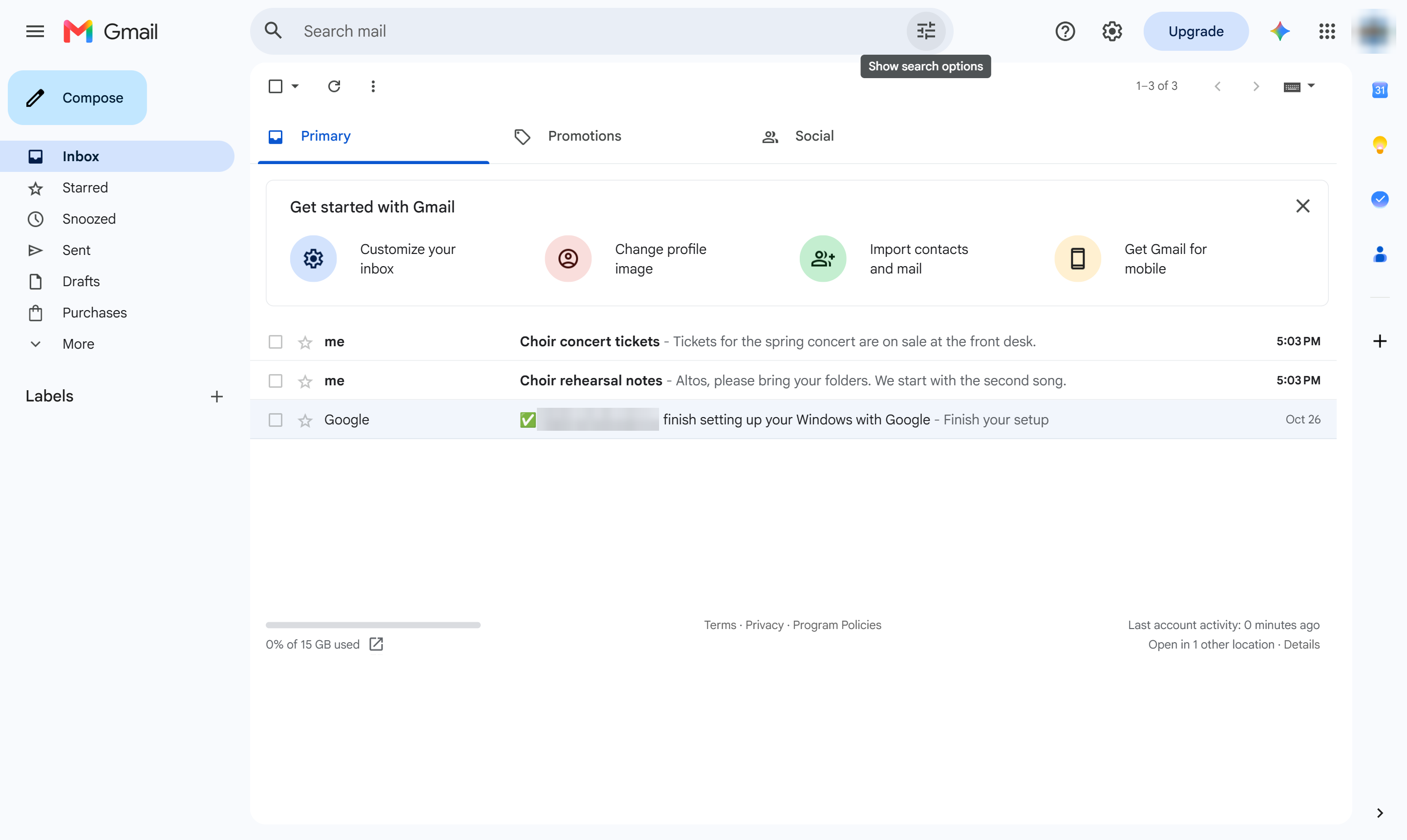

Gmail has no sort button; list every email from one sender with the search options instead.
At the right end of the search box, click the sliders icon.
Click the From box.
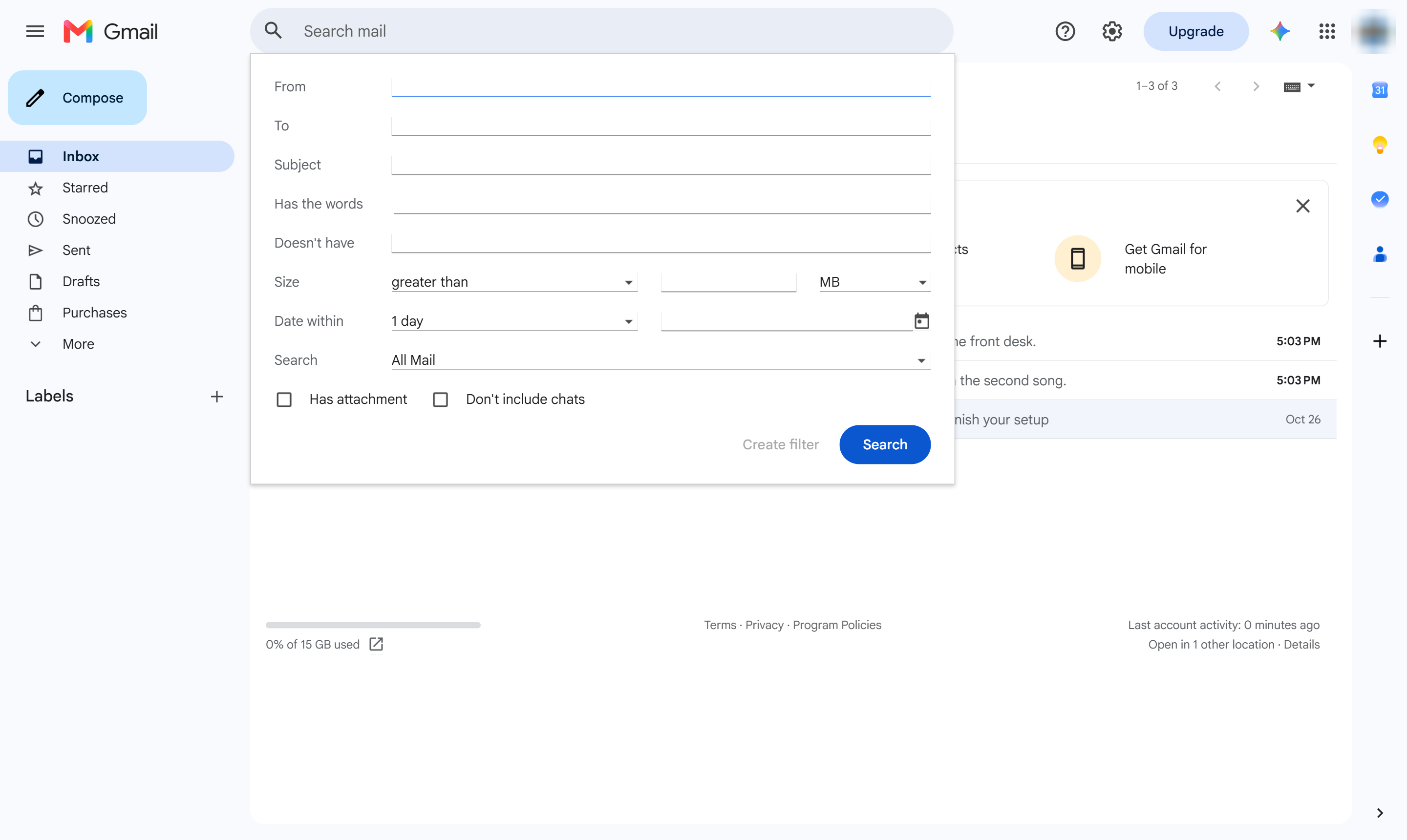
Type the sender's name or email address.
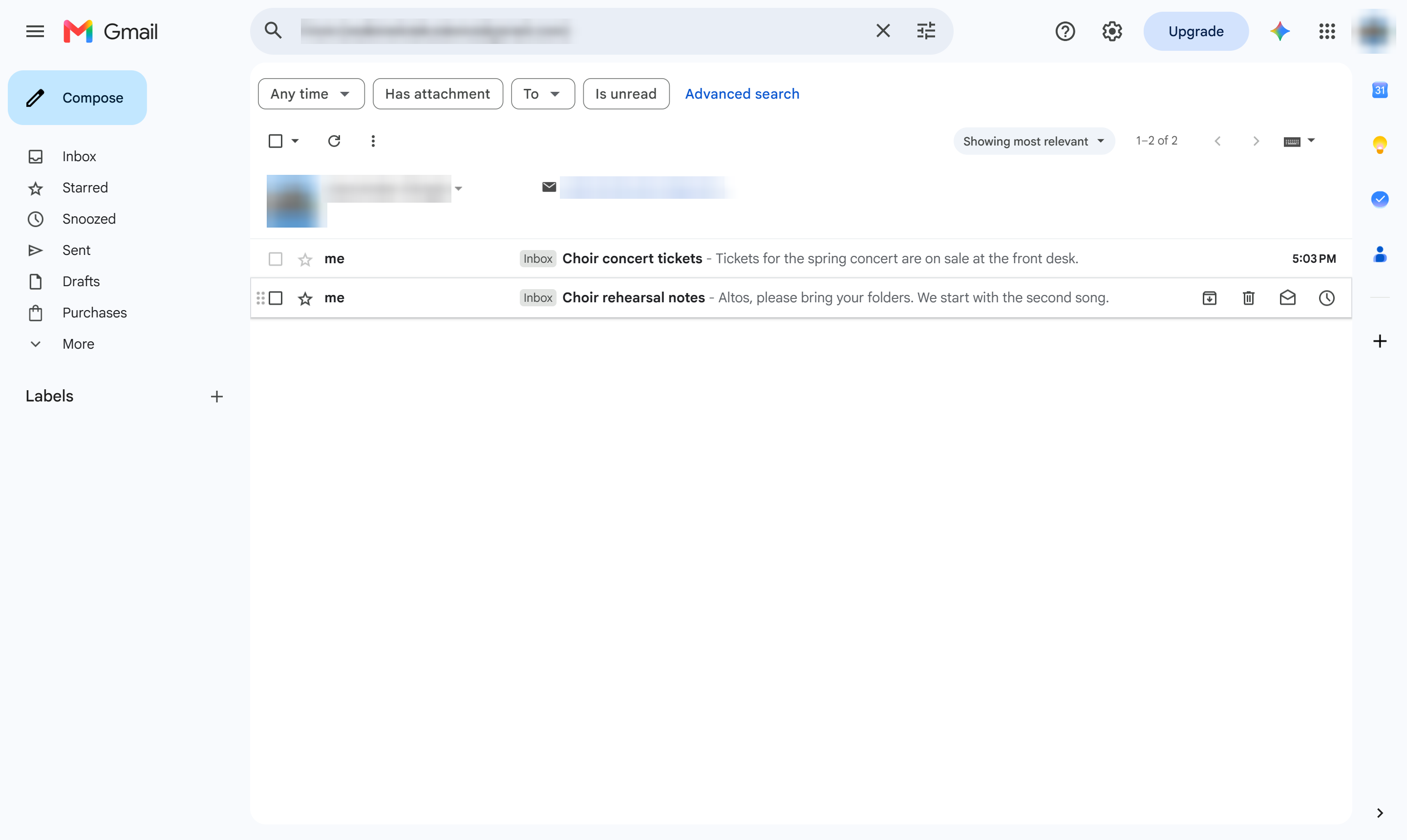
Click Search. Every email from that sender is listed, newest first.
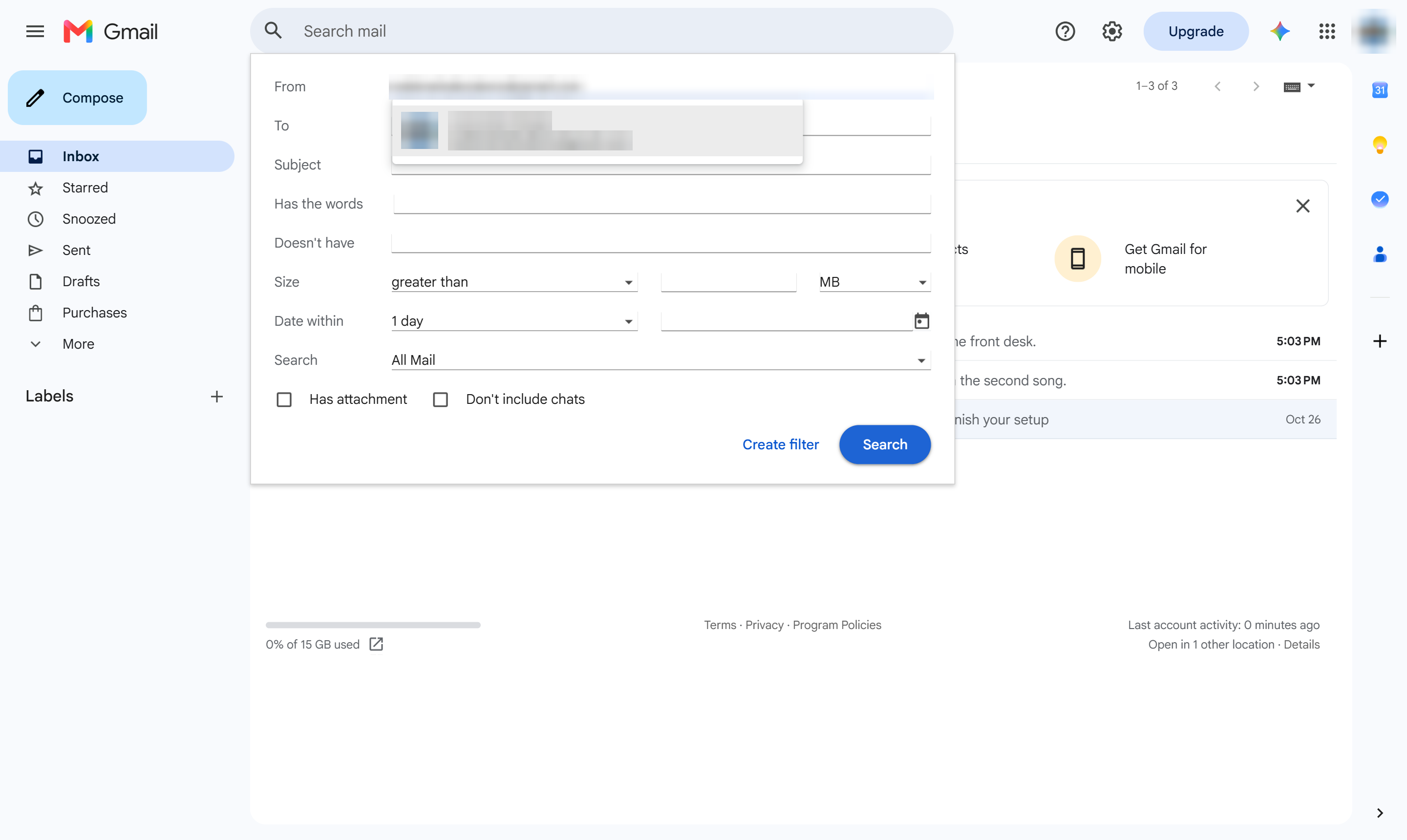
Only emails from that sender are shown. Tip: hover over a sender in your inbox, or search from: followed by their address.
Duplicate this template, swap in your own screens, and share it with your team. Free to start — no credit card.
Fill out the form and we'll get back to you as soon as possible.
Tell us about your team and we'll find the right plan together.