#4821
VPN won’t connect after my password reset
Dana, Finance
OpenGuide sent
Haiku turns one fix into a guide you can hand to an employee, a new hire, or export for an AI agent to run.
The same password change. The same fix.
 Edit guideCopy linkCopied
Clear the saved sign-in, then reconnect.

The problem
No docs when the expert’s gone. Ticket starts cold.
Access, VPN, tools: answered again per new hire.
No steps, so AI agents guess. Tickets land on IT.
How Haiku helps
Capture
Walk through the fix once, in the app or browser. Haiku turns it into a guide anyone can follow, no pinging required.
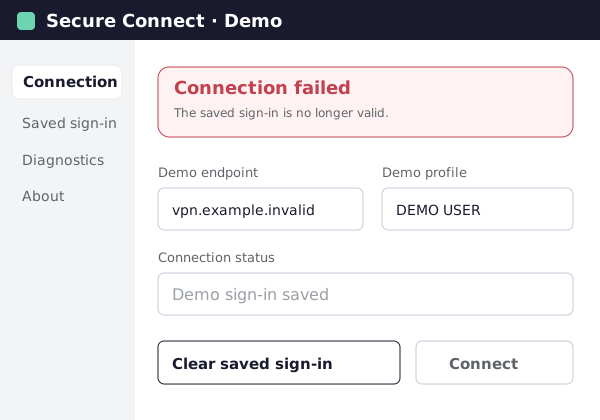
The saved sign-in is no longer valid.
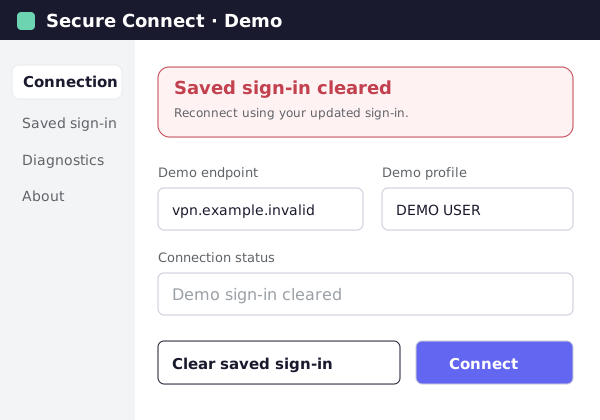
Reconnect using your updated sign-in.
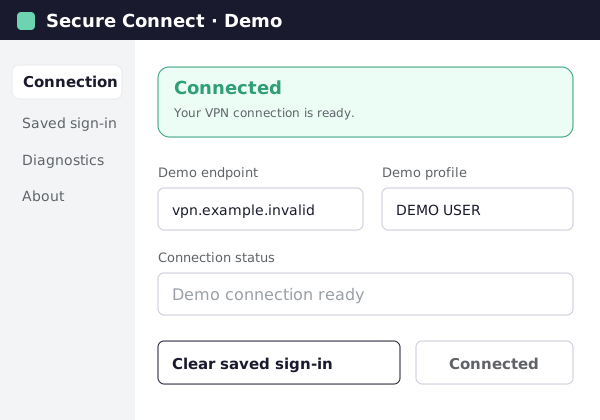
Your VPN connection is ready.
Edit guideClear the saved sign-in, then reconnect.
Open the desktop app to check the connection.
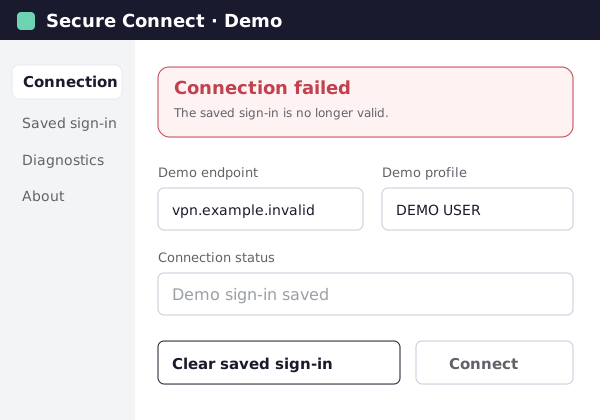
Remove the saved sign-in from your connection.
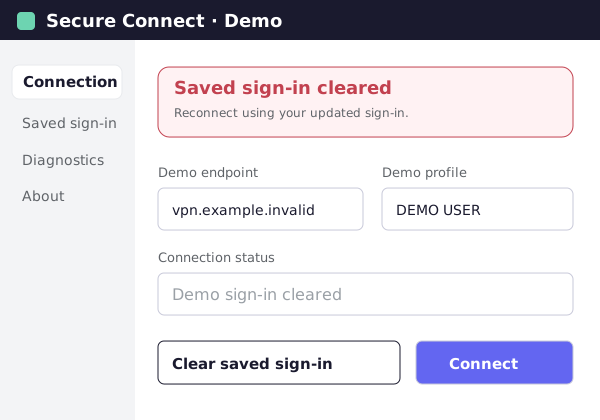
Reconnect using your updated sign-in.
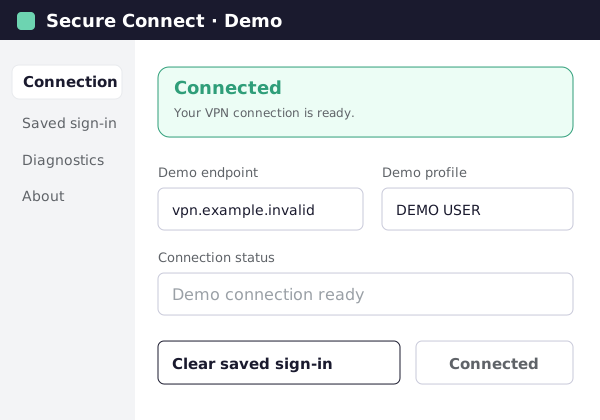
Annotate and publish
Every step shows the real screen with the exact click marked. Publish it to Confluence or Notion, right where the rest of your IT docs live.
AnnotateStep 02 / 02Edit guideUnlock the account, then reset MFA for the employee’s new phone.
Open the employee and unlock their account.
Reset the old phone’s MFA method.

Publish as an article in a space

Turn the haiku into a Google Doc

Turn the haiku into a slide deck

Create a page with steps and screenshots
Export for AI Agents
Export any guide as instructions an AI agent can run: the steps in order, the context it needs, and the point where it should check with you before acting instead of assuming.
Edit guideUnlock the account, then reset MFA for the employee’s new phone.
On the employee page, click Unlock account.
Remove the old phone, then set up a new MFA method.
Turn your guide into instructions an AI agent can follow.
Confirm the employee’s identity and Employee ID 10482. Ask the employee before resetting MFA.
The employee changed phones and cannot sign in. Use the Admin console.
Use cases
Turn your most-asked question, like VPN access or a software request, into a self-service guide, instead of answering it every time it comes in.
Rolling out a new tool? Send the guides with the announcement, so everyone knows where to click on day one.
Export verified steps your AI agent or chatbot can follow, with the points it should confirm with the employee first.
Capture how your best technicians handle the tricky fixes, so new hires shadow less and solve more.
Why Haiku
Add guides to Confluence or Notion, or drop a link into any ticket.
Blur names, emails and account details before you share a guide.
Analytics show who opened a guide, which steps they read and where they stopped.
SOC 2 Type II, ISO 27001 and GDPR. By WalkMe, an SAP company.
FAQ
Yes. The Chrome or Edge extension records any web app, from your ticketing system to your admin consoles. The desktop app covers native software on Mac and Windows.
Yes. Each step shows the real screen with the exact click marked, so employees can follow along on their own. Your team can spend that time on harder tickets.
A PDF or wiki page describes the screen in words, and goes stale the moment something changes. Haiku shows each real screen, and you edit one step at a time.
Yes. Export for AI Agents turns your steps into instructions an AI agent can follow, including what it should confirm with you before acting.
Only the people creating guides need the Chrome or Edge extension, or the desktop app. Anyone following a guide needs nothing installed.
Edit the affected steps or swap a screenshot. The link stays the same, and paid plans keep version history.
Yes. The free plan includes up to 10 guides and needs no credit card.
Start with the ticket you're tired of answering.
Fill out the form and we'll get back to you as soon as possible.
Tell us about your team and we'll find the right plan together.
