The guide, right beside the work.
In-app guides your team opens next to the page they're on. Everyone follows the latest steps, in their own language, without leaving the app.
INVOICE
Lumen Studio
Issue a refund
 In-app guides×
Refund a payment
Use Credit note for a partial refund.
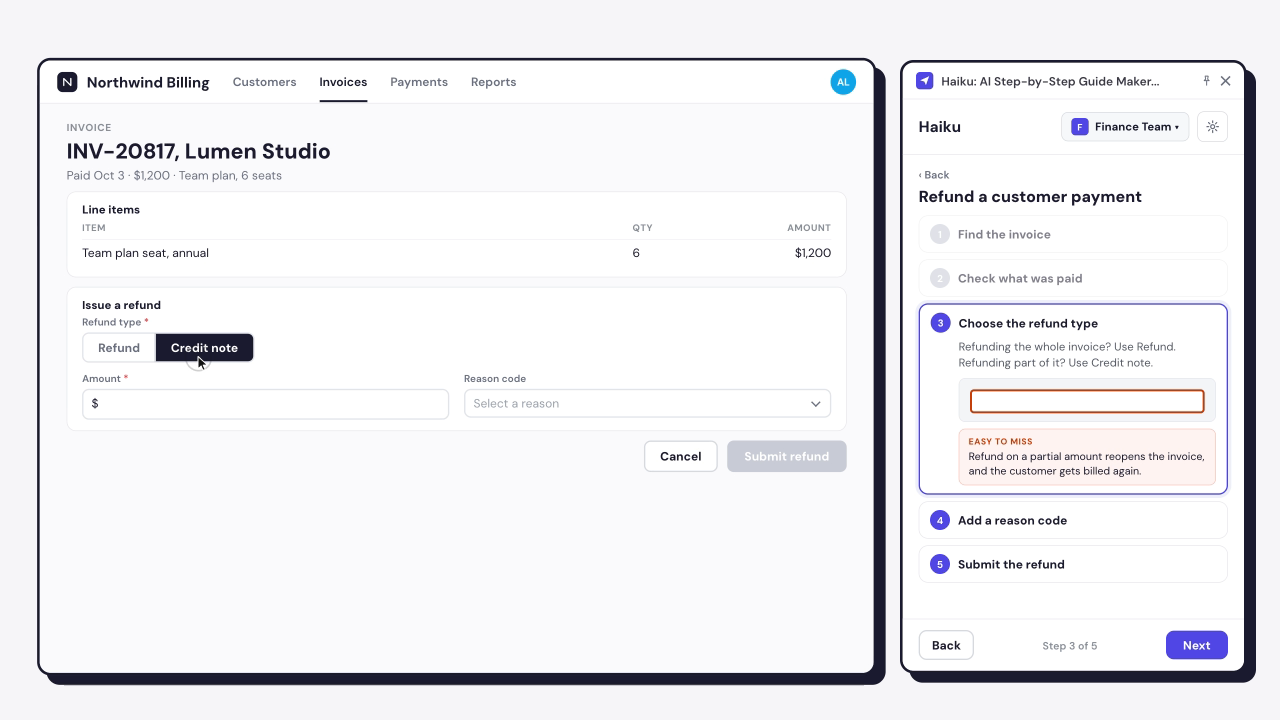
Choose the customer’s reason.
The credit note is emailed to the customer.

Follow the guide, not a second tab.
Open any guide in the Haiku extension, next to the live page. People follow each step as they work, without switching tabs or losing their place.
- Contextual view
- Chrome and Edge extension
NEW PURCHASE REQUISITION
PR-10482, Warehouse scanners
Details
Cost allocation *
Attachments *
In-app guides×Purchase requisition
Networked scanners count as IT assets.
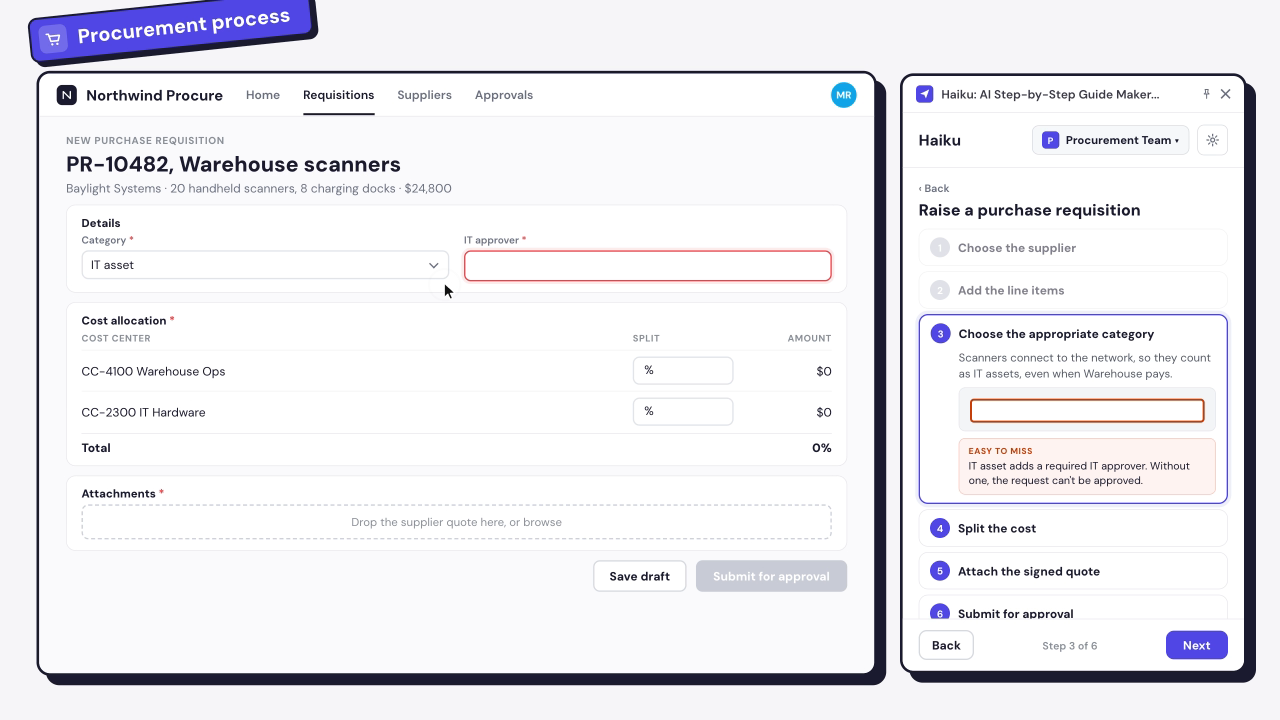
The split must total 100%.
Orders over $5,000 need a signed quote.
Sent to your manager, then IT.
Everyone follows the same steps.
Choose which guides your team sees in the Haiku menu. Publish an update and everyone gets the latest version, read in their own language.
- Haiku menu
- Filter by team
- Real-time translation
In-app guides×Purchase requisition
Networked scanners count as IT assets.
In-app guides×Purchase requisition
Networked scanners count as IT assets.
Bestellanforderung
Vernetzte Scanner gelten als IT-Assets.
For WalkMe customers
WalkMe customers? Target with precision.
Publish any guide to your WalkMe Menu, then target who sees it by team, location or role. Track opens and goals in WalkMe Insights.
- Publish to WalkMe Menu
 WalkMeHaiku guidesWalkMe Menu⌕ SearchWalkMe Menu⌕ SearchWalkMe Menu⌕ Search
Frequently asked questions
To open a guide next to the page, yes: the contextual view runs in the Haiku extension for Chrome and Edge. Without it, people can still open a shared link or an exported file.
No. The guide sits beside the page, and each step shows its screenshot with the click marked. Guidance that points at the live field is what WalkMe adds.
Your changes reach the menu when you select Publish again. Until then, the team keeps seeing the version you last published.
Pick your WalkMe data center, choose the system and name the menu item. Haiku adds the guide as an article resource.
No. Smart Walk-Thrus, SmartTips and segmentation are built in WalkMe.
Keep the guide where the work is.
Open a guide next to the page you're working on right now.