1
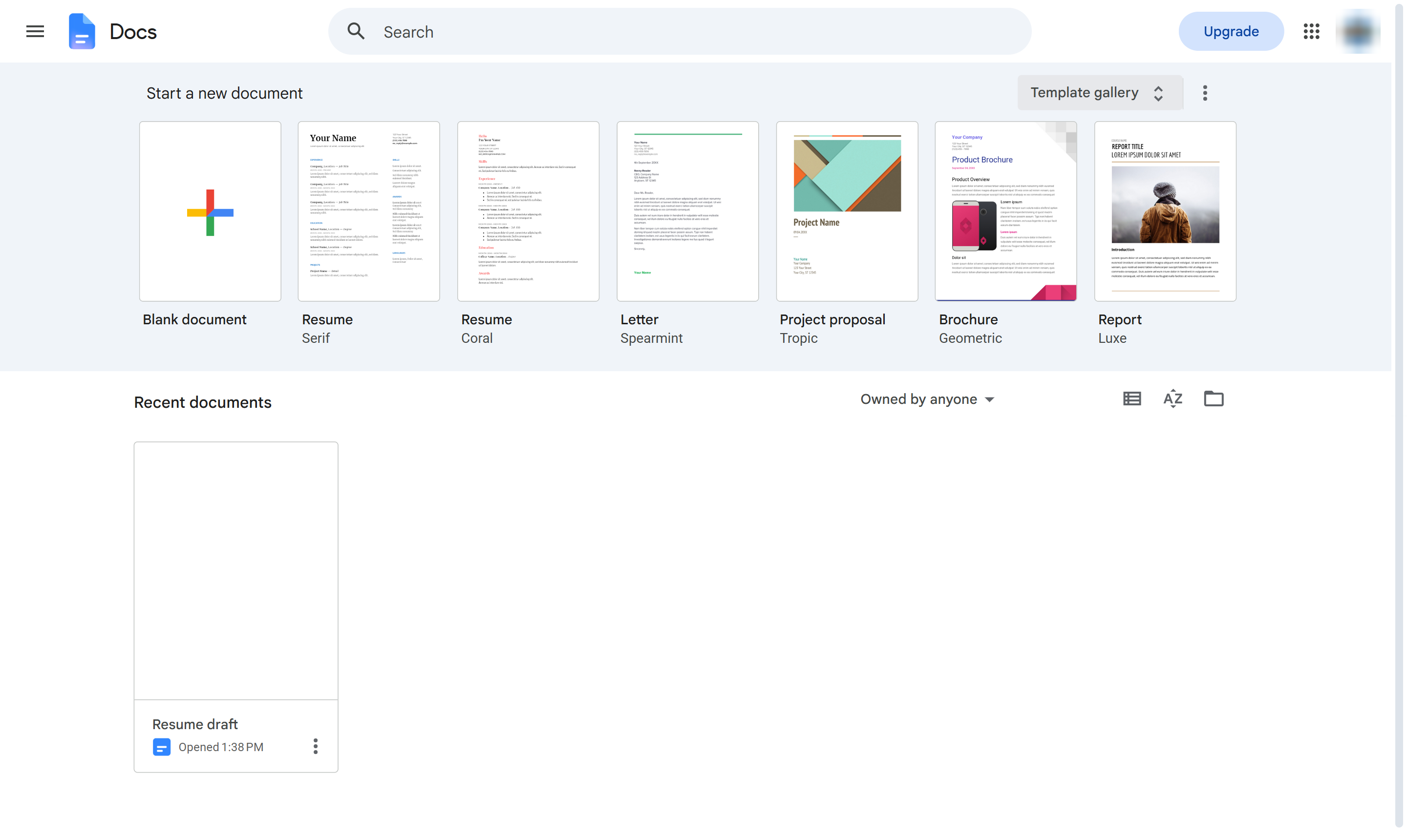
Click Template gallery
On the Google Docs home page, click Template gallery at the top right.

Start a resume from a ready-made Google Docs template and fill in your details.
On the Google Docs home page, click Template gallery at the top right.
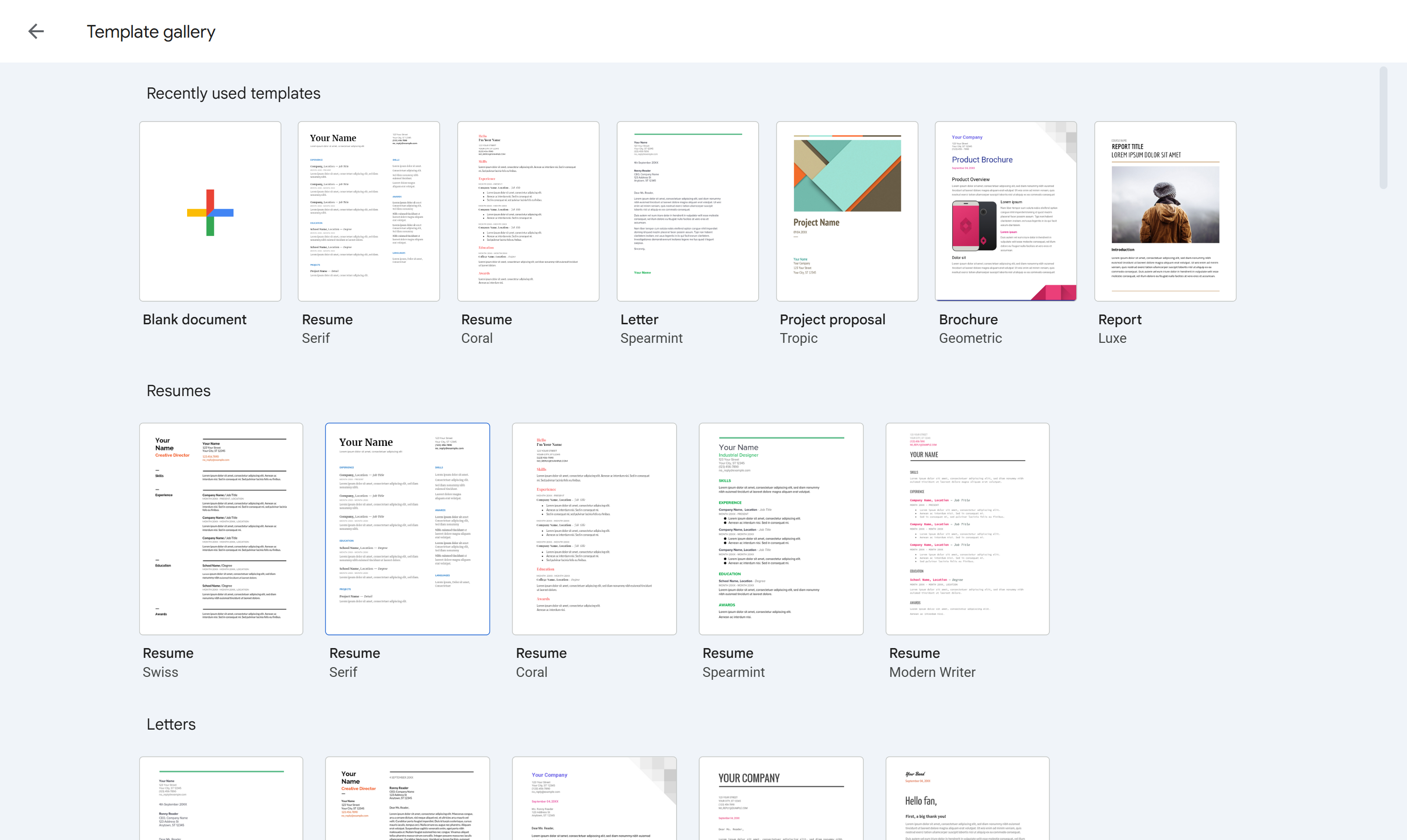
Under Resumes, pick a design - here, Serif. A new document opens with the layout filled in.
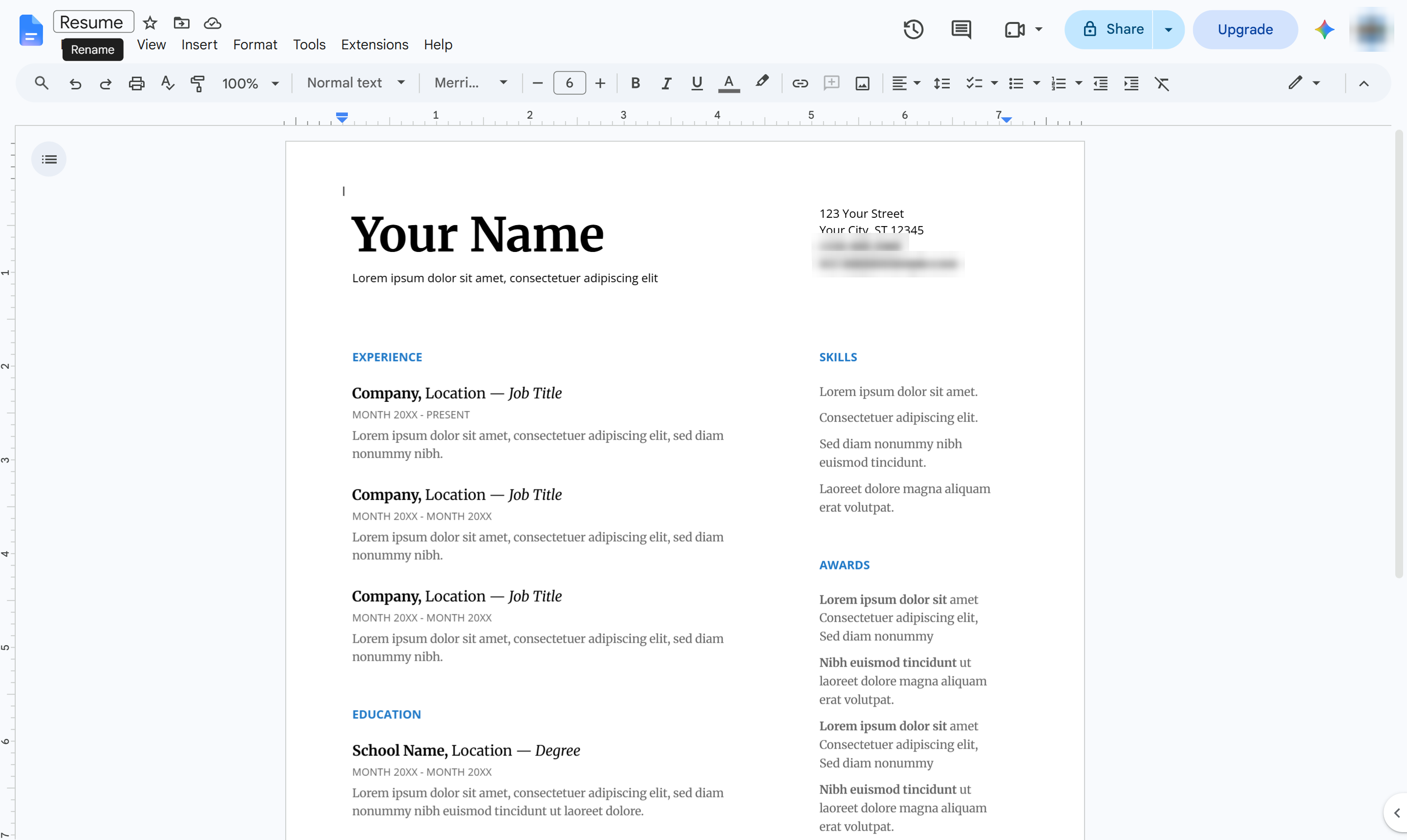
Click the document name at the top left.
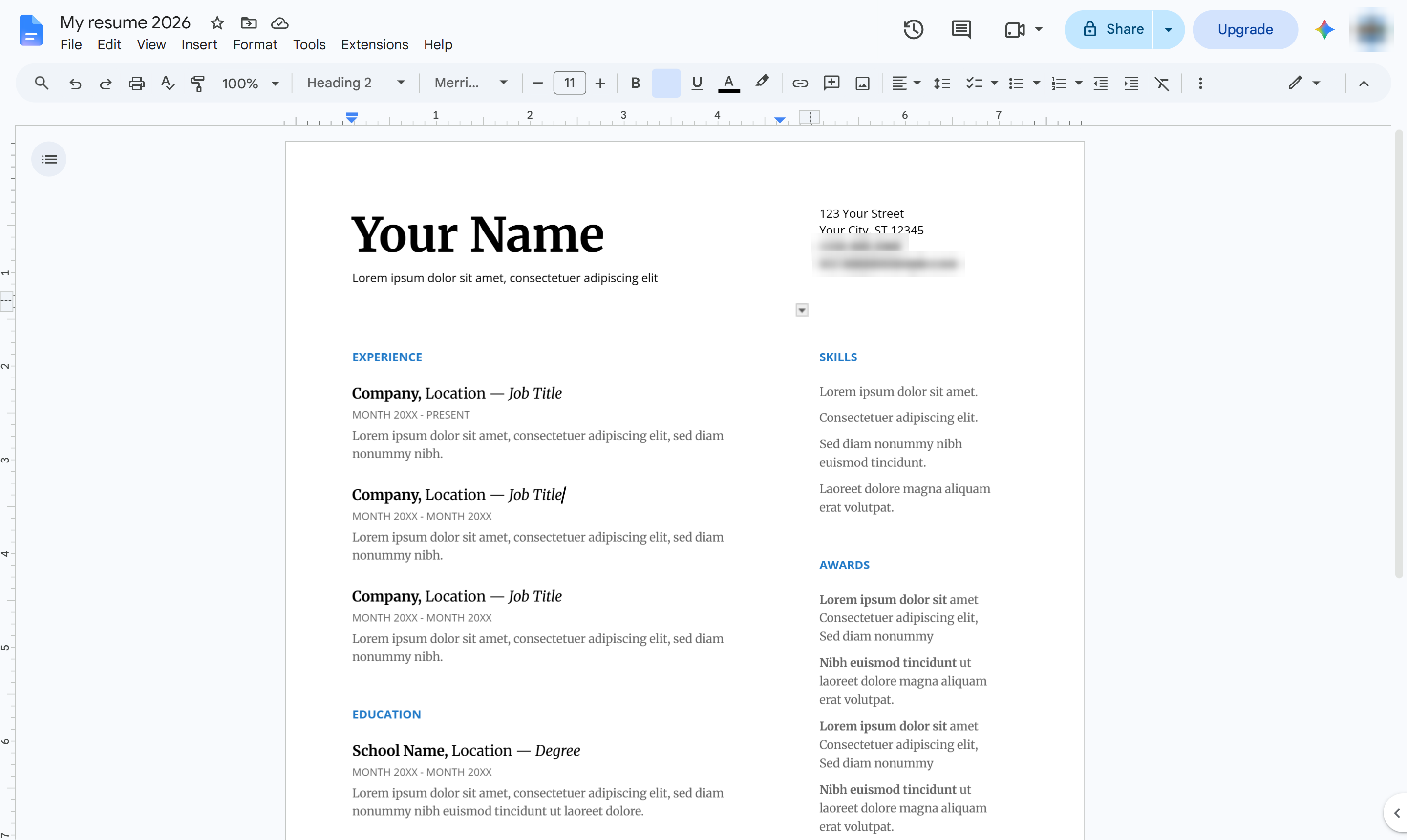
Type a name for the file and press Enter.
Click each placeholder - your name, contact details, experience and education - and type over it with your own.
Duplicate this template, swap in your own screens, and share it with your team. Free to start — no credit card.
Fill out the form and we'll get back to you as soon as possible.
Tell us about your team and we'll find the right plan together.