1
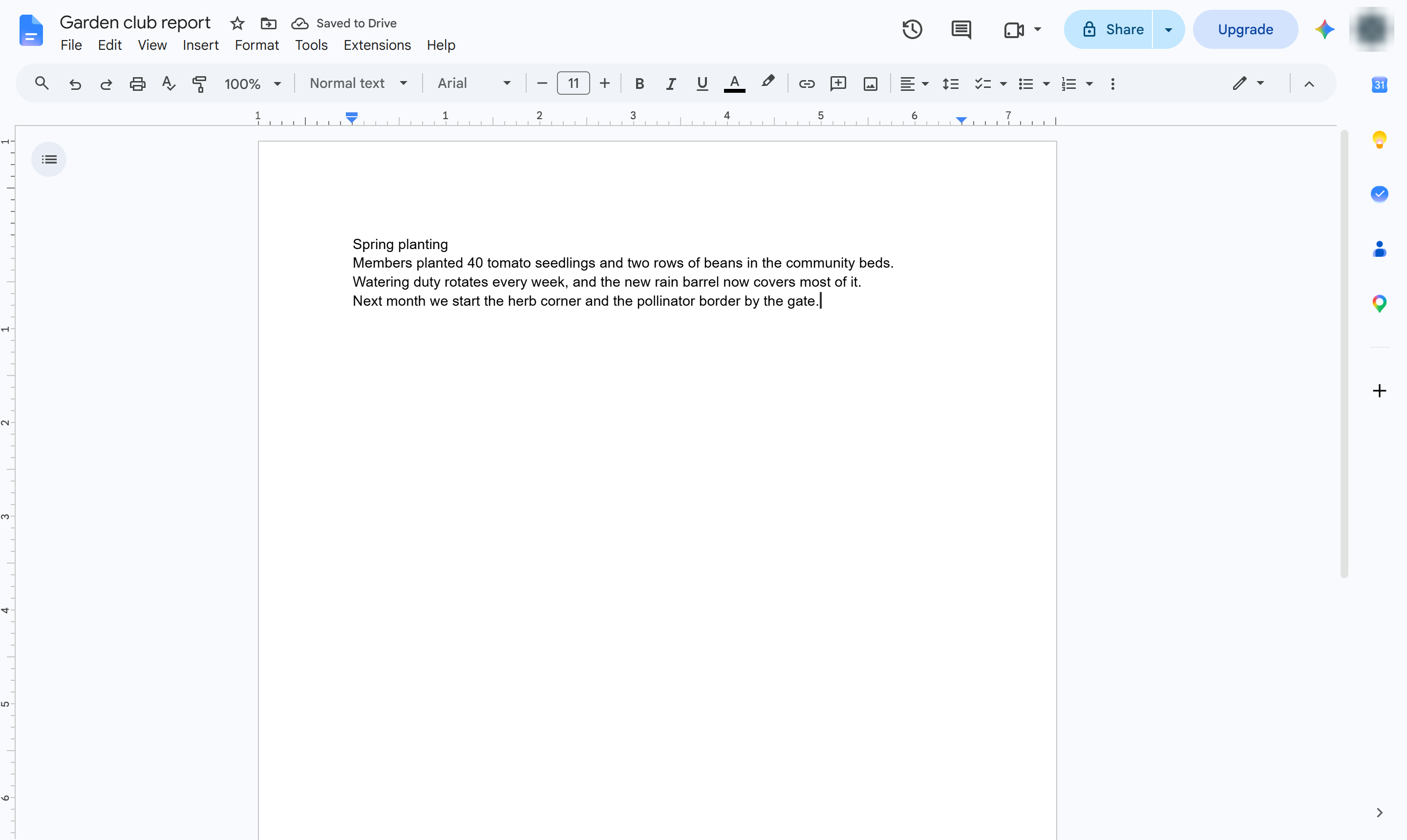
Click at the start of the document
Click right before the first word of your document.

Give your document a separate first page with its title, using a page break.
Click right before the first word of your document.
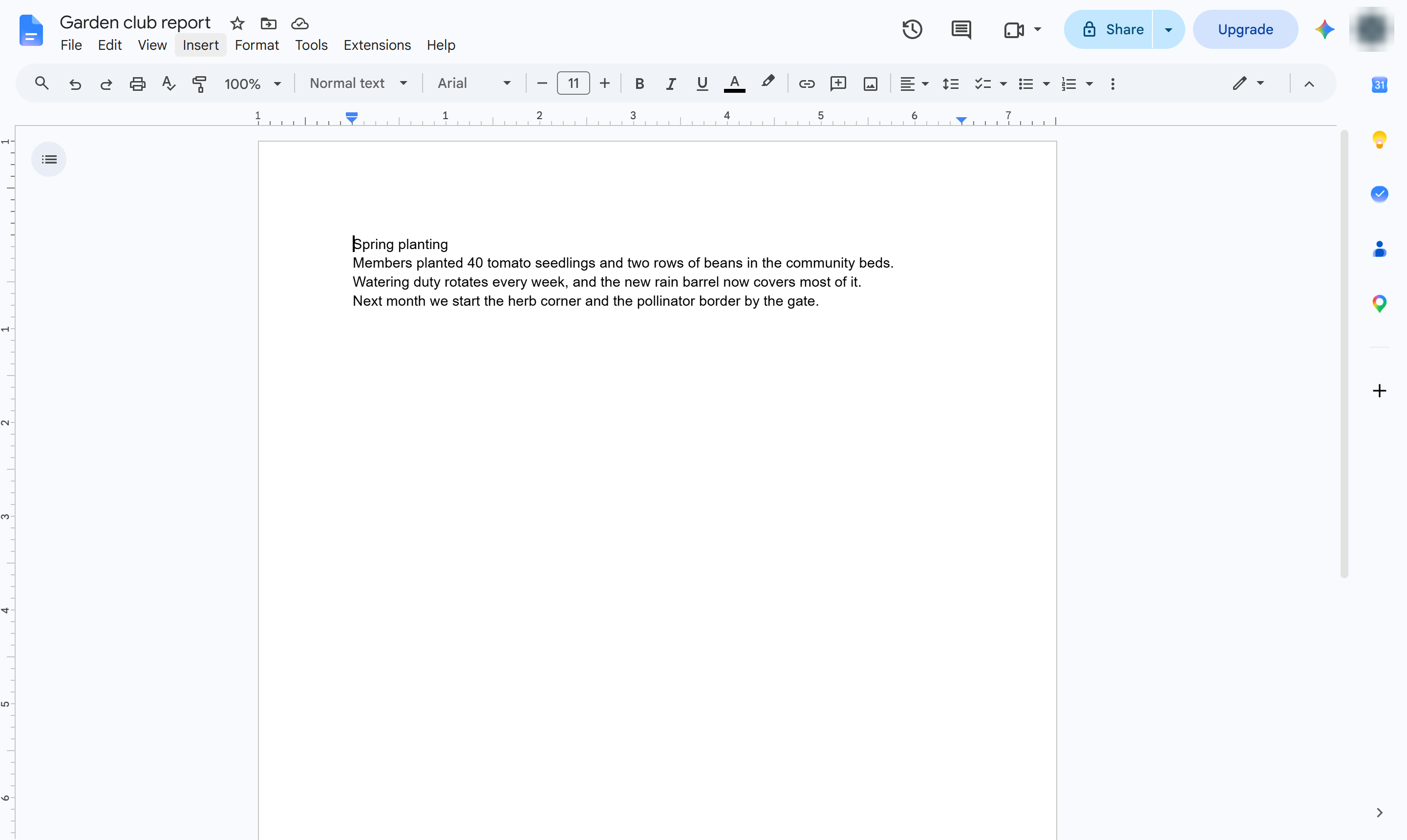
Open the Insert menu.
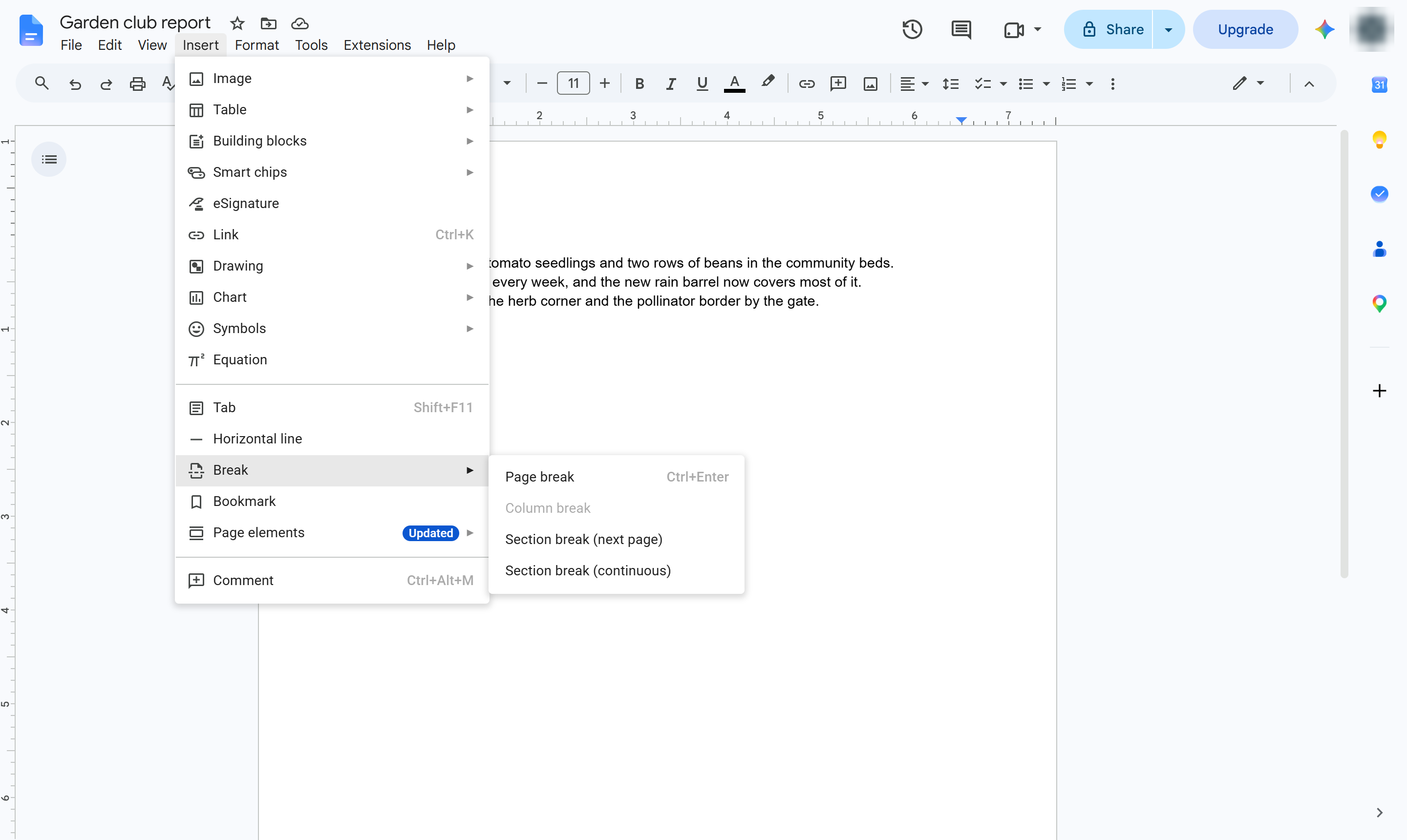
Hover over Break.
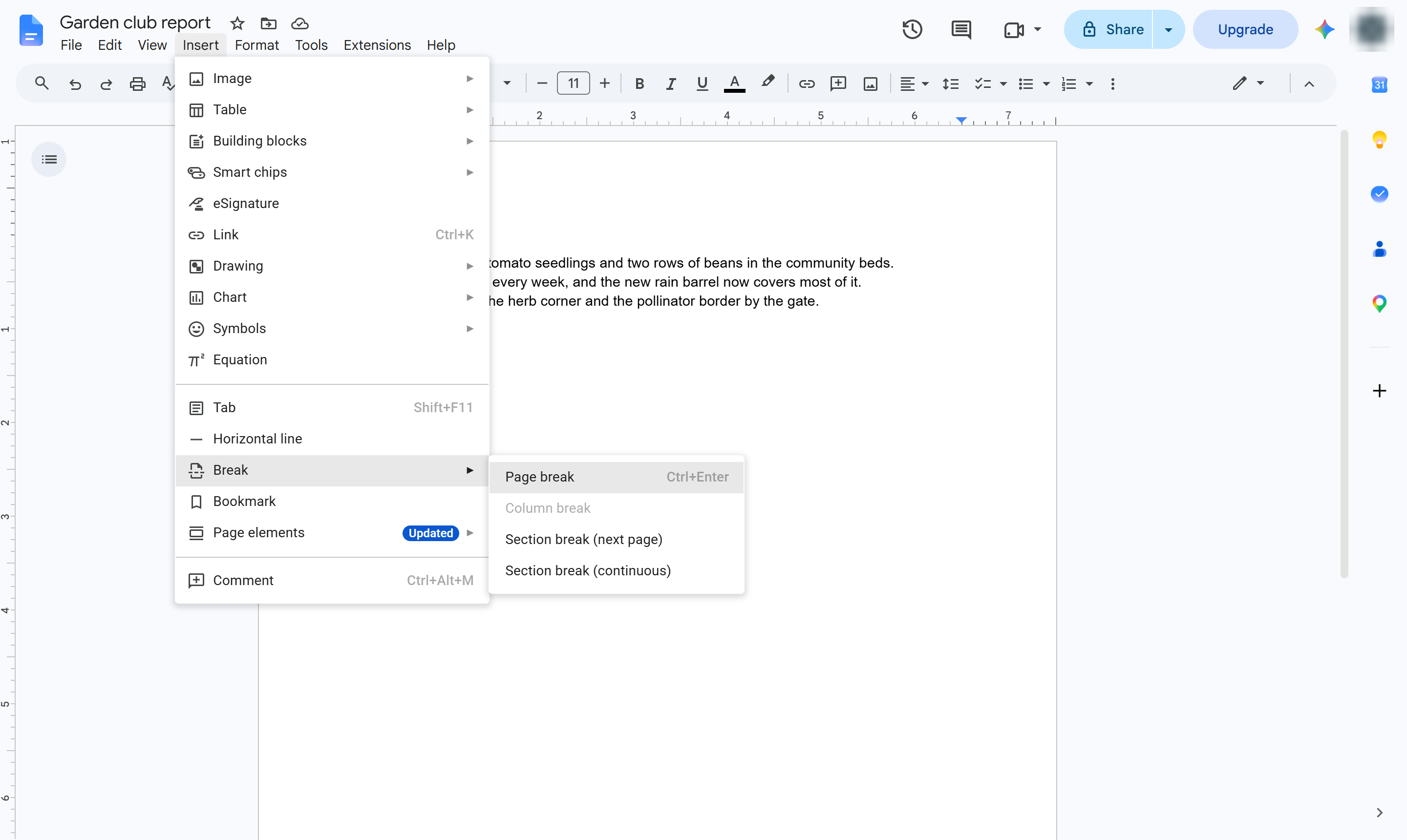
Choose Page break. Your text moves to page 2 and page 1 is left free. Shortcut: Ctrl + Enter (Cmd + Enter on Mac).
Move back up to the empty first page.
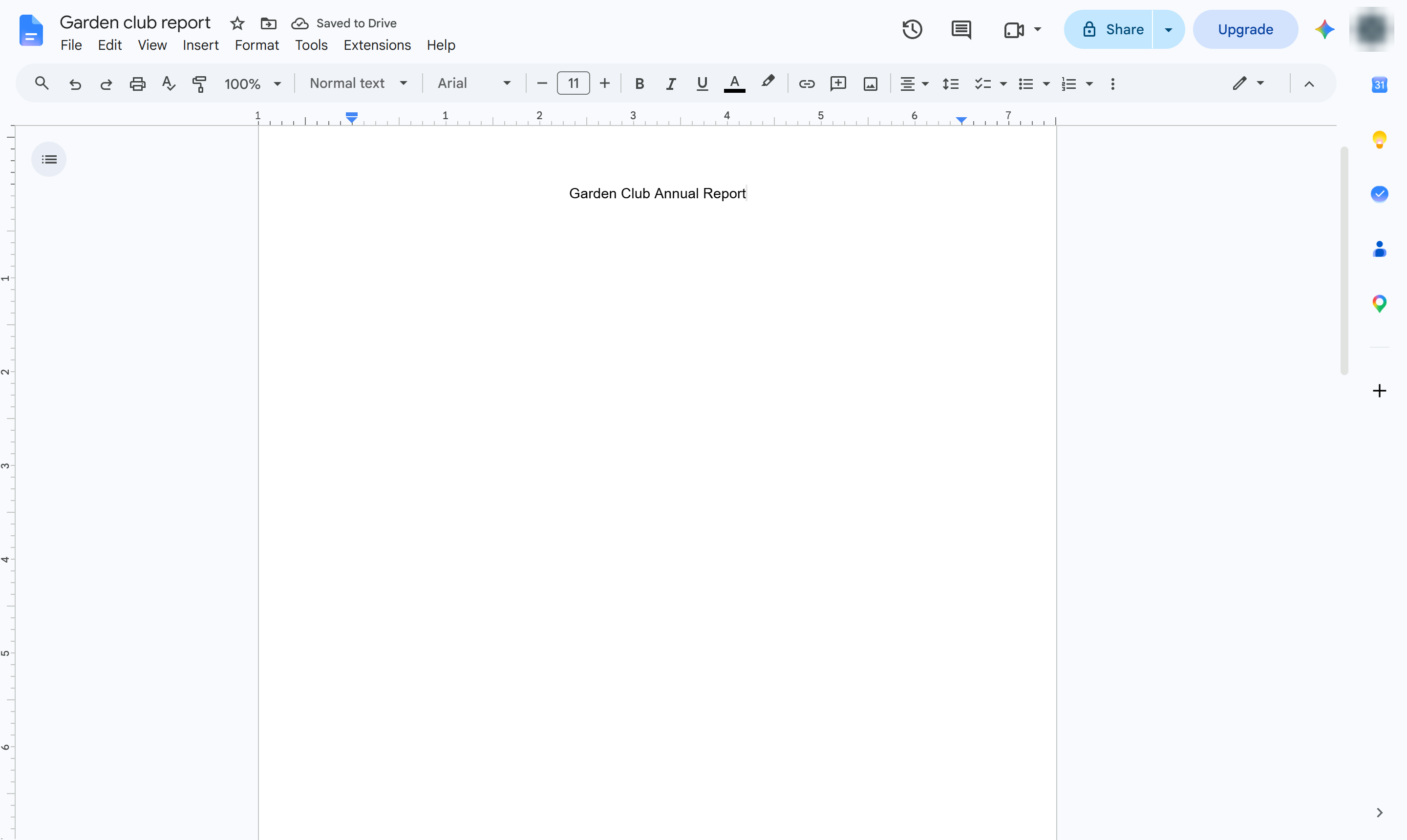
Type the title of your document.
Center the title (Cmd + Shift + E on Mac). Use the toolbar to make it bigger or add a subtitle, date or image.
The title has its own page, and the report starts on page 2.
Duplicate this template, swap in your own screens, and share it with your team. Free to start — no credit card.
Fill out the form and we'll get back to you as soon as possible.
Tell us about your team and we'll find the right plan together.