1
Click in your essay
Click anywhere in your essay text.
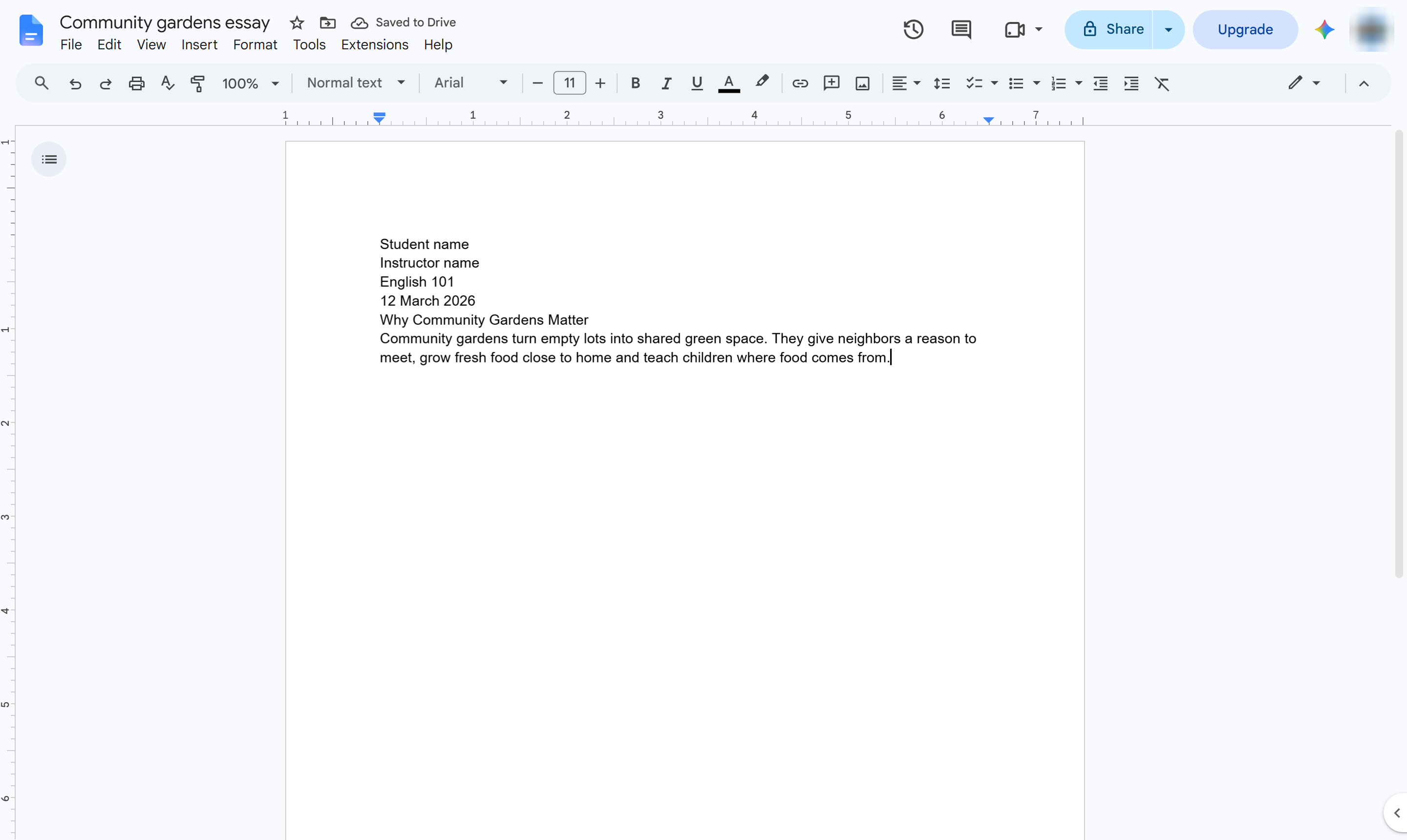

Format an essay in MLA style: Times New Roman, 12 pt, double spacing and 1-inch margins.
Click anywhere in your essay text.
Select all the text (Cmd + A on Mac).
In the toolbar, click the font box (Arial).
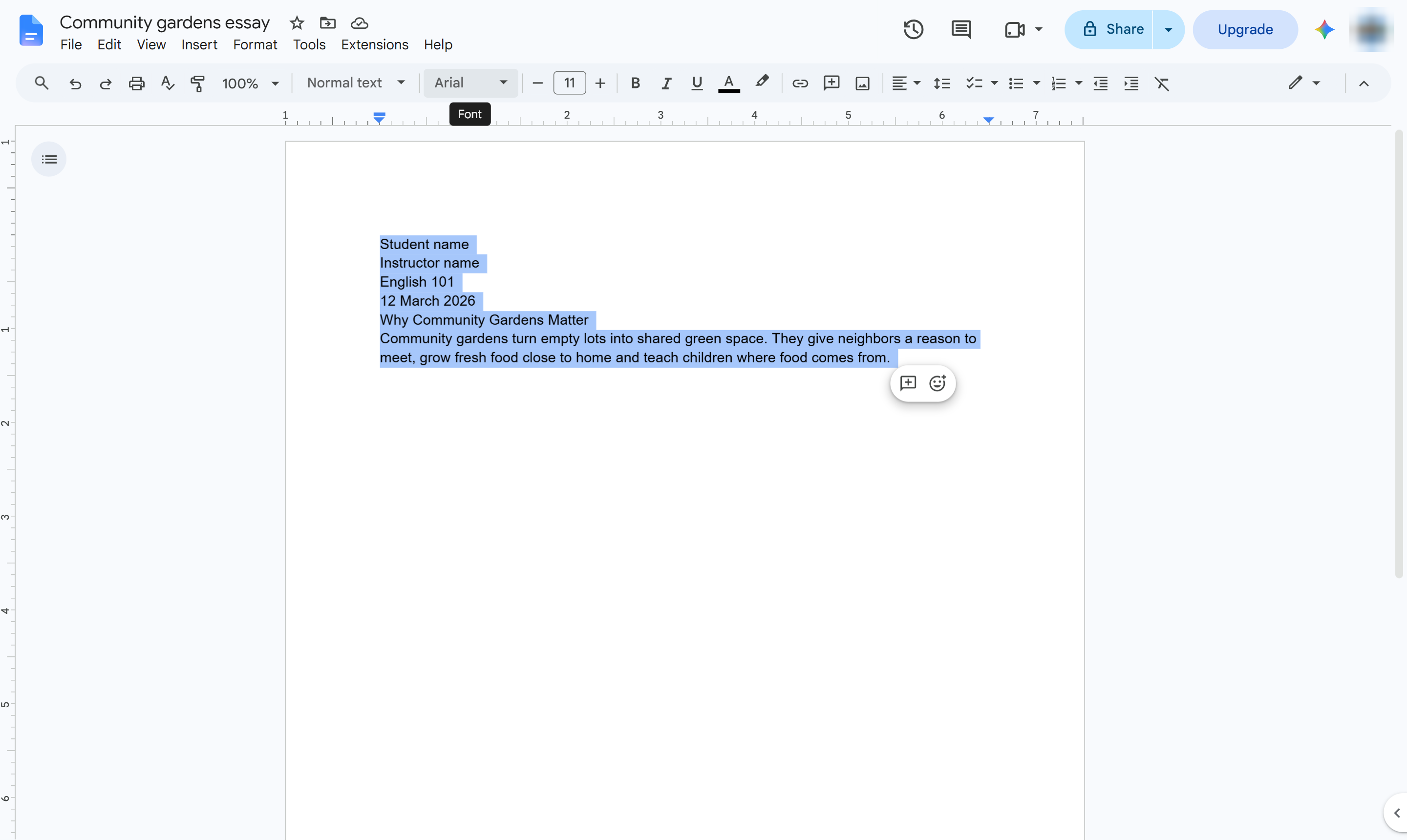
Choose Times New Roman.
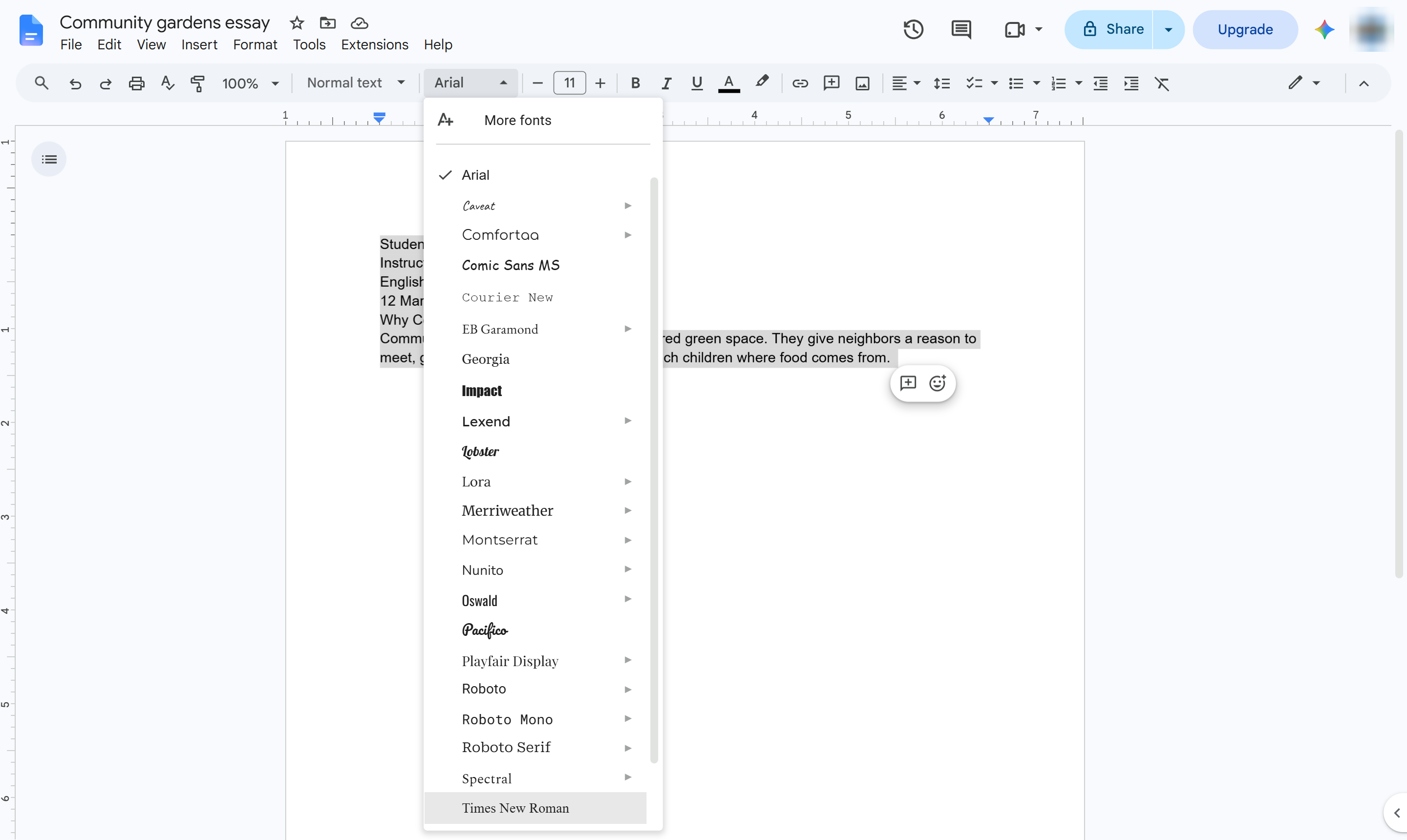
Click the font size box.
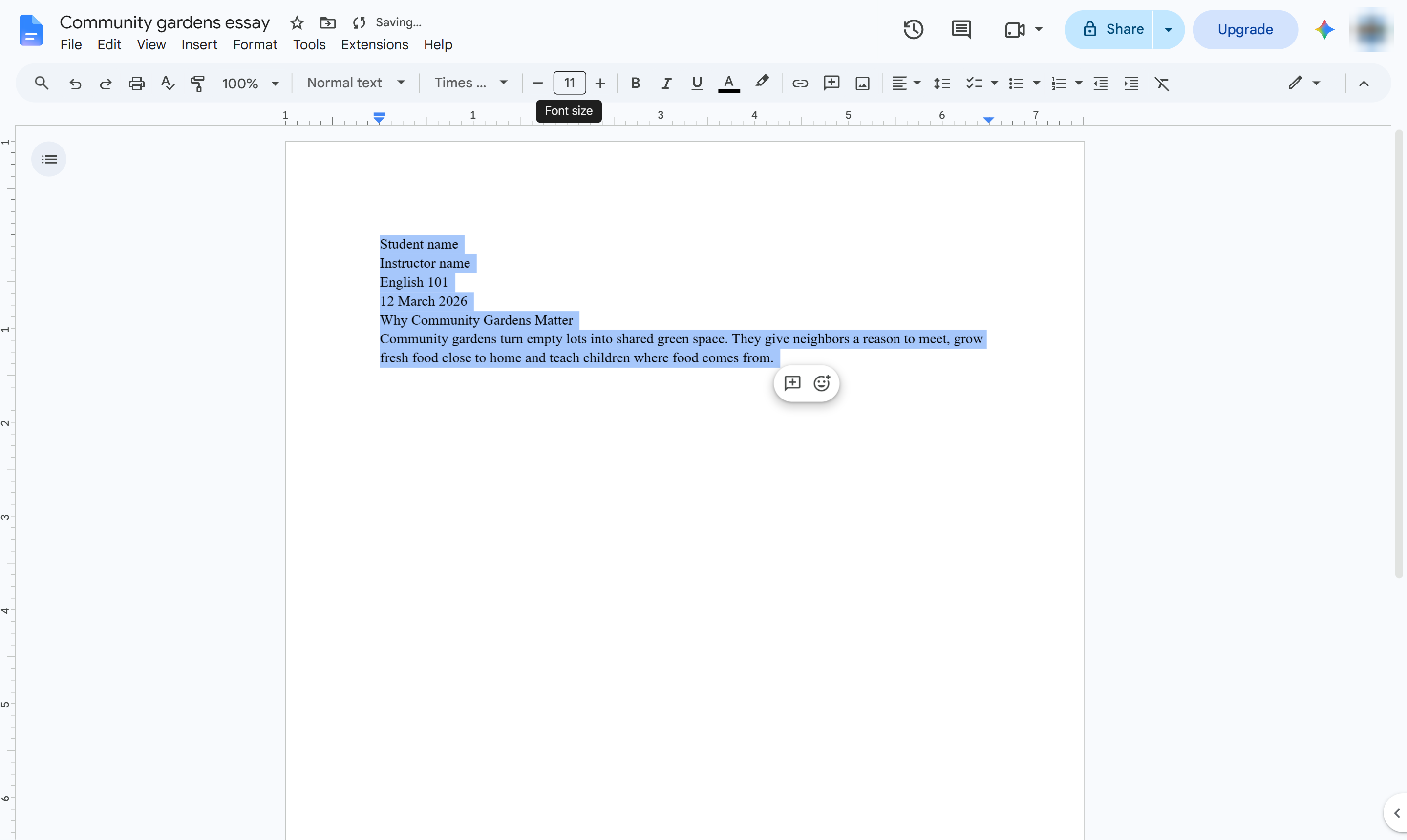
Type 12 and press Enter.
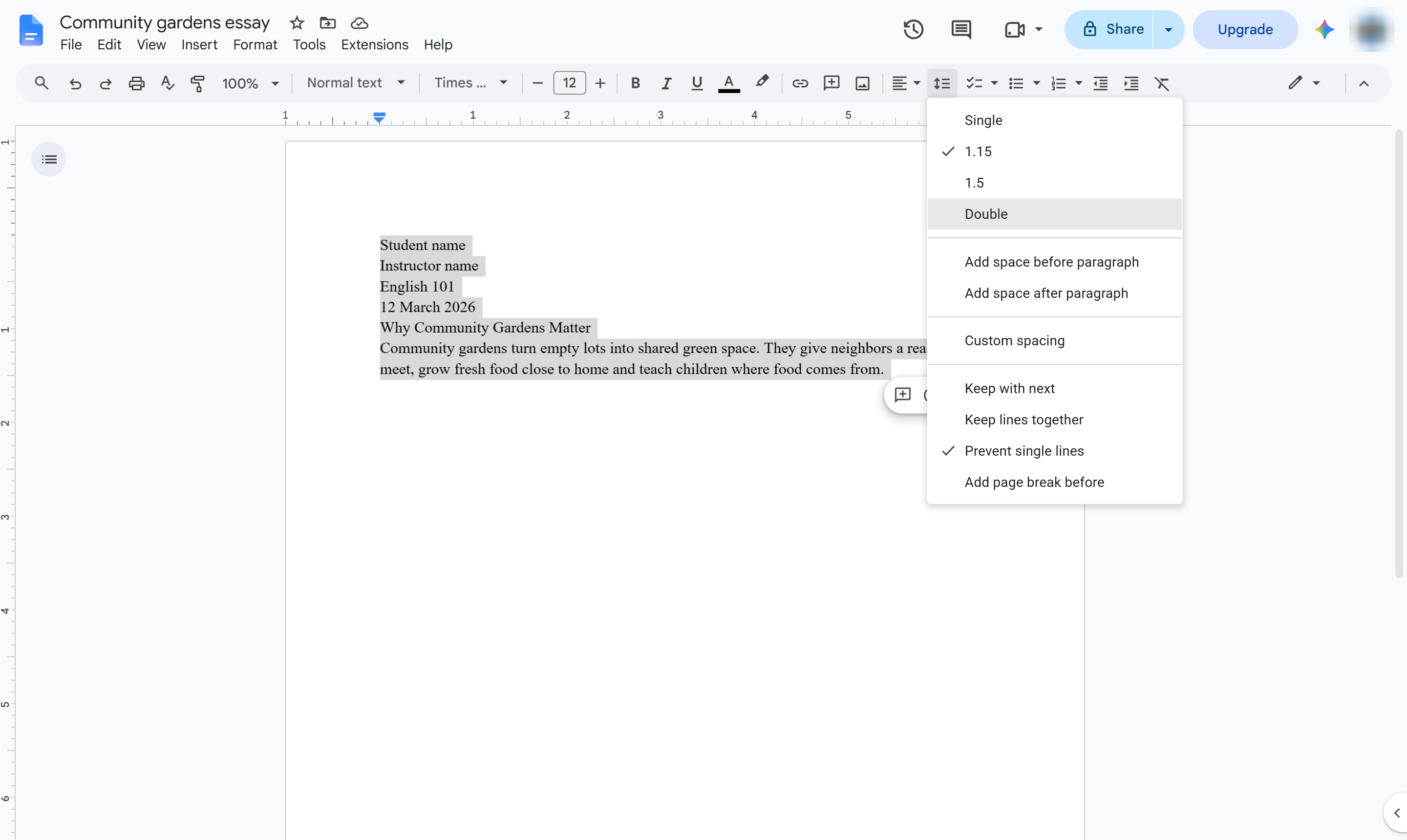
In the toolbar, click Line & paragraph spacing.
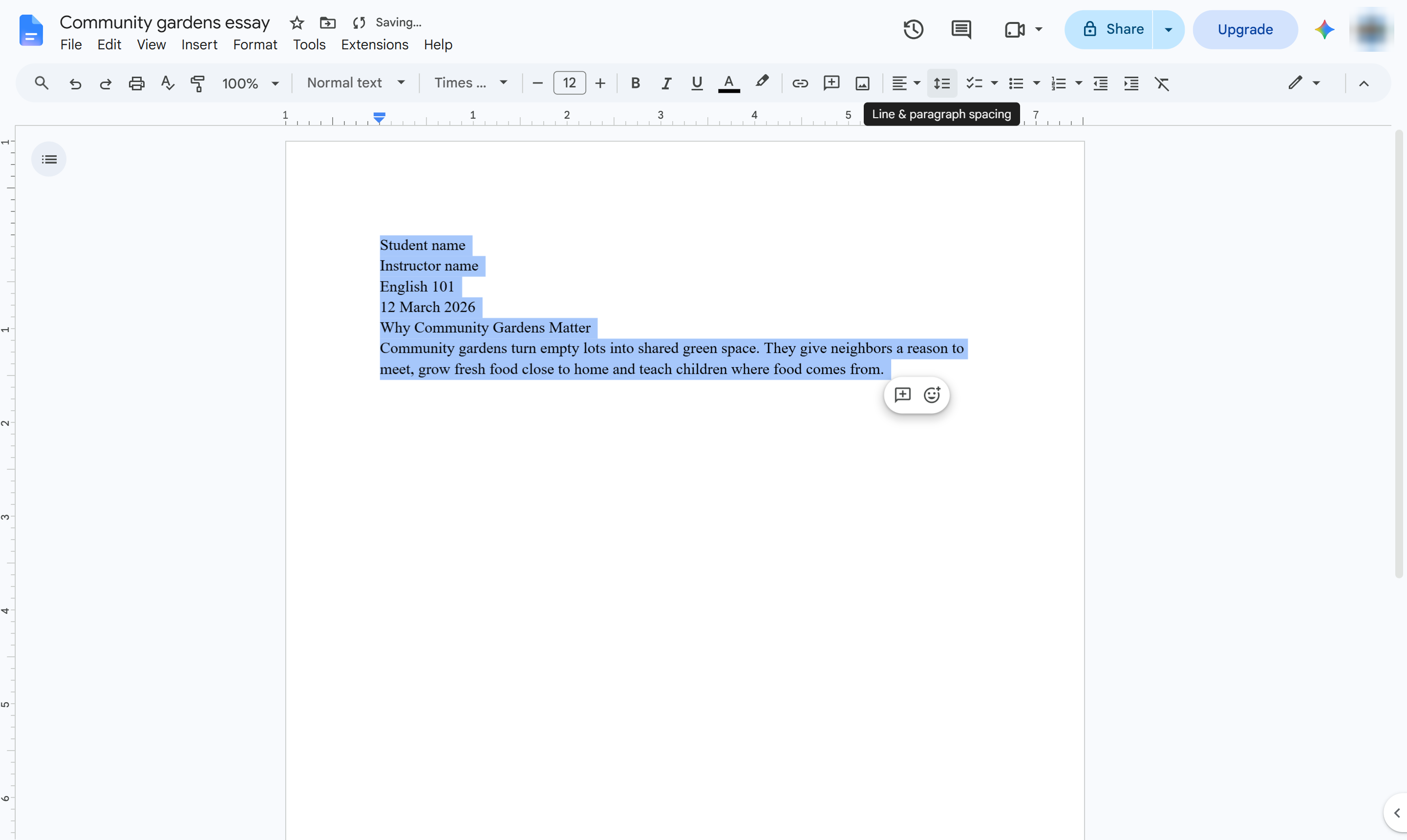
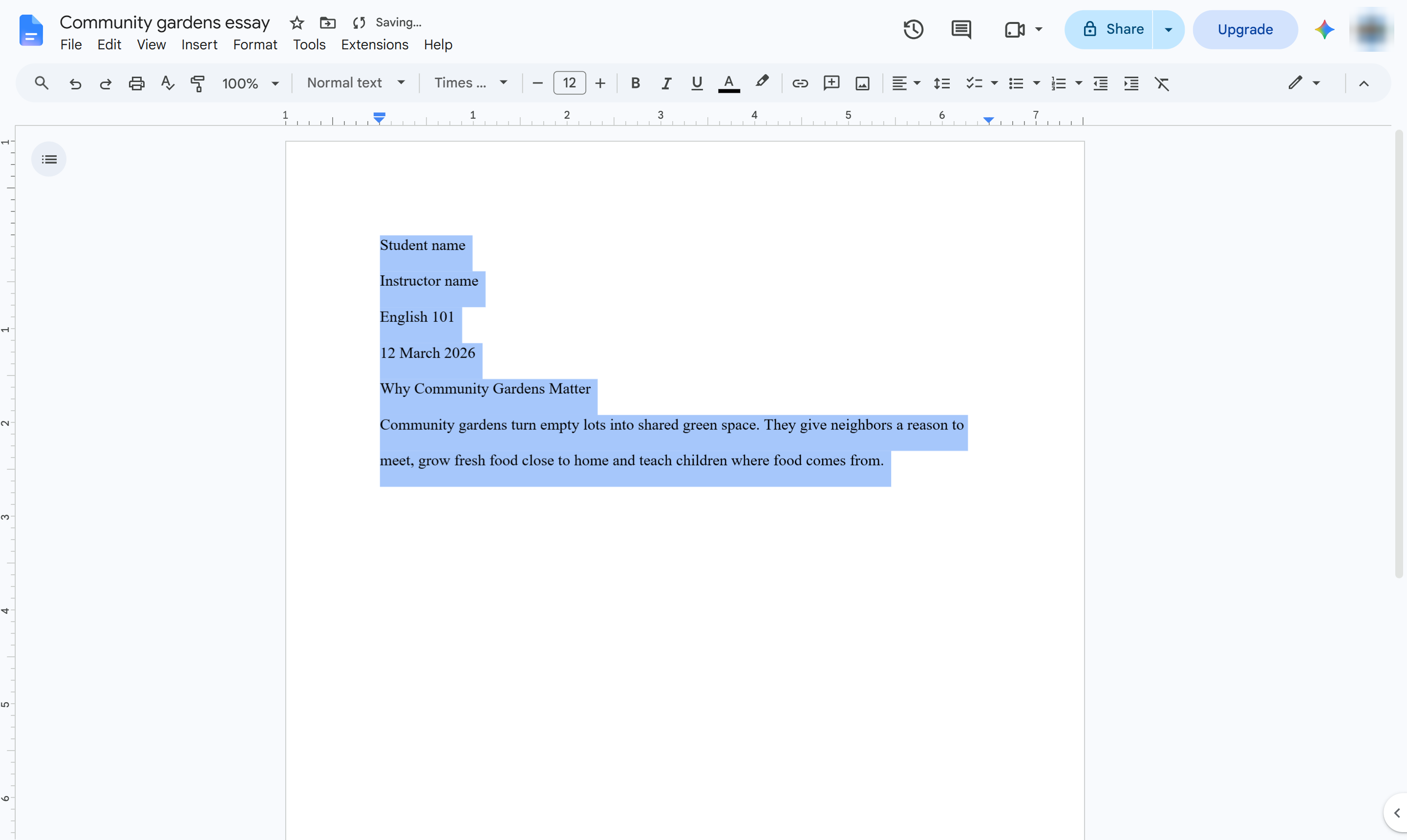
Choose Double.
The text is Times New Roman 12 pt and double spaced, and Docs already uses 1-inch margins. Center the title, and add your last name and page number with Insert > Page numbers.
Duplicate this template, swap in your own screens, and share it with your team. Free to start — no credit card.
Fill out the form and we'll get back to you as soon as possible.
Tell us about your team and we'll find the right plan together.