1
Click File
Open the File menu.
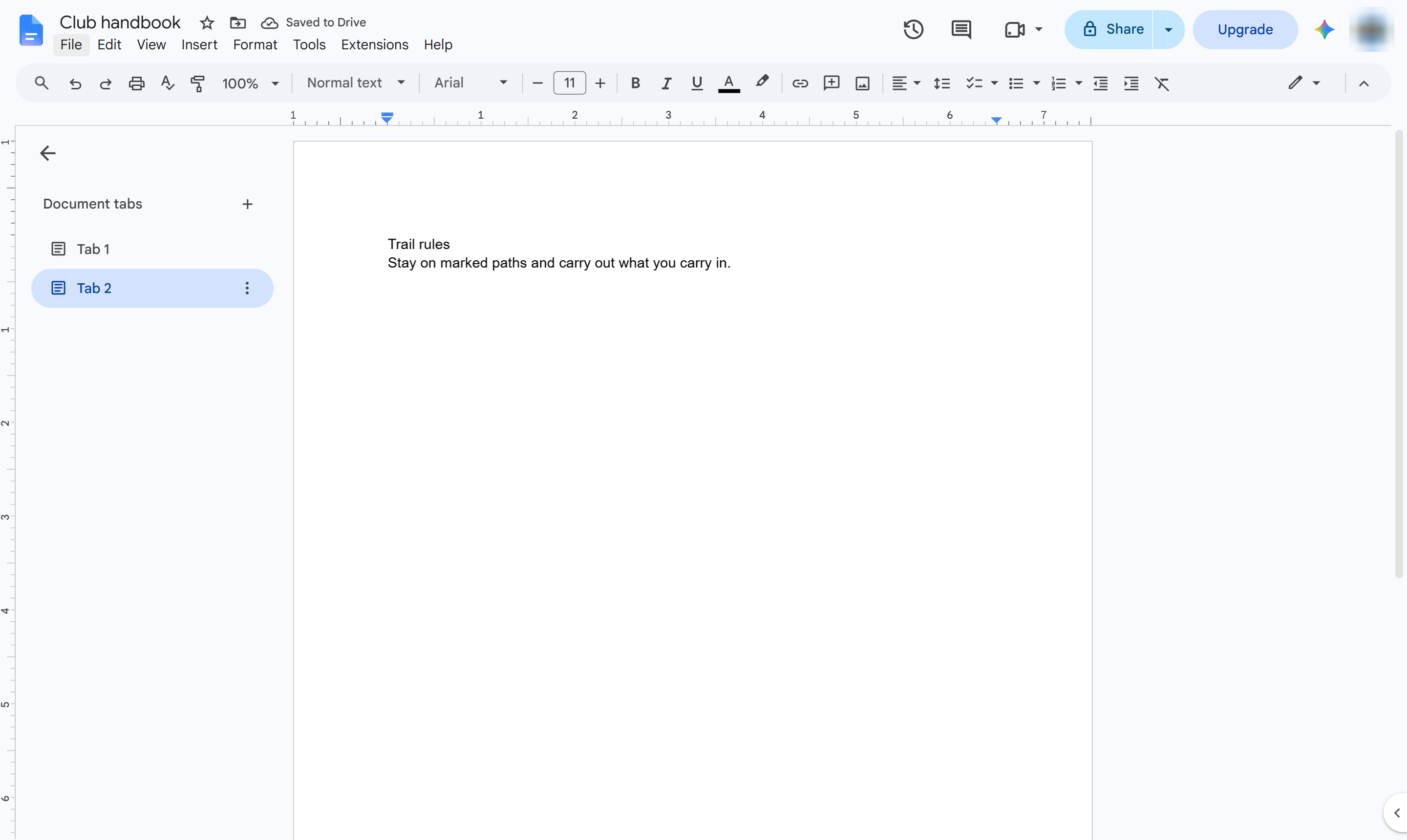

Download a document with several tabs as one PDF that holds every tab.
Open the File menu.
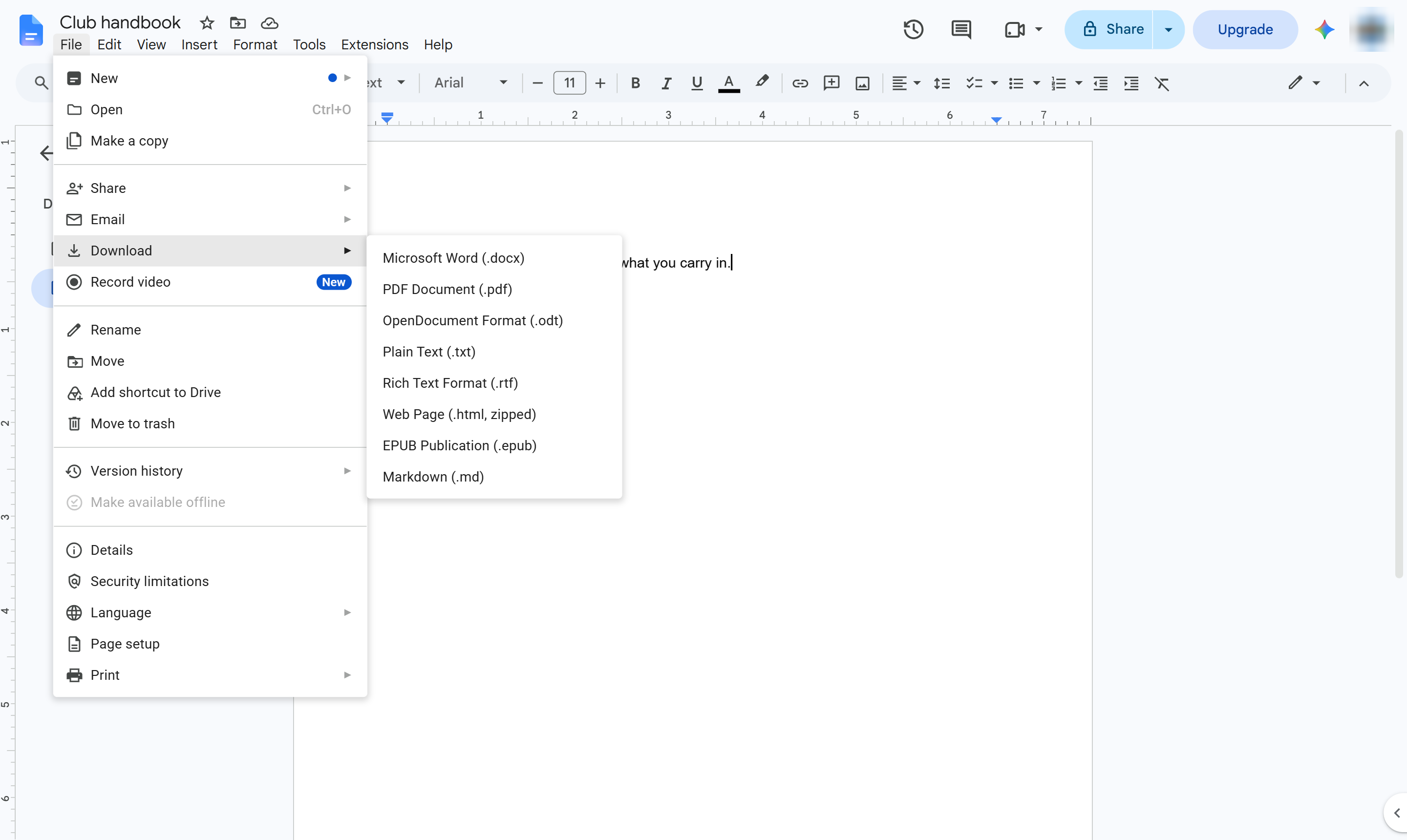
Hover over Download to see the formats.
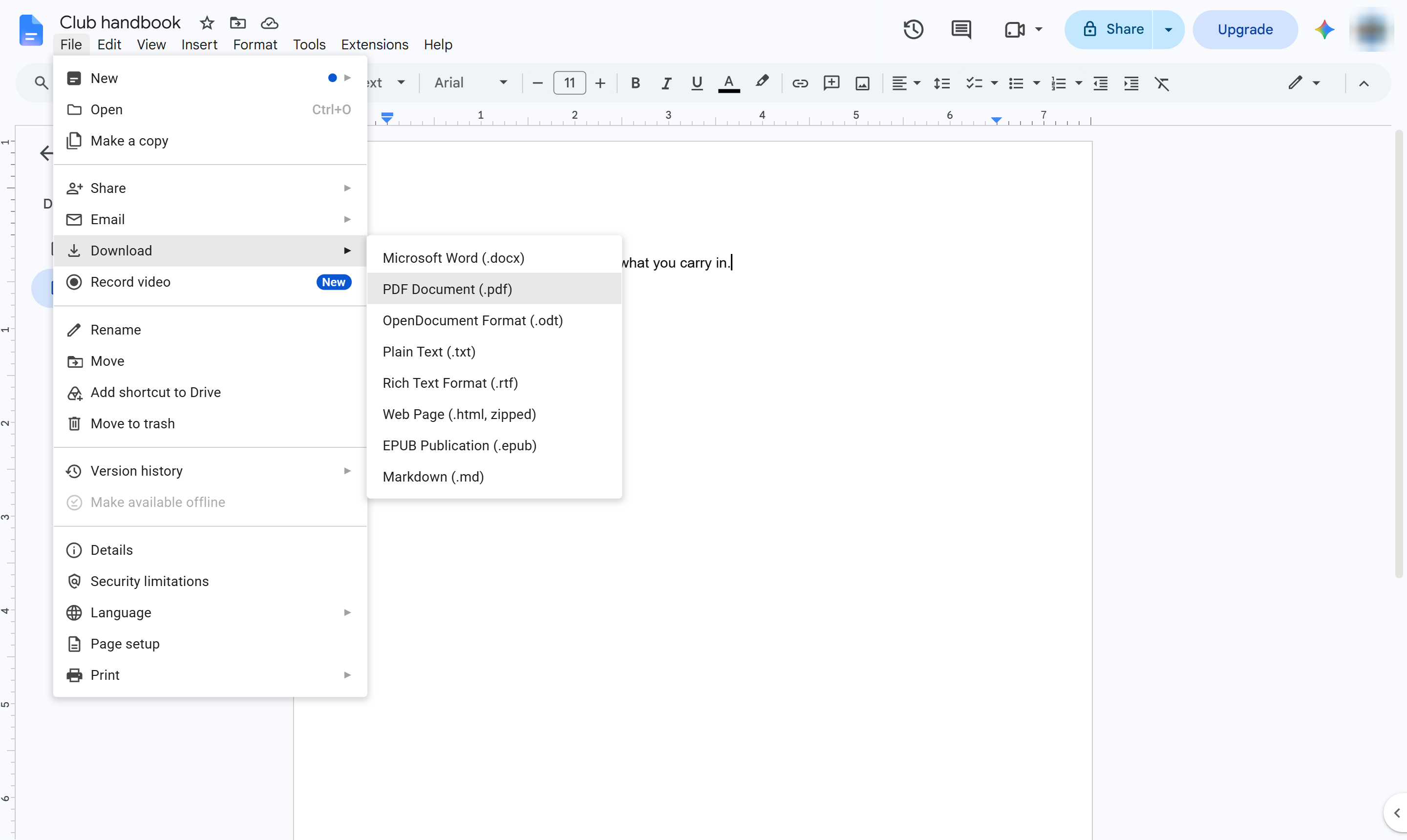
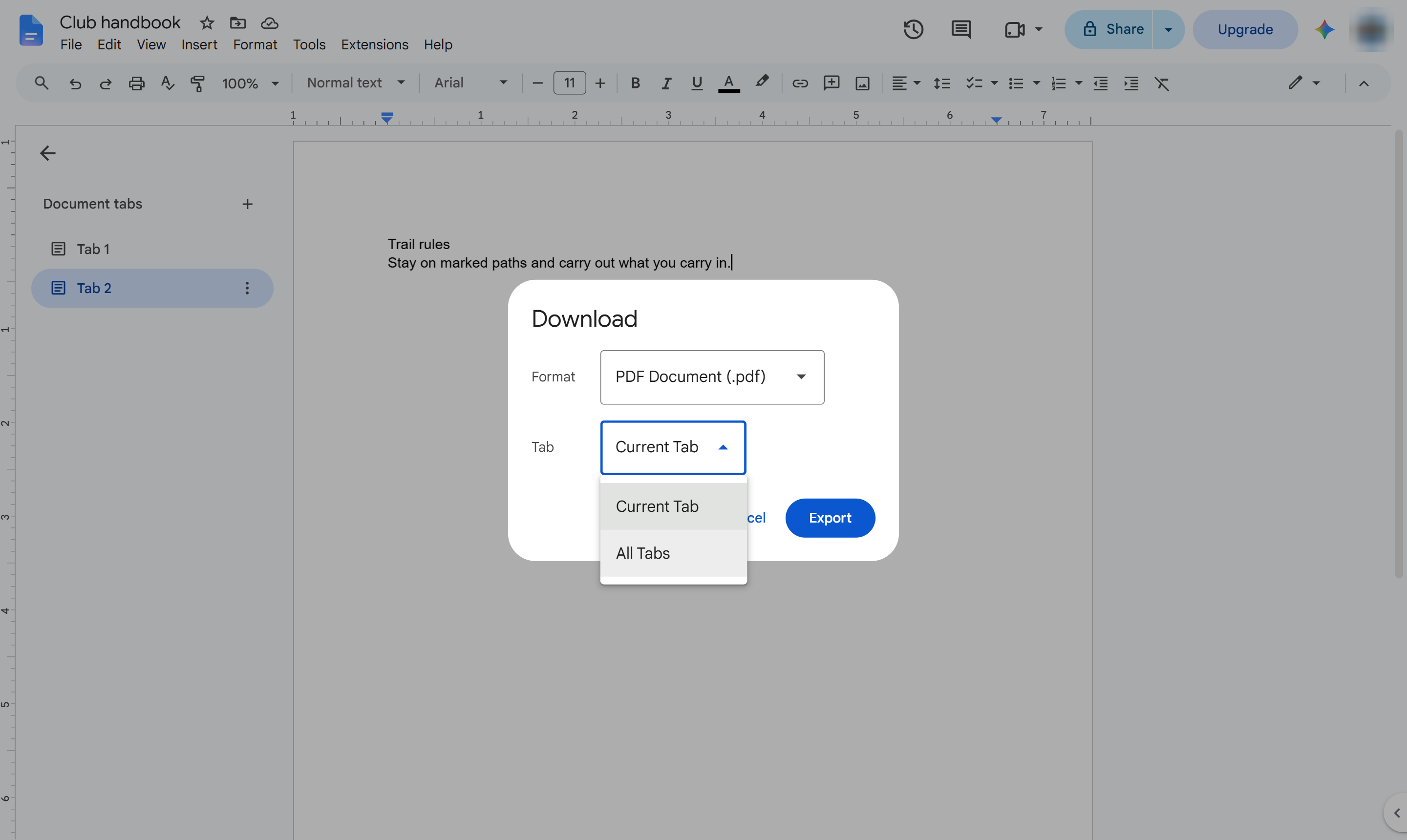
Choose PDF Document (.pdf). A download window opens.
Open the Tab list. It is set to Current Tab.
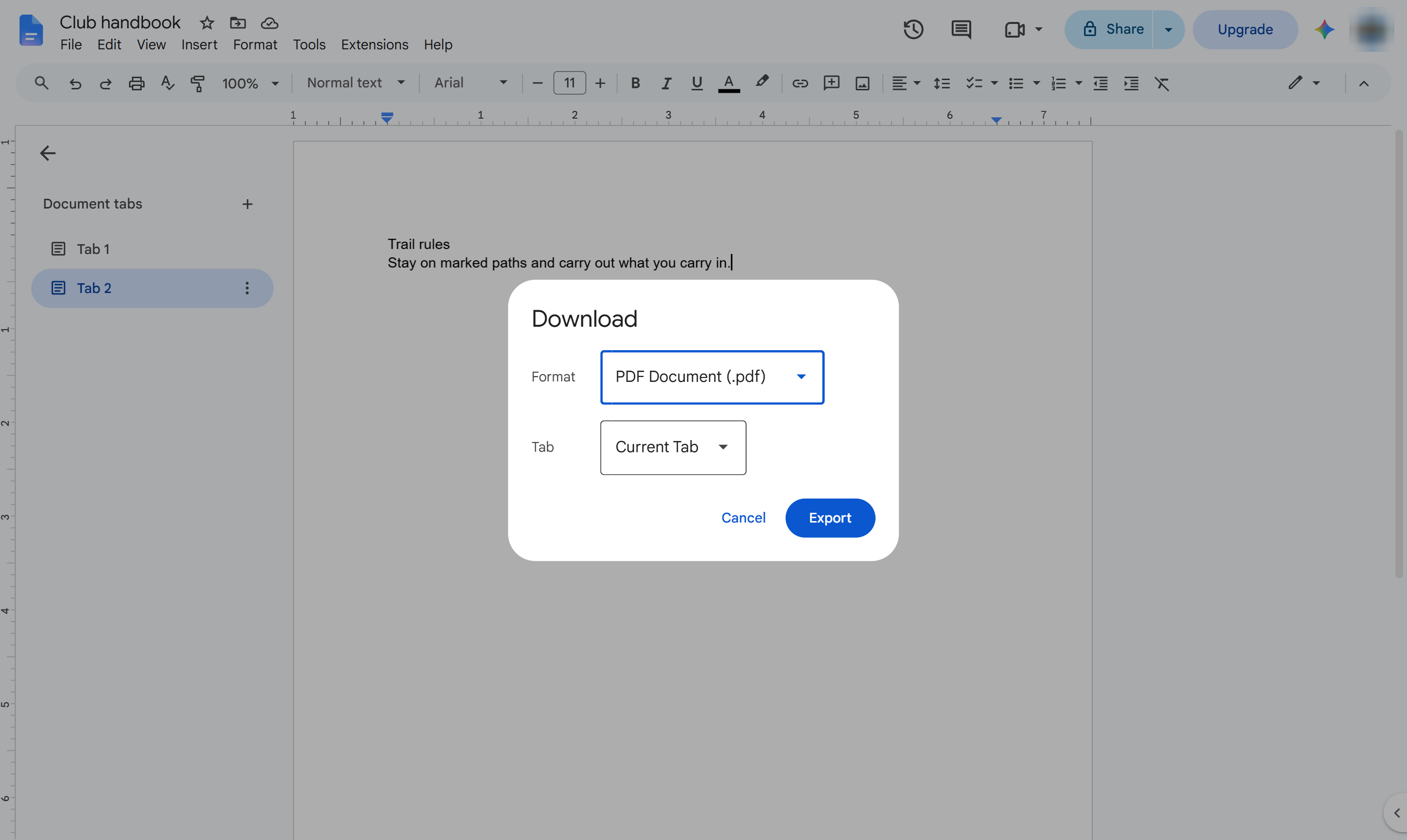
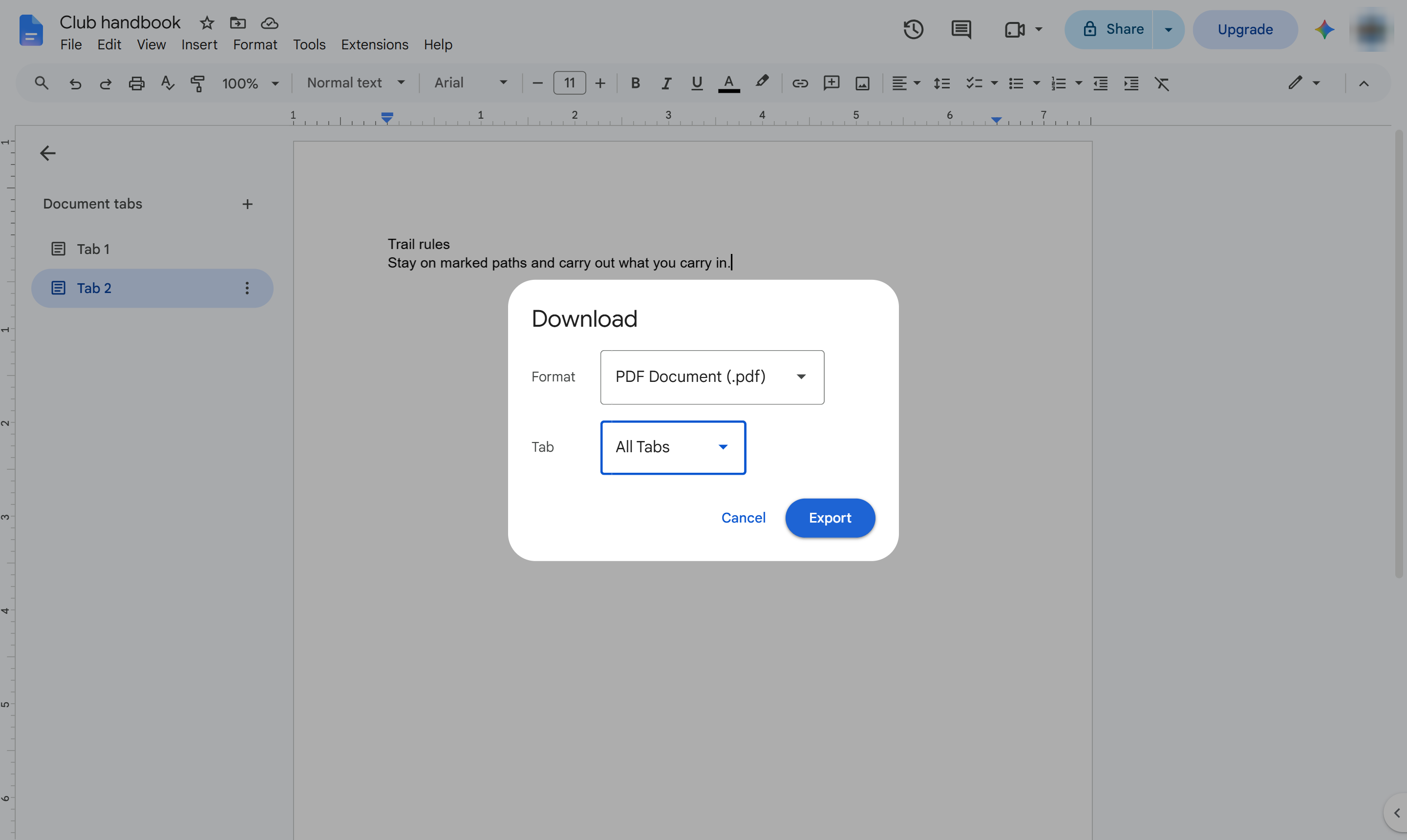
Choose All Tabs so every tab goes into the file.
Click Export. The PDF downloads with every tab, each starting on a new page.
Duplicate this template, swap in your own screens, and share it with your team. Free to start — no credit card.
Fill out the form and we'll get back to you as soon as possible.
Tell us about your team and we'll find the right plan together.