1
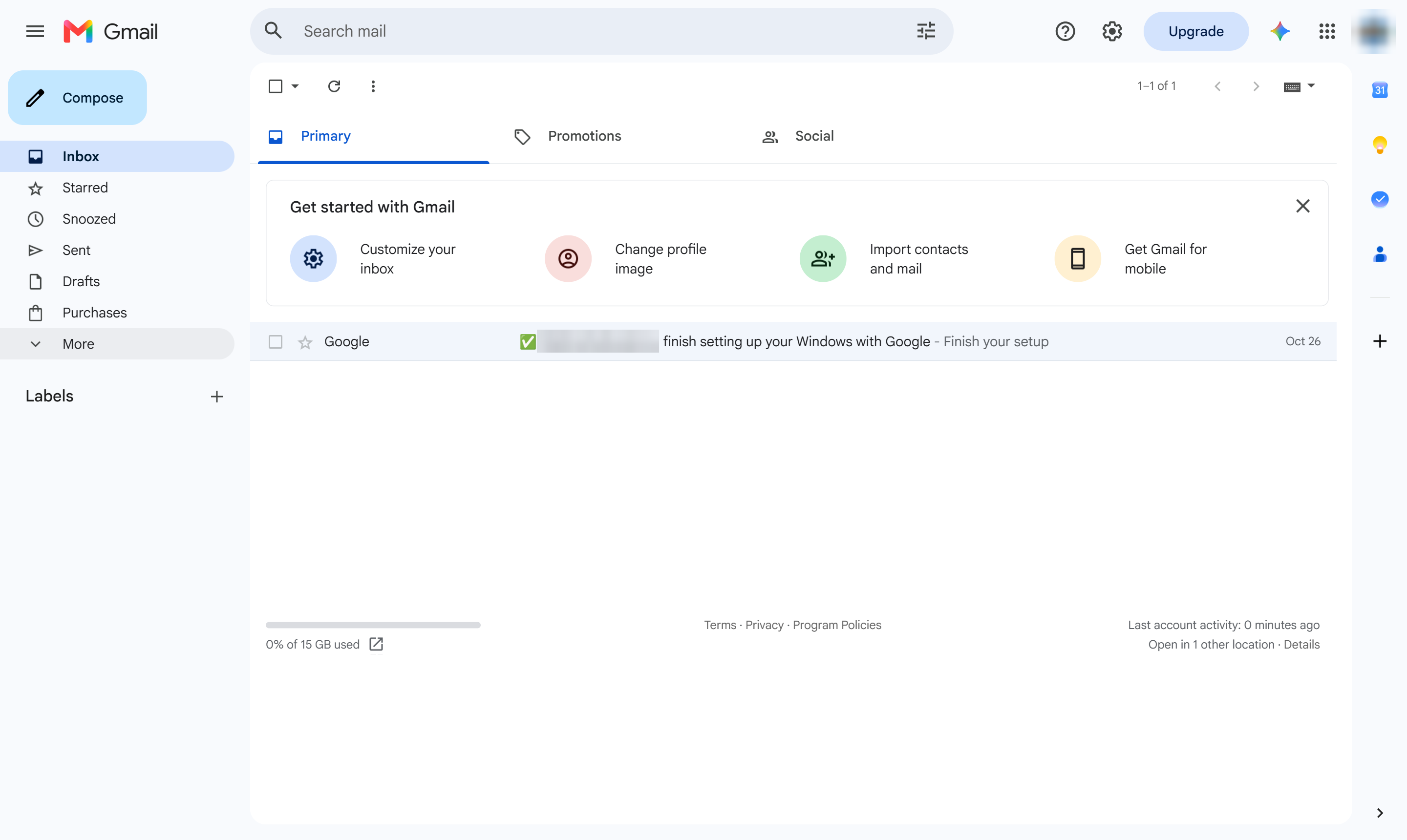
Click More
In the left menu, click More to see the rest of your folders.

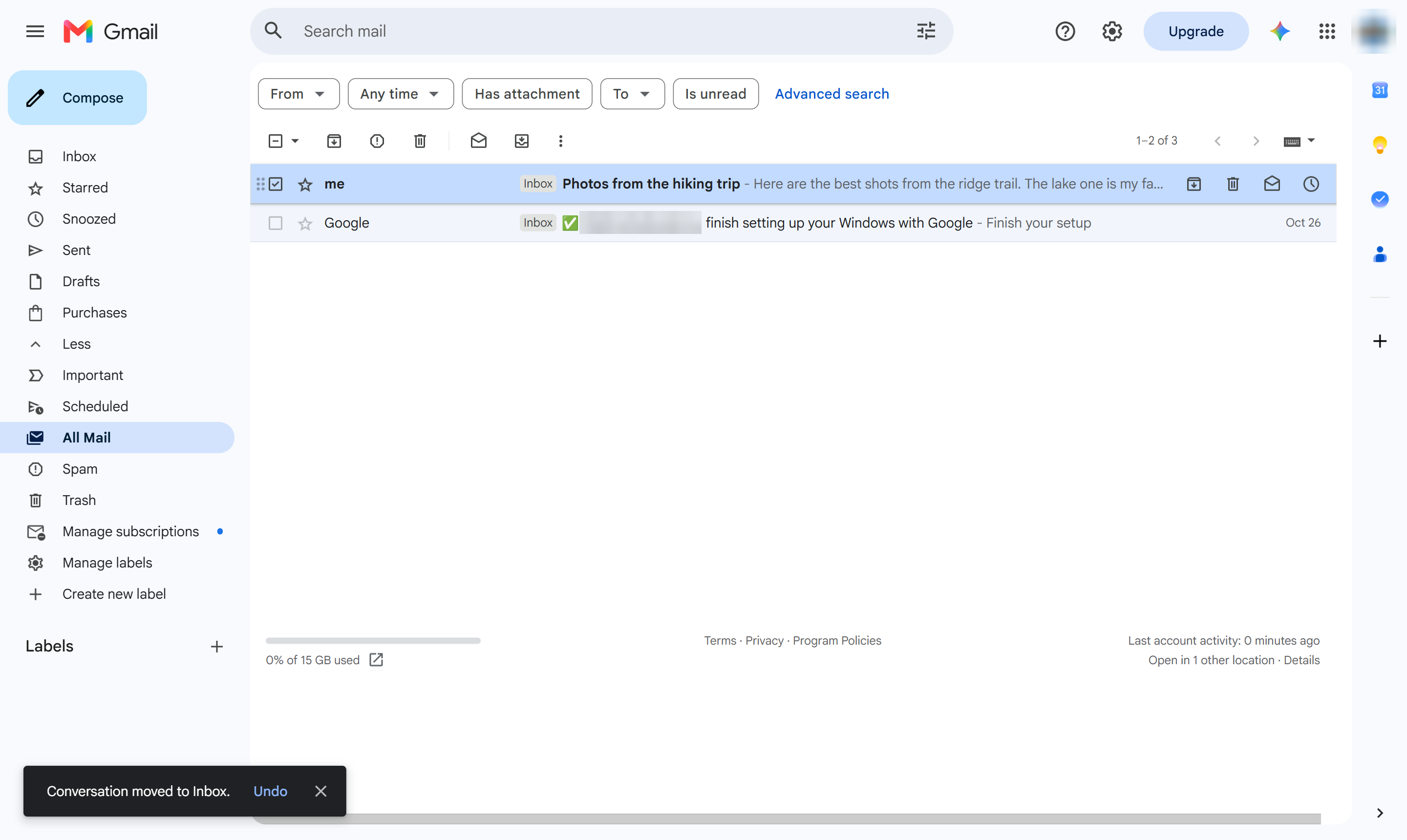
Find an archived email in All Mail and move it back to your inbox.
In the left menu, click More to see the rest of your folders.
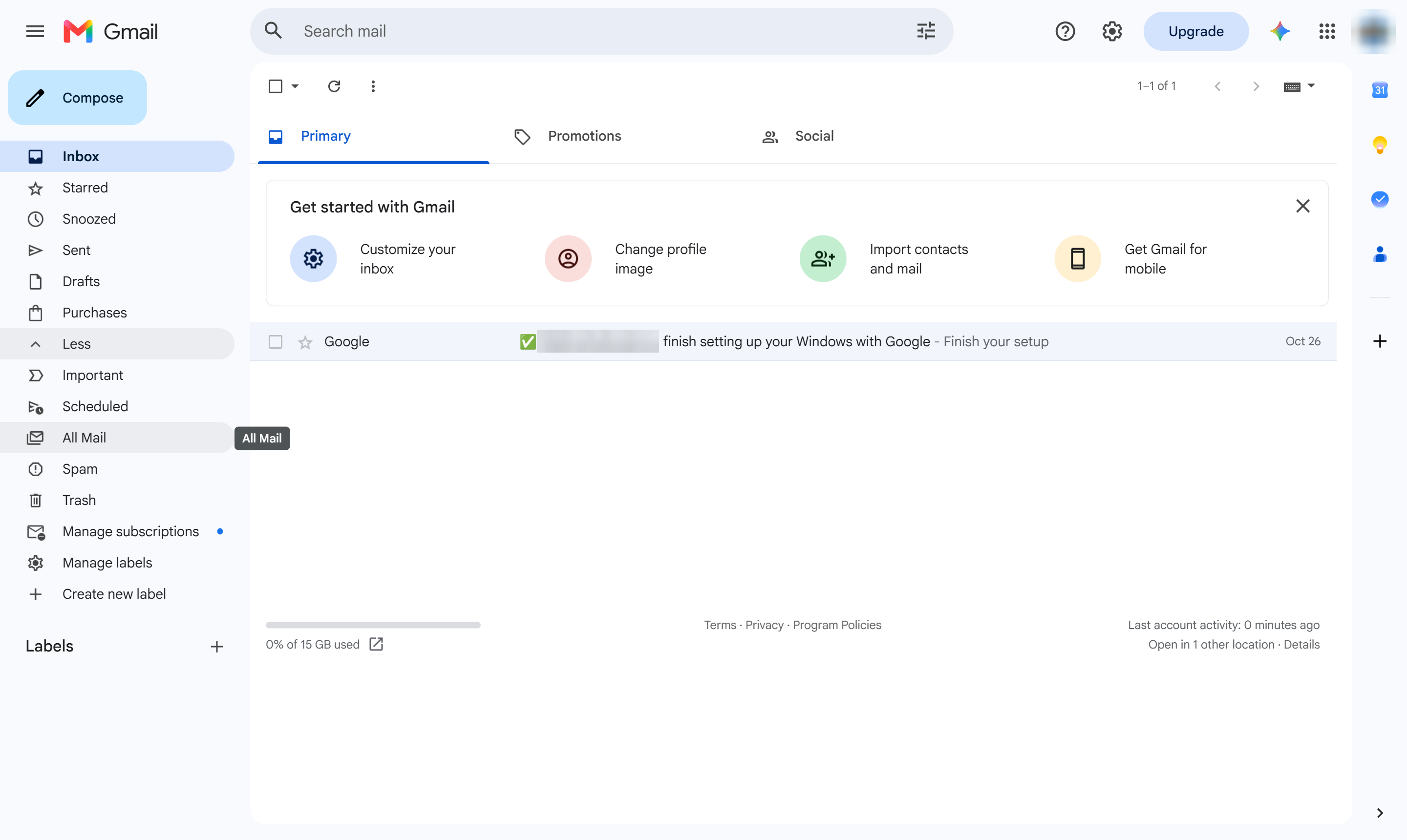
Open All Mail. Archived emails live here, without the Inbox label.
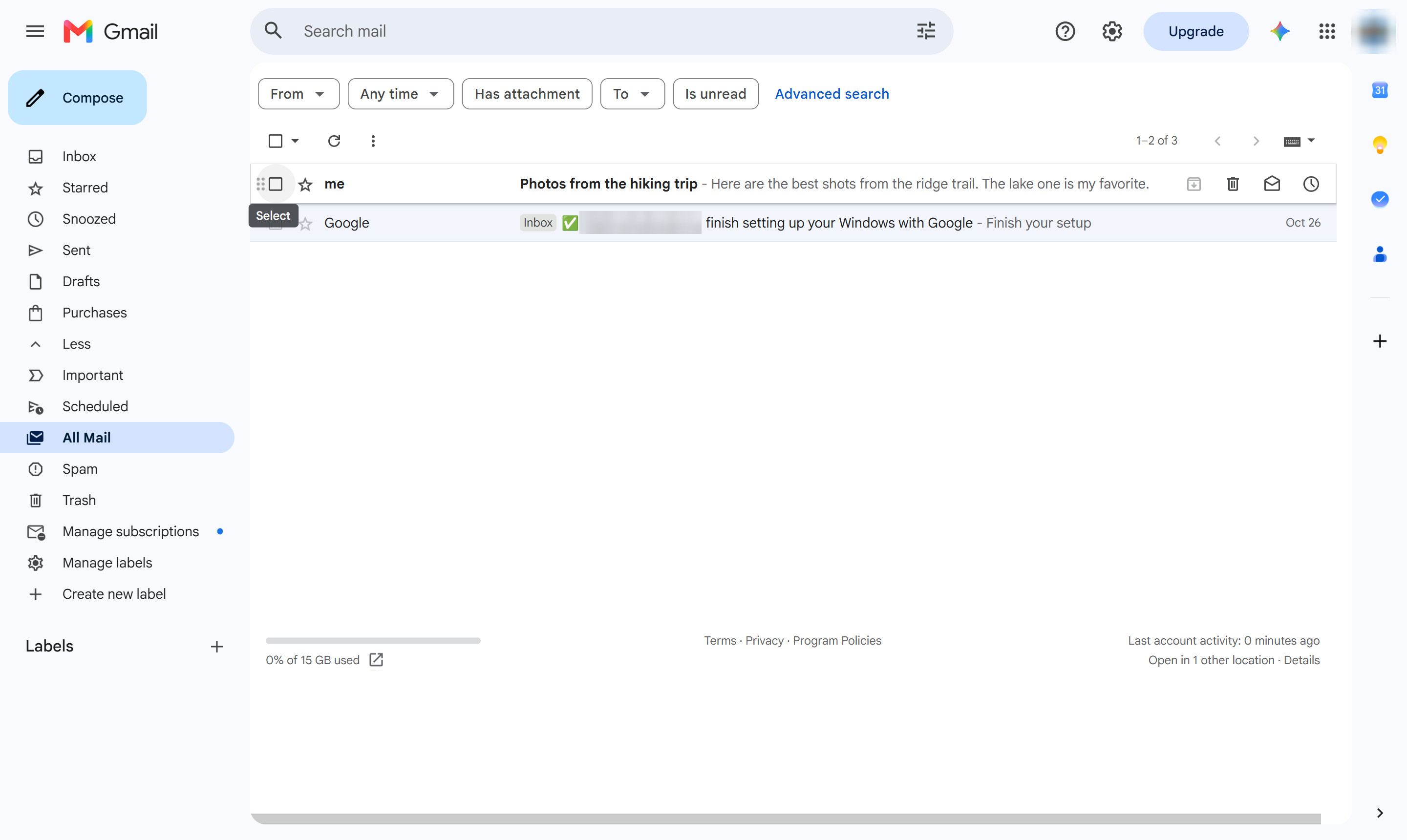
Tick the box next to the archived email.
In the toolbar, click Move to Inbox (the tray with an arrow).
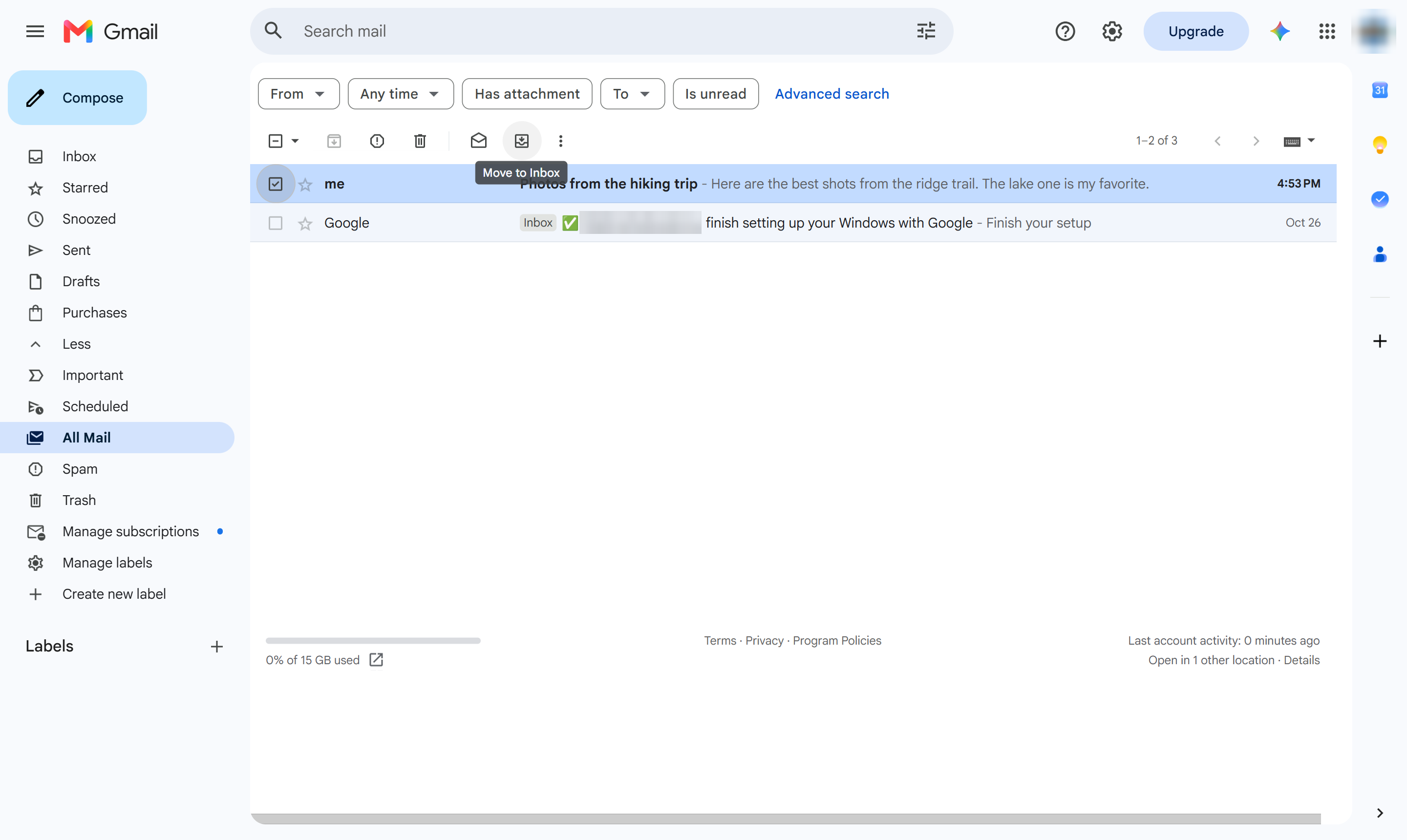
The email shows in your inbox again. You can also open it and click Move to Inbox.
Duplicate this template, swap in your own screens, and share it with your team. Free to start — no credit card.
Fill out the form and we'll get back to you as soon as possible.
Tell us about your team and we'll find the right plan together.