1
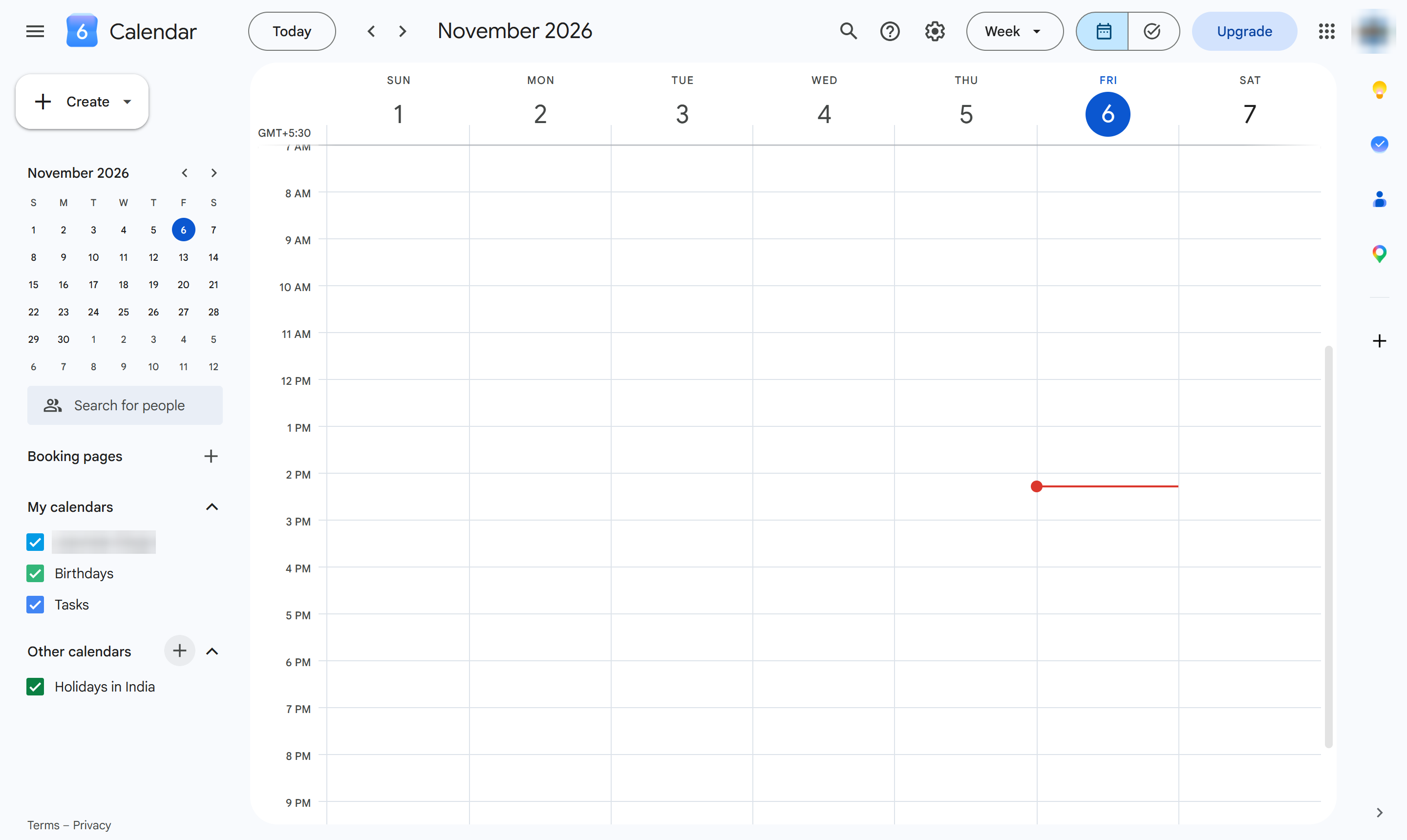
Click + next to Other calendars
In the left list, click the + next to Other calendars.
Learn how to sync an external calendar, such as Apple Calendar, with your Google Calendar using a subscription link. This step-by-step guide walks you through navigating to the "Other calendars" section in Google Calendar and adding the calendar's URL to sync your schedules.
In the left list, click the + next to Other calendars.
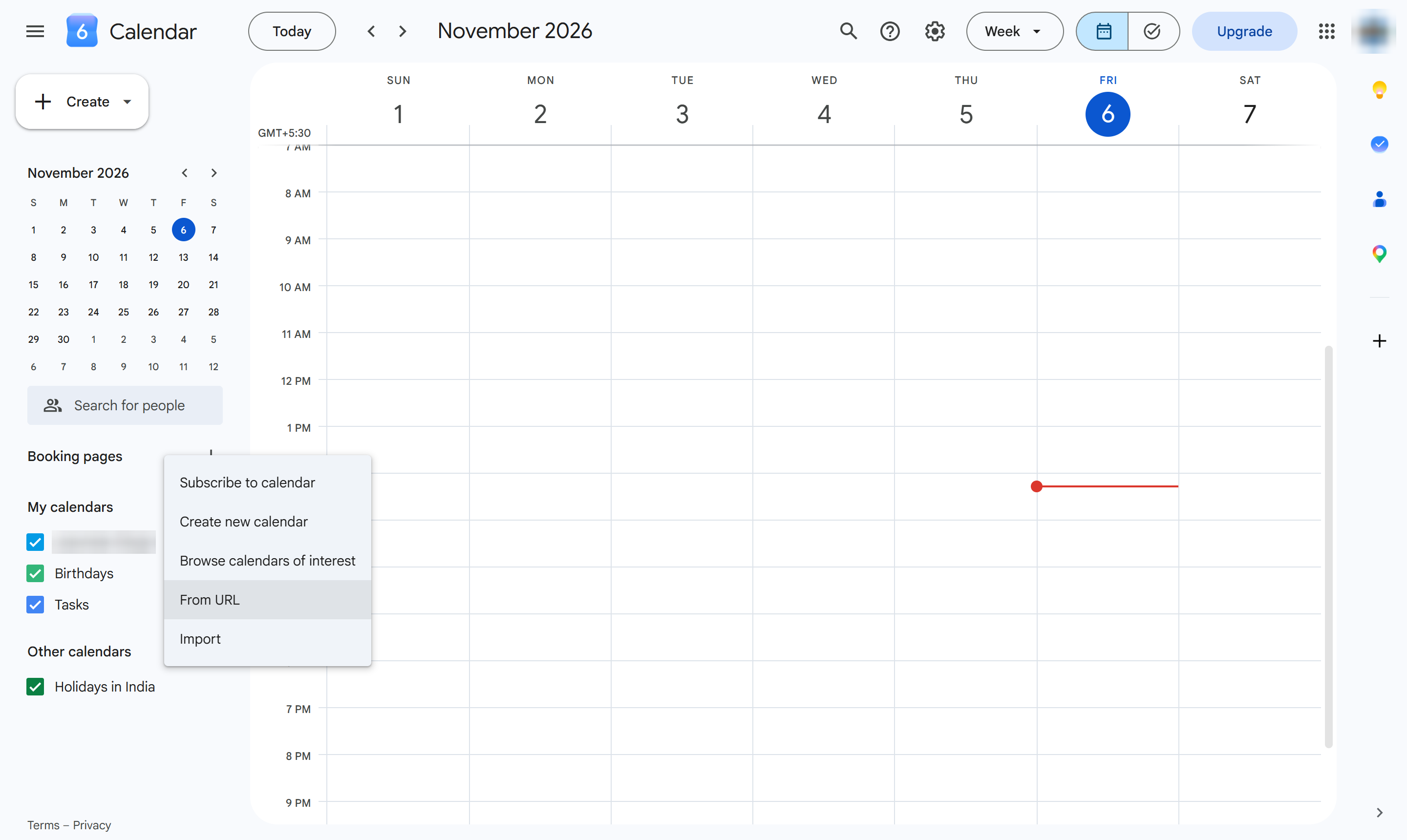
Choose From URL.
Click the URL of calendar box.
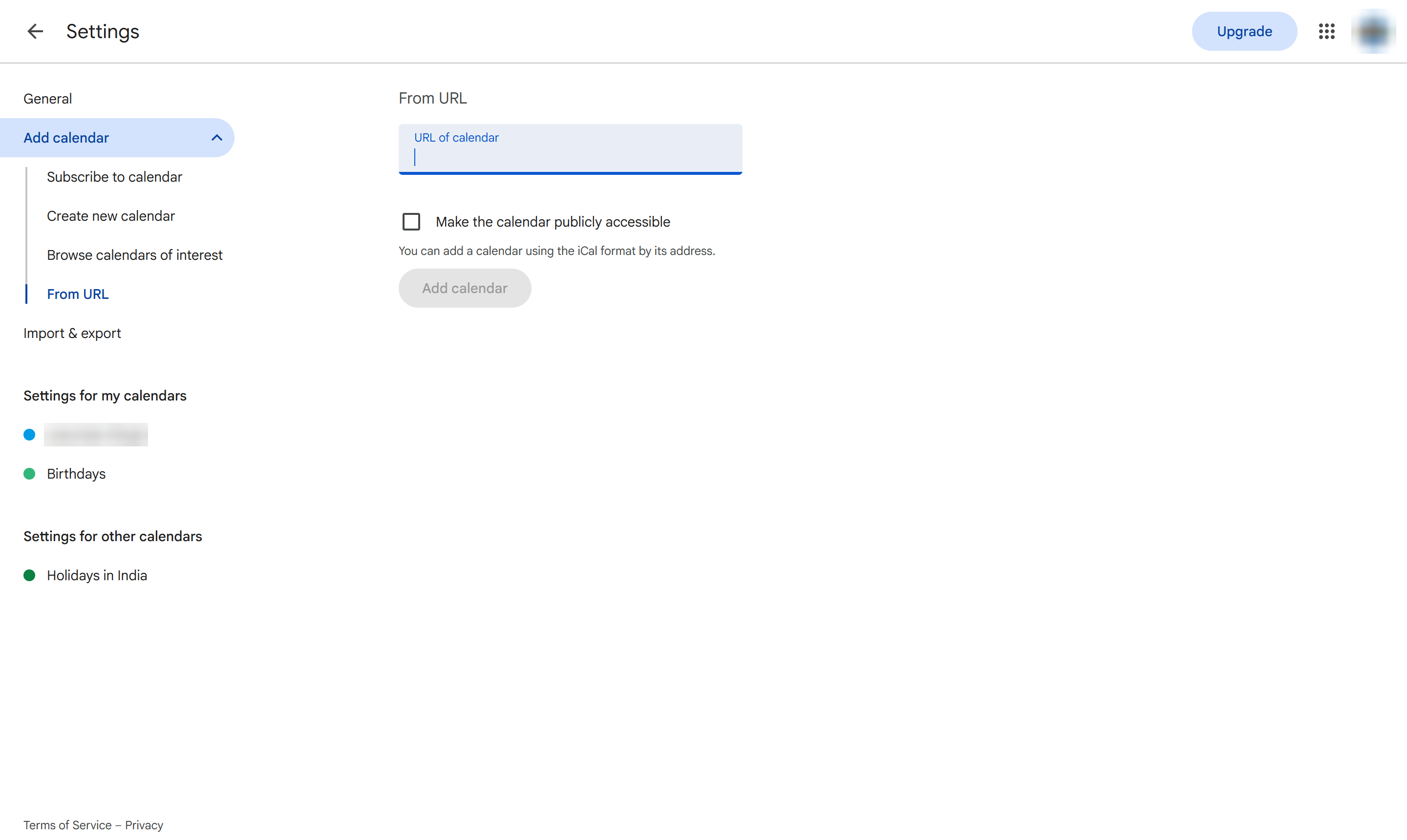
Paste the other calendar's iCal link - find it in that app's sharing or export settings, usually ending in .ics.
Click Add calendar.
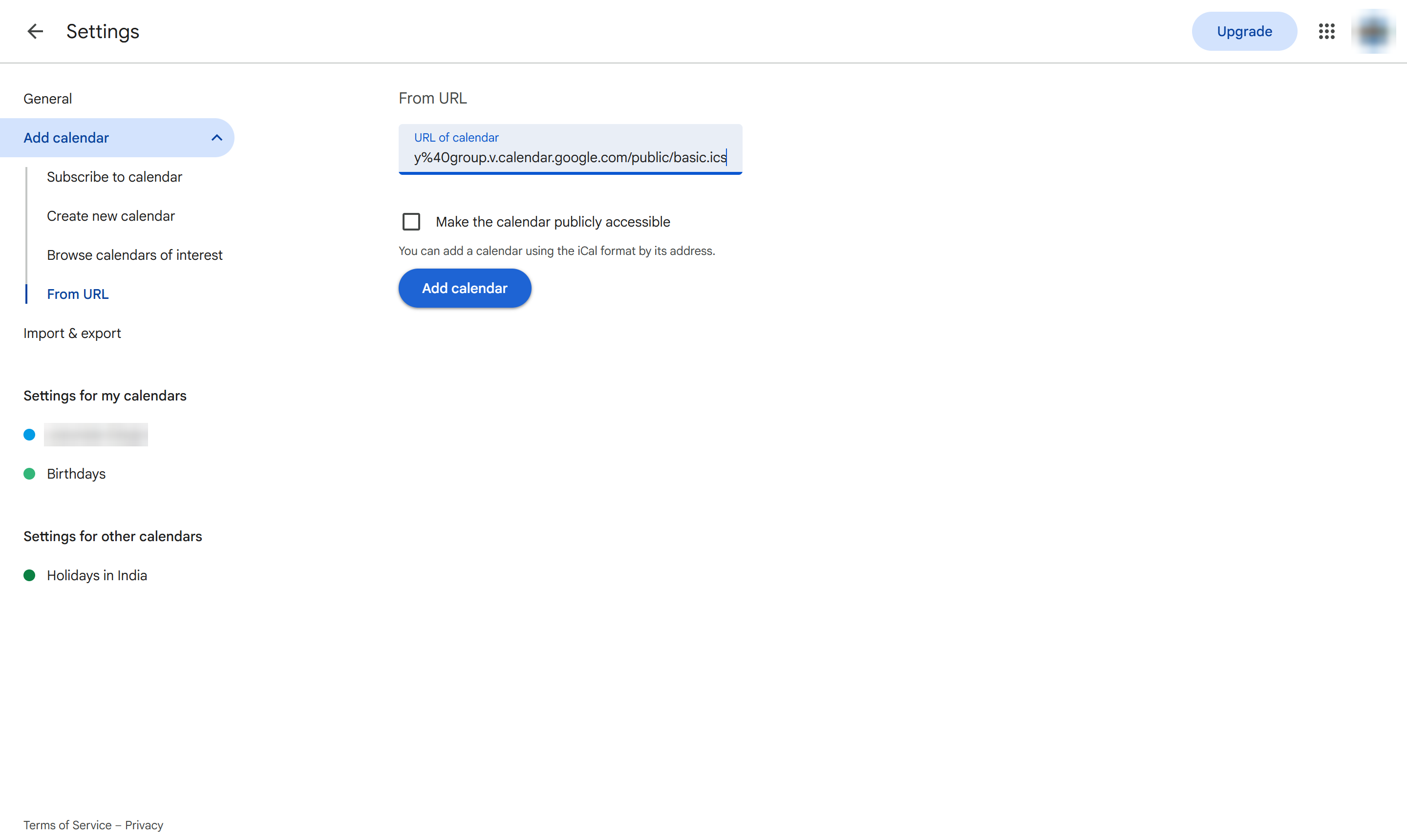
The calendar appears under Other calendars and its events show in your view. It refreshes on its own every few hours - there is no manual sync button.
Duplicate this template, swap in your own screens, and share it with your team. Free to start — no credit card.
Fill out the form and we'll get back to you as soon as possible.
Tell us about your team and we'll find the right plan together.