1
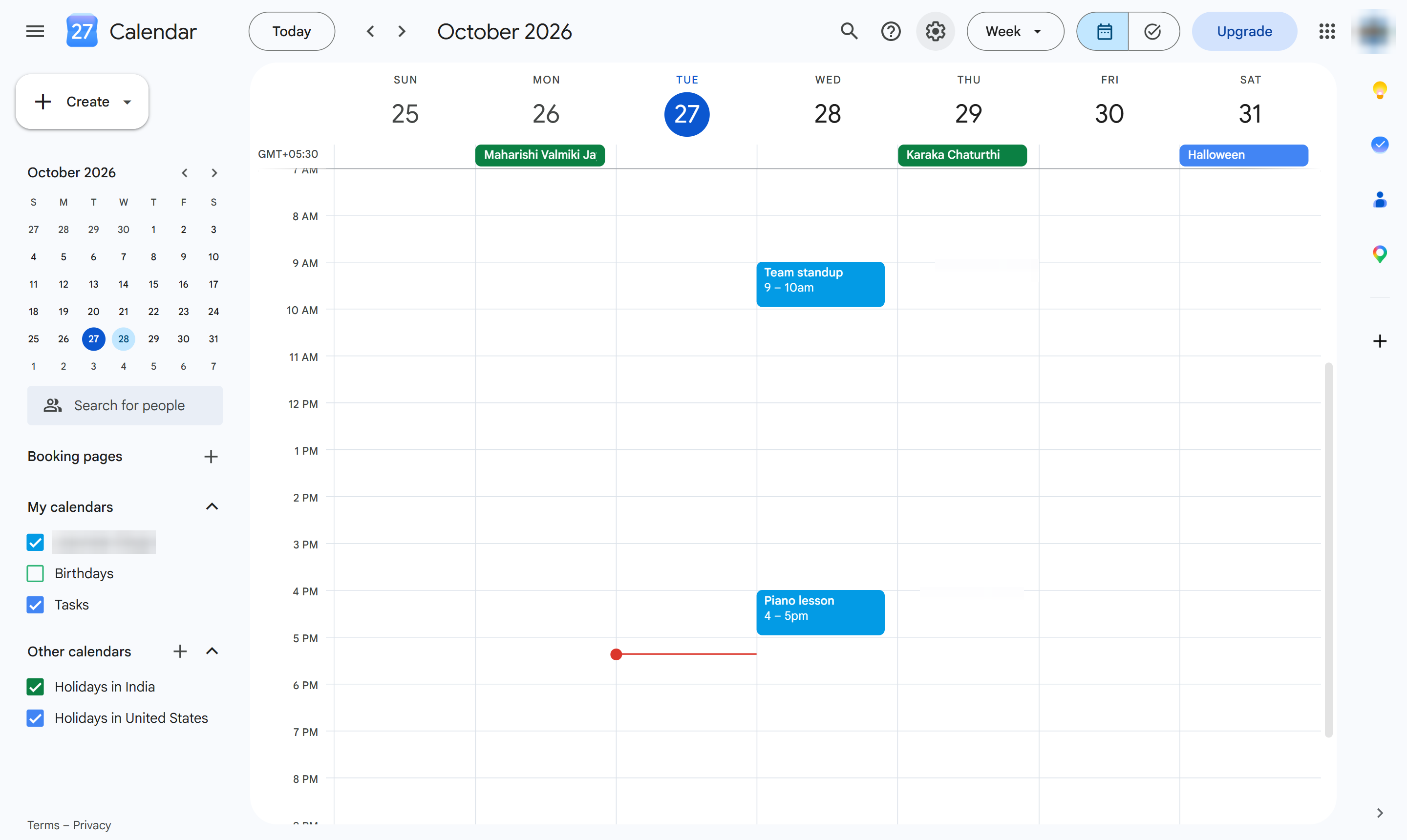
Click the gear
At the top right, click the gear icon (Settings menu).
Print your day, week or month - or save it as a PDF - from the Settings menu.
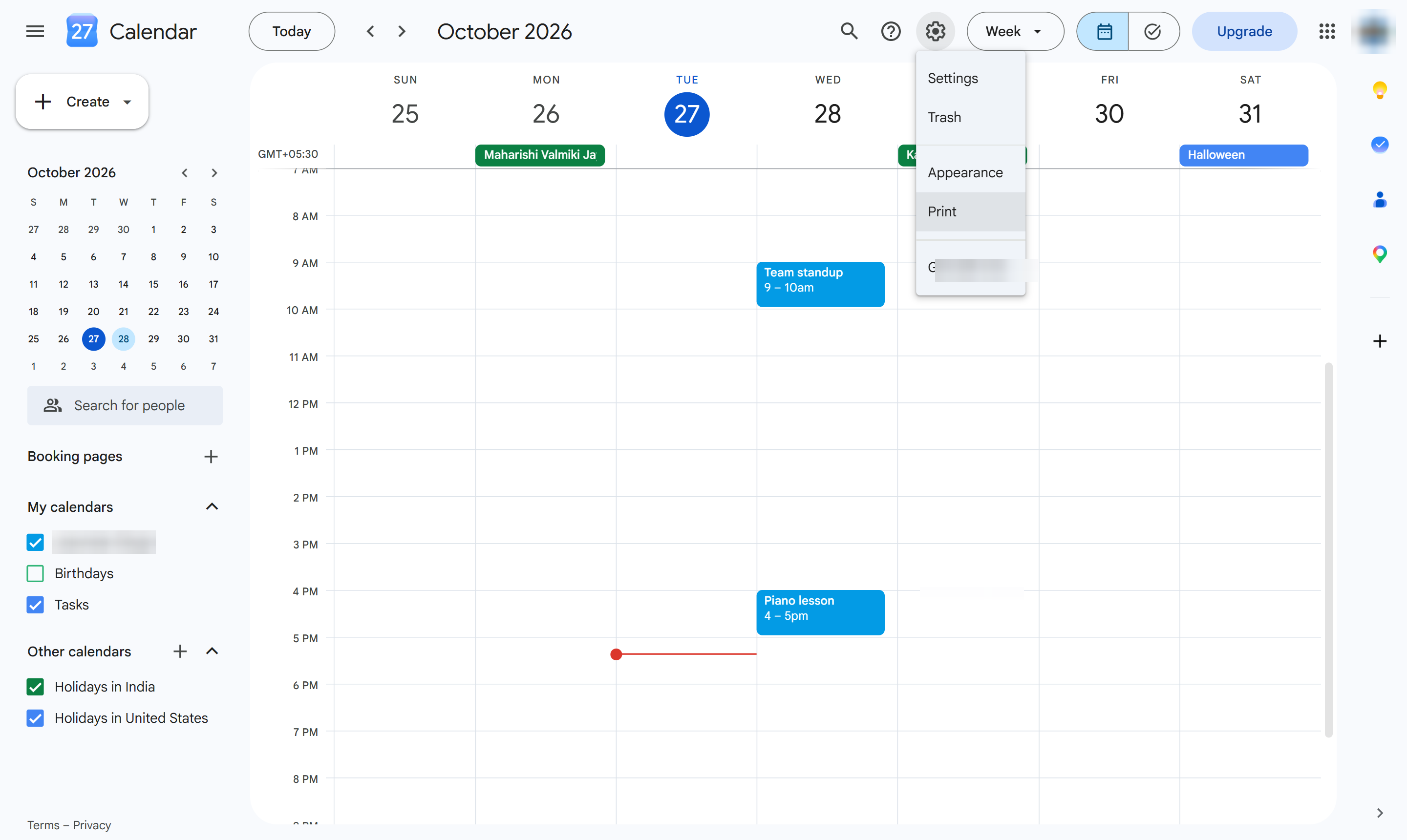
At the top right, click the gear icon (Settings menu).
Choose Print. A print preview of the current view opens.
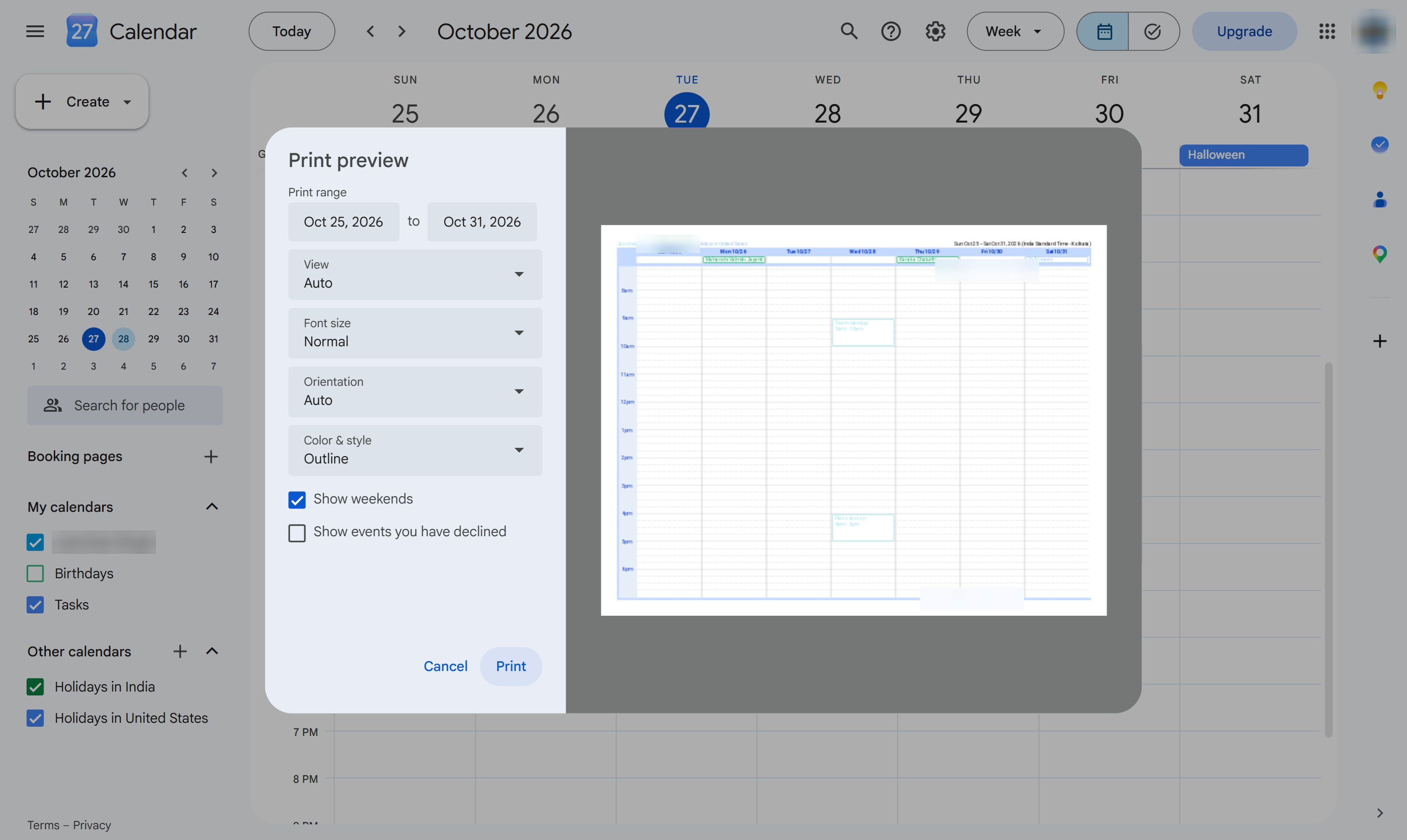
Pick the font size, orientation and colors if you like, then click Print. Choose Save as PDF in the print window for a file instead.
Duplicate this template, swap in your own screens, and share it with your team. Free to start — no credit card.
Fill out the form and we'll get back to you as soon as possible.
Tell us about your team and we'll find the right plan together.