1
Click the select box
At the top left of the inbox, click the empty box. Every email on the page is selected.
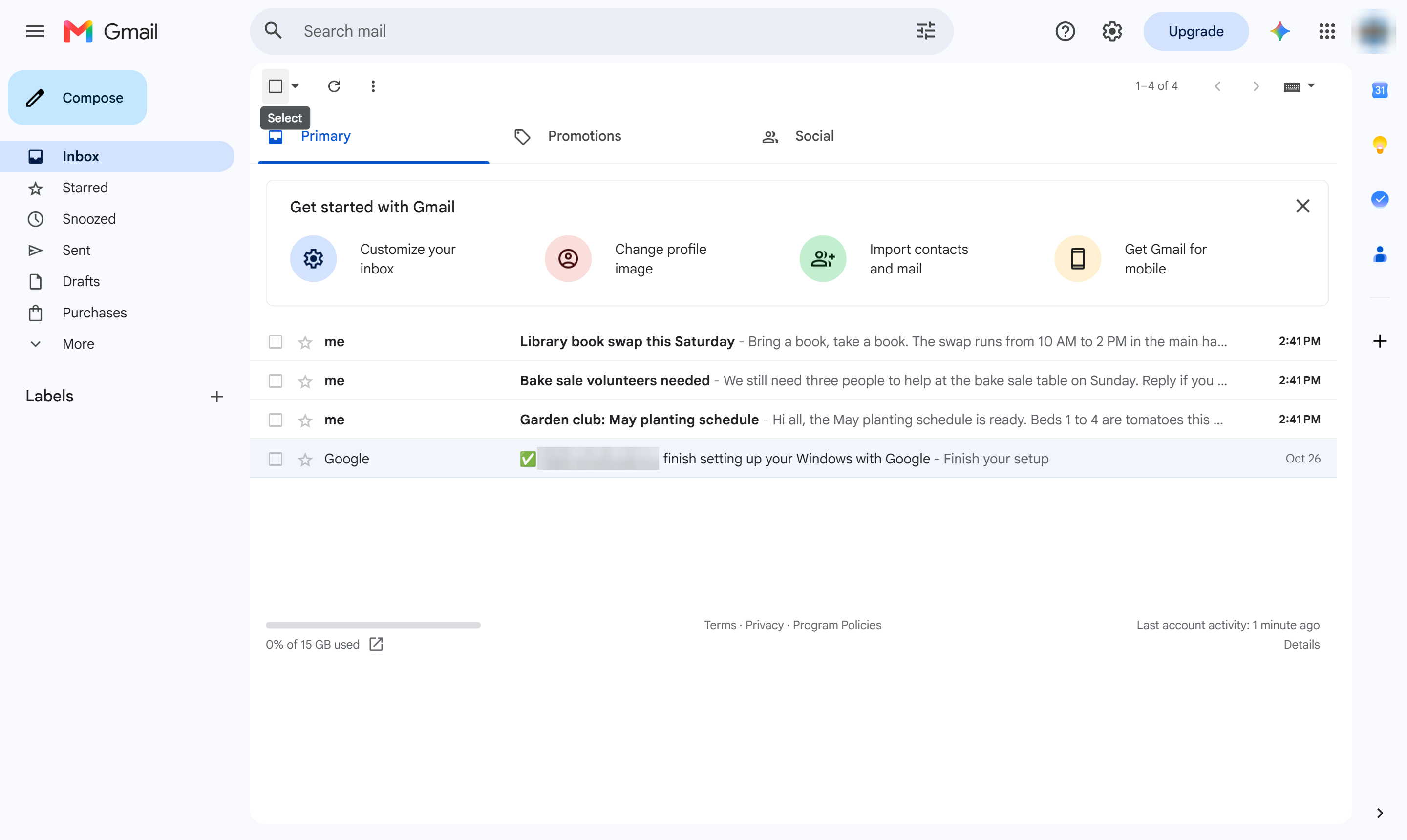

Clear every unread email at once by selecting them all and choosing Mark as read.
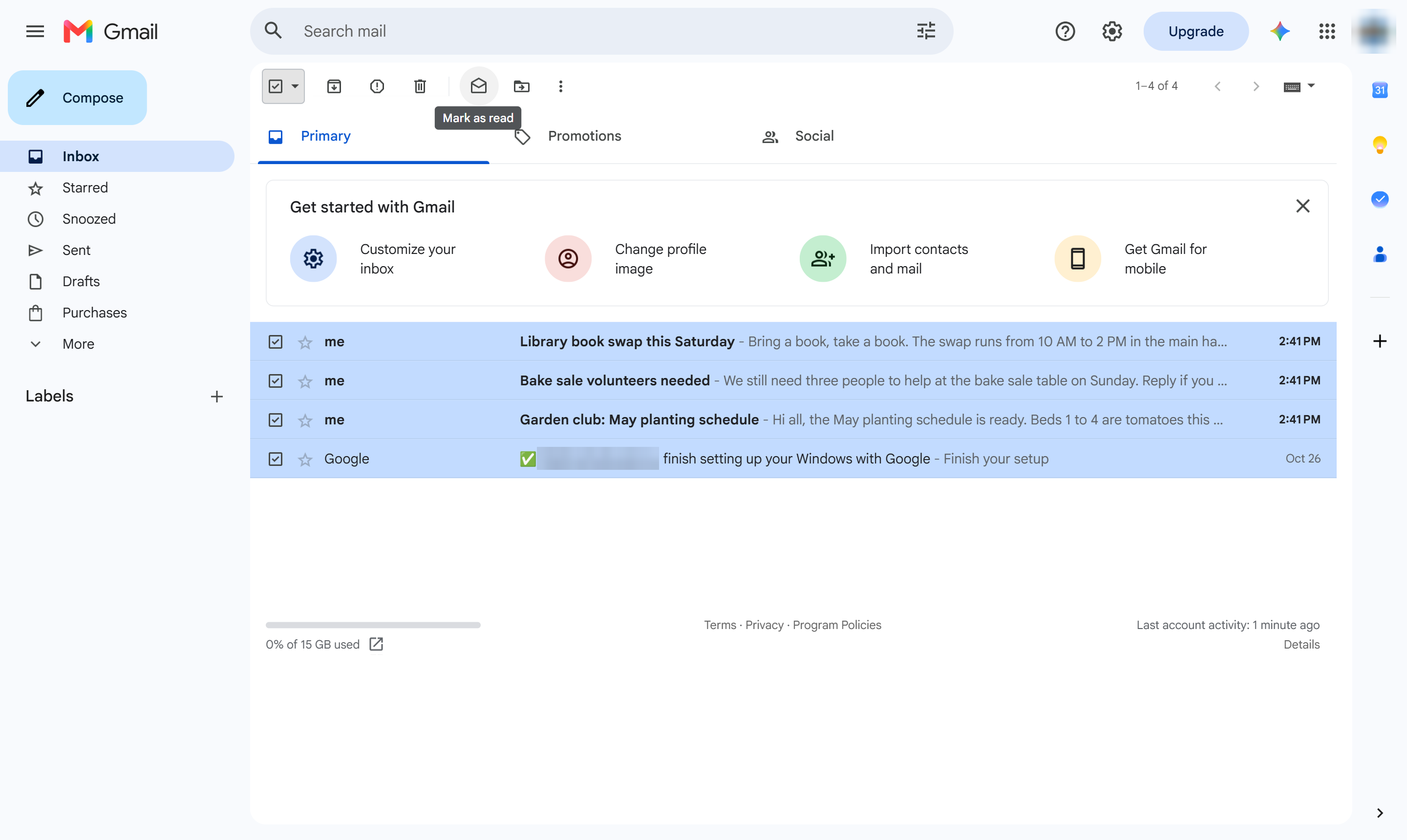
At the top left of the inbox, click the empty box. Every email on the page is selected.
In the toolbar, click the open-envelope icon (Mark as read).
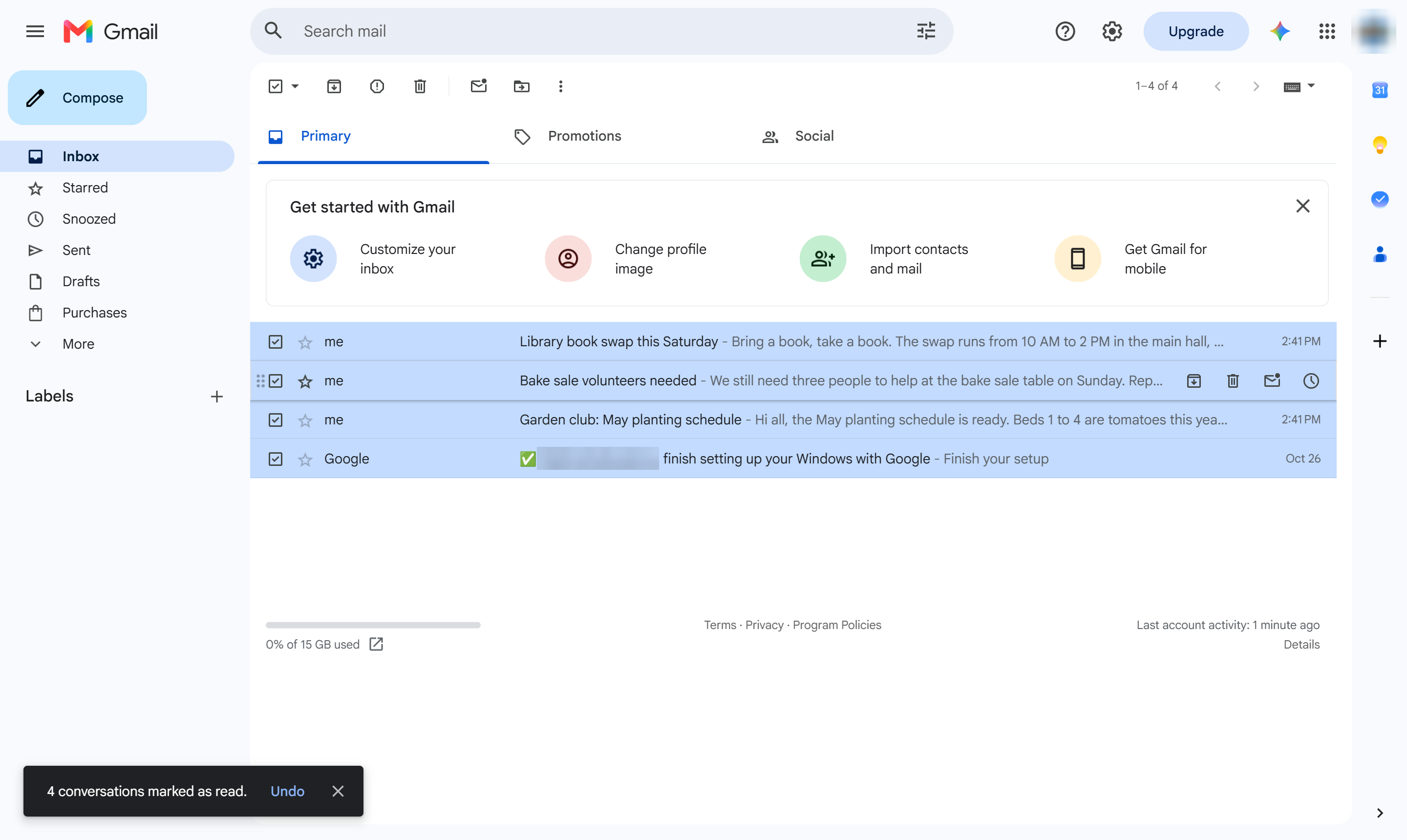
The emails are no longer bold. With more than one page of mail, click "Select all conversations" above the list after step 1 to include every email.
Duplicate this template, swap in your own screens, and share it with your team. Free to start — no credit card.
Fill out the form and we'll get back to you as soon as possible.
Tell us about your team and we'll find the right plan together.