1
Click Template gallery
On the Google Docs home page, click Template gallery at the top right.
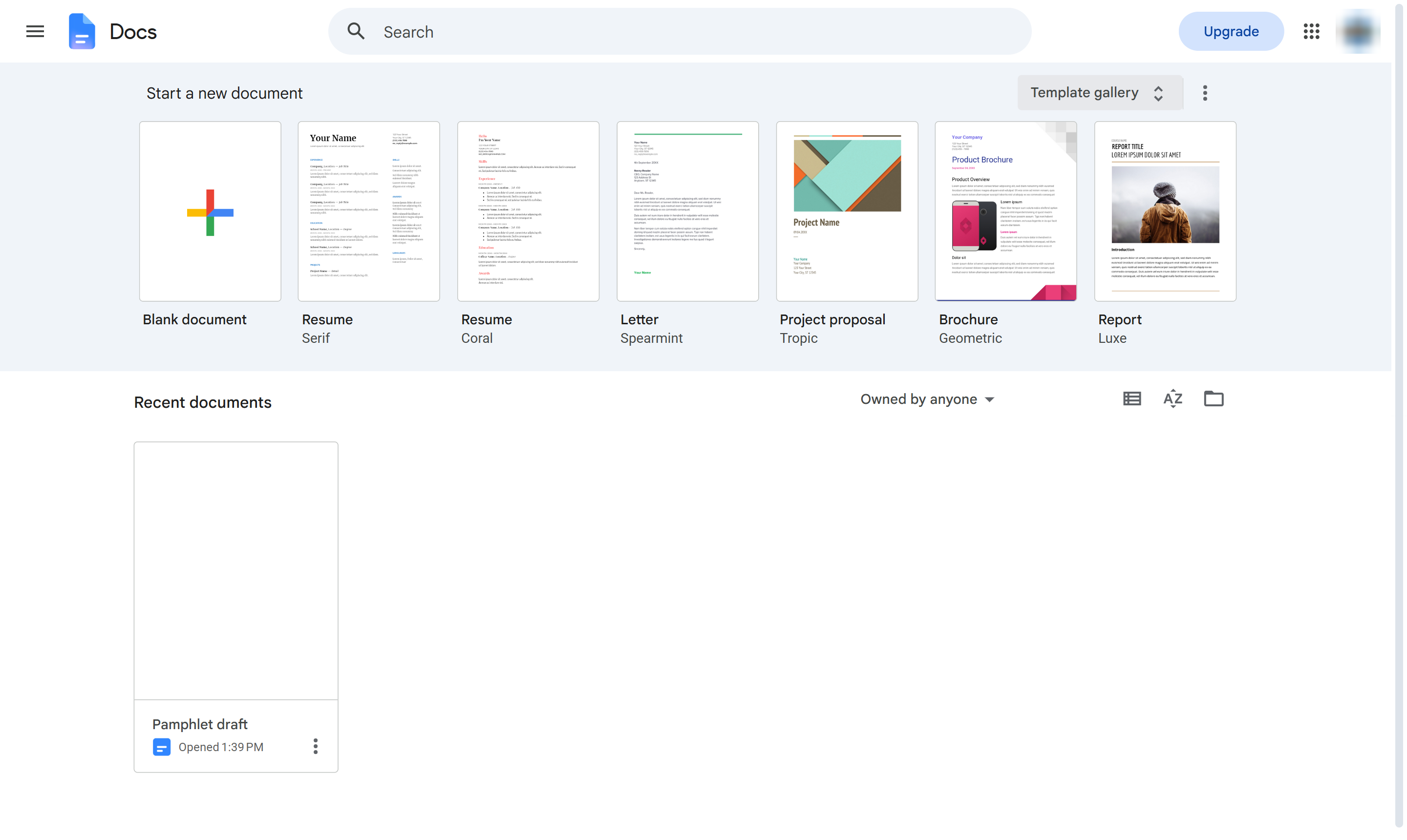

Create a pamphlet from the Brochure template and put your own headline on it.
On the Google Docs home page, click Template gallery at the top right.
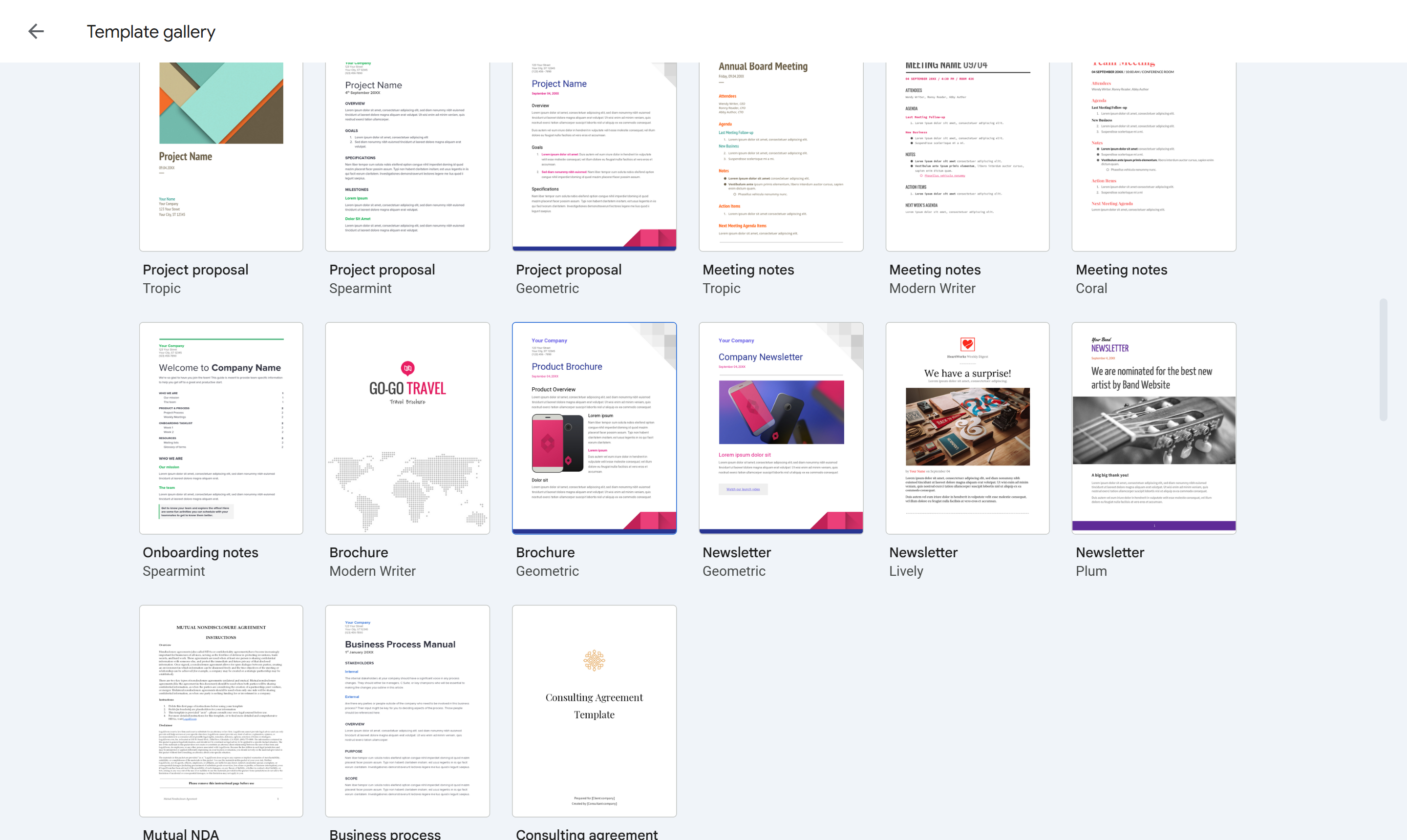
Under Work, pick Brochure. A new document opens with a ready-made layout.
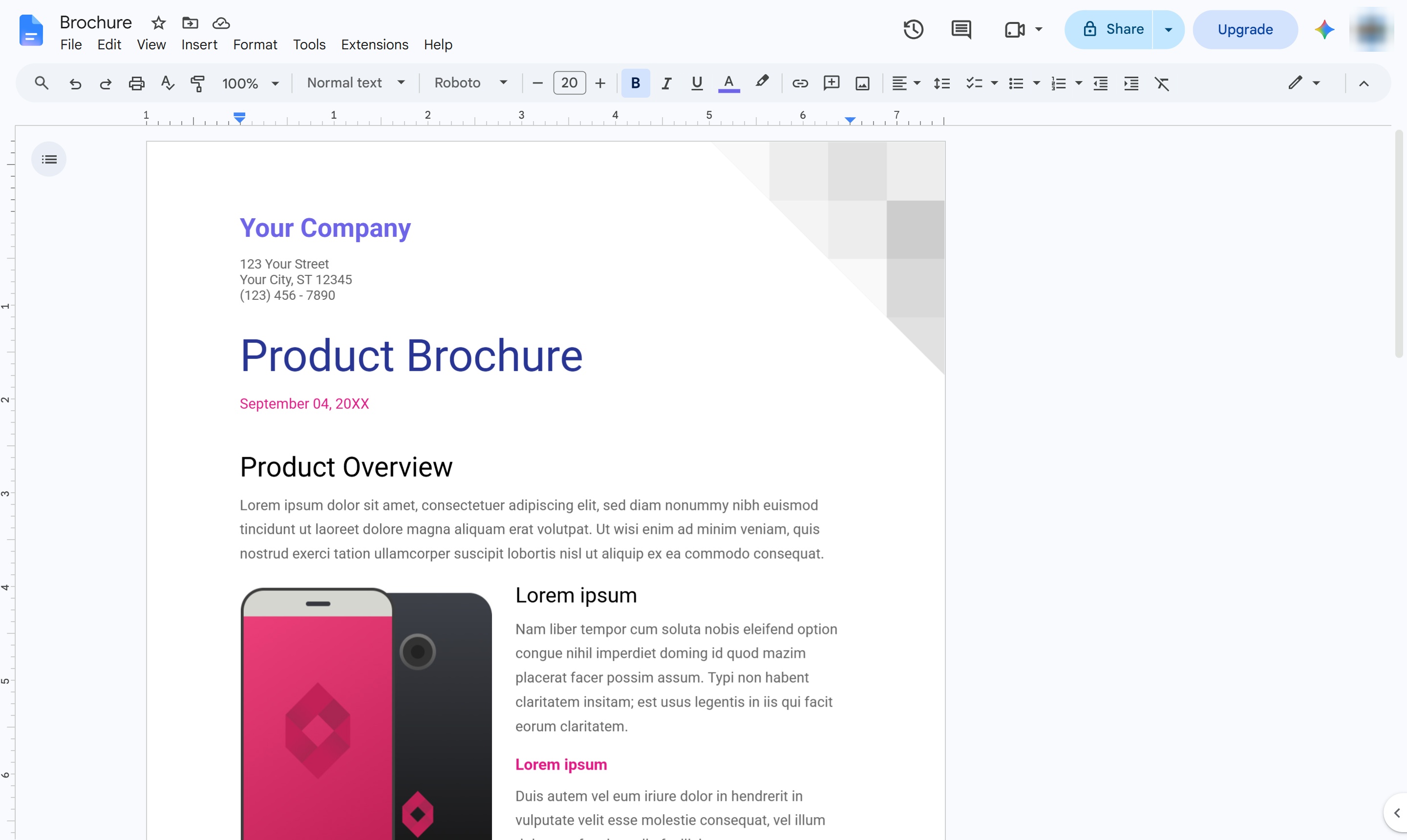
Highlight the sample headline.
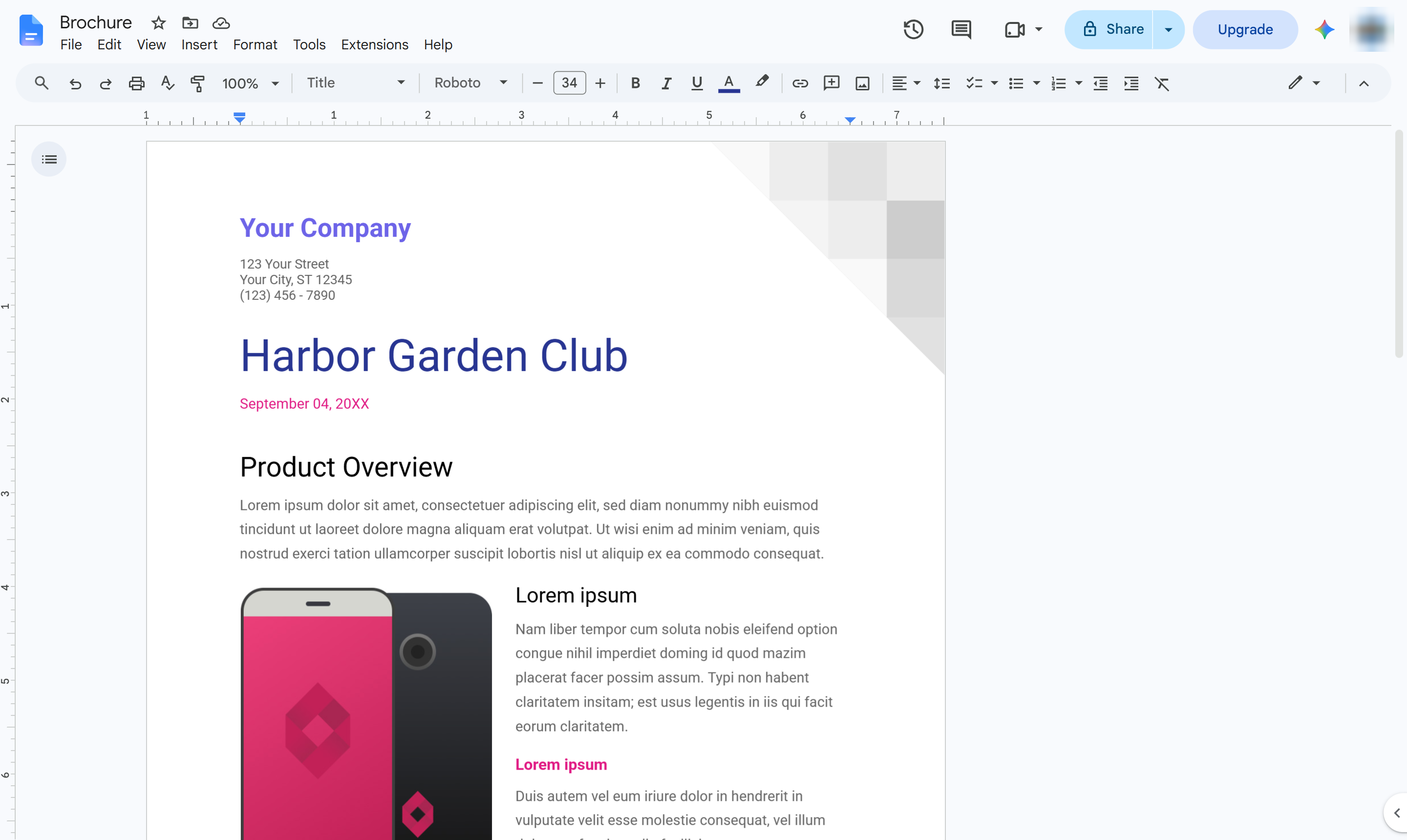
Type the name of your pamphlet.
Replace the rest of the sample text and pictures with your own, then print it or download it as a PDF.
Duplicate this template, swap in your own screens, and share it with your team. Free to start — no credit card.
Fill out the form and we'll get back to you as soon as possible.
Tell us about your team and we'll find the right plan together.