1
Click the search box
At the top of Gmail, click Search mail.
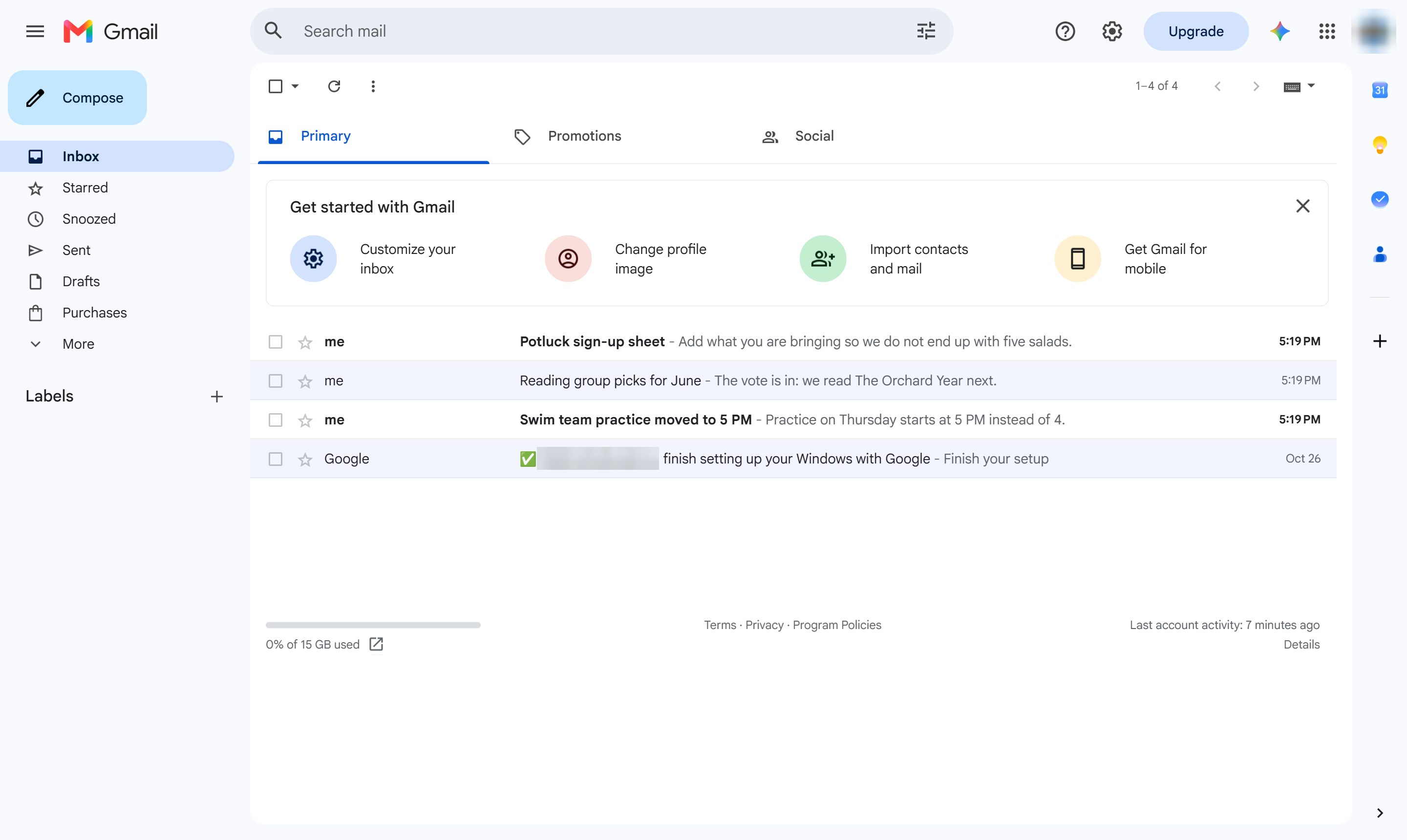

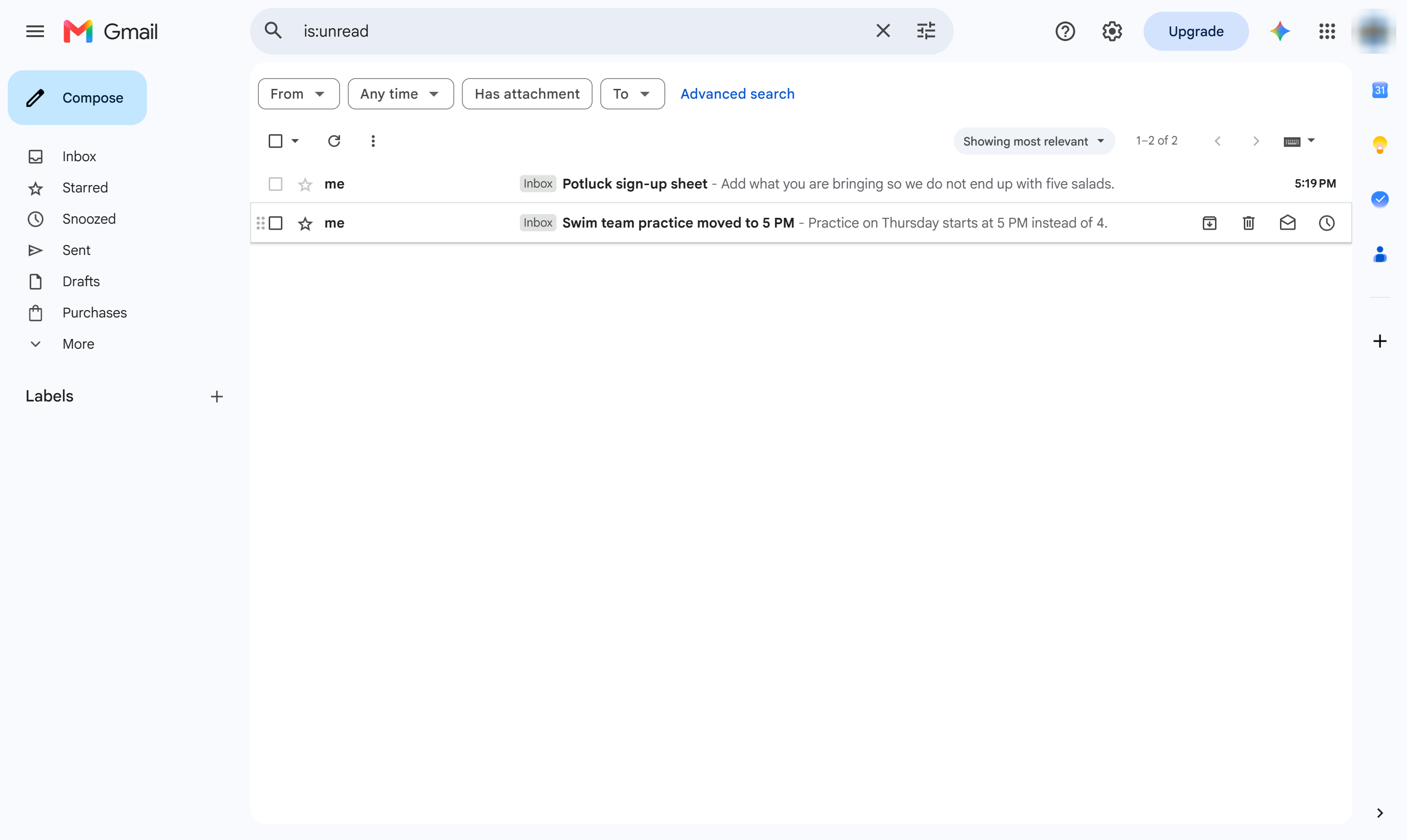
List only the emails you have not opened yet, with the is:unread search.
At the top of Gmail, click Search mail.
Type is:unread and press Enter.
Only emails you have not read are shown. Add in:inbox to the search to leave out other folders.
Duplicate this template, swap in your own screens, and share it with your team. Free to start — no credit card.
Fill out the form and we'll get back to you as soon as possible.
Tell us about your team and we'll find the right plan together.