1
Untick Birthdays
Under My calendars, click the box next to Birthdays. Birthdays disappear from your calendar.
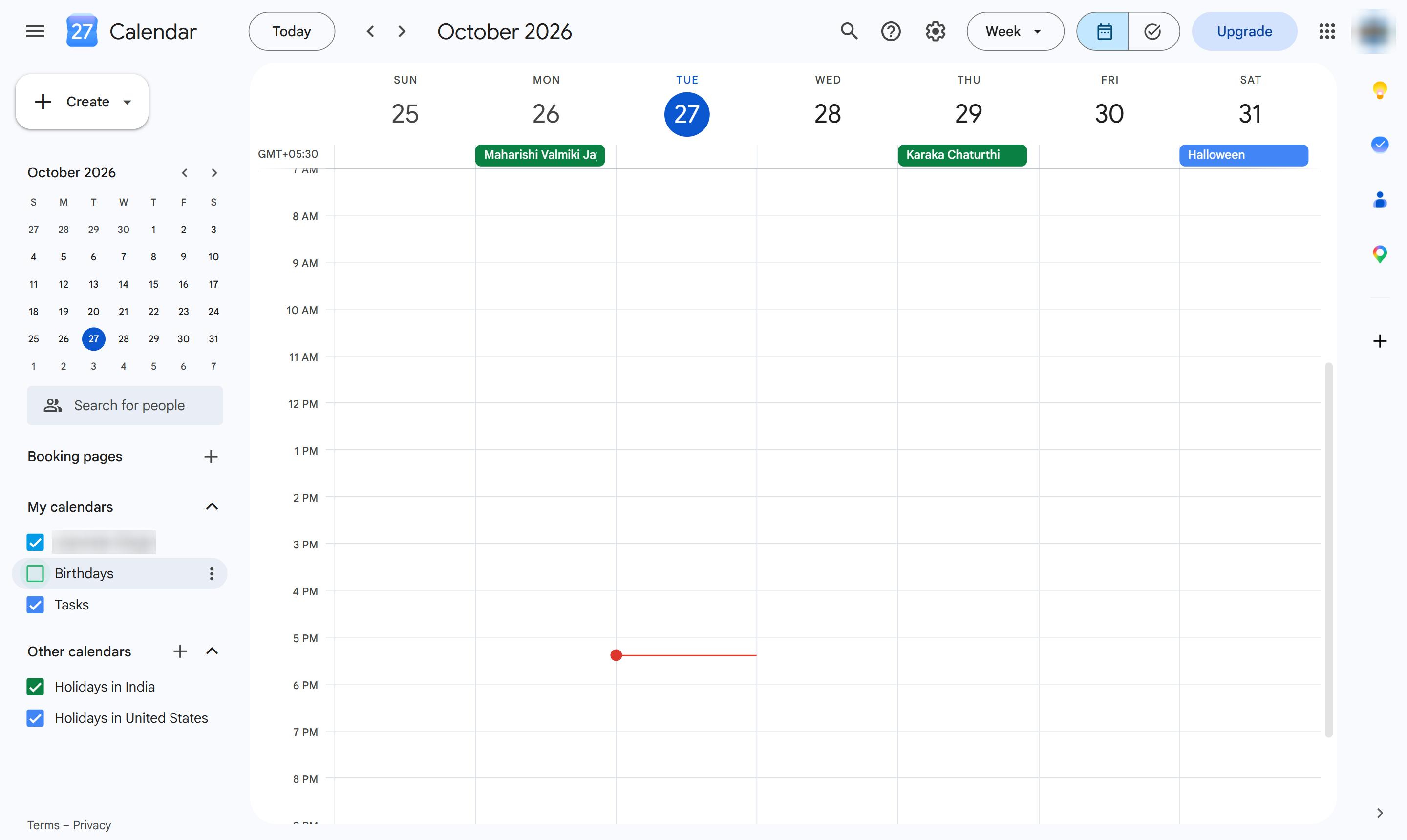
Hide the birthdays Google adds from your contacts by unticking the Birthdays calendar.
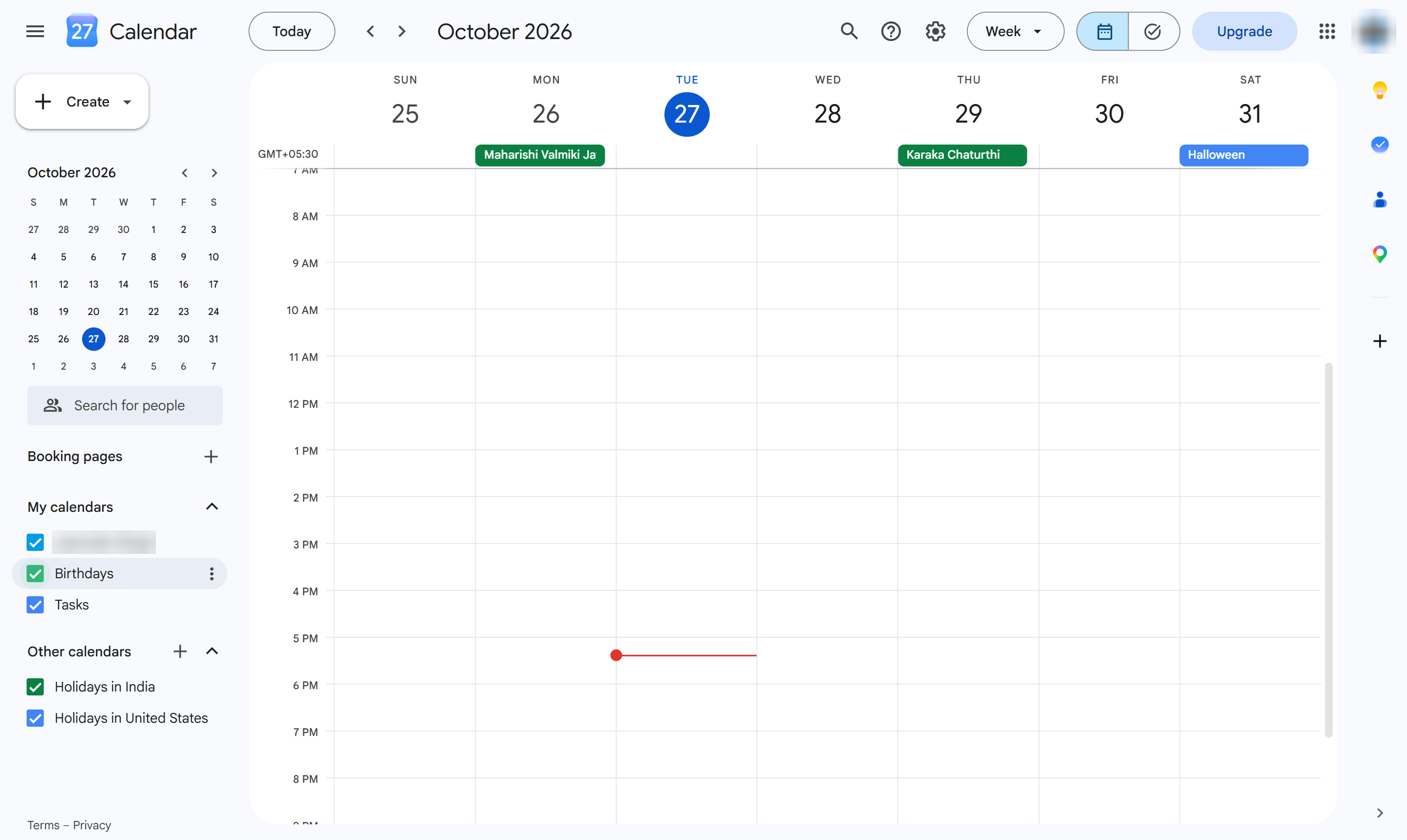
Under My calendars, click the box next to Birthdays. Birthdays disappear from your calendar.
Birthdays no longer show. To stop them for good, open Settings > Birthdays and switch them off. Tick the box again to bring them back.
Duplicate this template, swap in your own screens, and share it with your team. Free to start — no credit card.
Fill out the form and we'll get back to you as soon as possible.
Tell us about your team and we'll find the right plan together.