1
Click the three dots
In the left list, point at the calendar and click its three dots (Options).
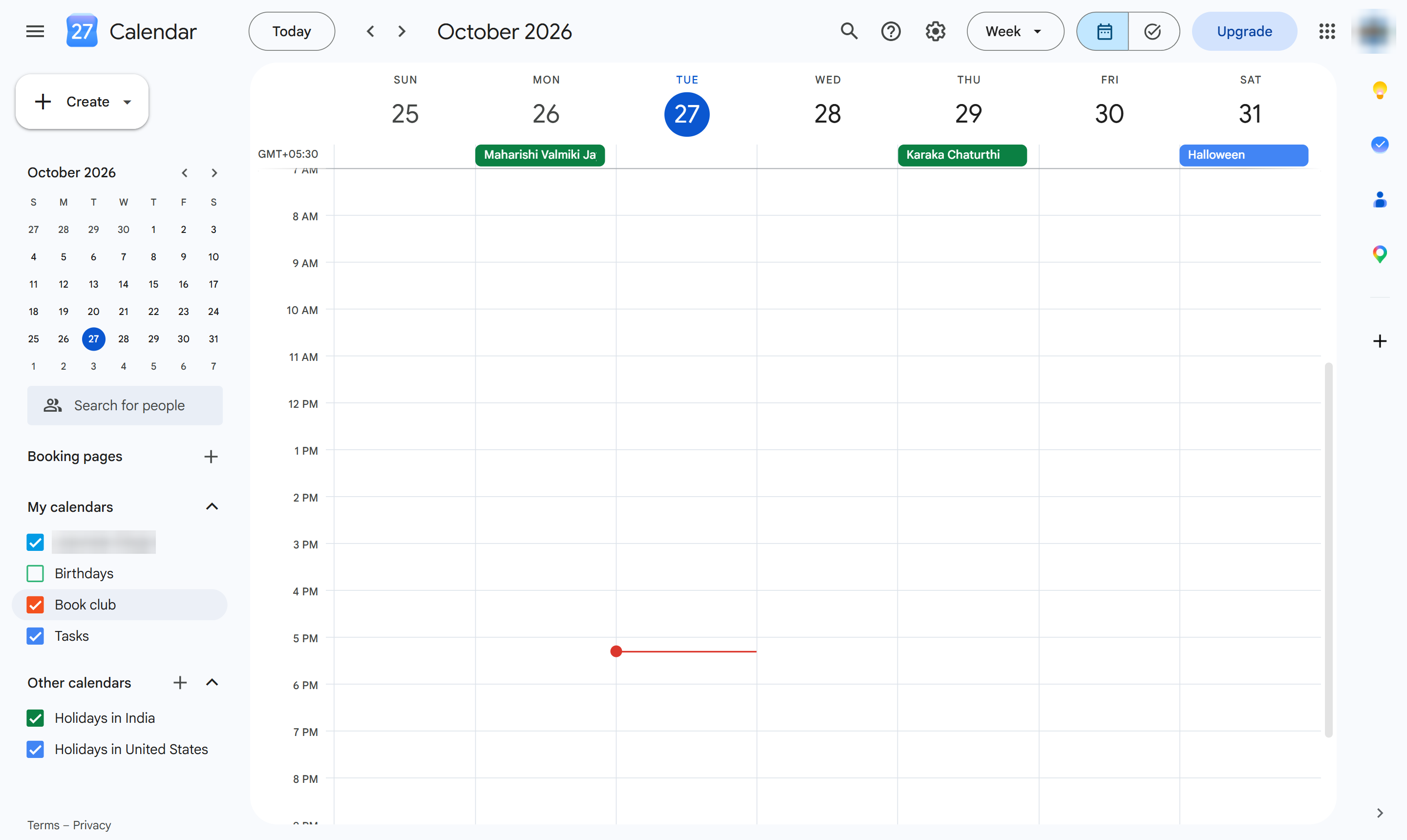

Delete a calendar you created, with all its events, from its settings.
In the left list, point at the calendar and click its three dots (Options).
Choose Settings and sharing.
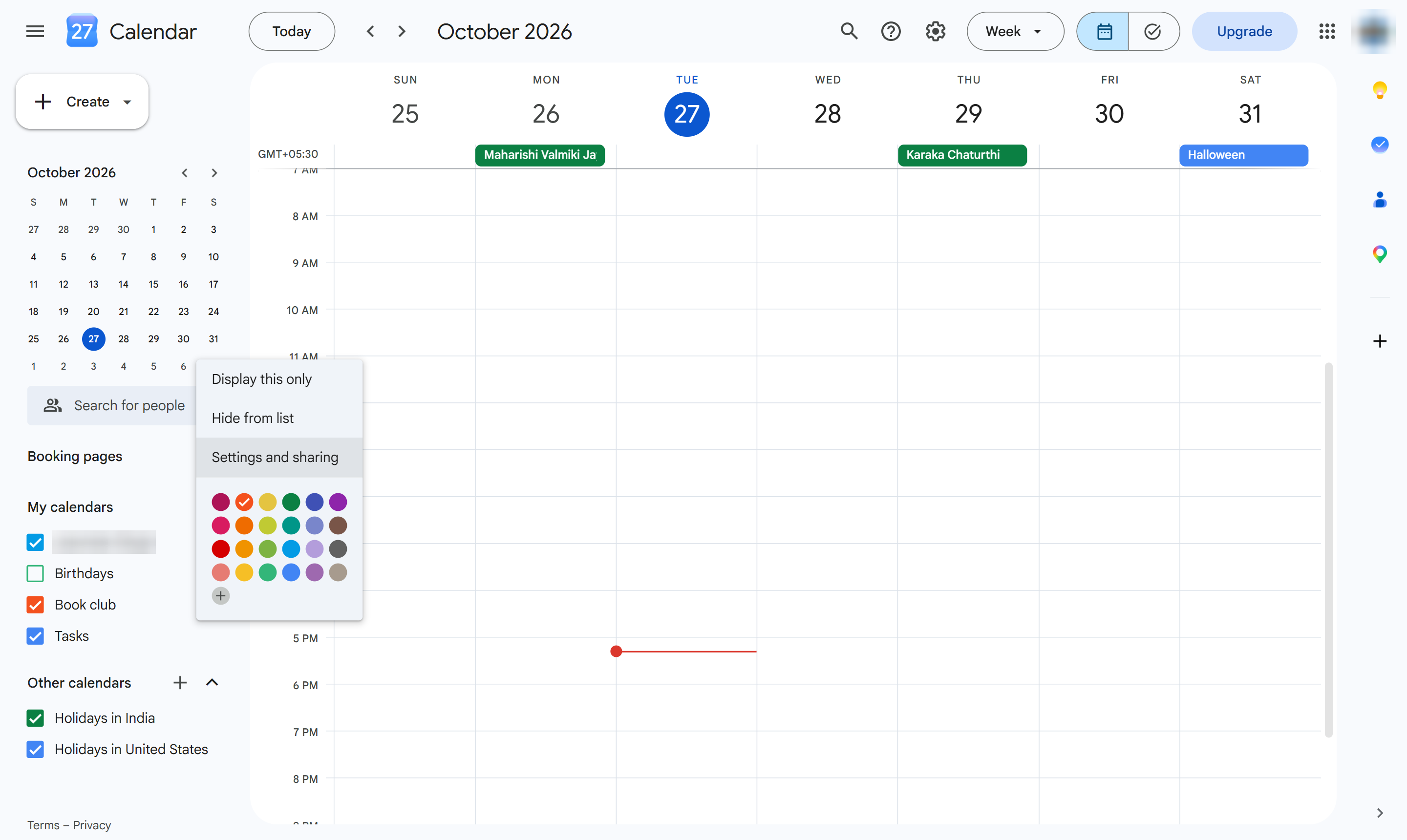
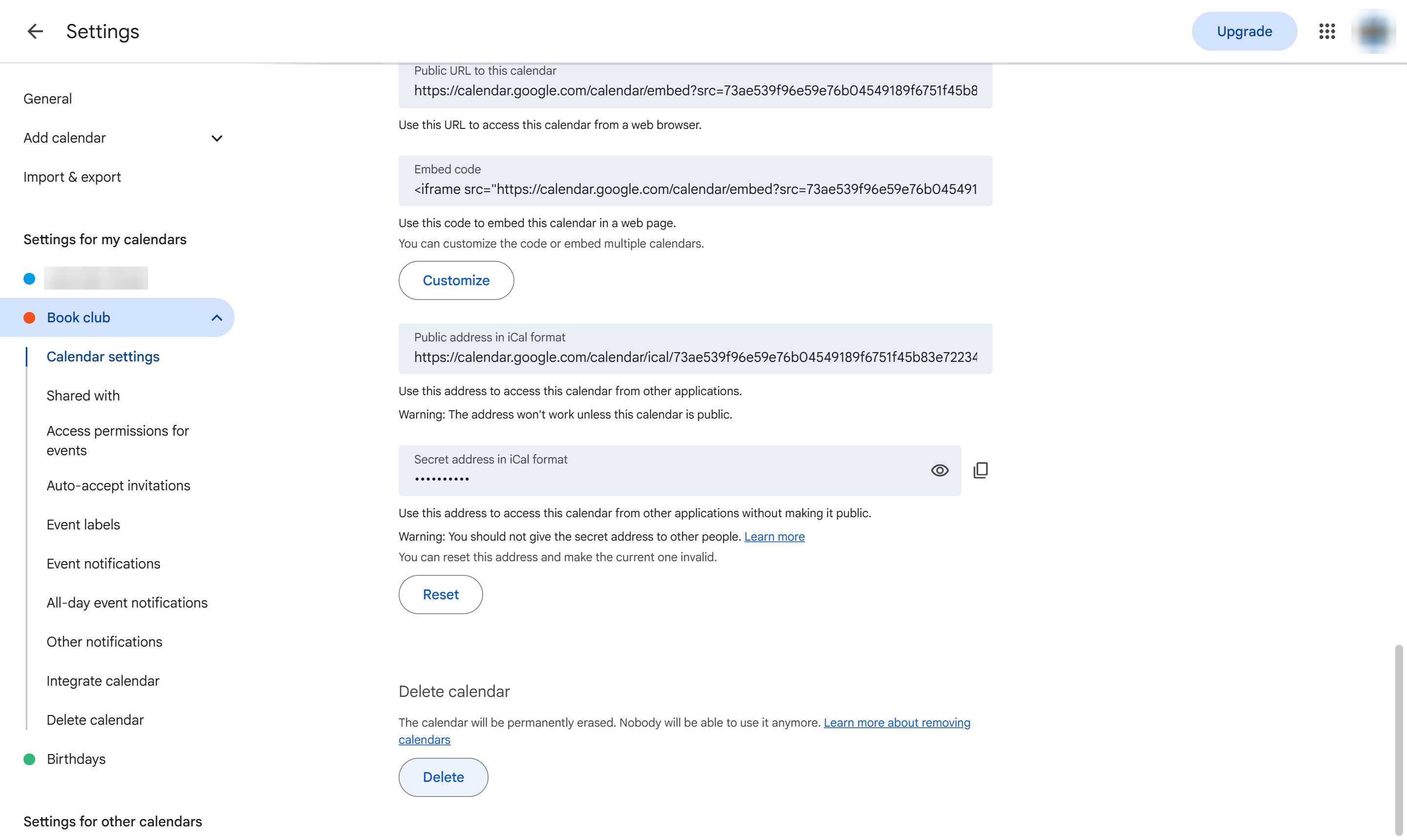
Scroll down to Remove calendar and click Delete. Unsubscribe only hides it from your list.
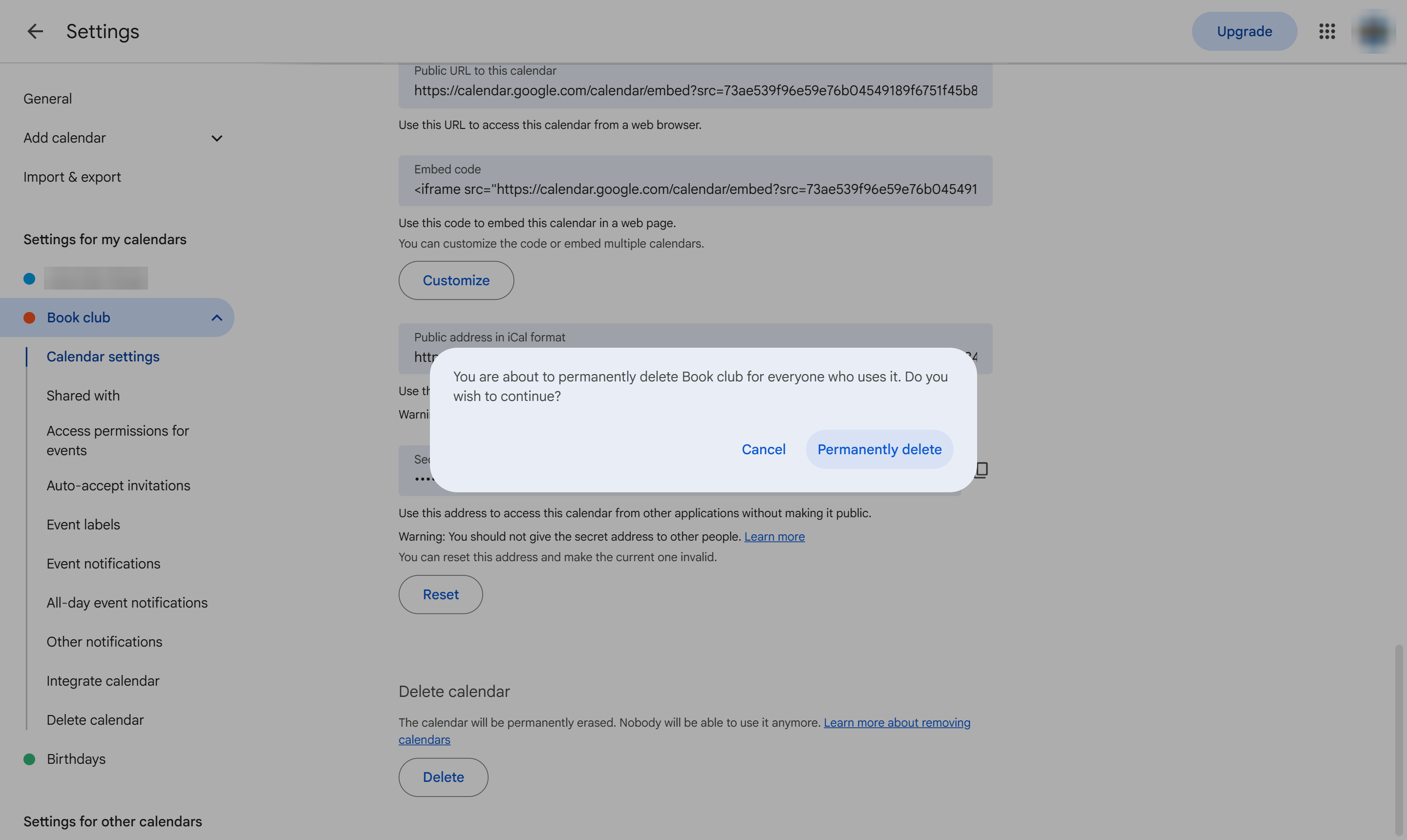
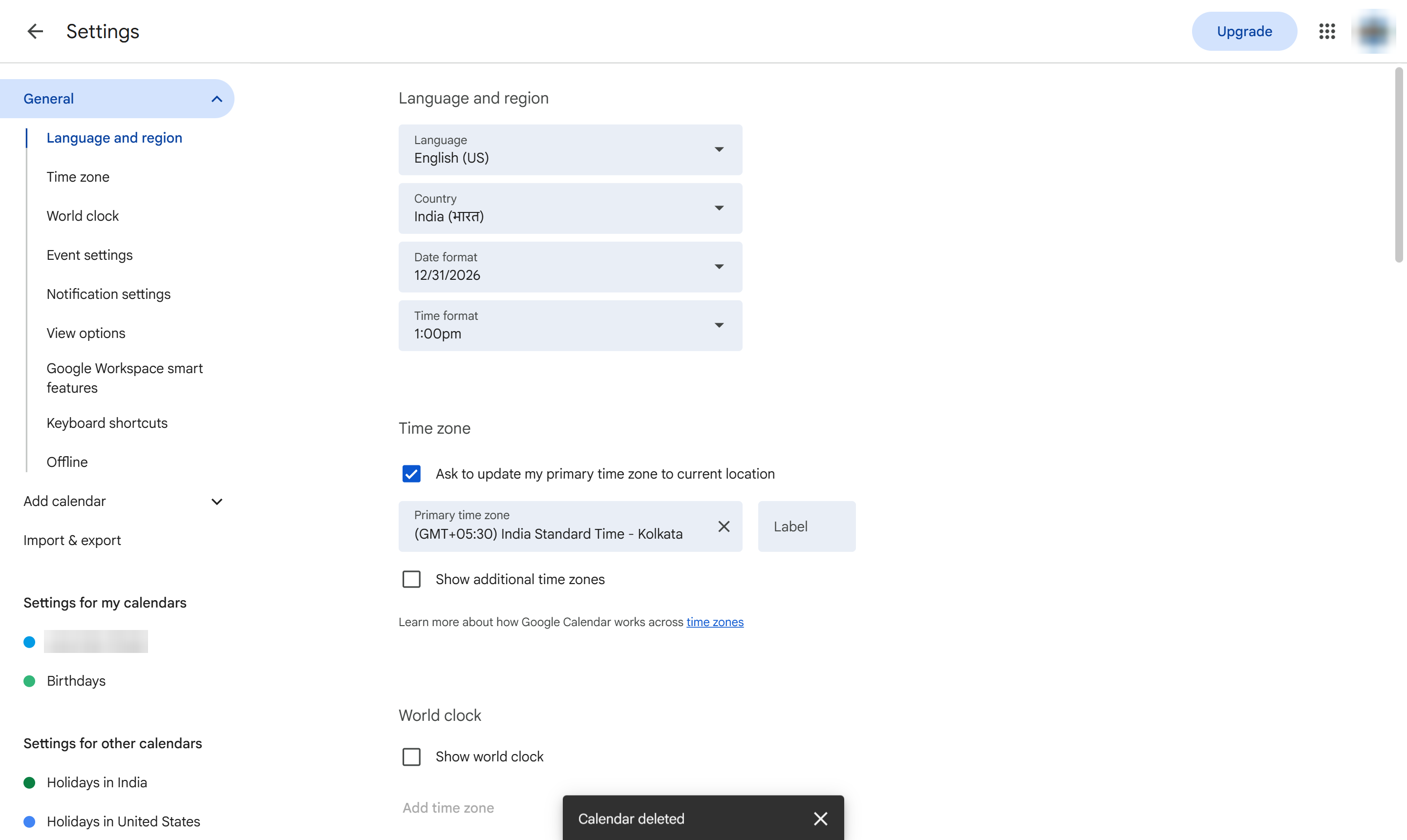
Confirm. The calendar and all its events are deleted for everyone.
The calendar is gone from your list. Your main calendar cannot be deleted, only cleared.
Duplicate this template, swap in your own screens, and share it with your team. Free to start — no credit card.
Fill out the form and we'll get back to you as soon as possible.
Tell us about your team and we'll find the right plan together.