1
Open the email
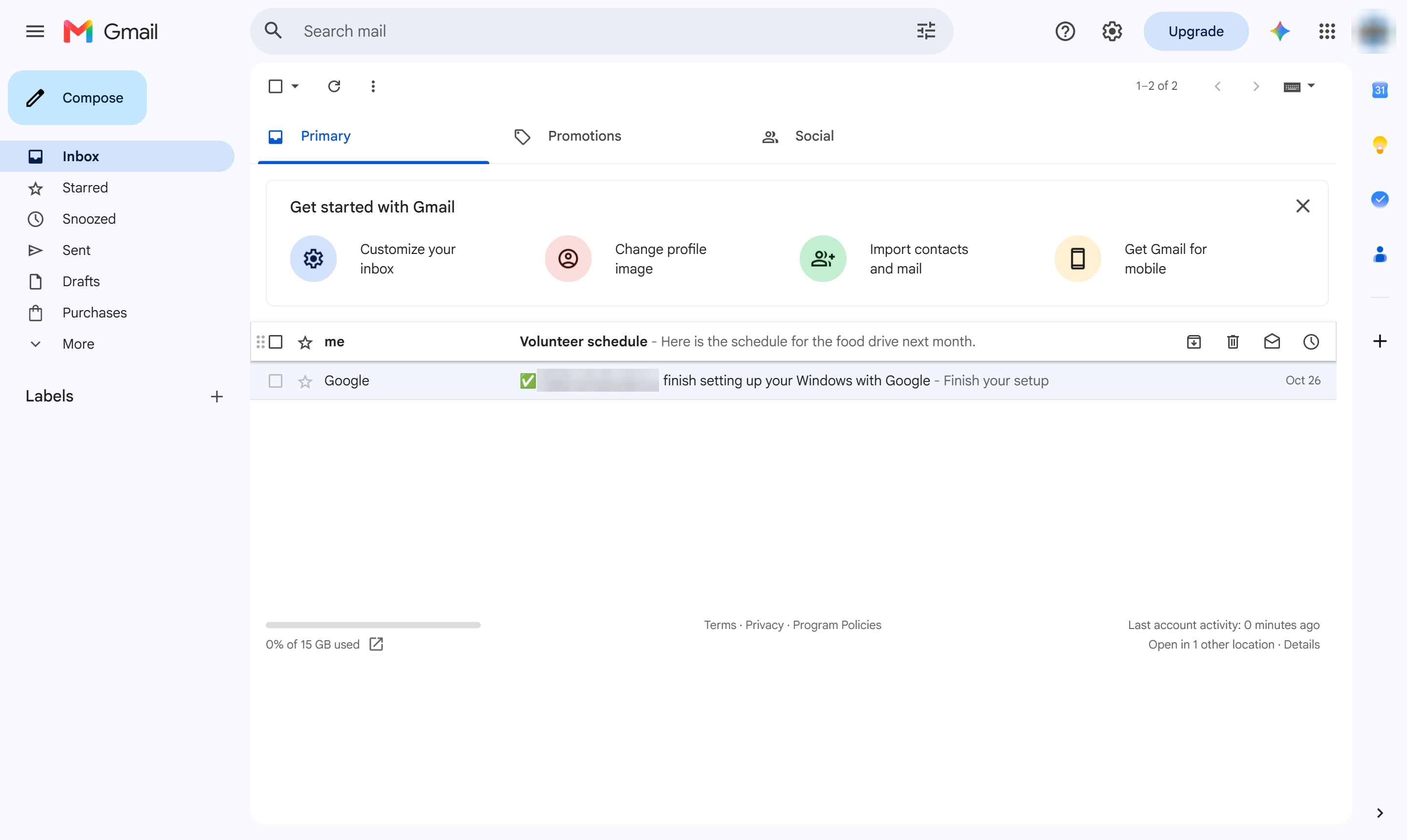
Click the email you are replying to.

Give a reply its own subject line, so it starts a new conversation.
Click the email you are replying to.
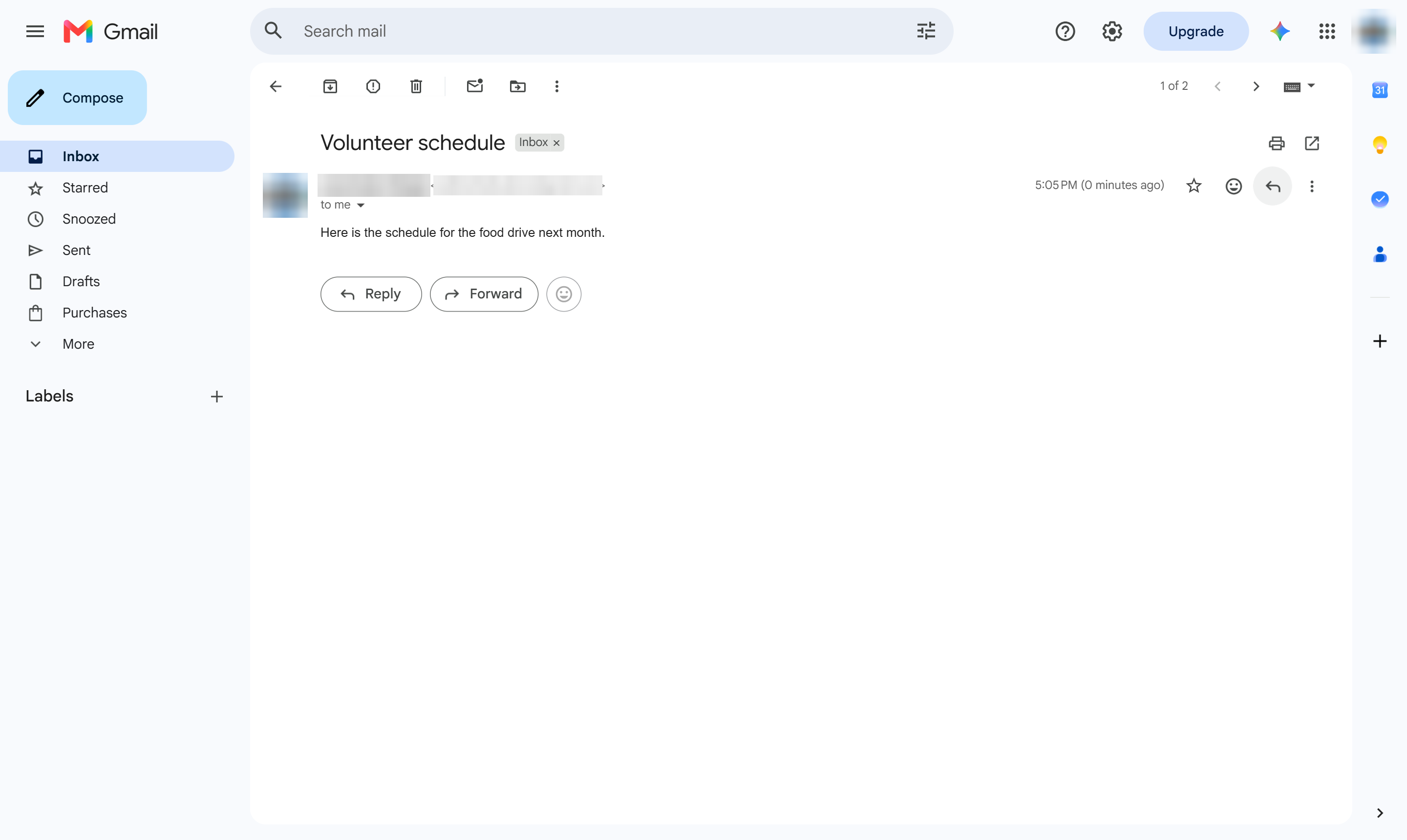
Click Reply below the email.
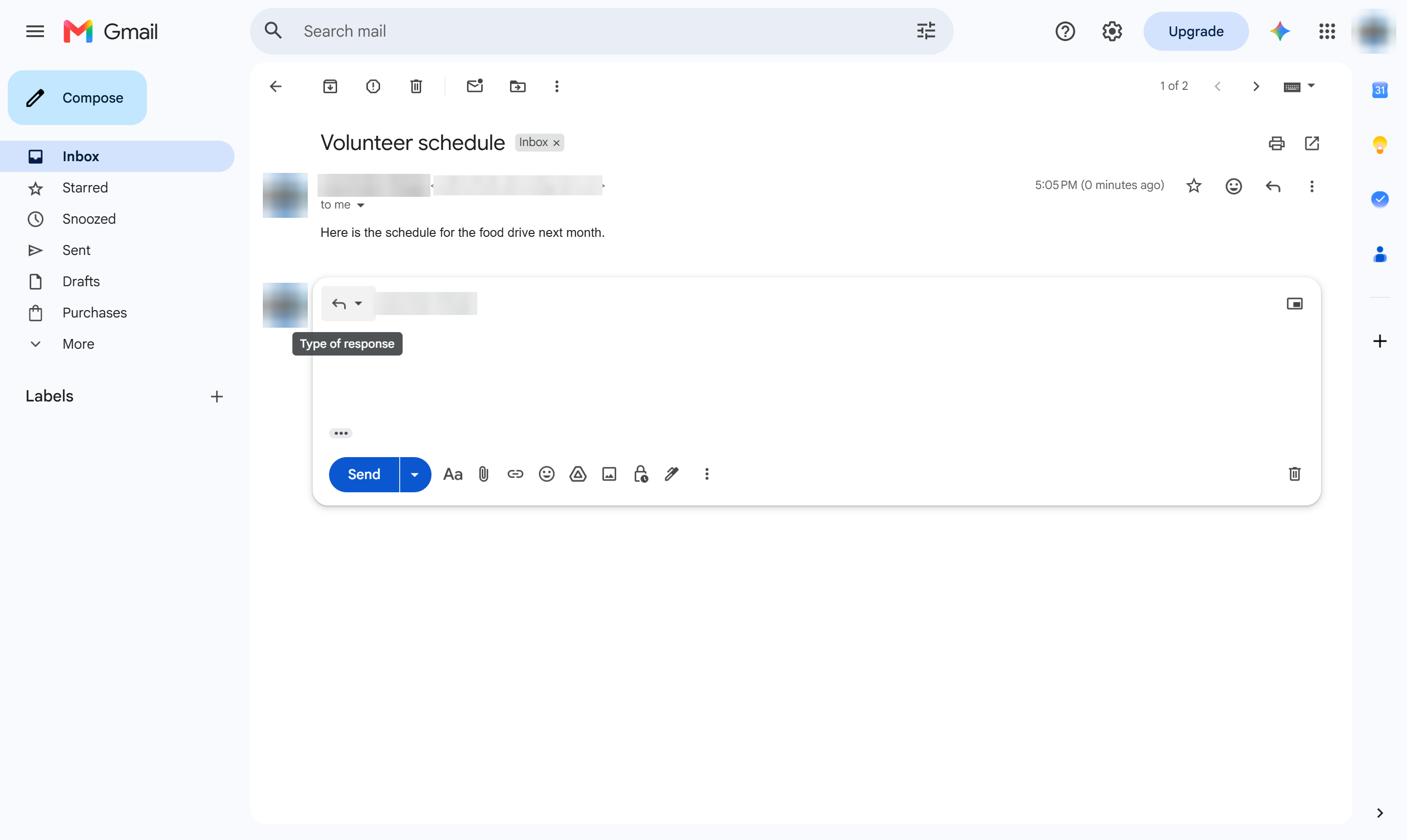
Next to the recipient, click the small arrow (Type of response).
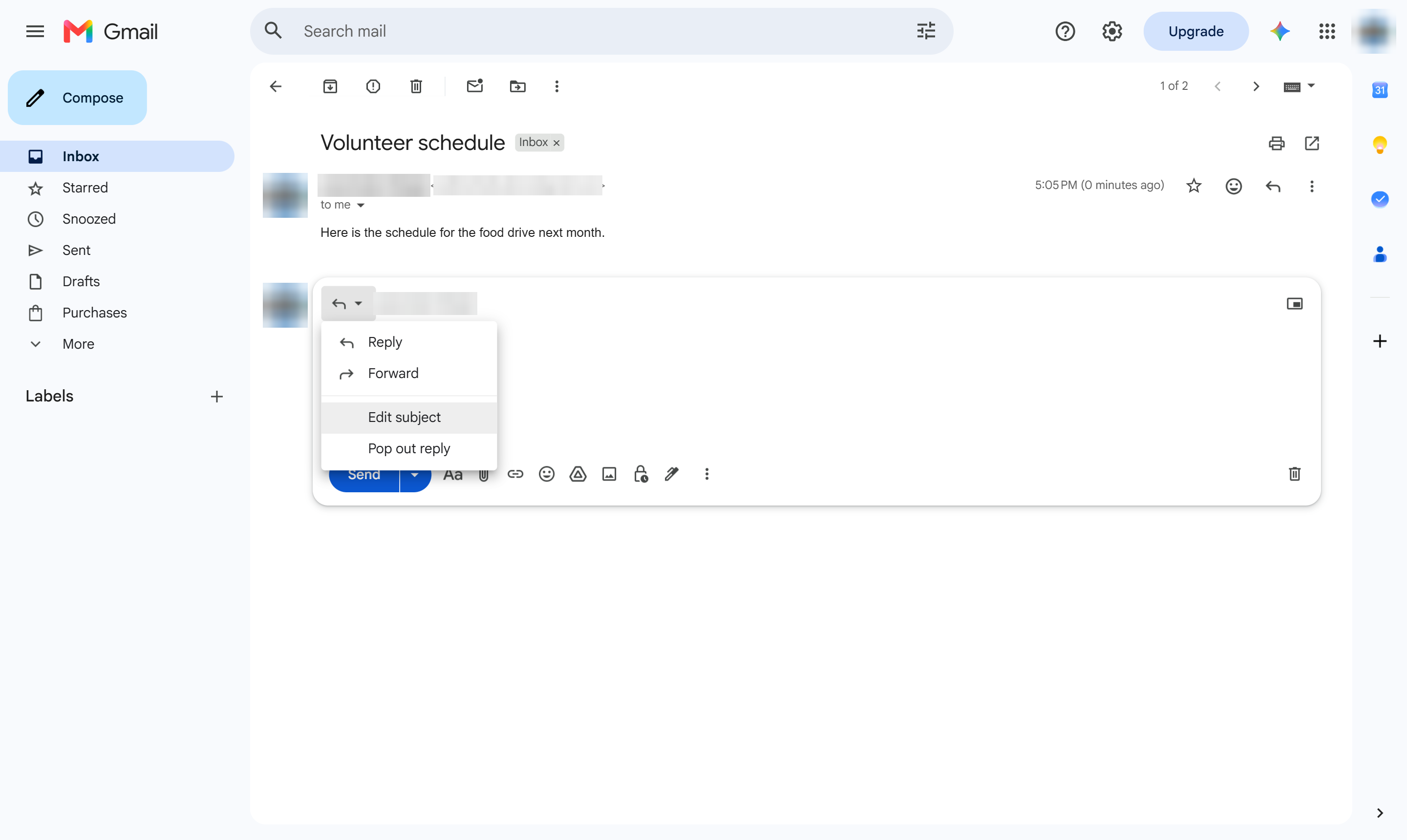
Choose Edit subject. The reply opens in its own window.
Click the Subject line.
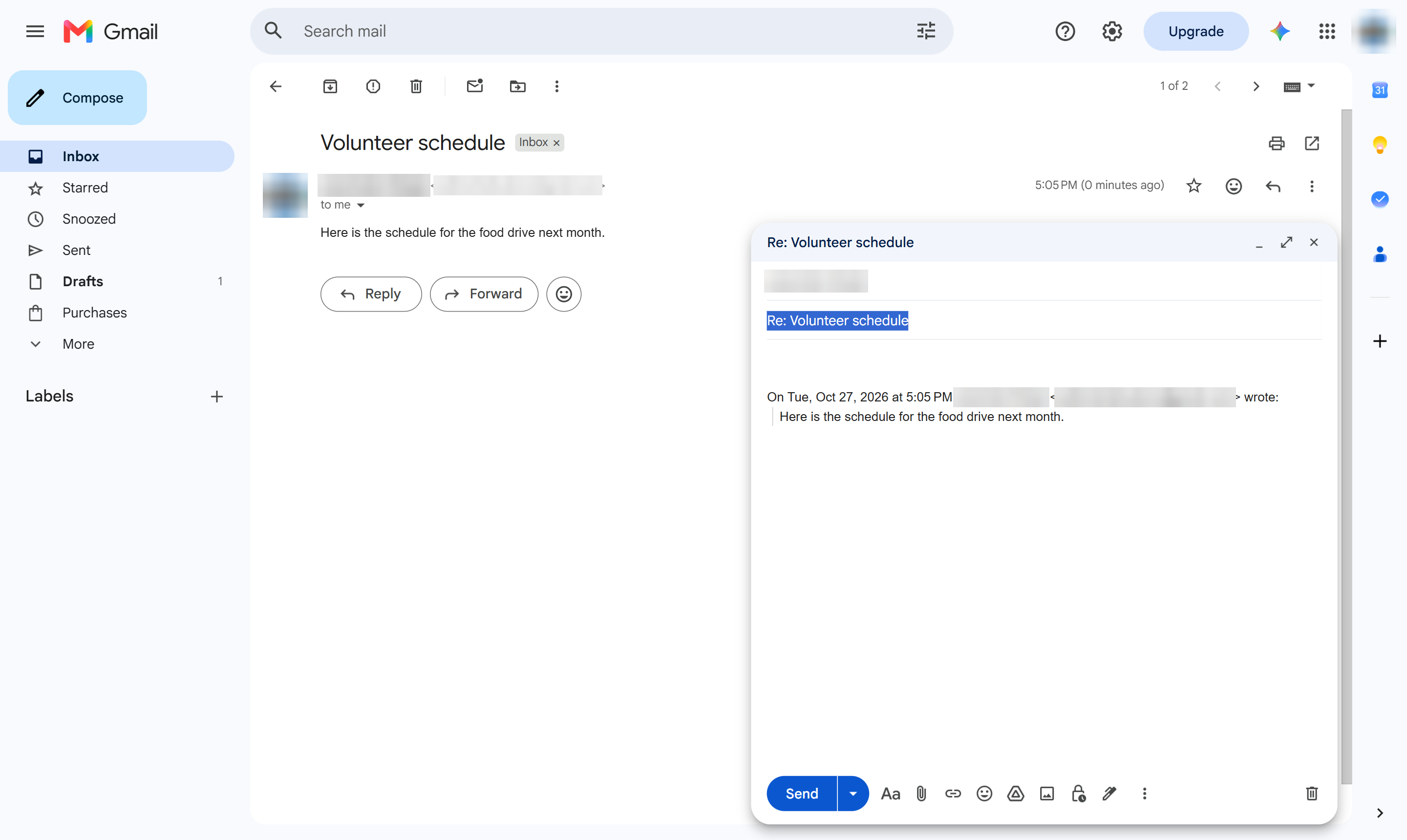
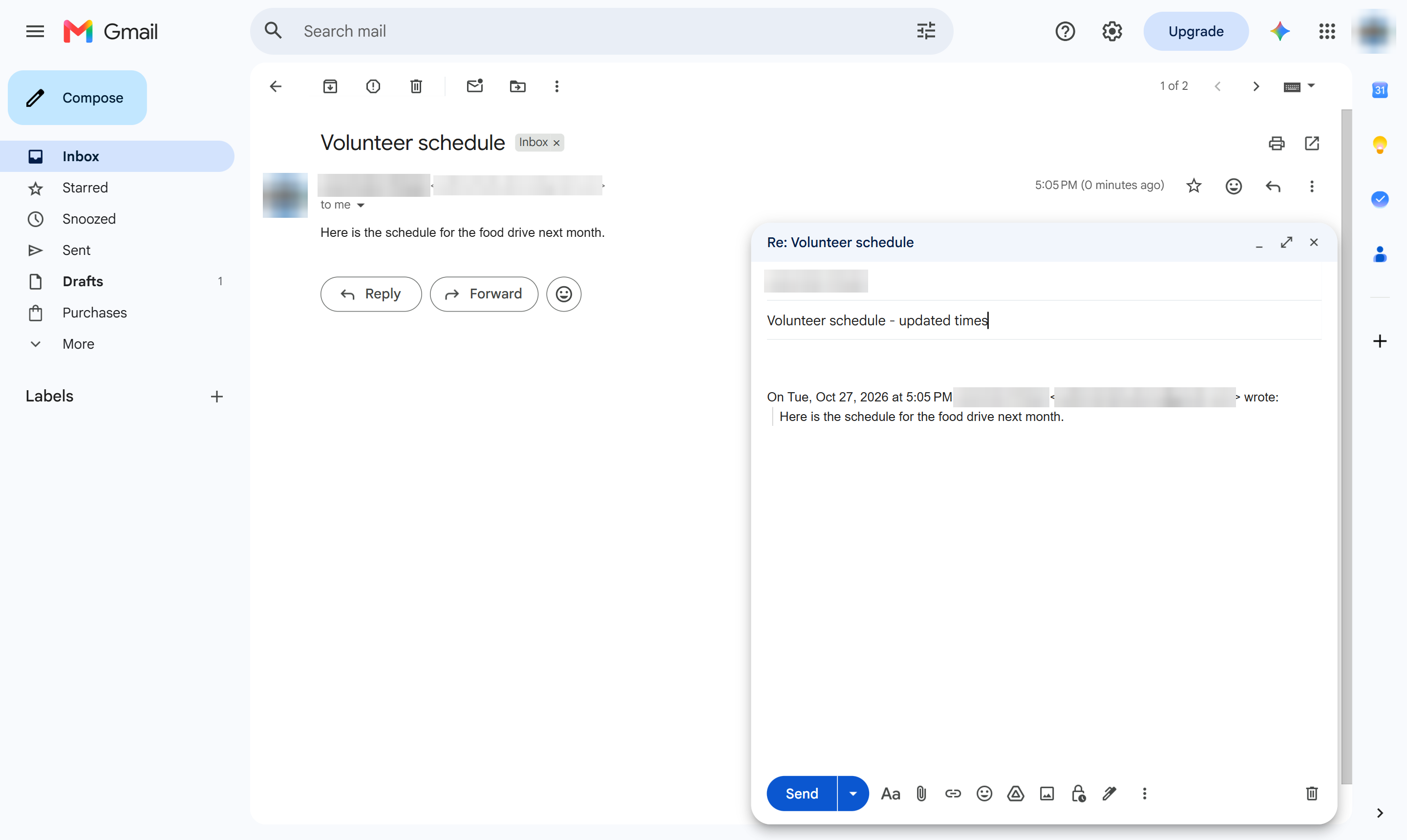
Type a new subject. The reply will start a new conversation.
Write your message and click Send. The reply goes out under the new subject.
Duplicate this template, swap in your own screens, and share it with your team. Free to start — no credit card.
Fill out the form and we'll get back to you as soon as possible.
Tell us about your team and we'll find the right plan together.