1
Click Settings
At the top right, click the gear icon (Settings).
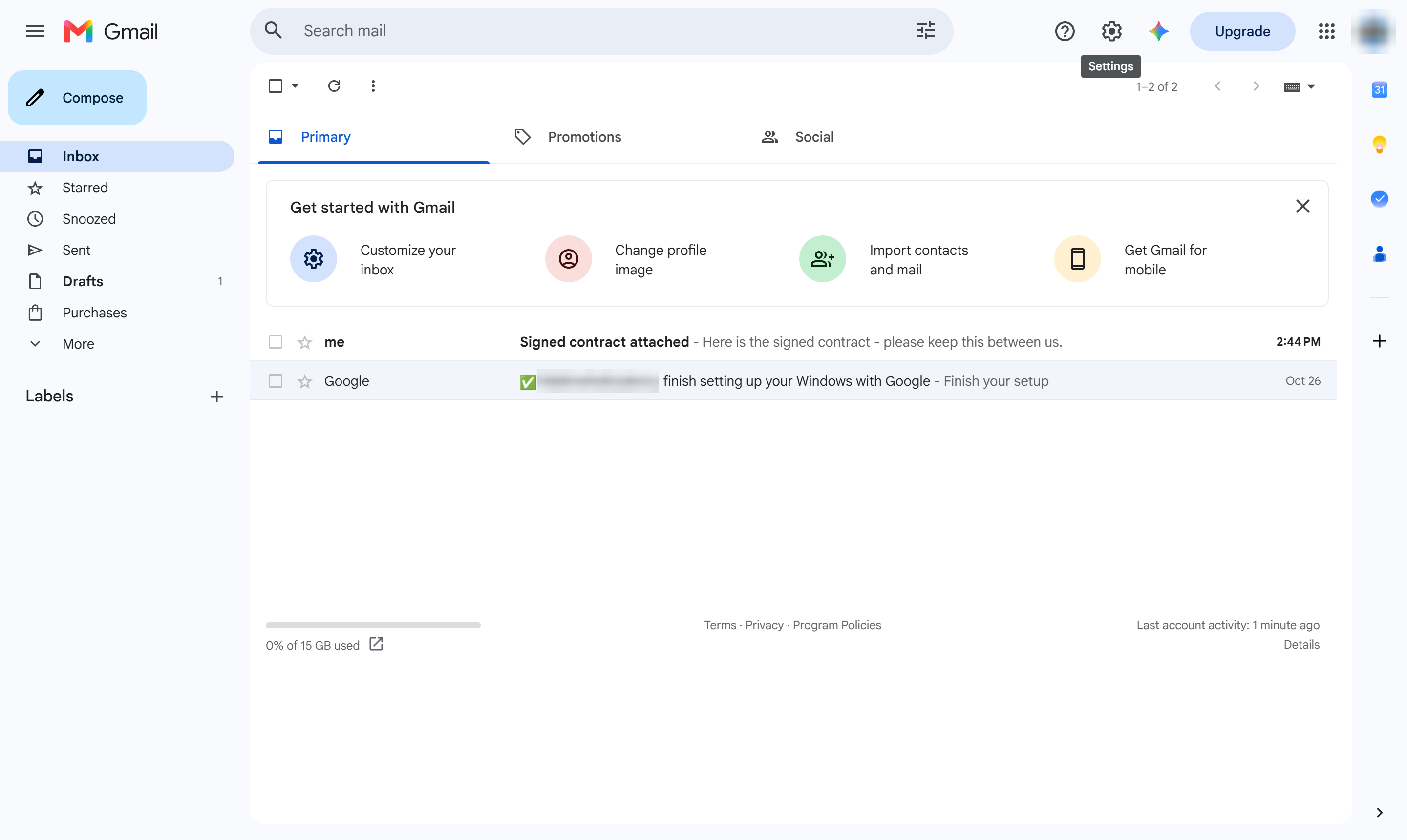

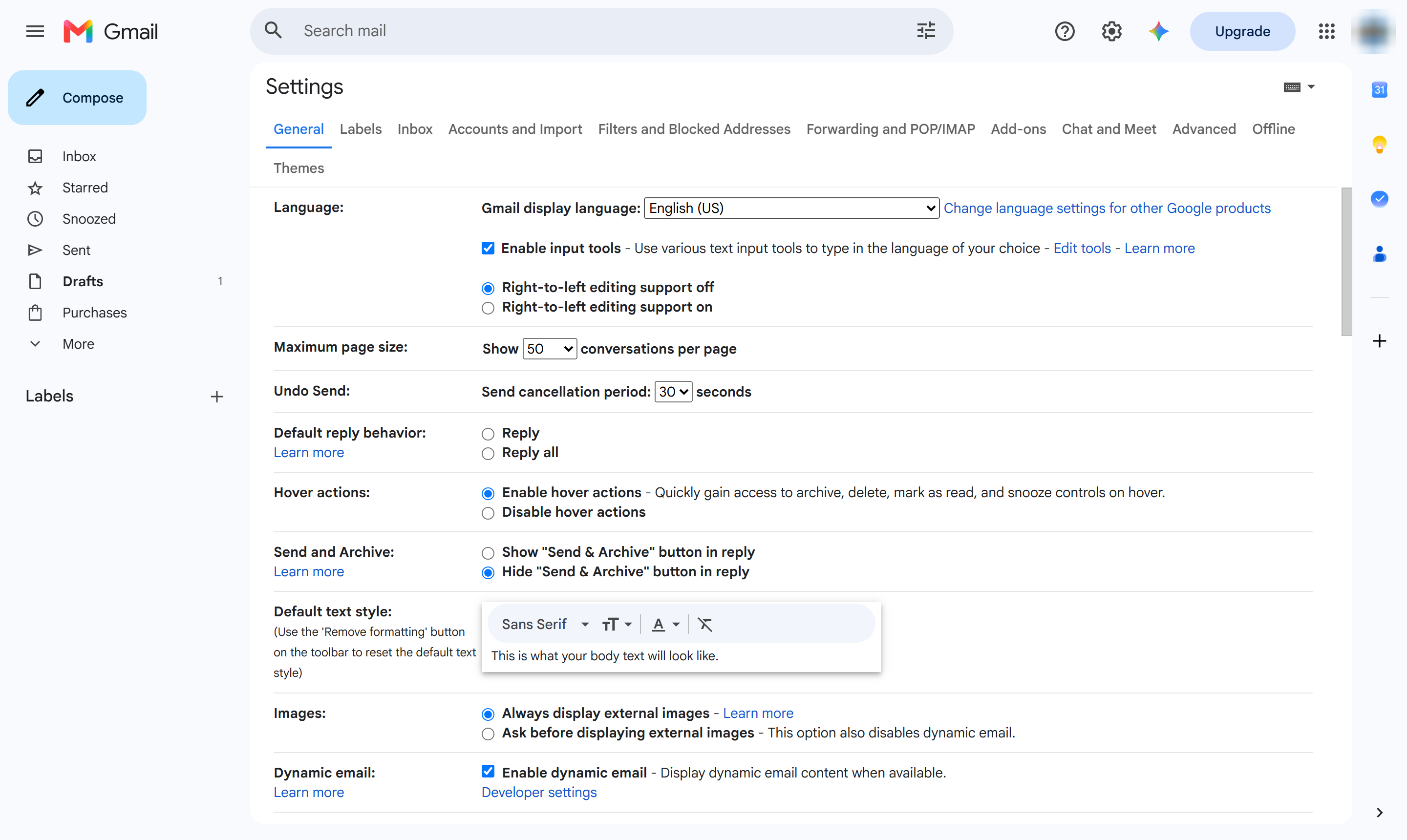
Learn how to change your display language in Gmail. This step-by-step guide will walk you through navigating your Gmail settings to locate and open the language selection dropdown.
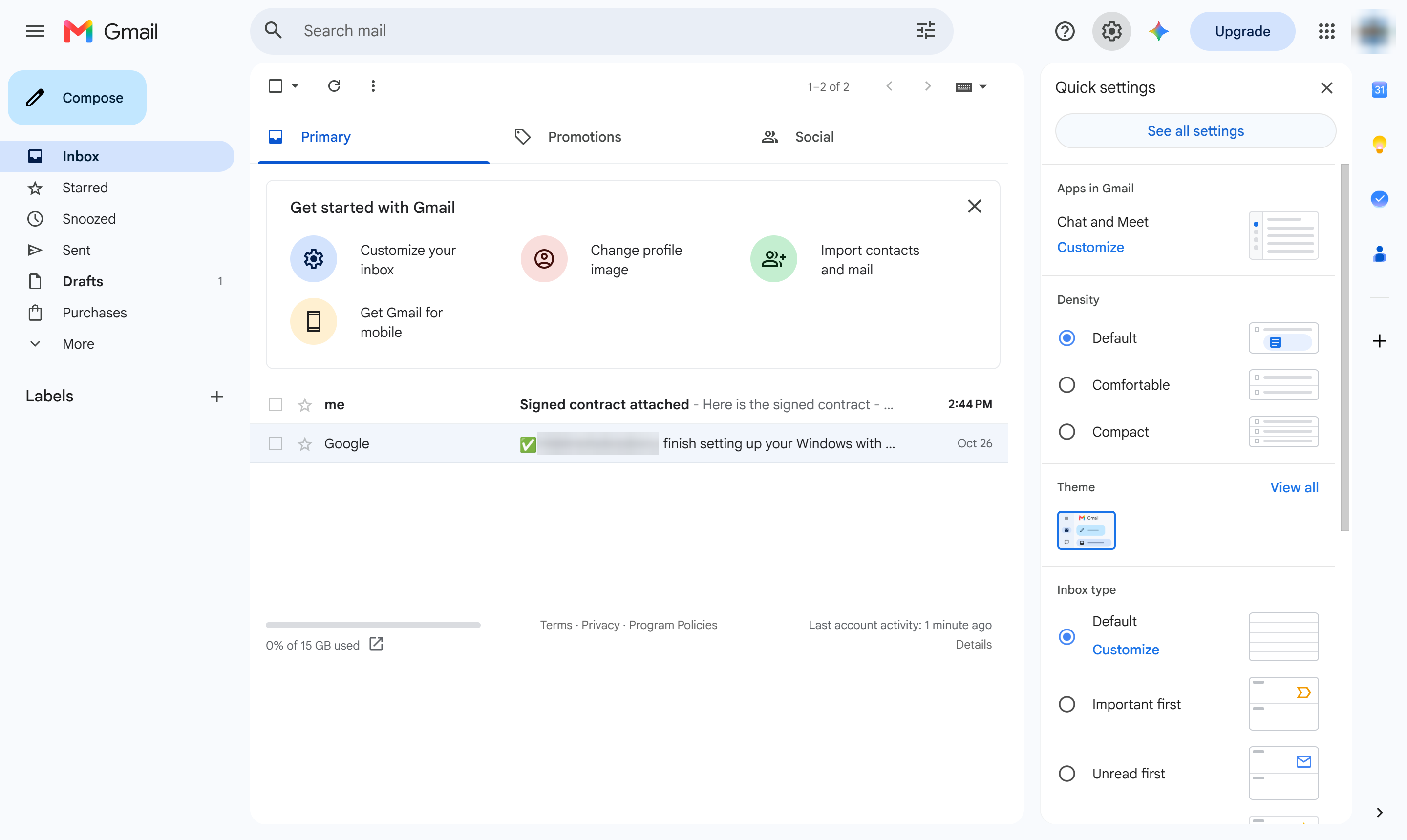
At the top right, click the gear icon (Settings).
Click See all settings.
Open the General tab.
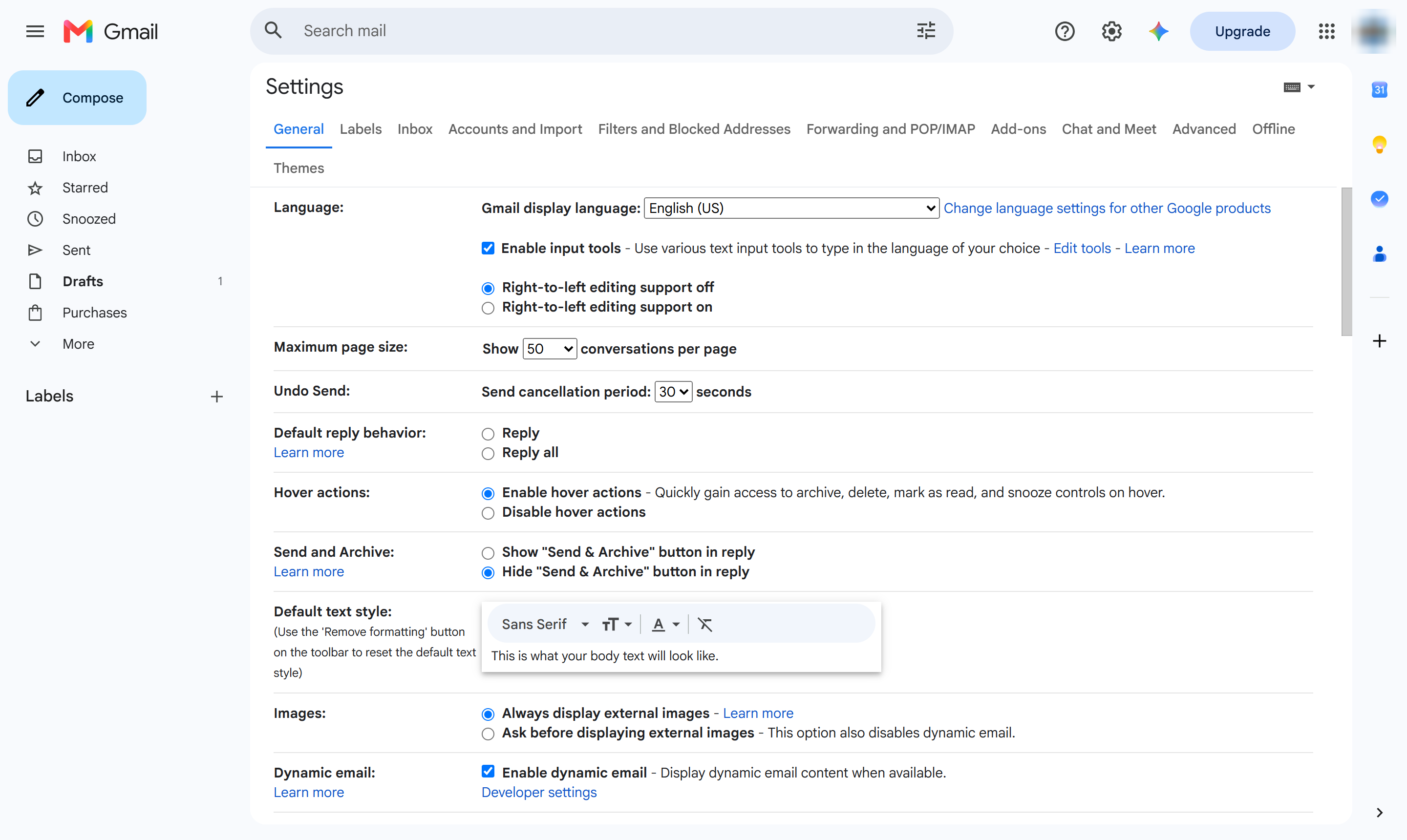
Find Gmail display language near the top of General, and click the dropdown.
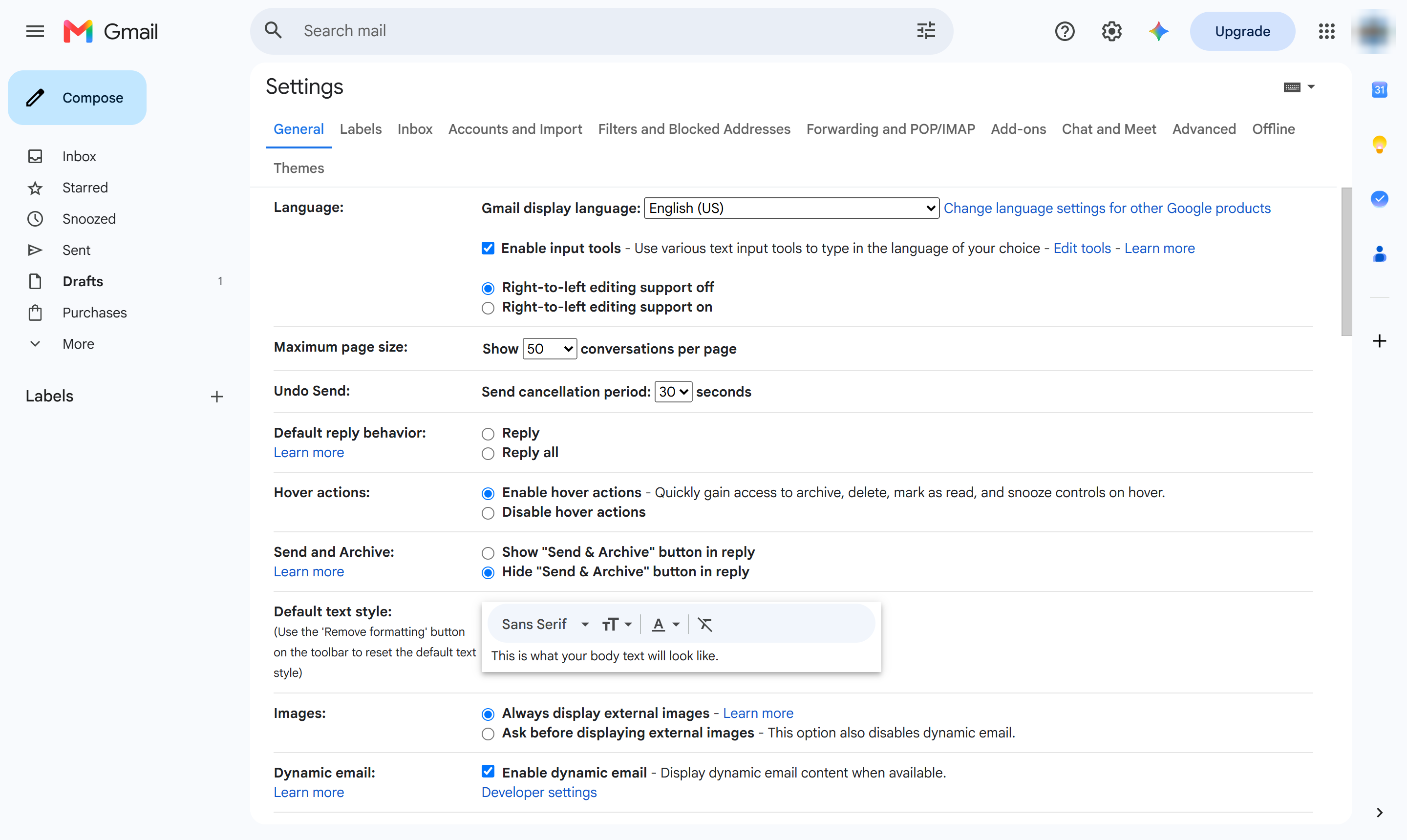
Pick a language from the list - here, you could choose Spanish - then scroll down and click Save Changes. Gmail reloads in that language immediately.
Duplicate this template, swap in your own screens, and share it with your team. Free to start — no credit card.
Fill out the form and we'll get back to you as soon as possible.
Tell us about your team and we'll find the right plan together.