1
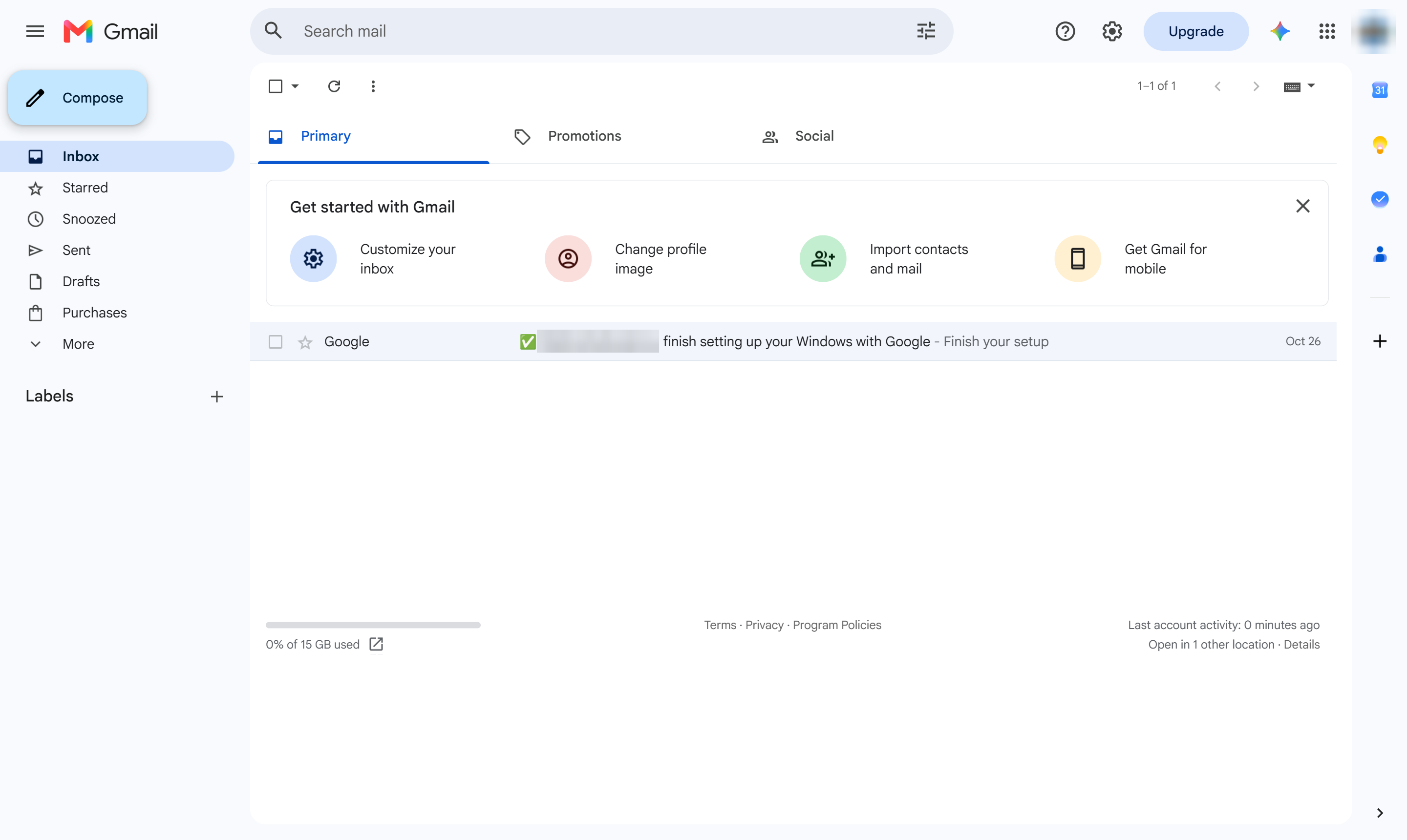
Click Compose
At the top left, click Compose.

Copy someone on an email with the Cc field, so they see it without being the main recipient.
At the top left, click Compose.
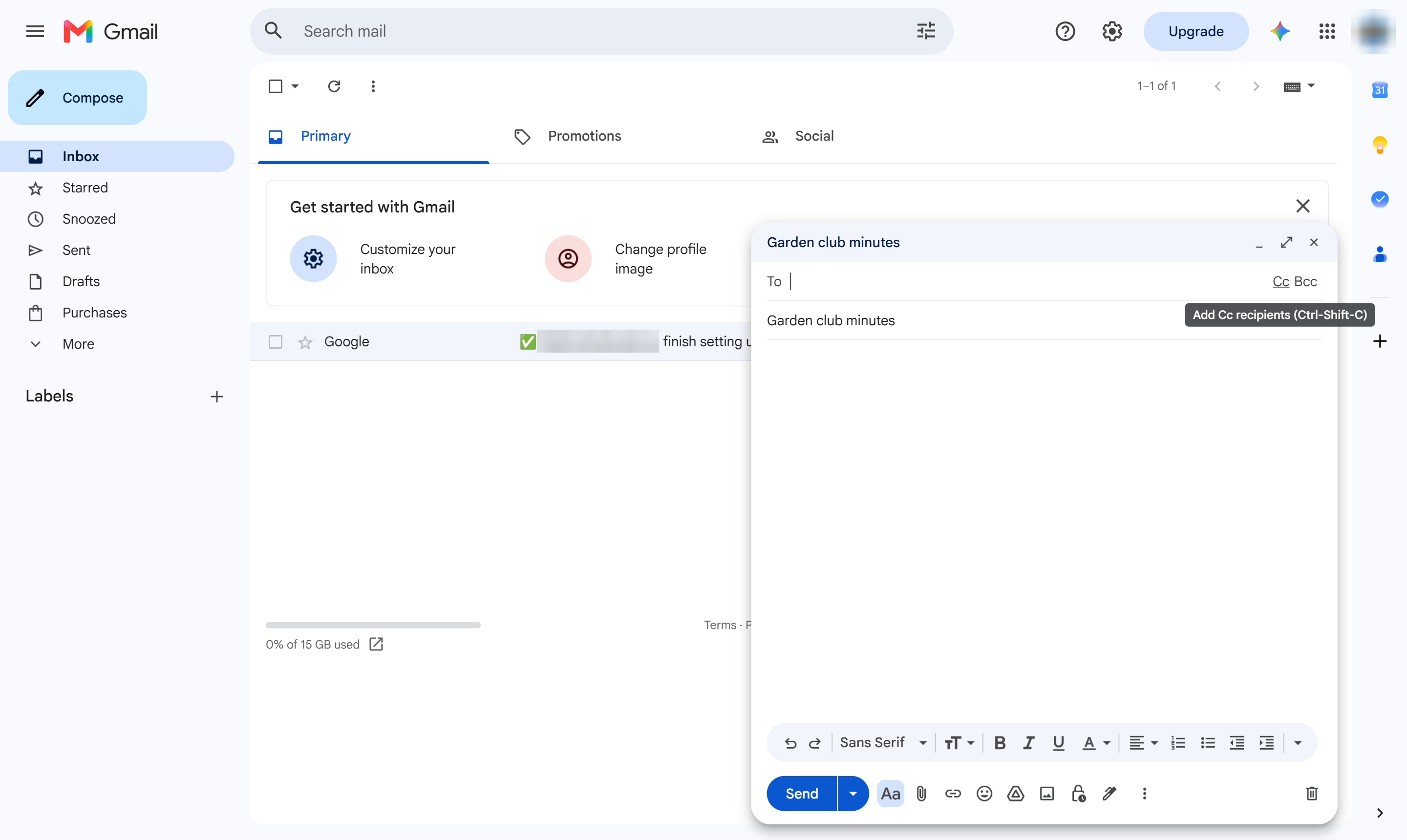
Click in the To line; Cc and Bcc appear at its right end. Click Cc (or press Ctrl + Shift + C, Cmd + Shift + C on Mac). A Cc line appears.
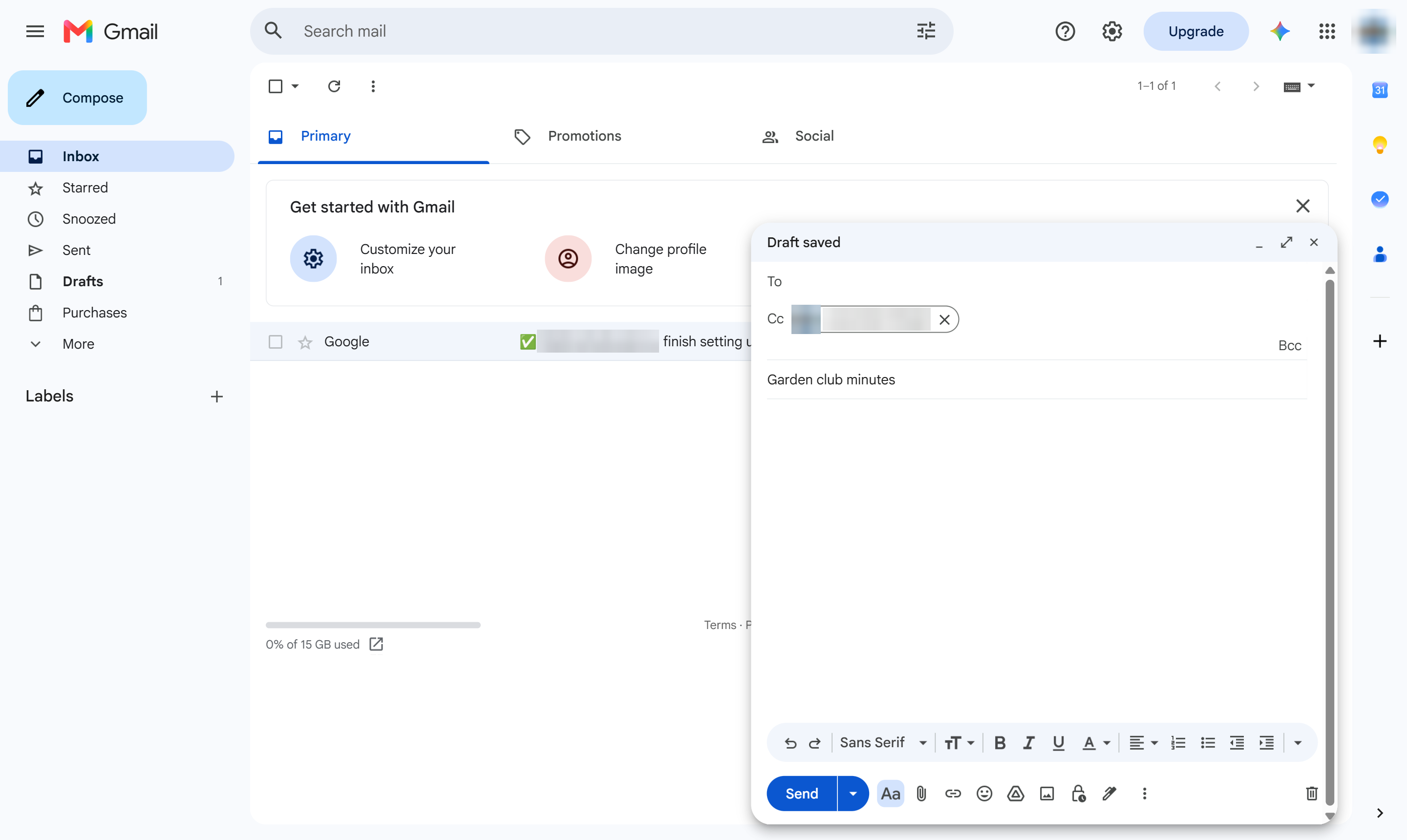
Type the email address of the person to copy and press Enter.
They get a copy of the email. Click Bcc instead to copy someone without the other recipients seeing it.
Duplicate this template, swap in your own screens, and share it with your team. Free to start — no credit card.
Fill out the form and we'll get back to you as soon as possible.
Tell us about your team and we'll find the right plan together.