1
Click the event
Click the event you want to cancel.
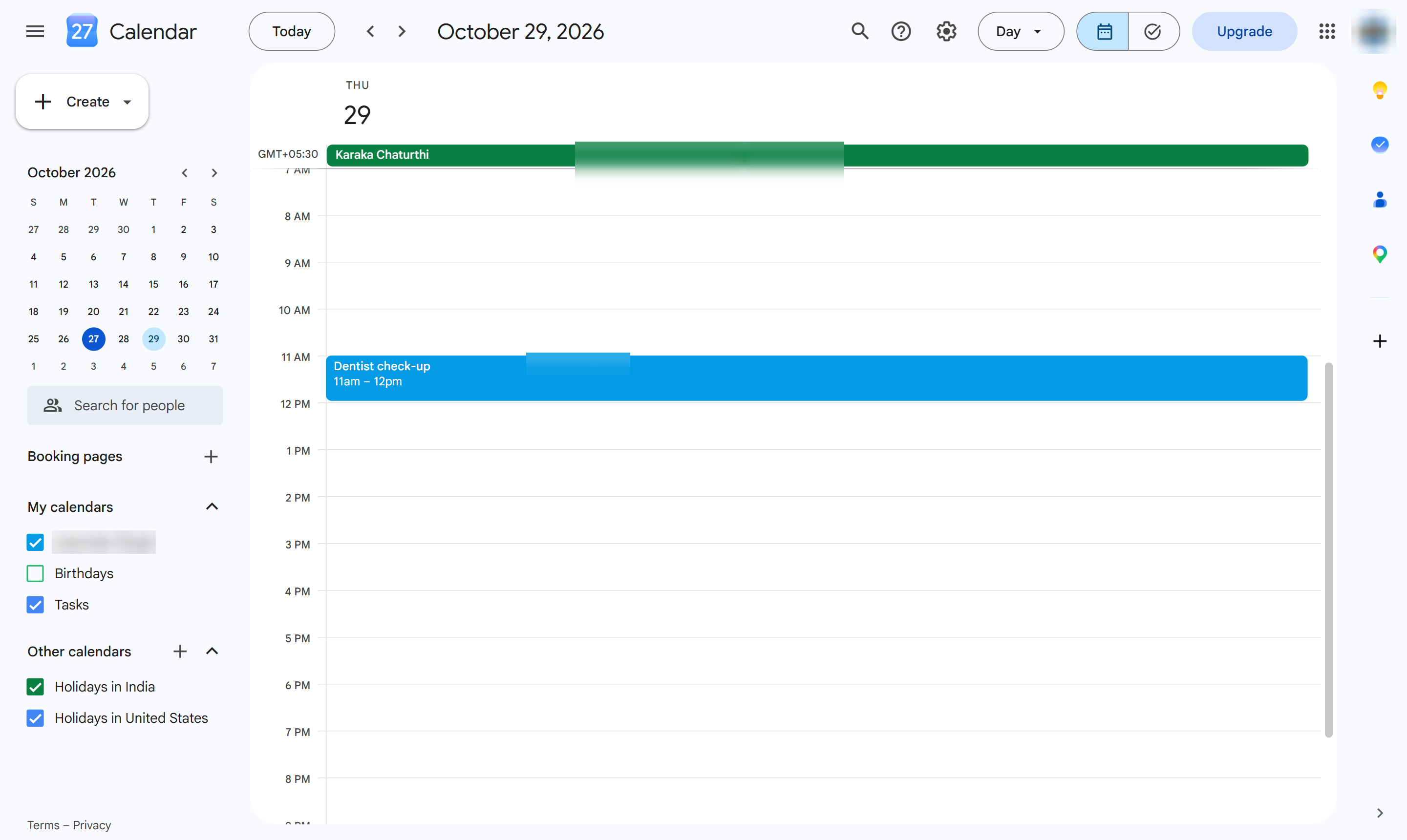

Cancel an event by deleting it from its event card.
Click the event you want to cancel.
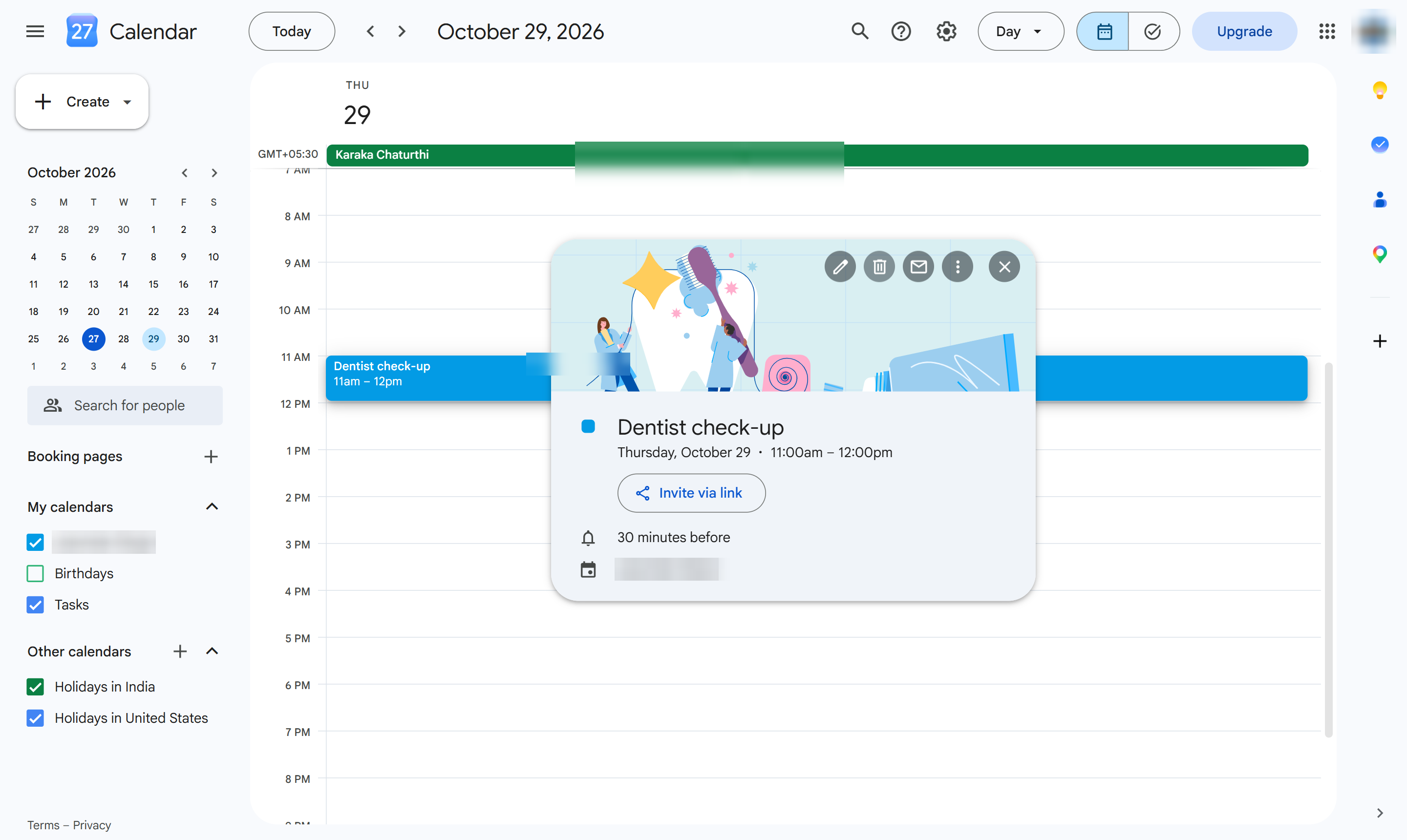
In the event card, click the trash can (Delete event). With guests, Calendar asks whether to email them a cancellation.
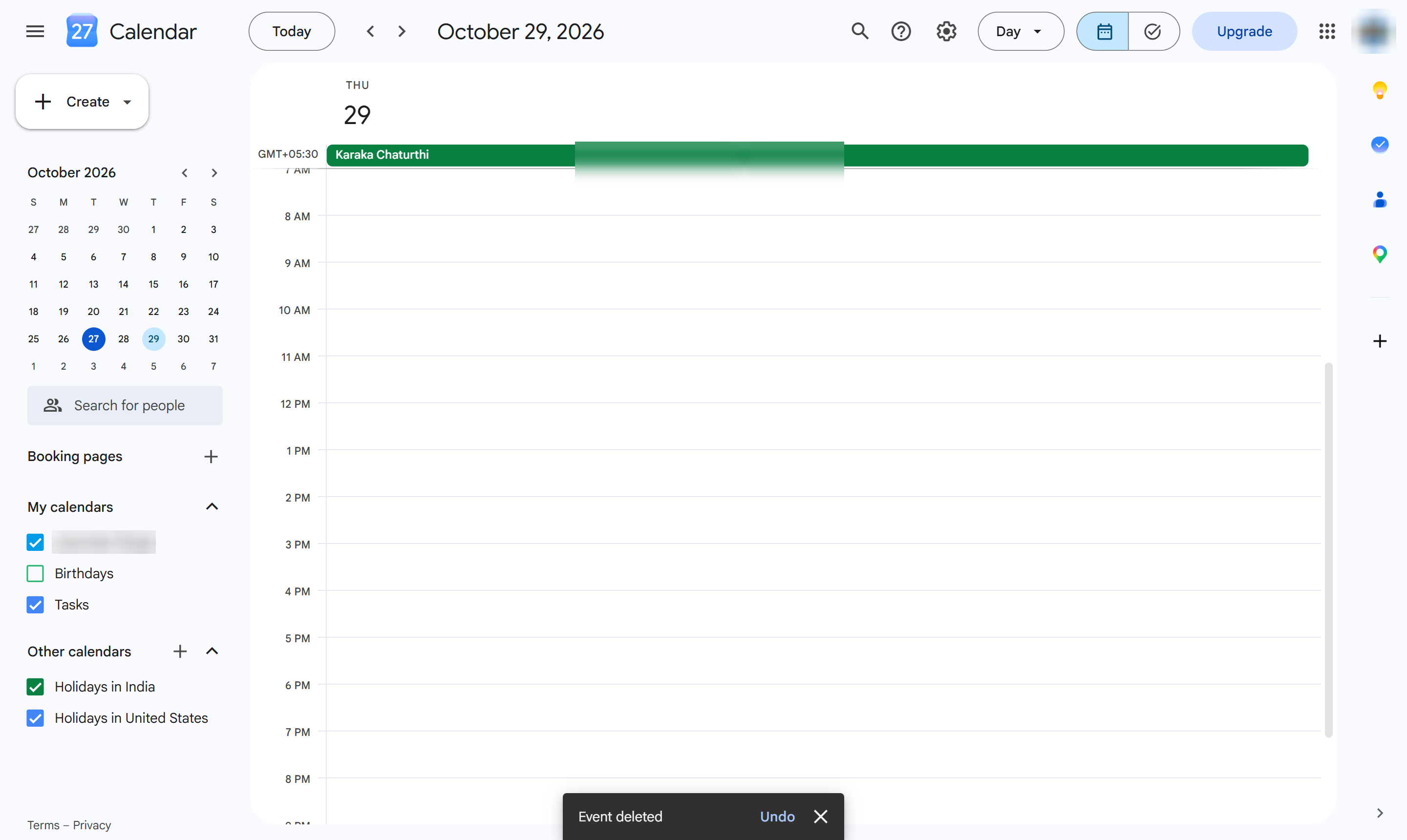
The event is gone from your calendar. Click Undo in the message at the bottom to bring it back.
Duplicate this template, swap in your own screens, and share it with your team. Free to start — no credit card.
Fill out the form and we'll get back to you as soon as possible.
Tell us about your team and we'll find the right plan together.