1
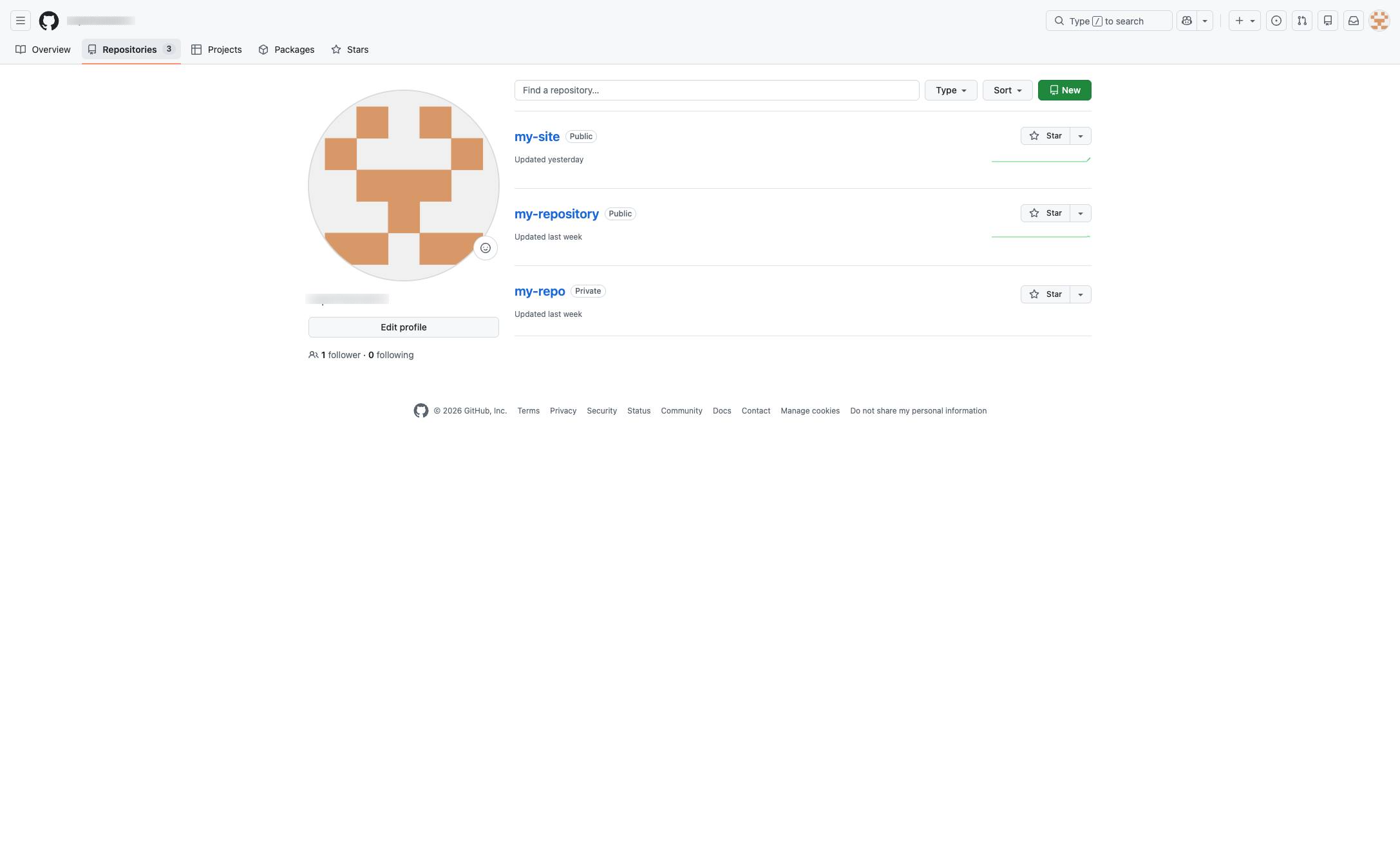
Click the Repositories tab
Click the "Repositories" tab in the top navigation menu to view your list of repositories.

In this guide, you will learn how to upload new files directly to your GitHub repository.
Click the "Repositories" tab in the top navigation menu to view your list of repositories.
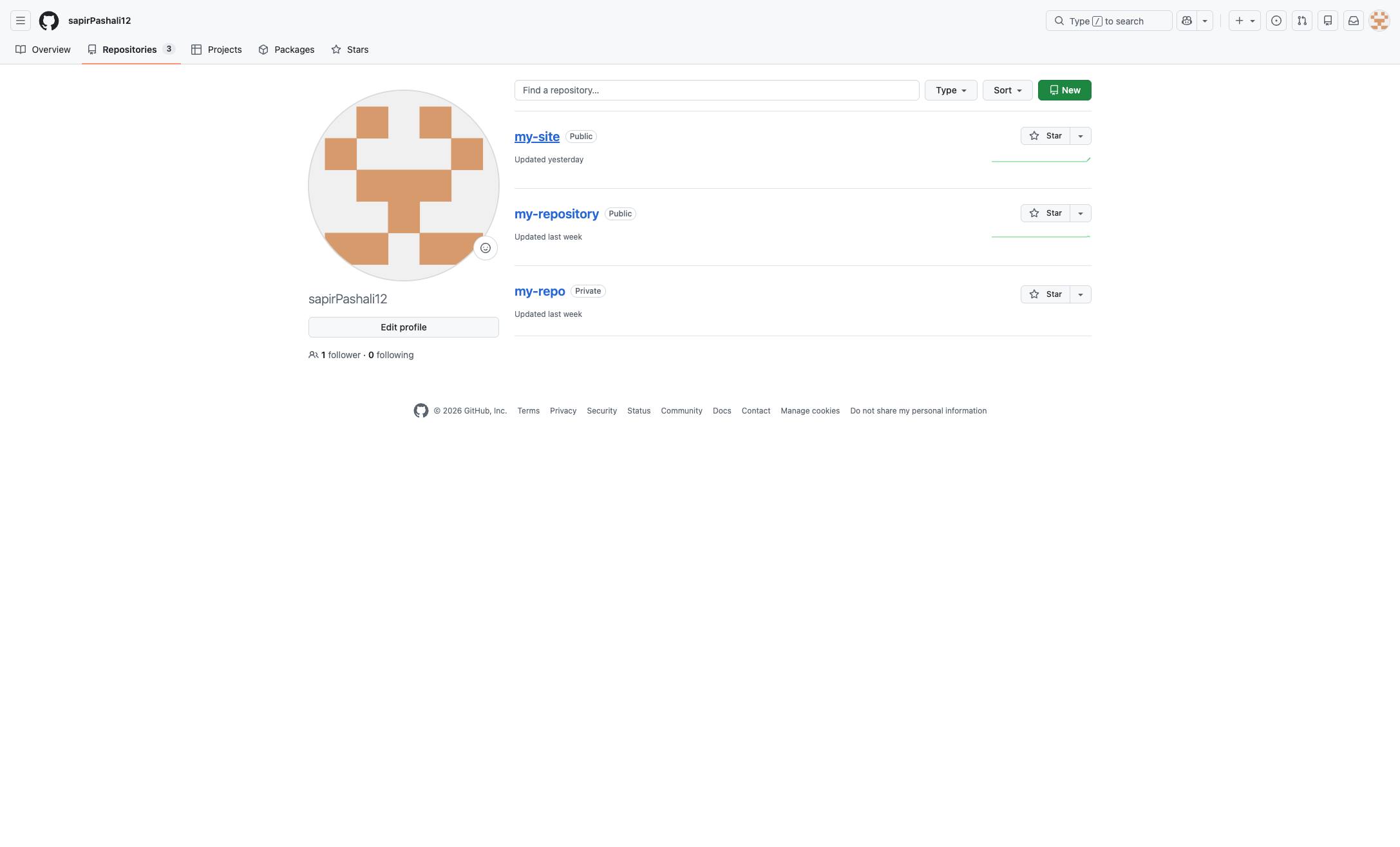
Locate the Repository you would like to add a folder to.
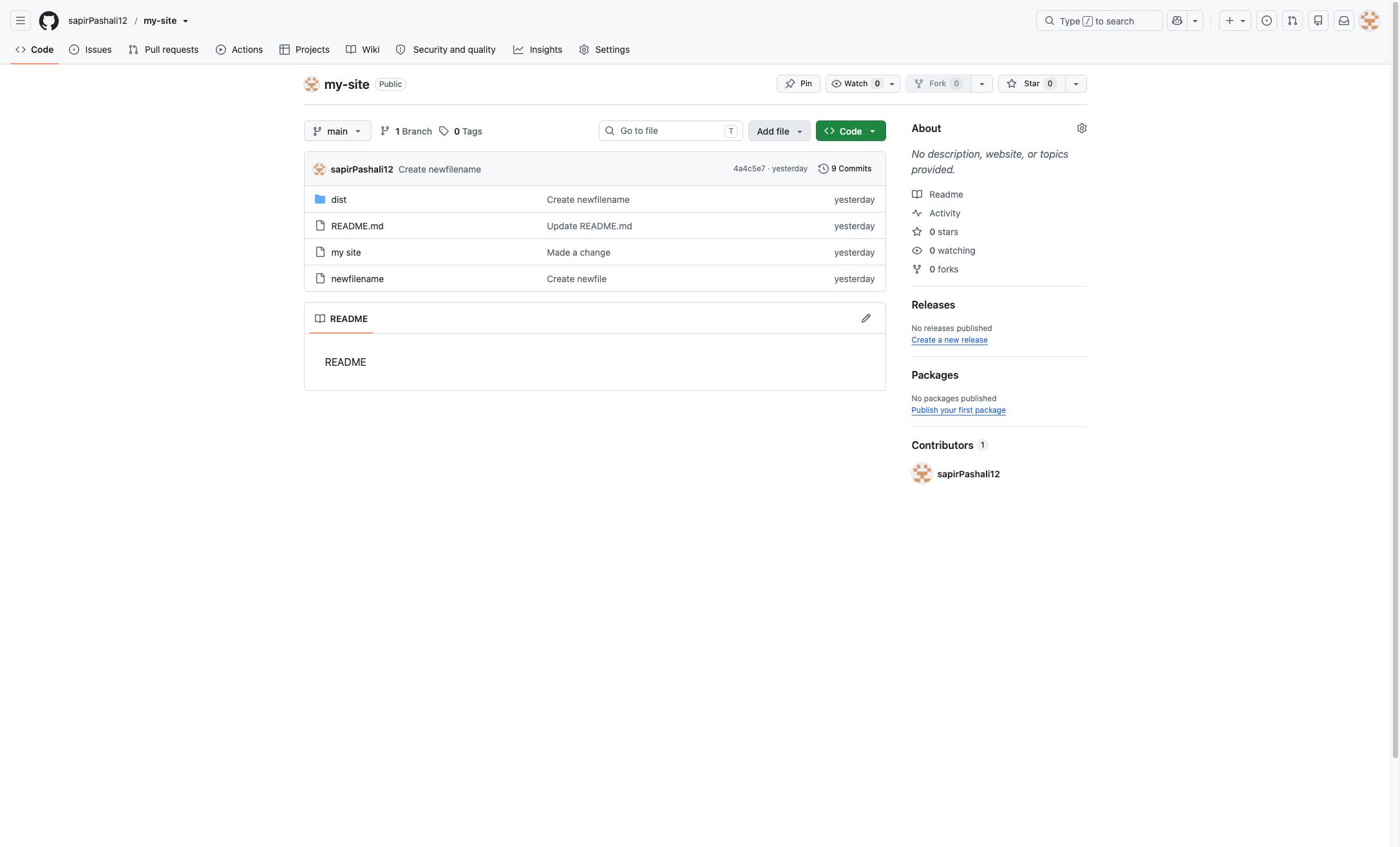
Click the dropdown arrow next to the "Add file" button to view file addition options.
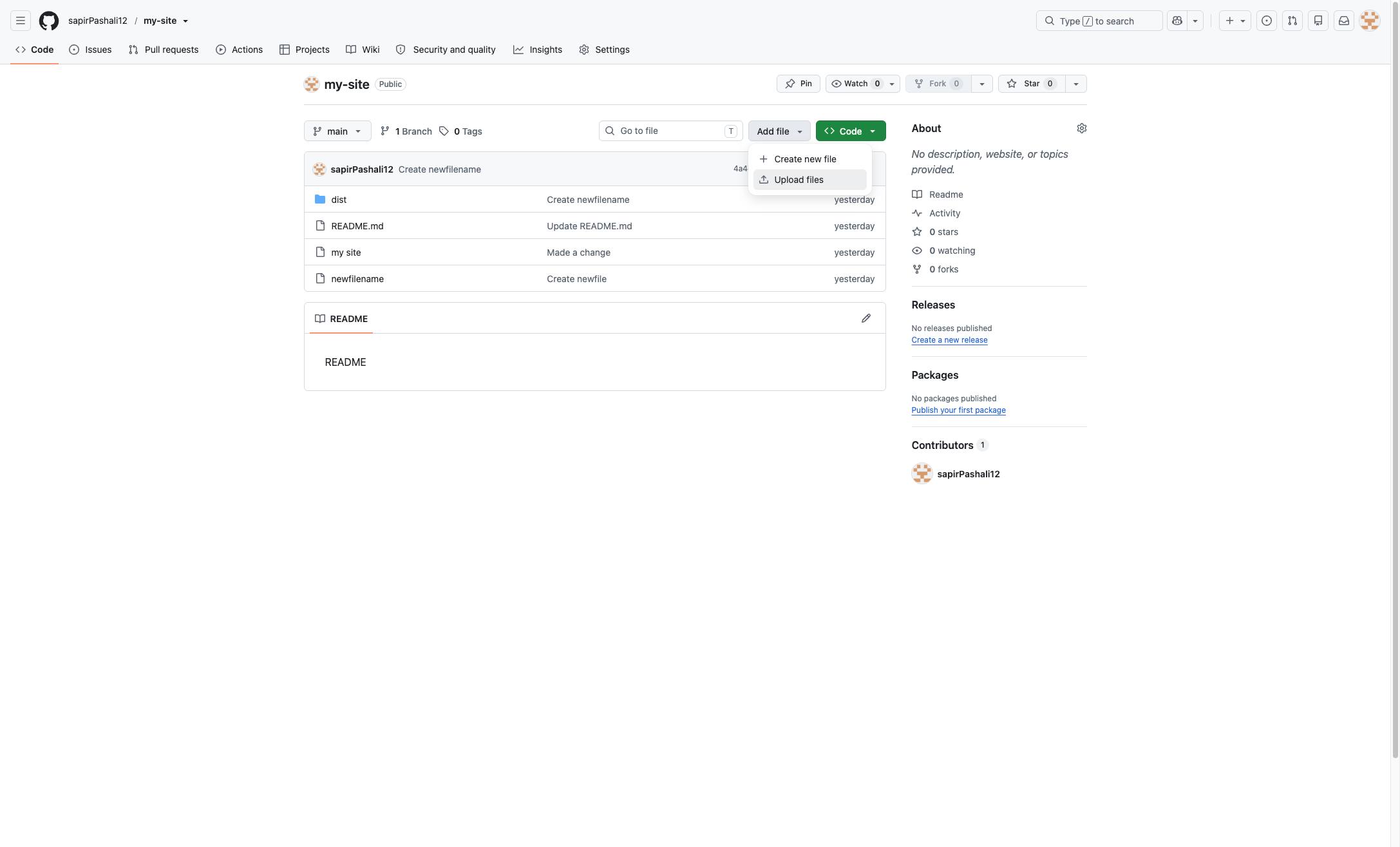
Click the "Upload files" option in the dropdown menu to proceed with adding files to your repository.
Click the "choose your files" link in the upload area to open the file selection dialog.
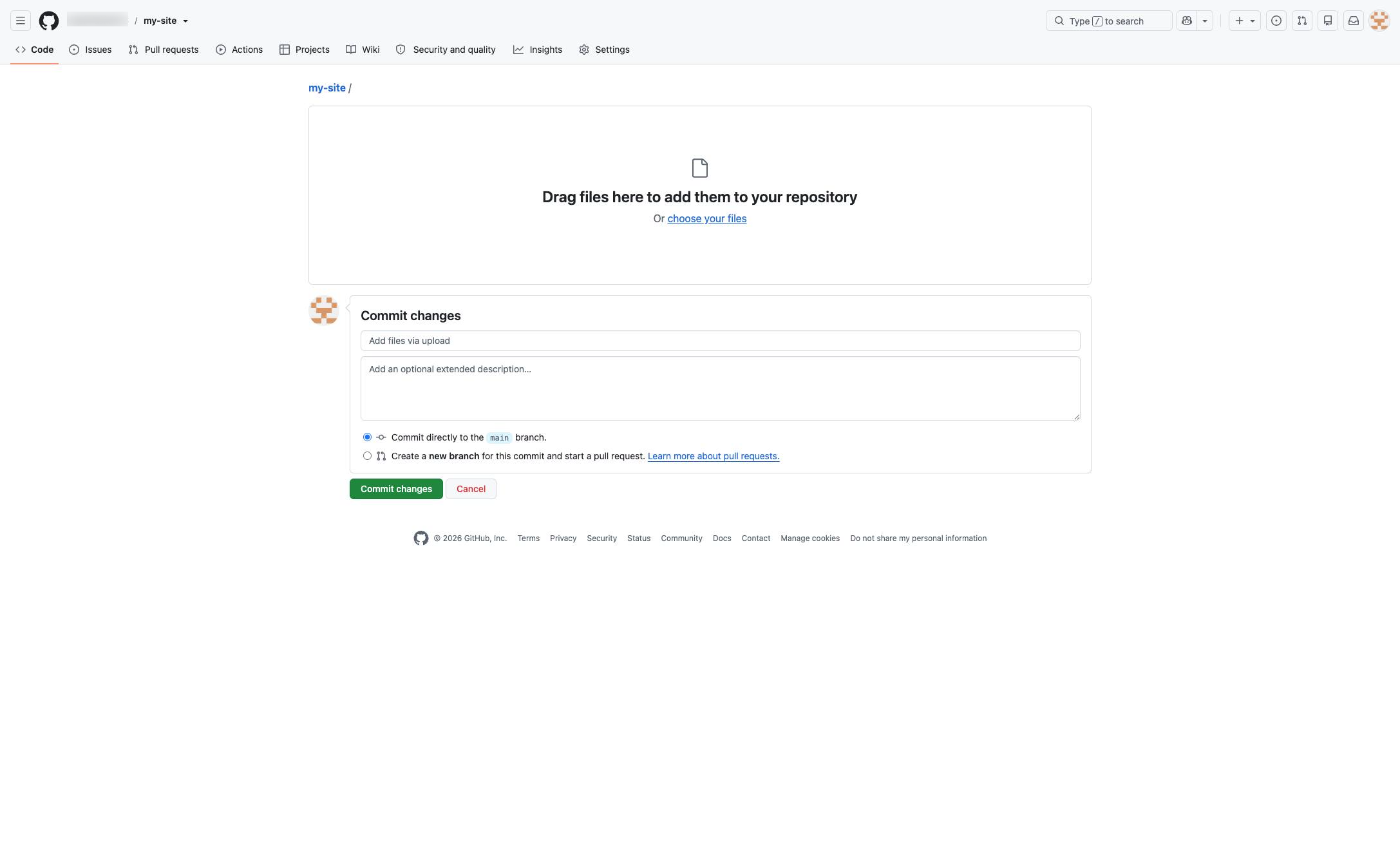
Click the input field under "Commit changes" to enter a brief description of your upload.
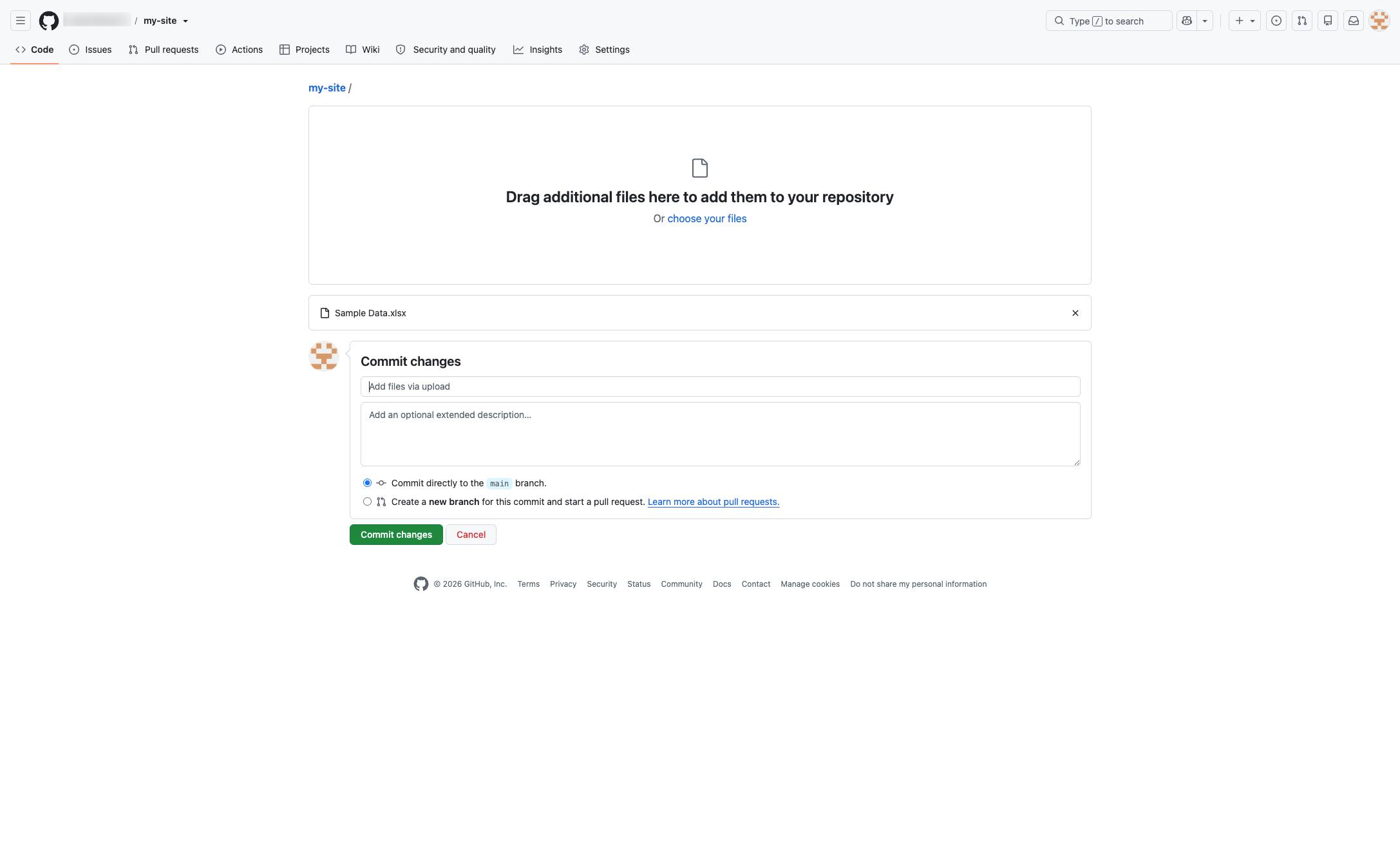
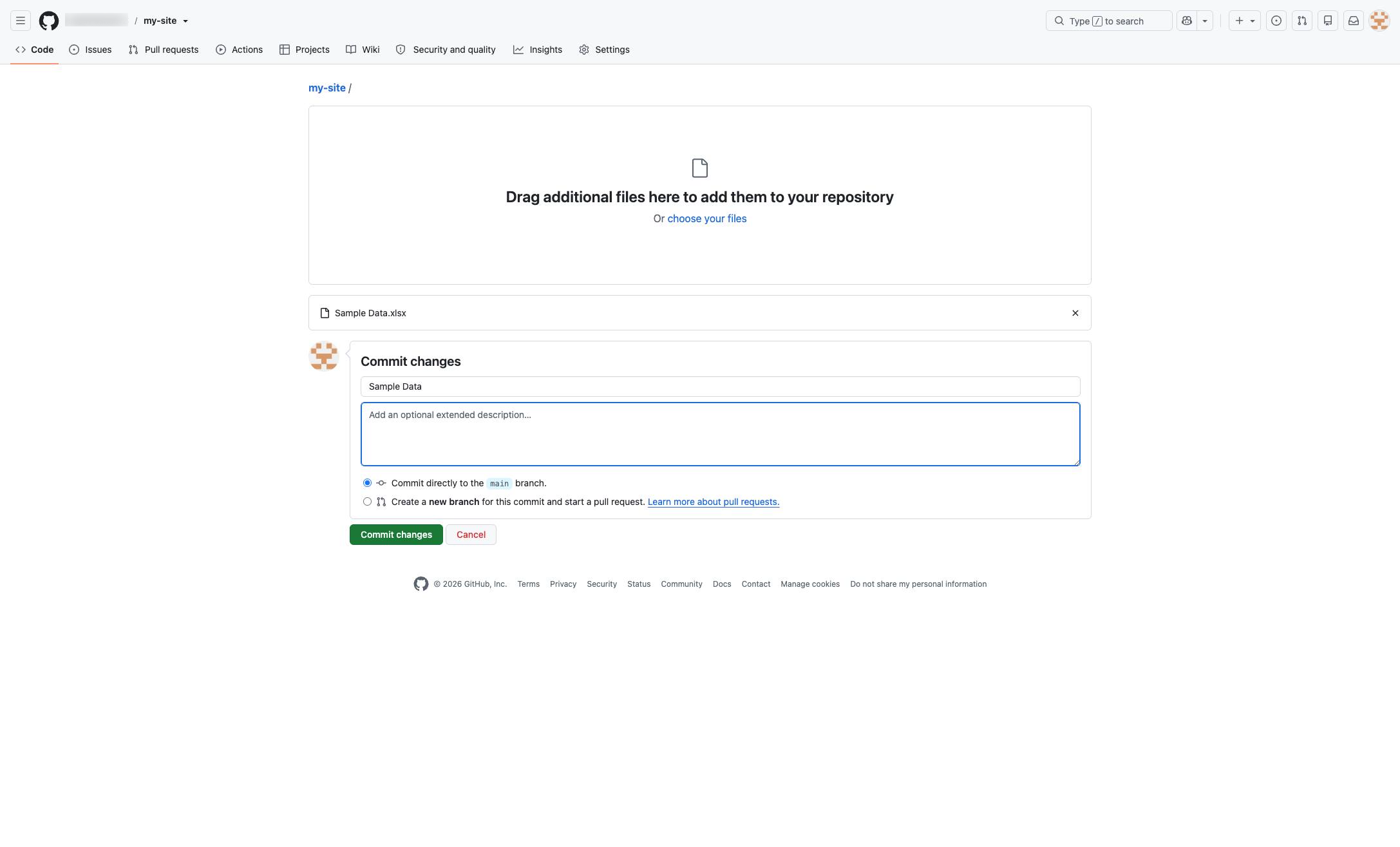
Click the text area with the placeholder "Add an optional extended description..." to provide more details about your commit.
Click the green "Commit changes" button at the bottom of the form to finalize your upload.
Duplicate this template, swap in your own screens, and share it with your team. Free to start — no credit card.
Fill out the form and we'll get back to you as soon as possible.
Tell us about your team and we'll find the right plan together.