1
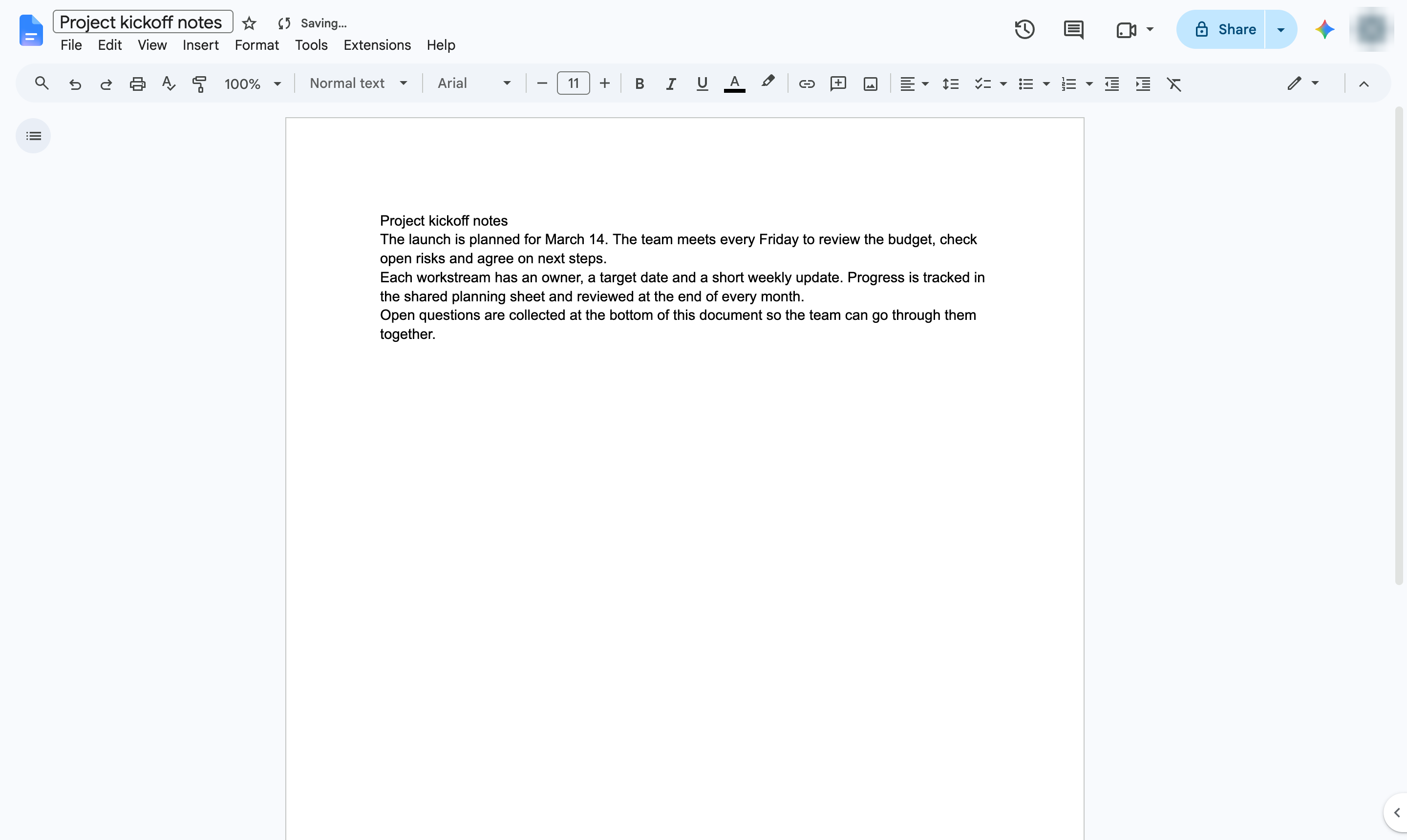
Click Tools
Open the Tools menu.

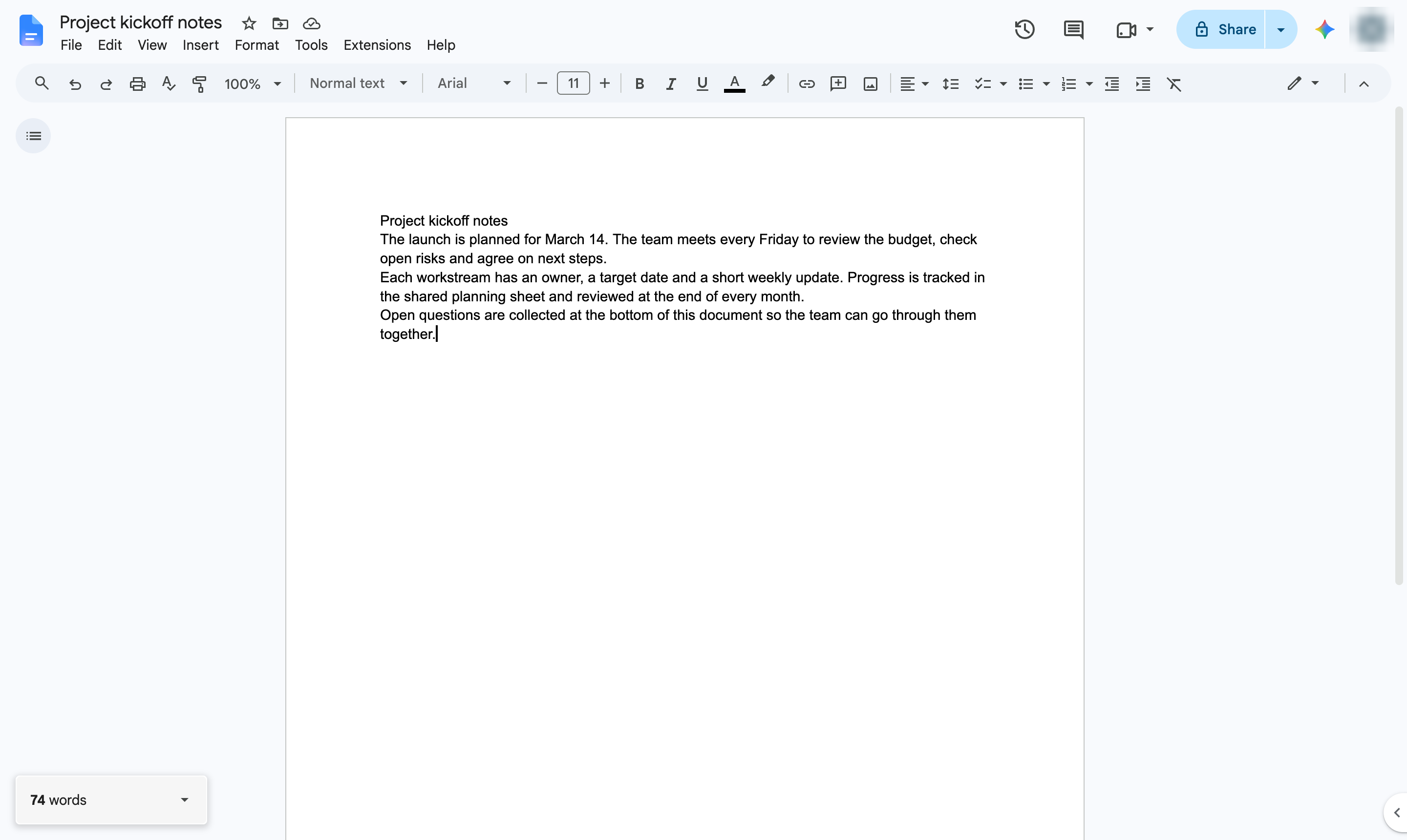
Show a live word count in the corner of your document while you type.
Open the Tools menu.
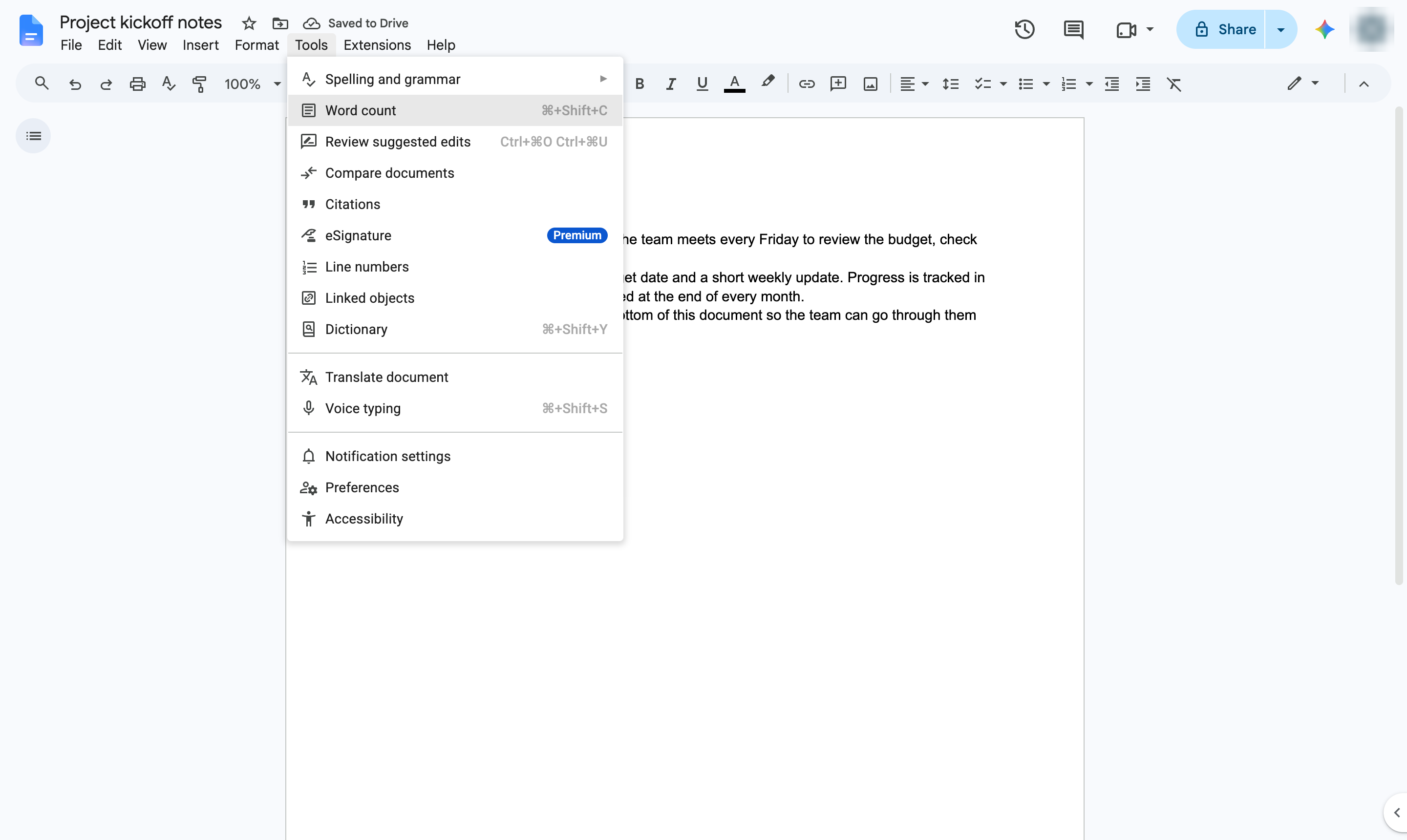
Choose Word count. Shortcut: Ctrl + Shift + C (Cmd + Shift + C on Mac).
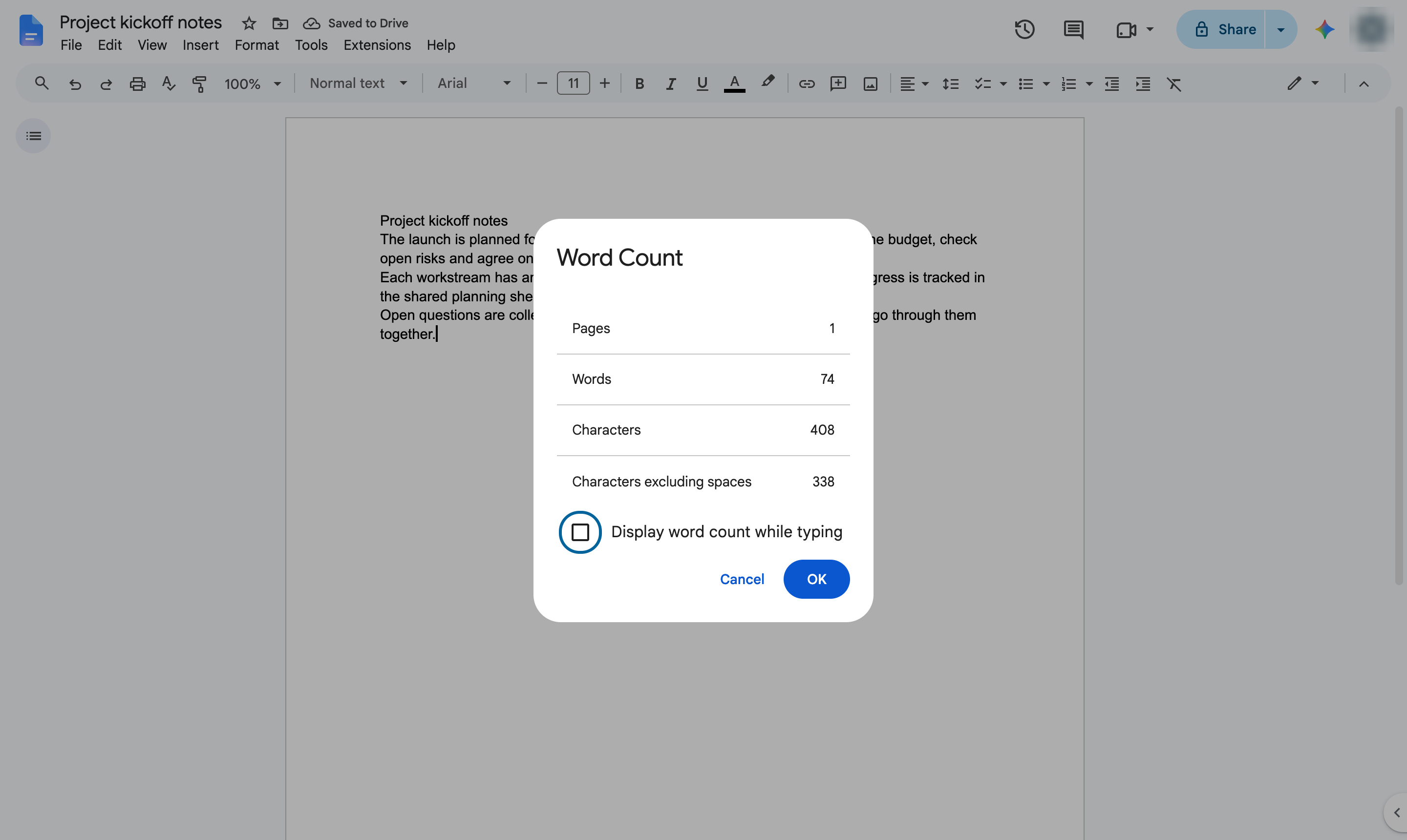
Check the box so the count stays on screen as you write.
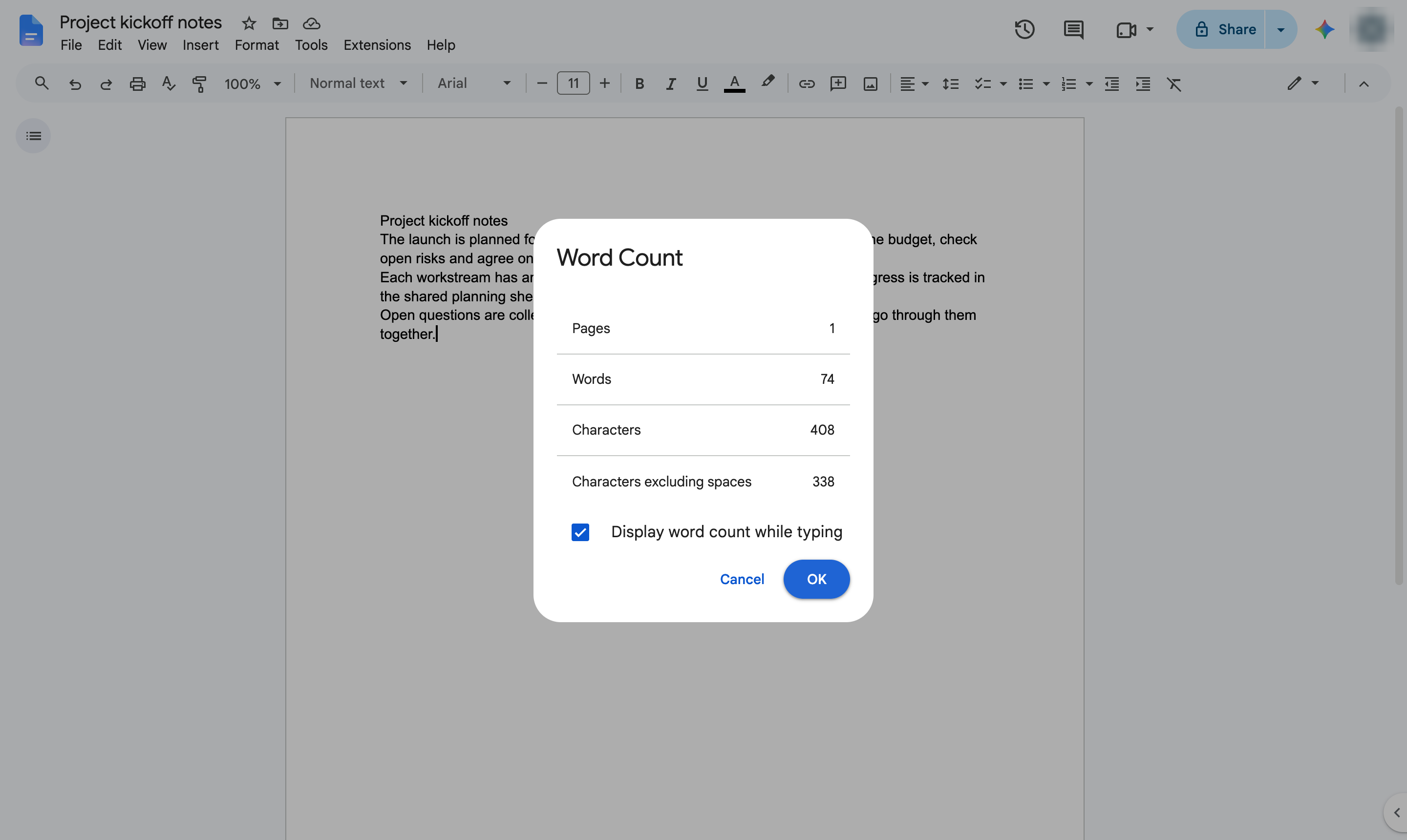
Close the window.
A live word count now shows in the bottom-left corner. Click it to see pages and characters too.
Duplicate this template, swap in your own screens, and share it with your team. Free to start — no credit card.
Fill out the form and we'll get back to you as soon as possible.
Tell us about your team and we'll find the right plan together.