Skip to content
Back to template gallery
Google Sheets
Google Sheets

How to search for words in Google Sheets

Learn how to search for and locate specific elements within a Google Sheets spreadsheet. This guide walks you through opening the document, using the find shortcut, and interacting with the search input fields to quickly find the data you need.

Operations
9 steps 4 min Community template
1

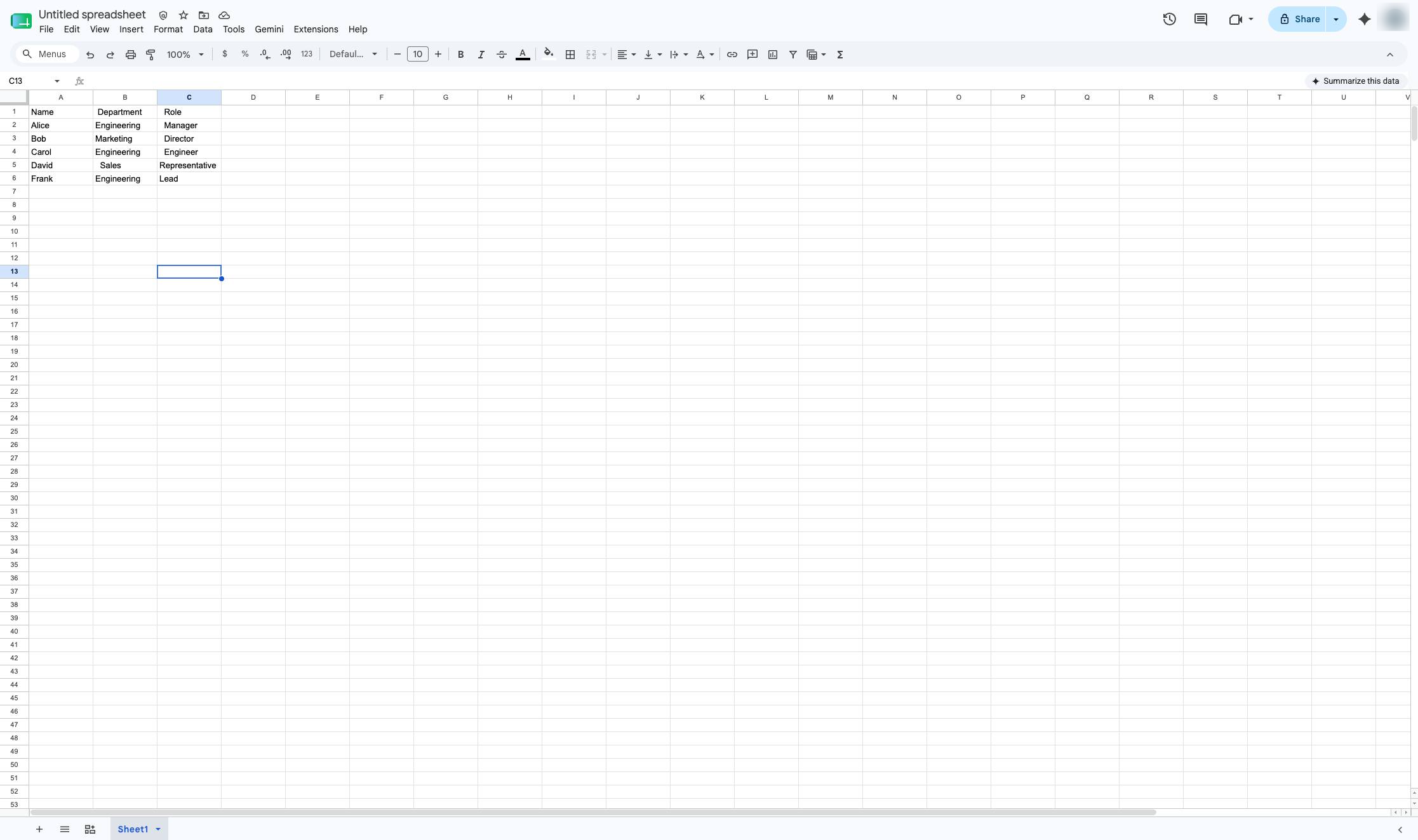
Navigate to Google Sheets and open or create the spreadsheet to search.

Open the Google Sheets document to begin searching for specific text within the spreadsheet.
docs.google.com/spreadsheets/d/1BUSfI2-kY68iwwOcDrnrD2mY9tqO72UtAepeJUhs5SM/edit
Navigate to Google Sheets and open or create the spreadsheet to search.
2

Press Cmd + F

Press Cmd + F

3

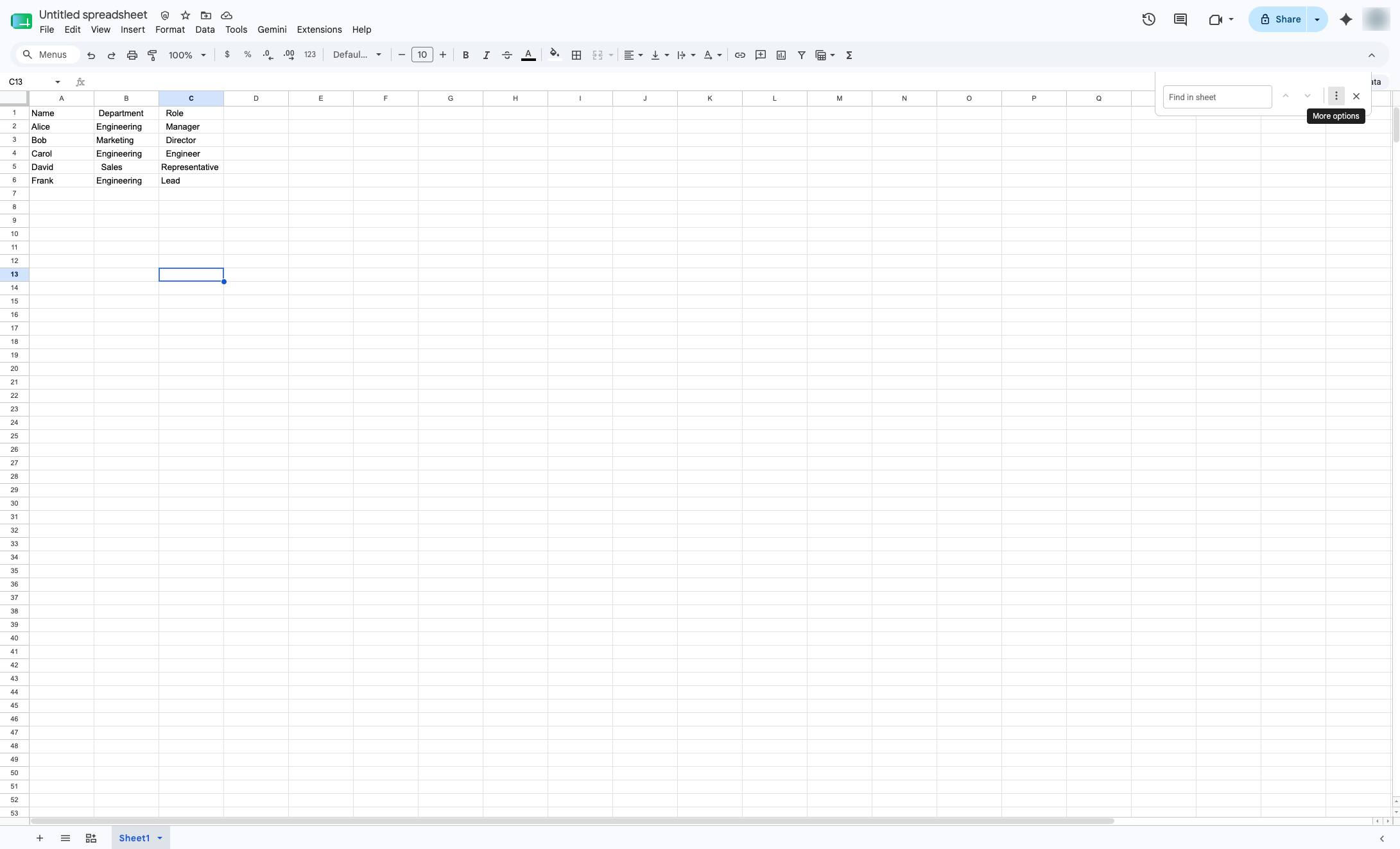
Click the More options button

Click the More options button in the find bar at the top right of the screen to access advanced search settings.
docs.google.com/spreadsheets/d/1BUSfI2-kY68iwwOcDrnrD2mY9tqO72UtAepeJUhs5SM/edit
Click the More options button
4

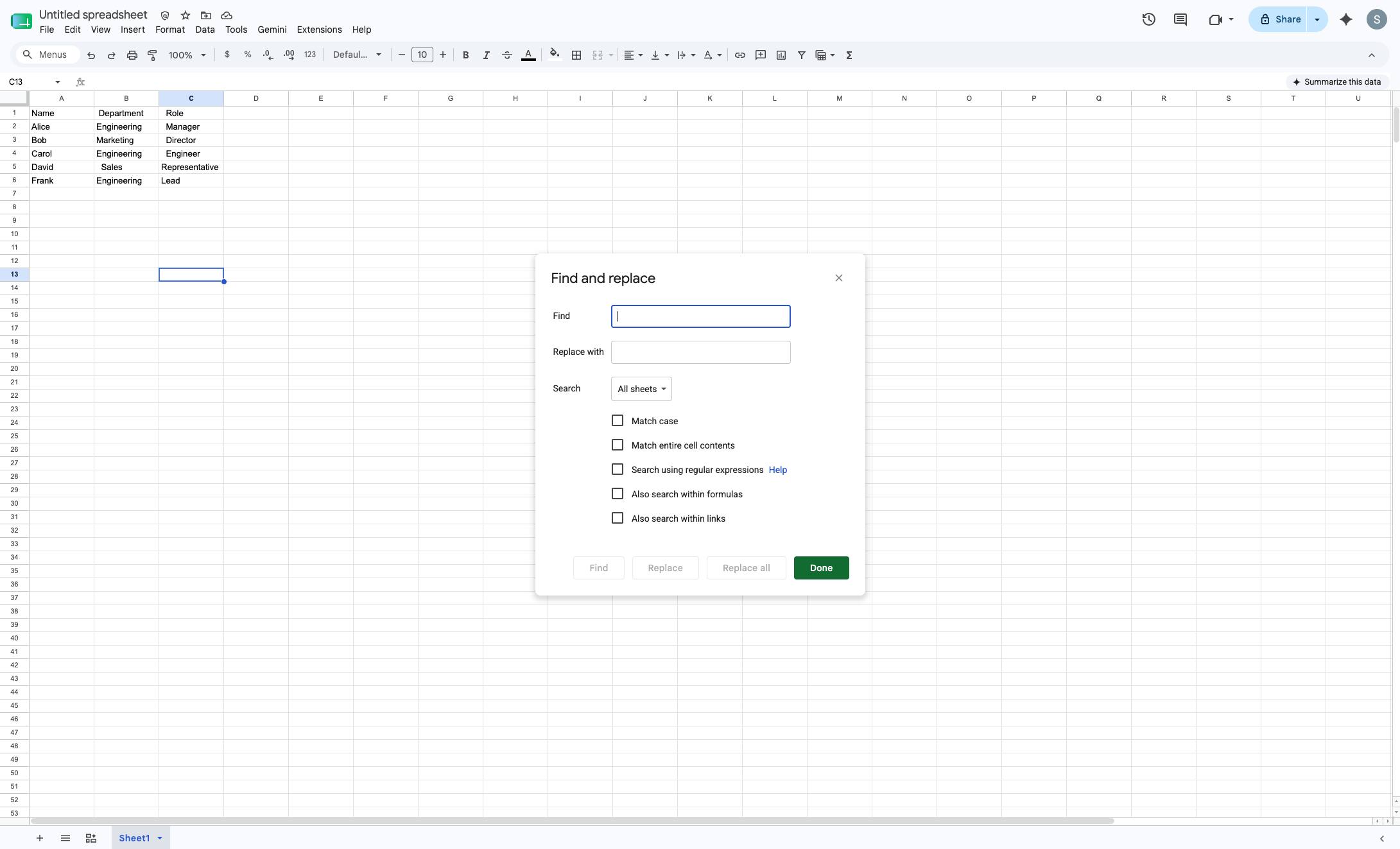
Click the Find text box

Click the text input field next to "Find" in the Find and replace dialog to enter your search term.
docs.google.com/spreadsheets/d/1BUSfI2-kY68iwwOcDrnrD2mY9tqO72UtAepeJUhs5SM/edit
Click the Find text box
5

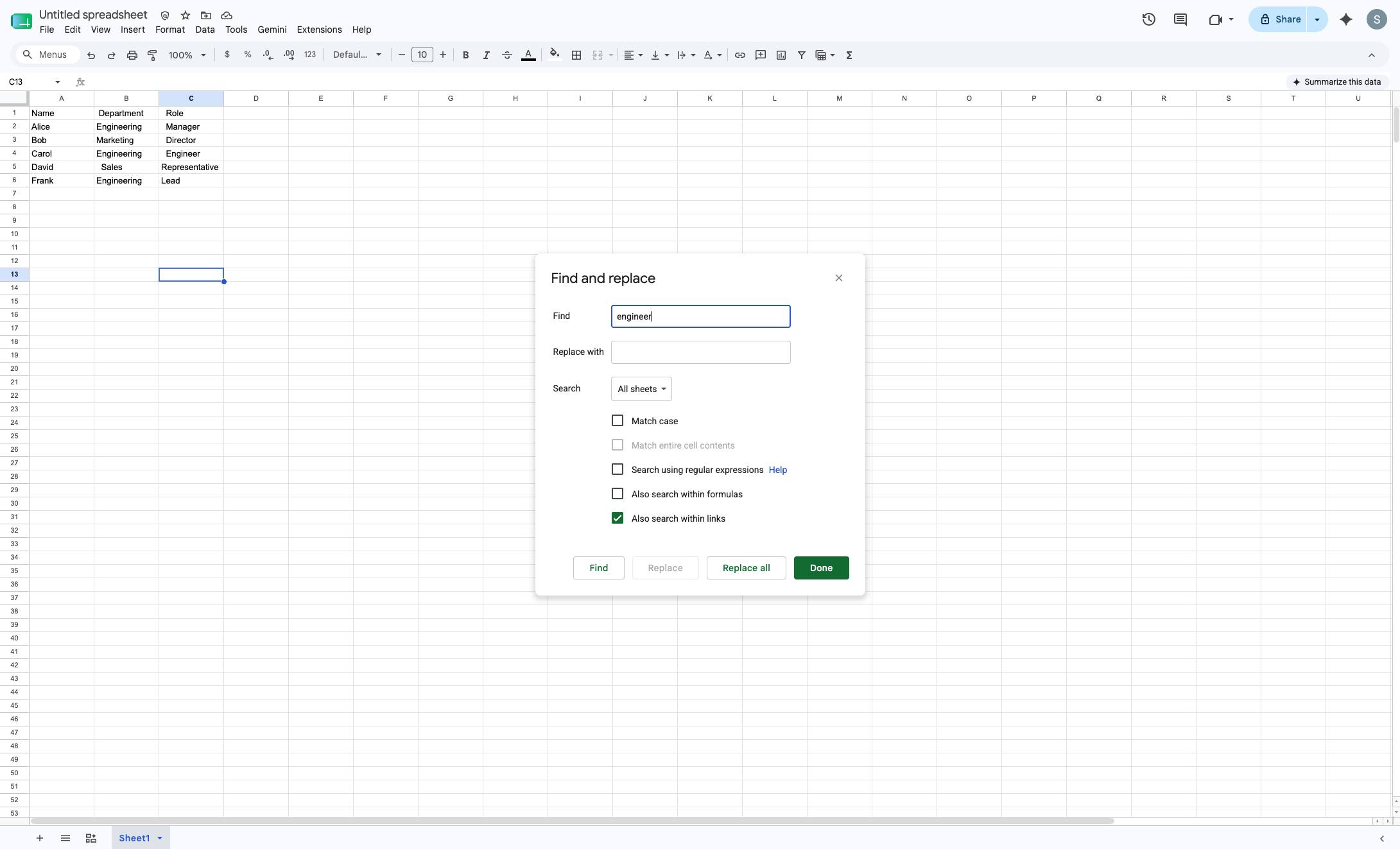
Click additional options for the search.
Click additional options for the search.

docs.google.com/spreadsheets/d/1BUSfI2-kY68iwwOcDrnrD2mY9tqO72UtAepeJUhs5SM/edit
Click additional options for the search.
6

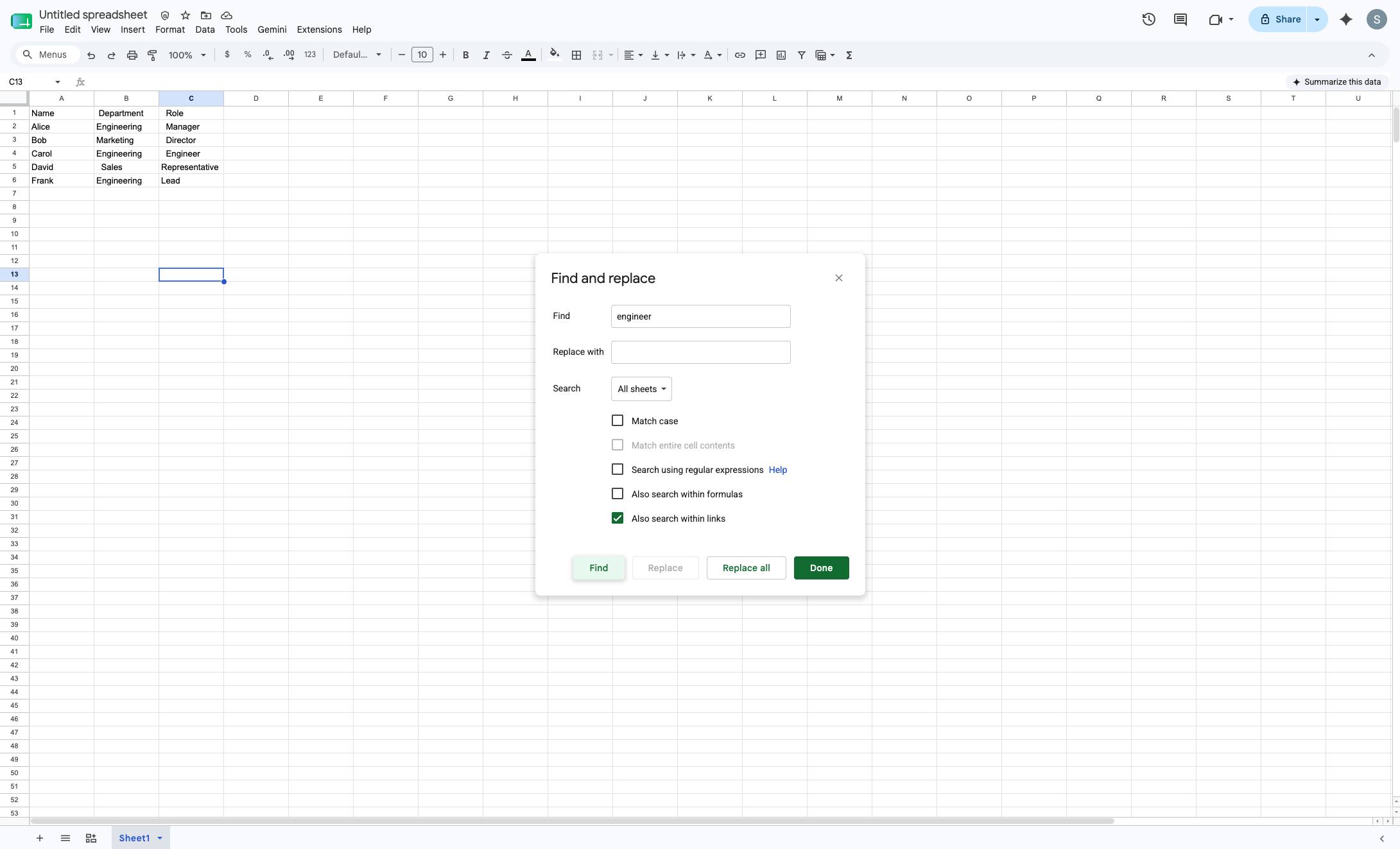
Click the Find button

Click the Find button at the bottom of the Find and replace dialog to locate the entered text.
docs.google.com/spreadsheets/d/1BUSfI2-kY68iwwOcDrnrD2mY9tqO72UtAepeJUhs5SM/edit
Click the Find button
7

The first cell with the word will be selected.
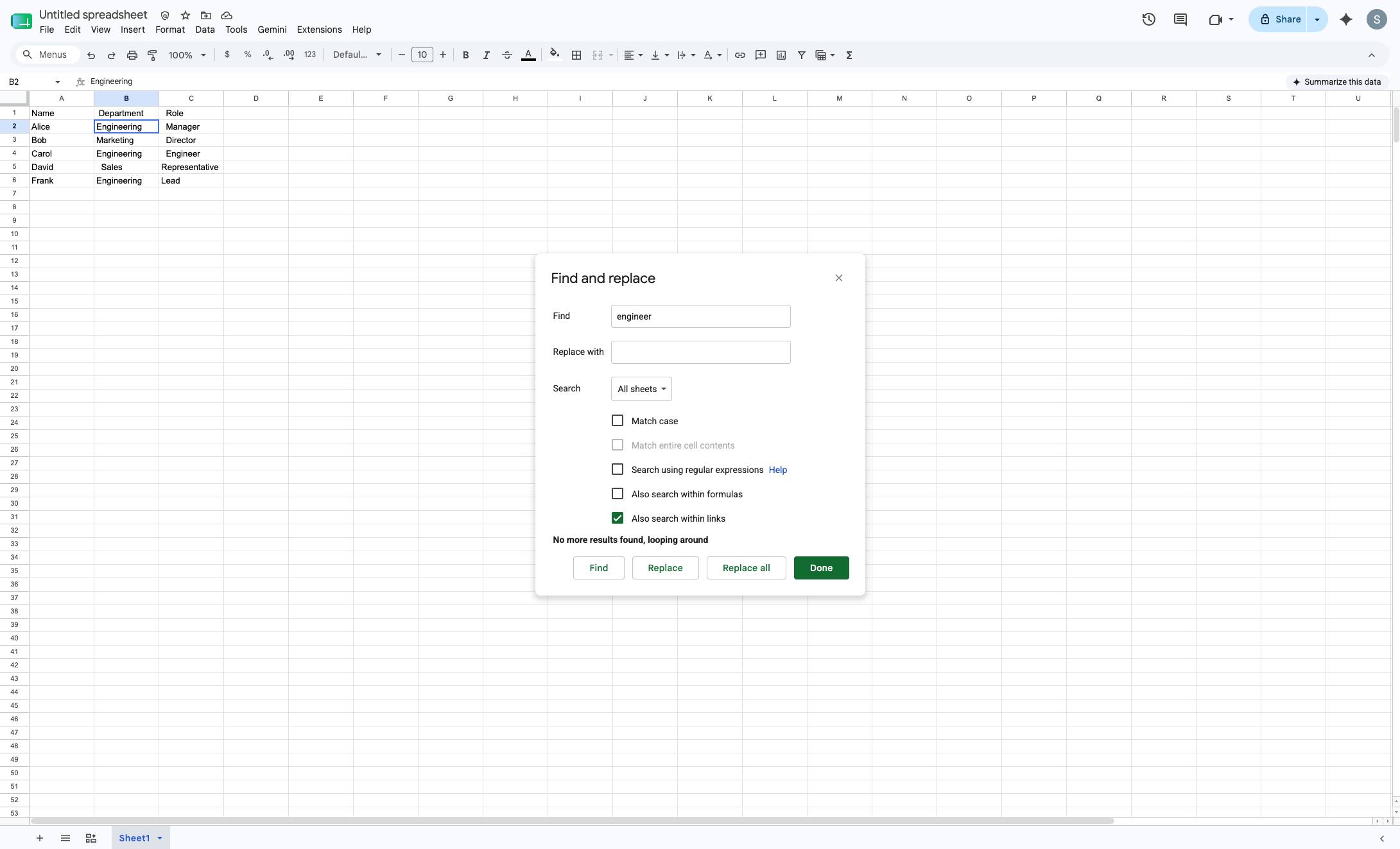
The first cell with the word will be selected.

docs.google.com/spreadsheets/d/1BUSfI2-kY68iwwOcDrnrD2mY9tqO72UtAepeJUhs5SM/edit
The first cell with the word will be selected.
8

Click "Find" to continue searching for additional occurrences.
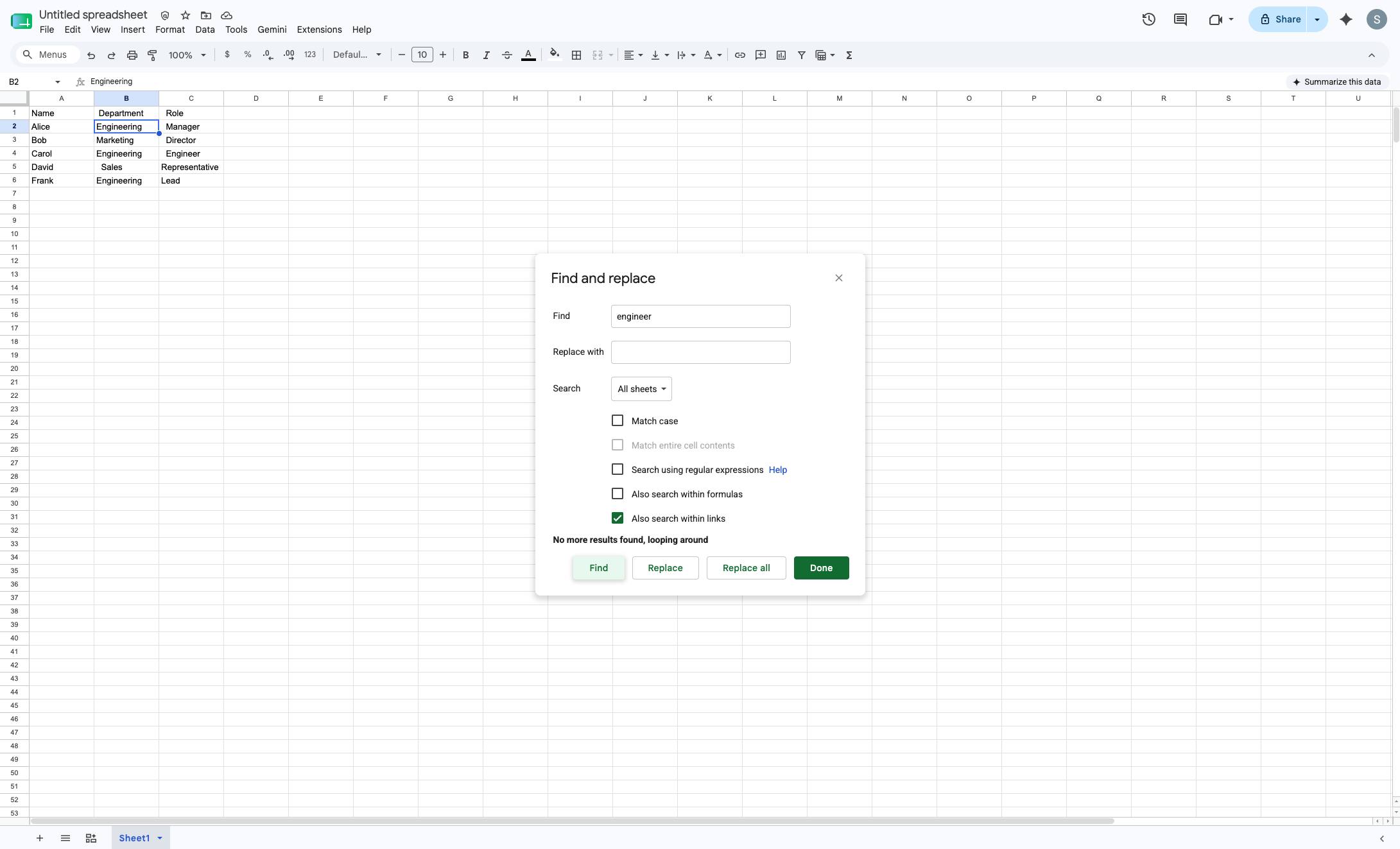
Click "Find" to continue searching for additional occurrences.

docs.google.com/spreadsheets/d/1BUSfI2-kY68iwwOcDrnrD2mY9tqO72UtAepeJUhs5SM/edit
Click "Find" to continue searching for additional occurrences.
9

When all results are found, click "Done"
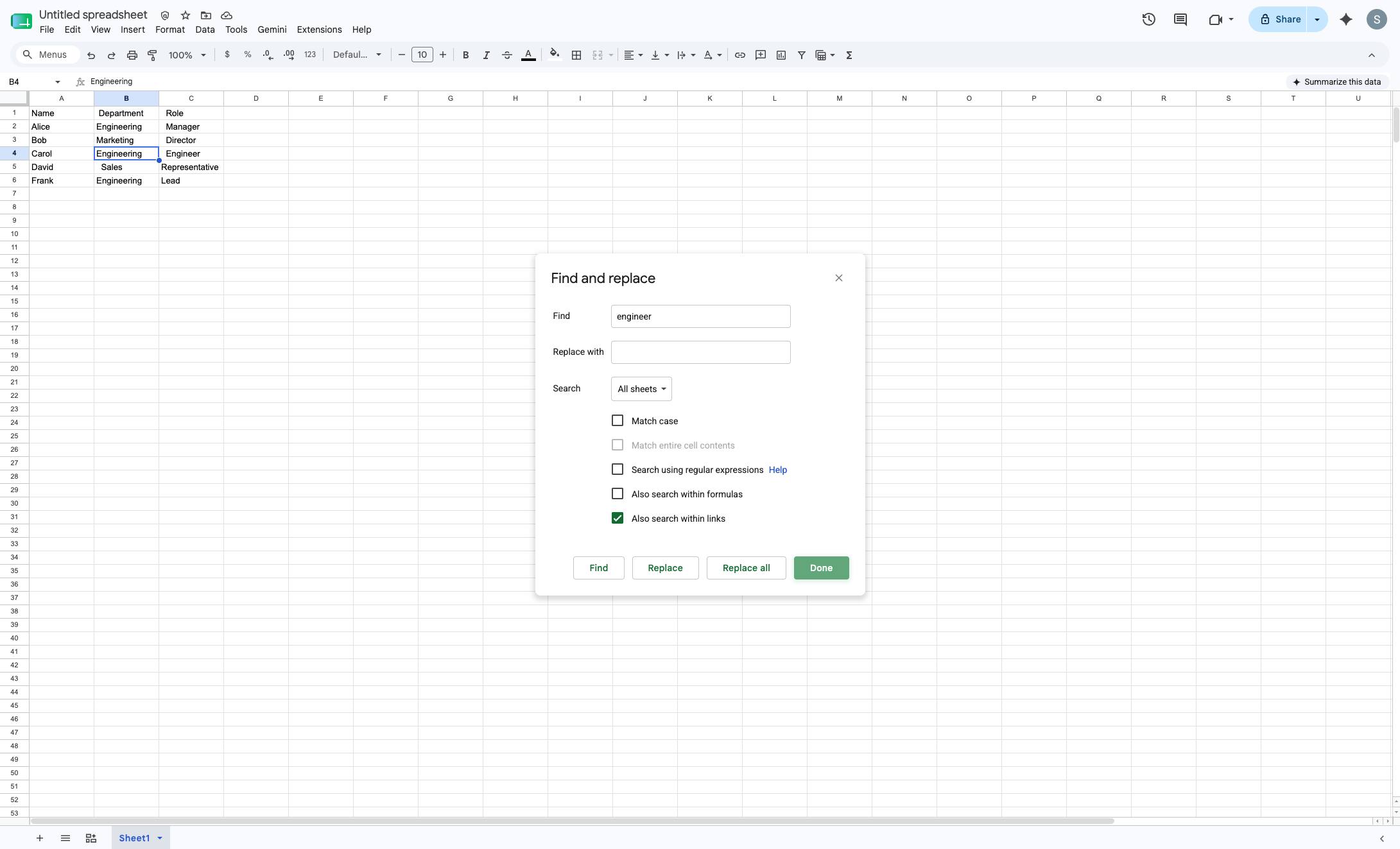
When all results are found, click "Done"

docs.google.com/spreadsheets/d/1BUSfI2-kY68iwwOcDrnrD2mY9tqO72UtAepeJUhs5SM/edit
When all results are found, click "Done"

Make this walkthrough your own

Duplicate this template, swap in your own screens, and share it with your team. Free to start — no credit card.