1
Click a cell
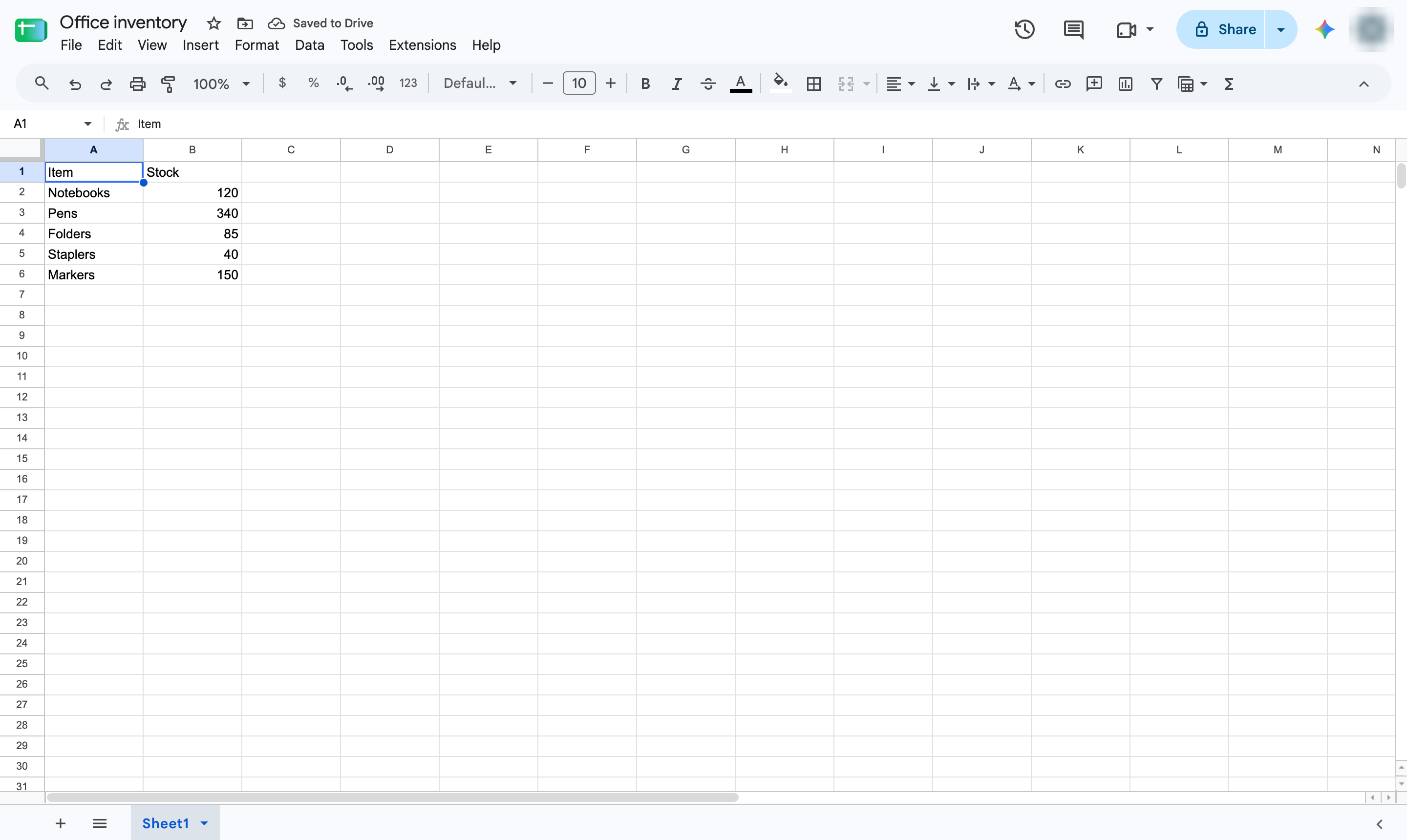
Click the cell you want to change. Type the new value - here, 360 and press Enter to confirm.

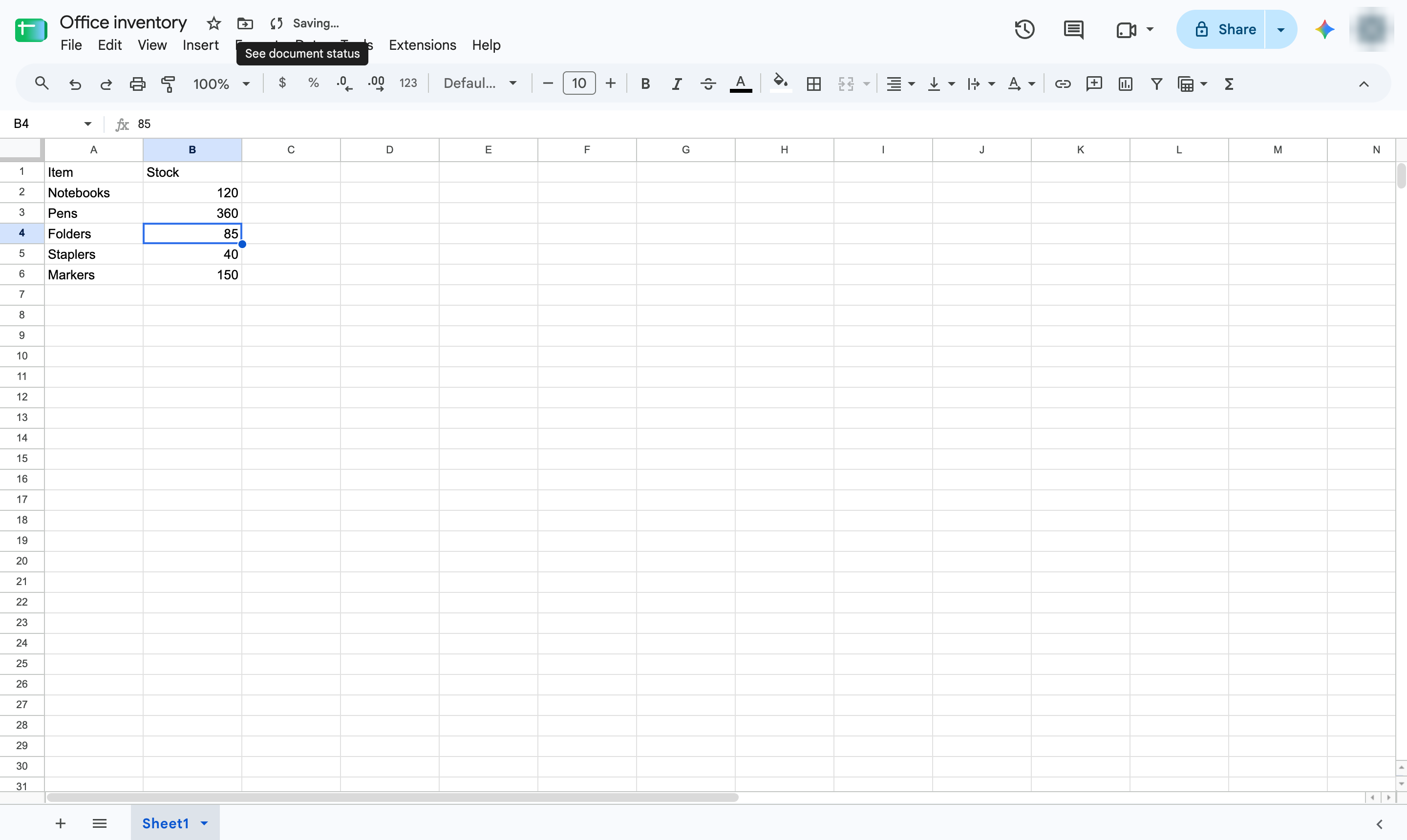
Google Sheets saves every change automatically. Check the save status, and download a copy when you need a file.
Click the cell you want to change. Type the new value - here, 360 and press Enter to confirm.
Next to the file name, "Saved to Drive" confirms the change is already saved. There is no Save button.
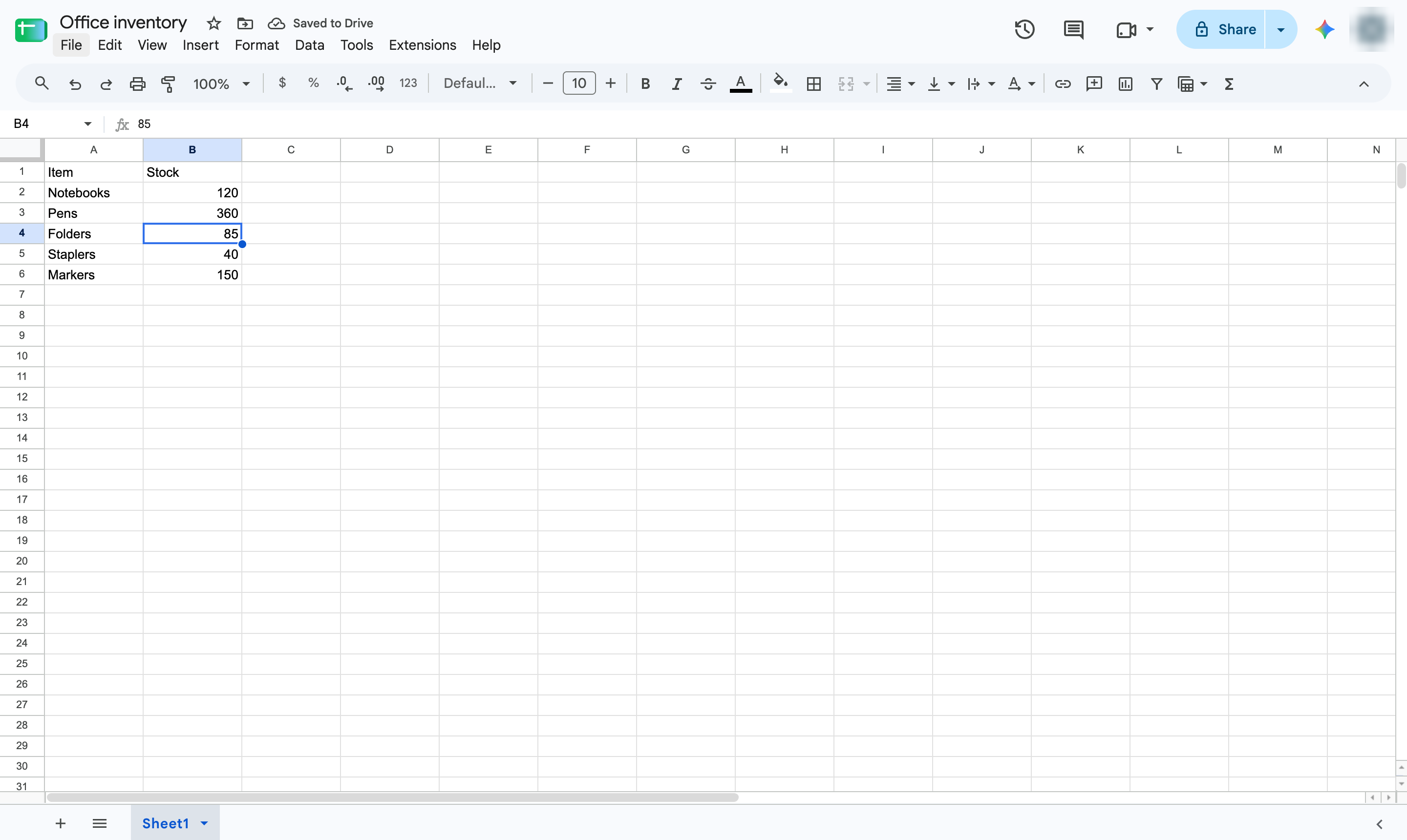
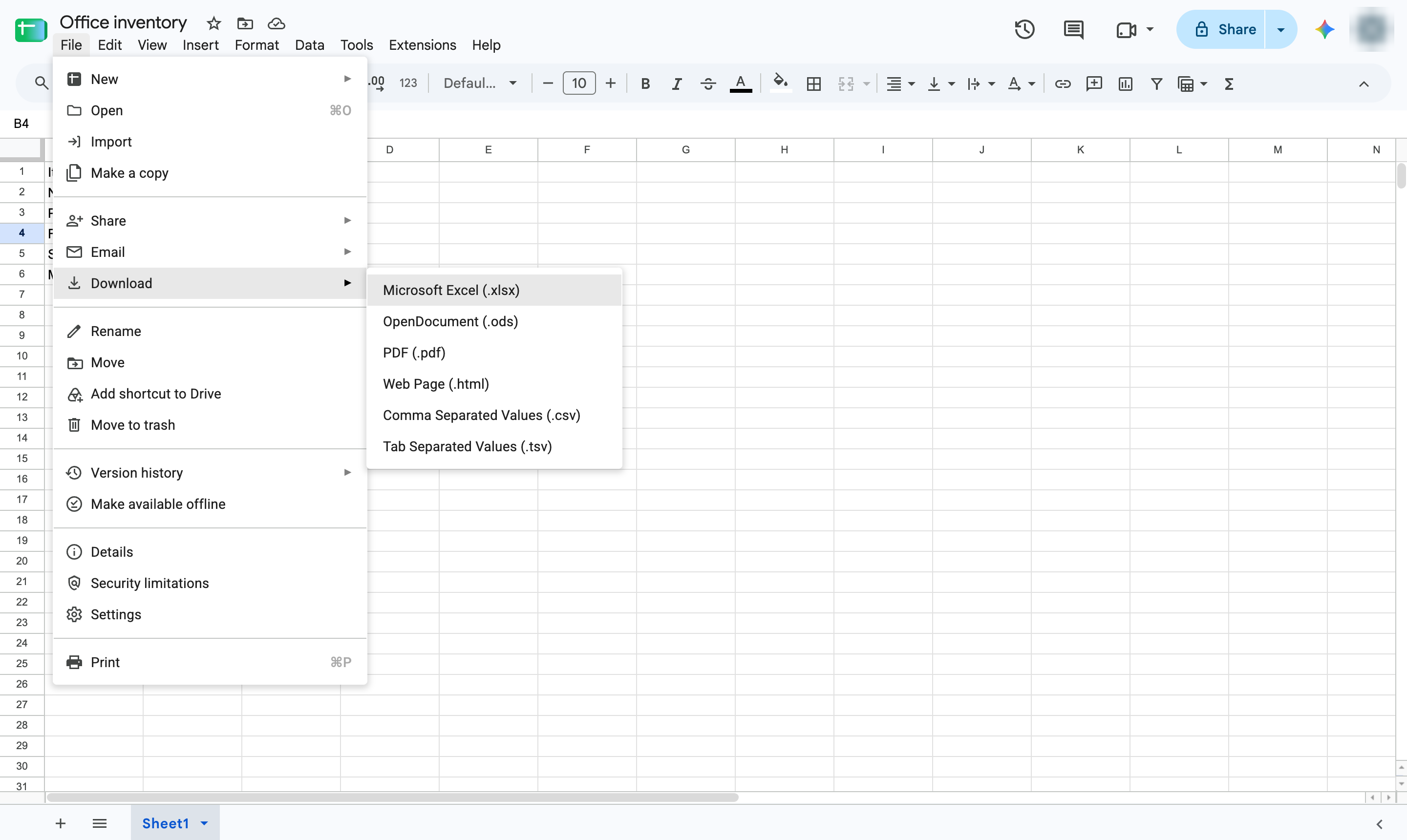
To keep a copy on your computer, open the File menu.
Hover over Download to see the file formats.
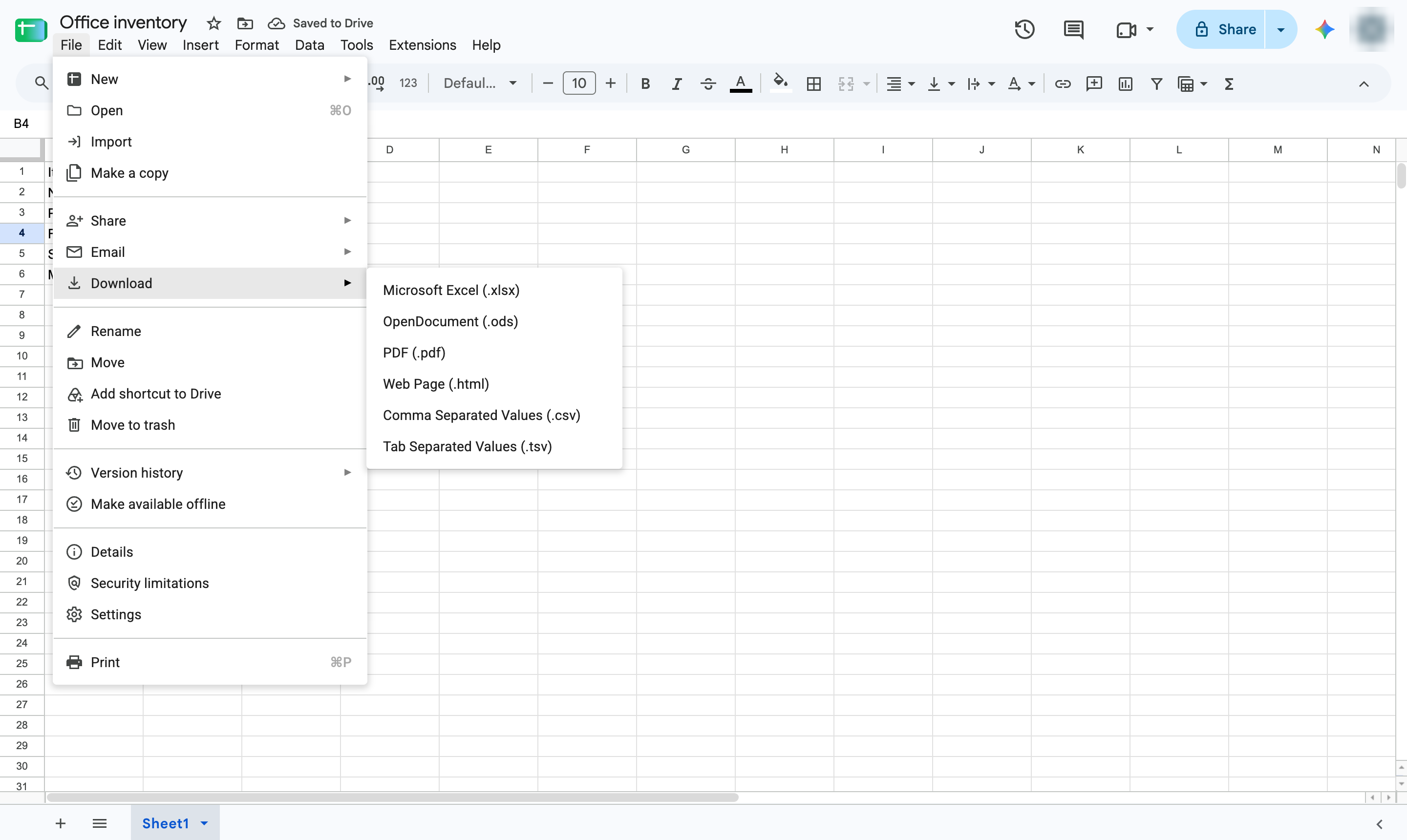
Pick a format such as Microsoft Excel (.xlsx) or PDF to download a copy.
Duplicate this template, swap in your own screens, and share it with your team. Free to start — no credit card.
Fill out the form and we'll get back to you as soon as possible.
Tell us about your team and we'll find the right plan together.