1
Open Your Document
Double-click the header area at the top of any page to activate the header editing mode.
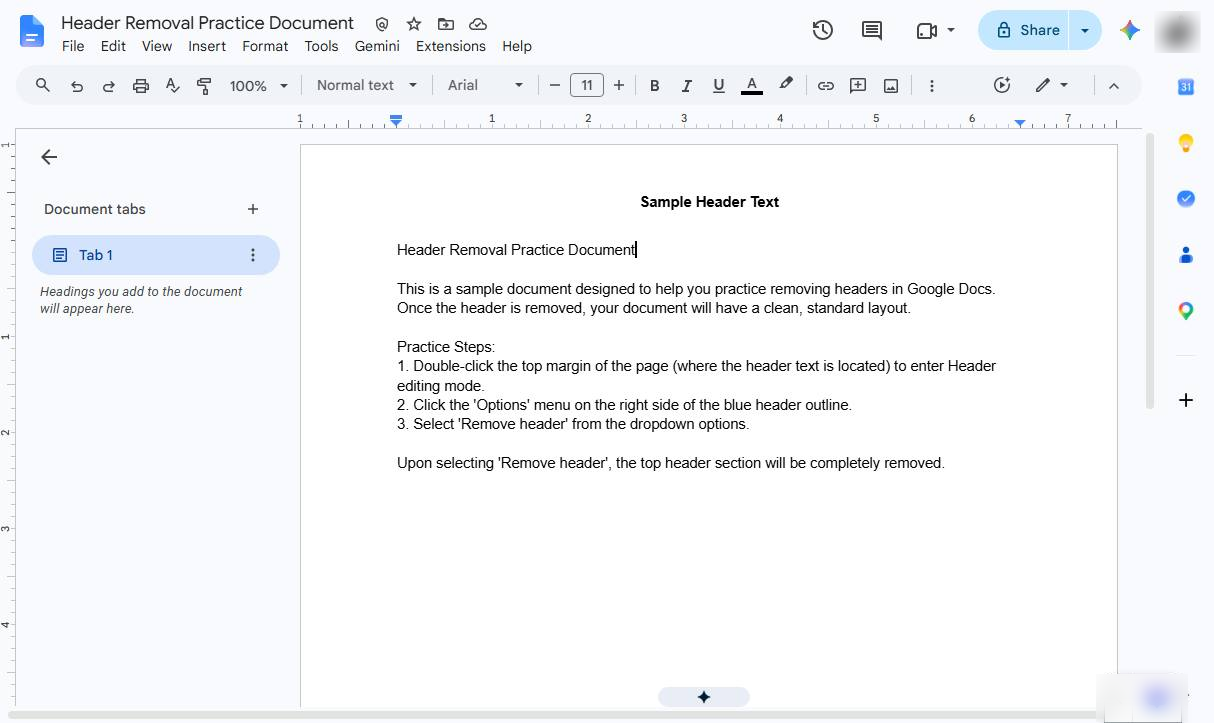

Learn how to quickly delete unwanted header in Google Docs to clean up your document layout and optimize page space
Double-click the header area at the top of any page to activate the header editing mode.
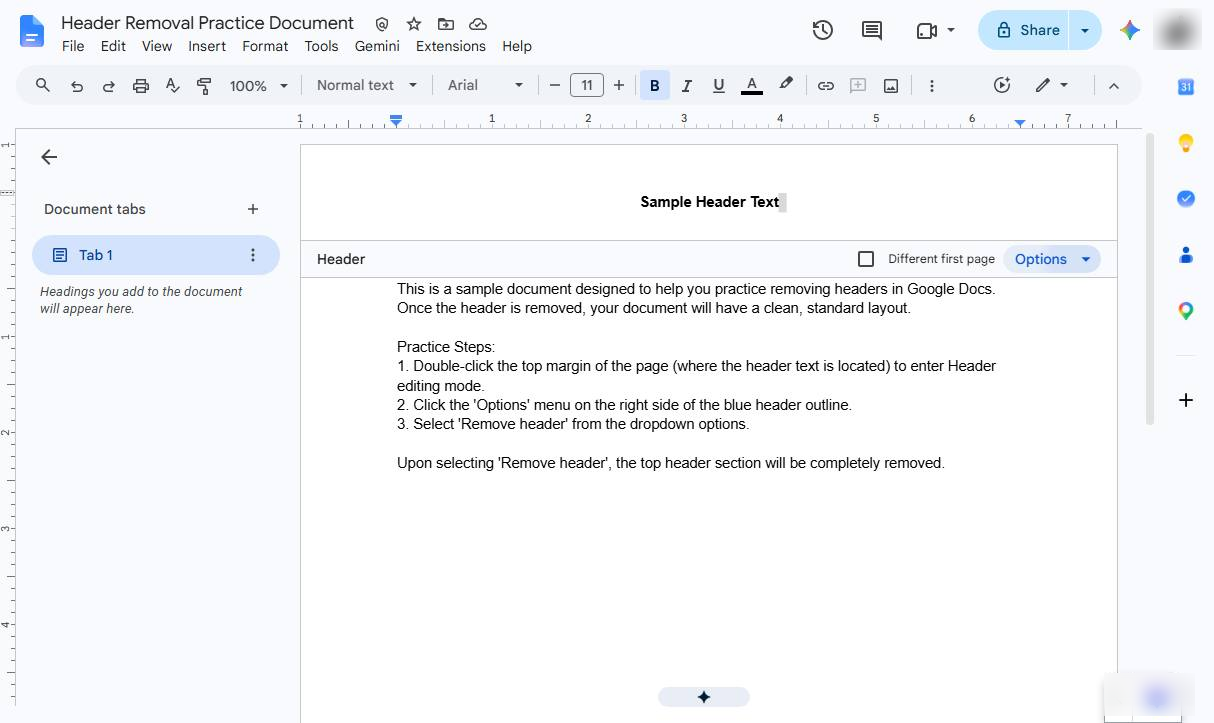
Click on the Options dropdown menu located on the right side of the header blue box.
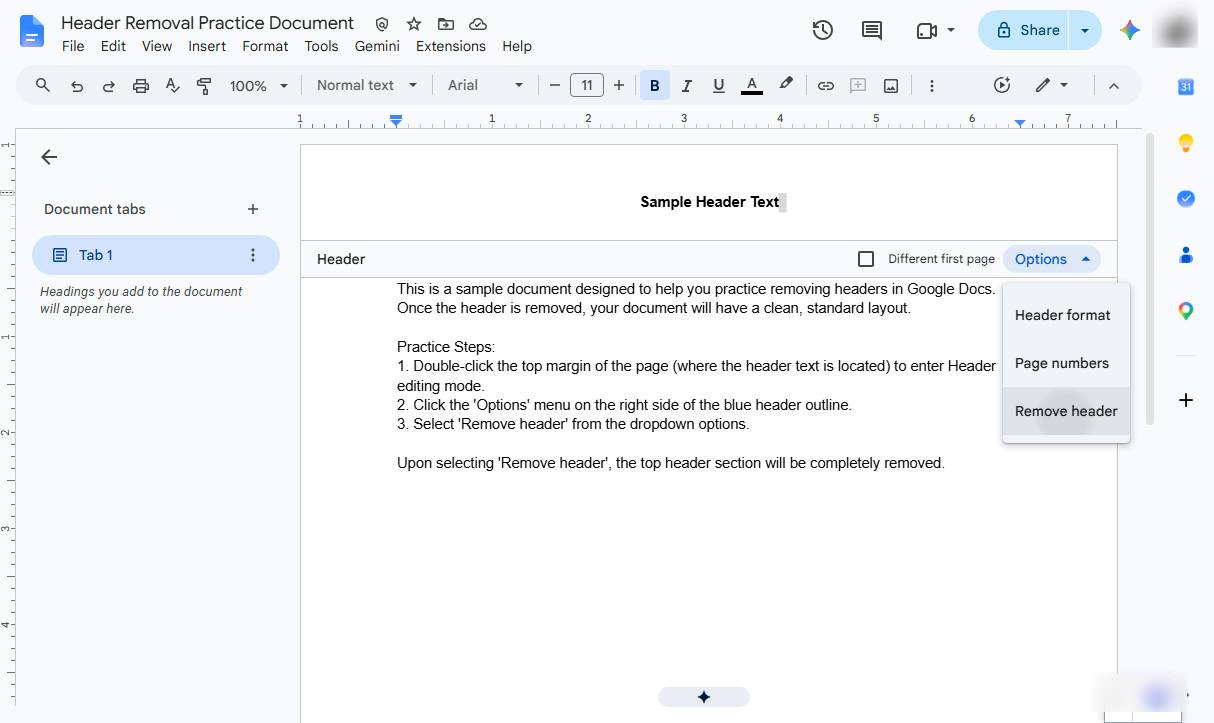
Remove header from the dropdown options to delete all text and formatting in the header section.(Alternative Quick Method: You can also clear all text inside the header and click anywhere back on the main document body to close it.)
Duplicate this template, swap in your own screens, and share it with your team. Free to start — no credit card.
Fill out the form and we'll get back to you as soon as possible.
Tell us about your team and we'll find the right plan together.