Skip to content
Back to template gallery
Google Sheets
Google Sheets

How to mark duplicates in Google Sheets

This Haiku show you how to visibly mark duplicates in a single column in Google Sheets using conditional formatting. The same logic came be applied to multiple columns i.e. entire datasets

Operations
10 steps 4 min Community template
1

Select the second cell in the column where you want to mark duplicates. If your column does not have a column header, select the first cell
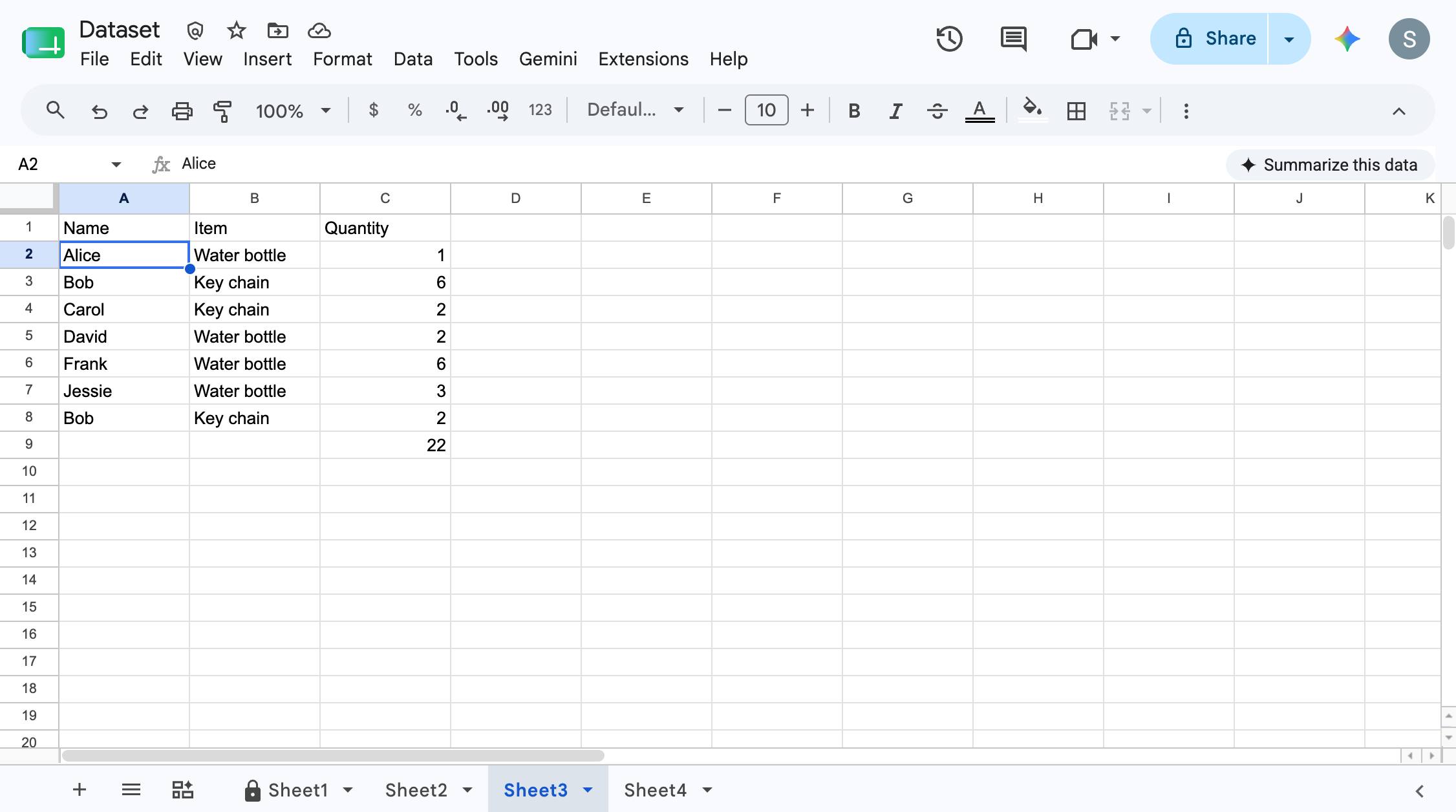
Select the second cell in the column where you want to mark duplicates. If your column does not have a column header, select the first cell
docs.google.com/spreadsheets
Select the second cell in the column where you want to mark duplicates. If your column does not have a column header, select the first cell
2

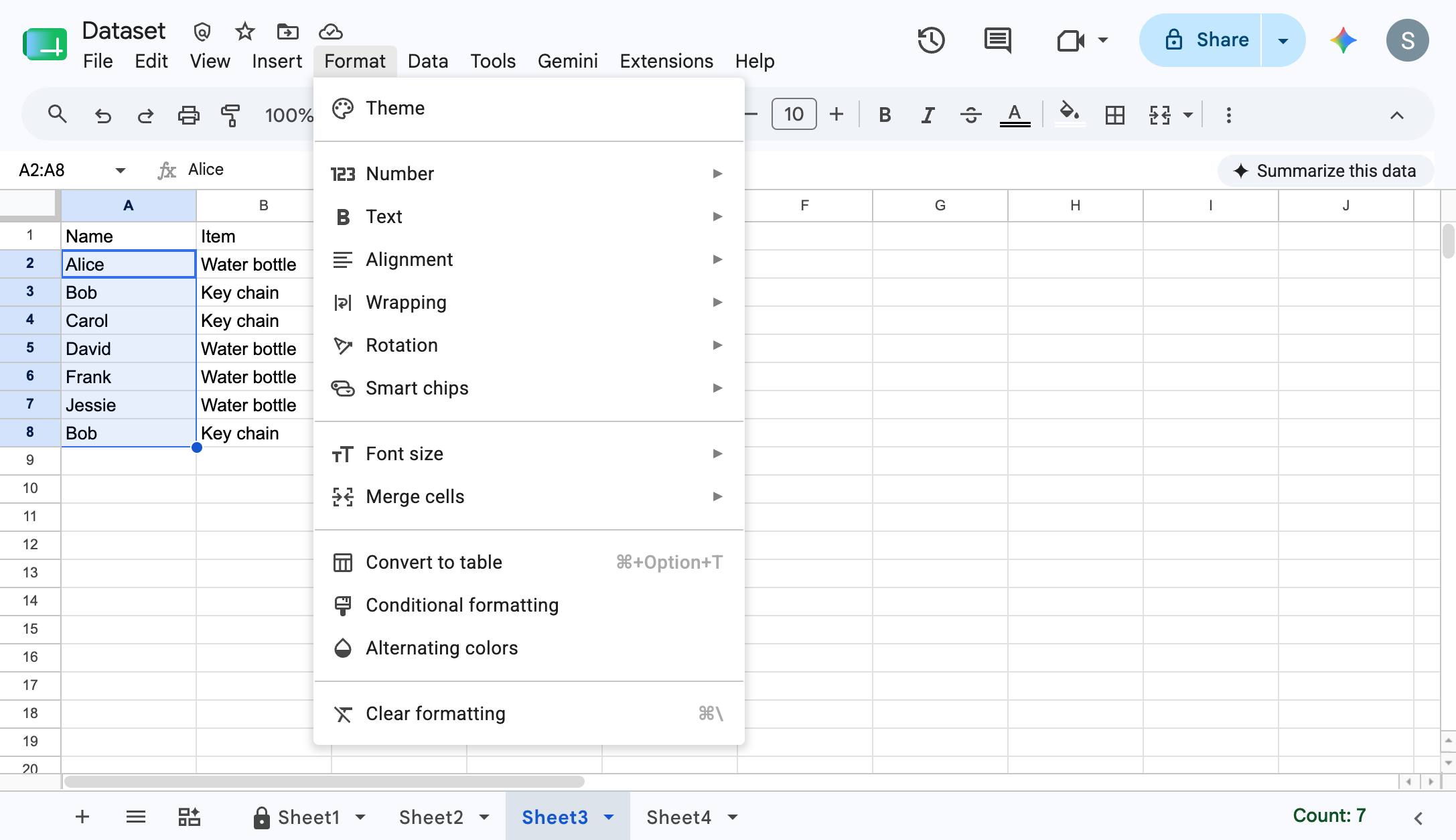
Press Cmd + Shift + ↓

Press Cmd + Shift + ↓

3

Click "Format"

Click "Format"

docs.google.com/spreadsheets
Click "Format"
4

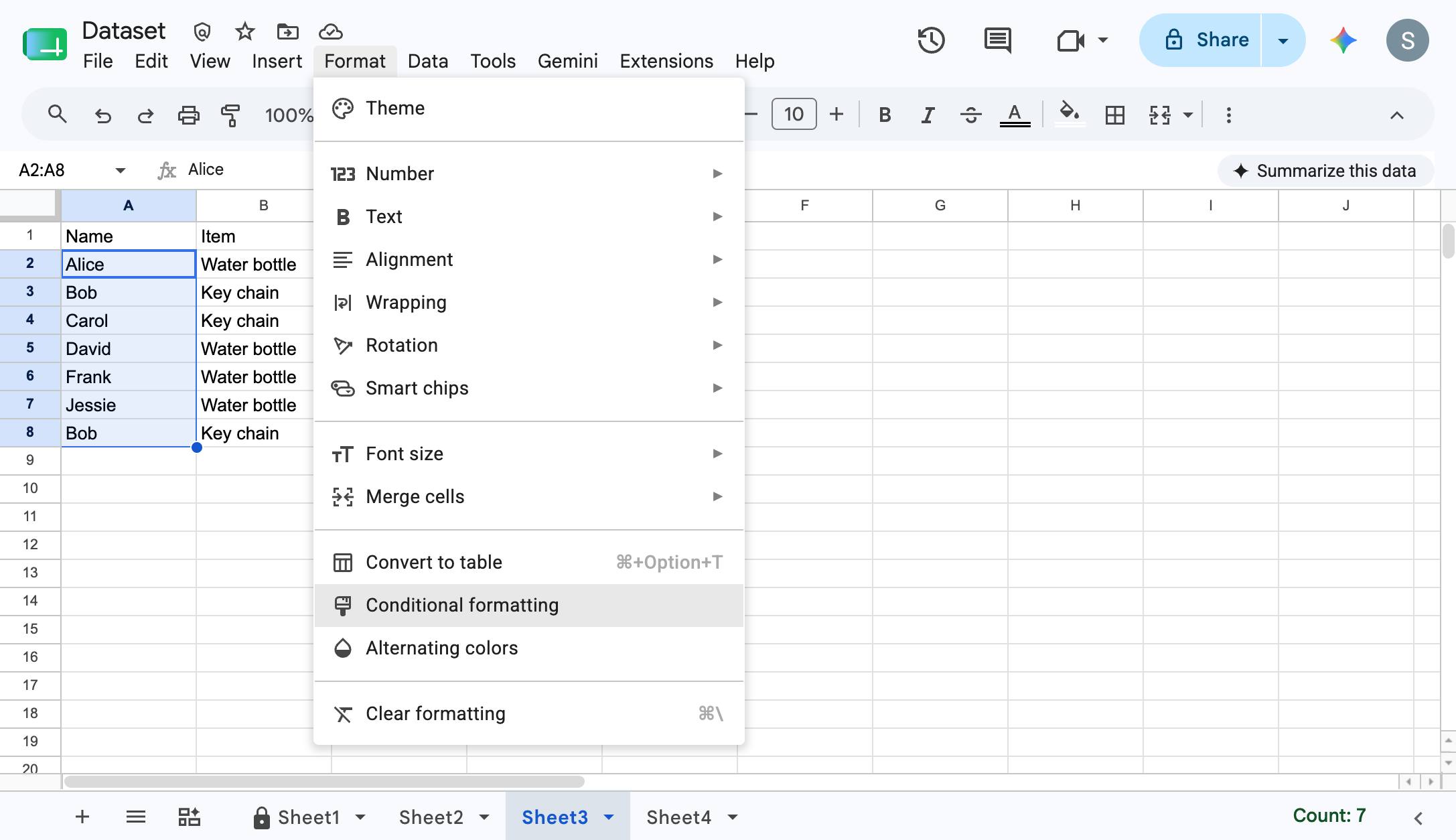
Click "Conditional formatting"

Click "Conditional formatting"

docs.google.com/spreadsheets
Click "Conditional formatting"
5

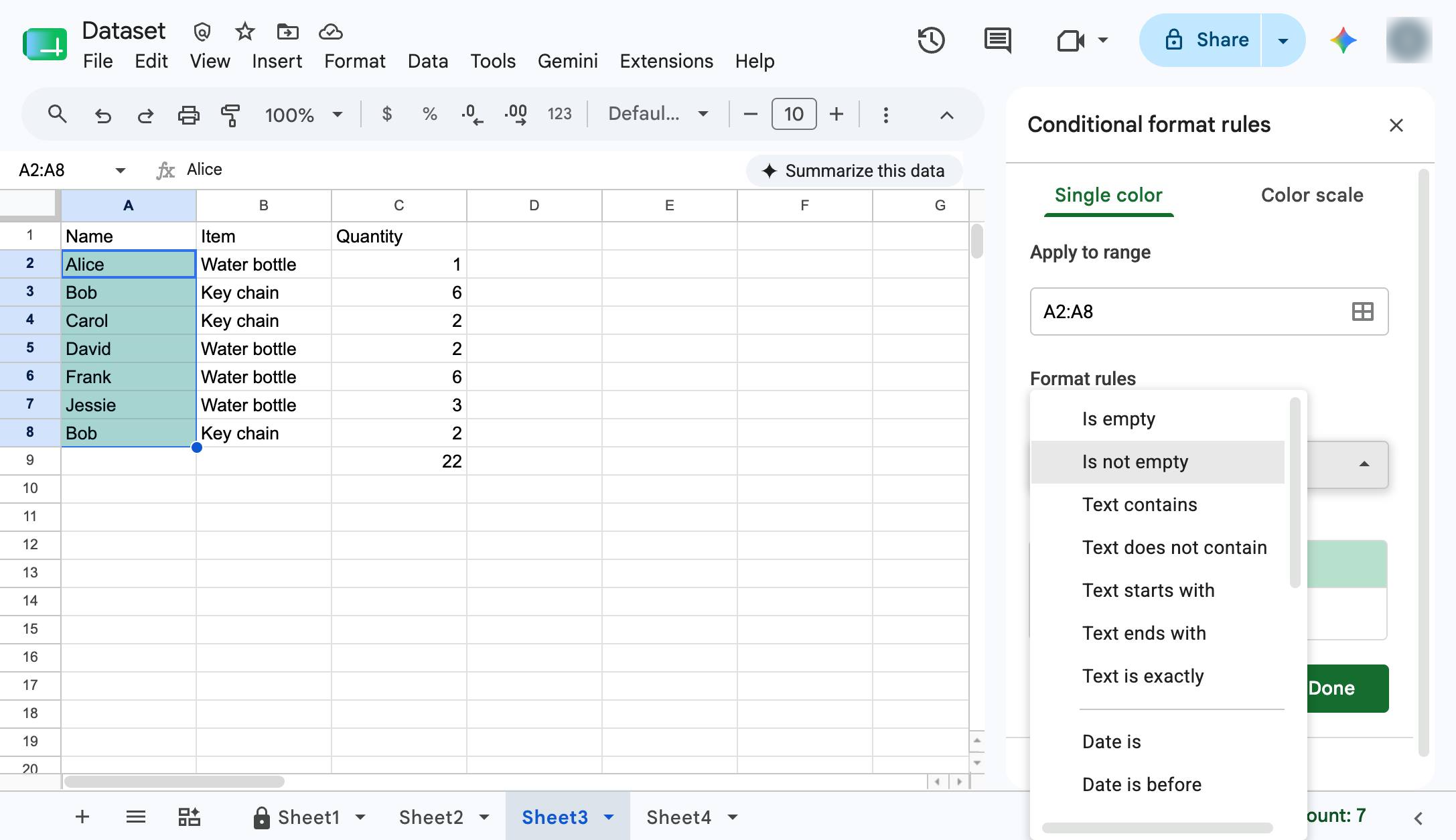
Select the Is not empty option

Choose the Is not empty option from the Format rules dropdown menu in the right sidebar.

docs.google.com/spreadsheets
Select the Is not empty option
6

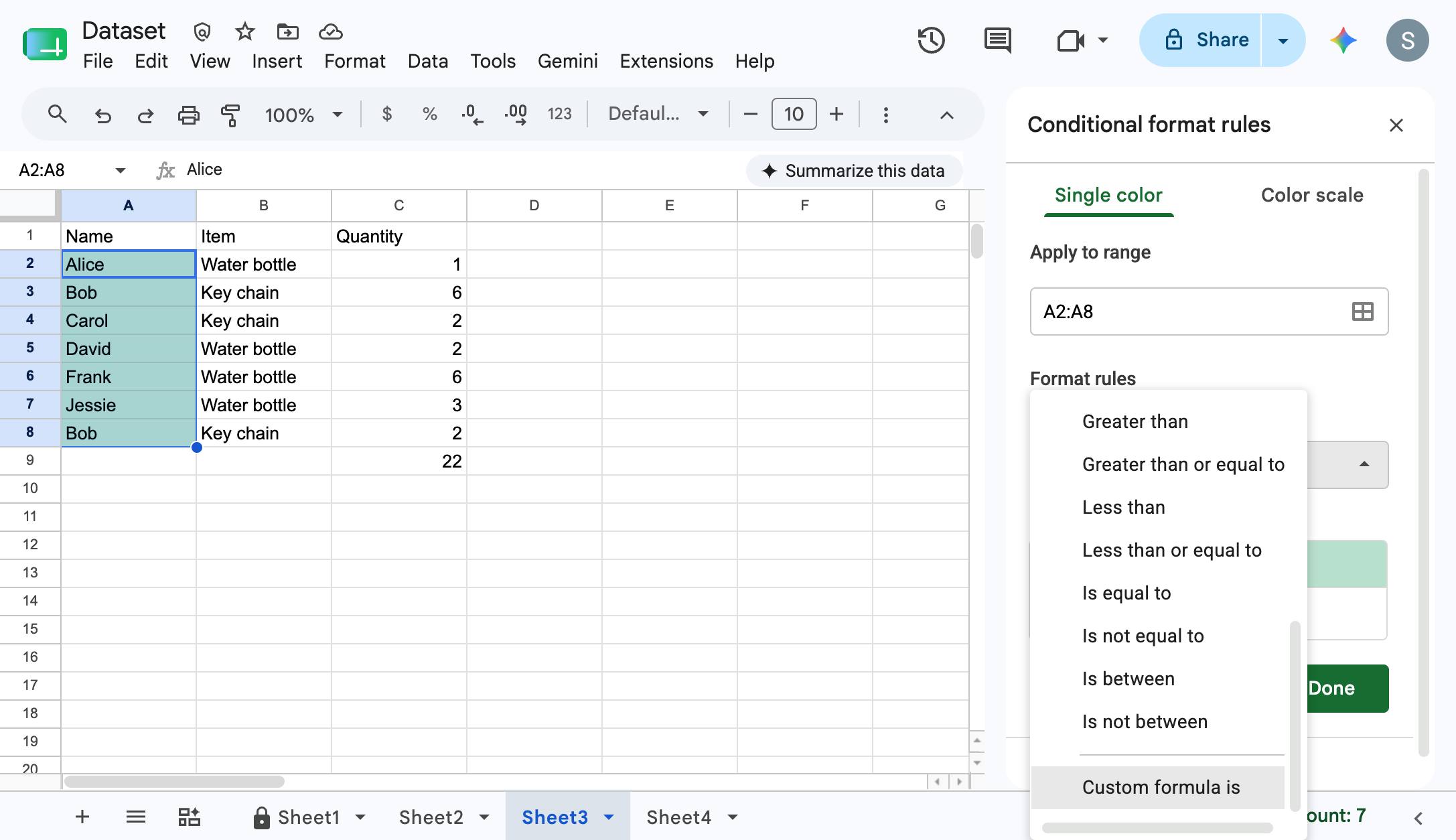
Open up the "Format cells if..." field and click "Custom formula is"

Open up the "Format cells if..." field and click "Custom formula is"

docs.google.com/spreadsheets
Open up the "Format cells if..." field and click "Custom formula is"
7

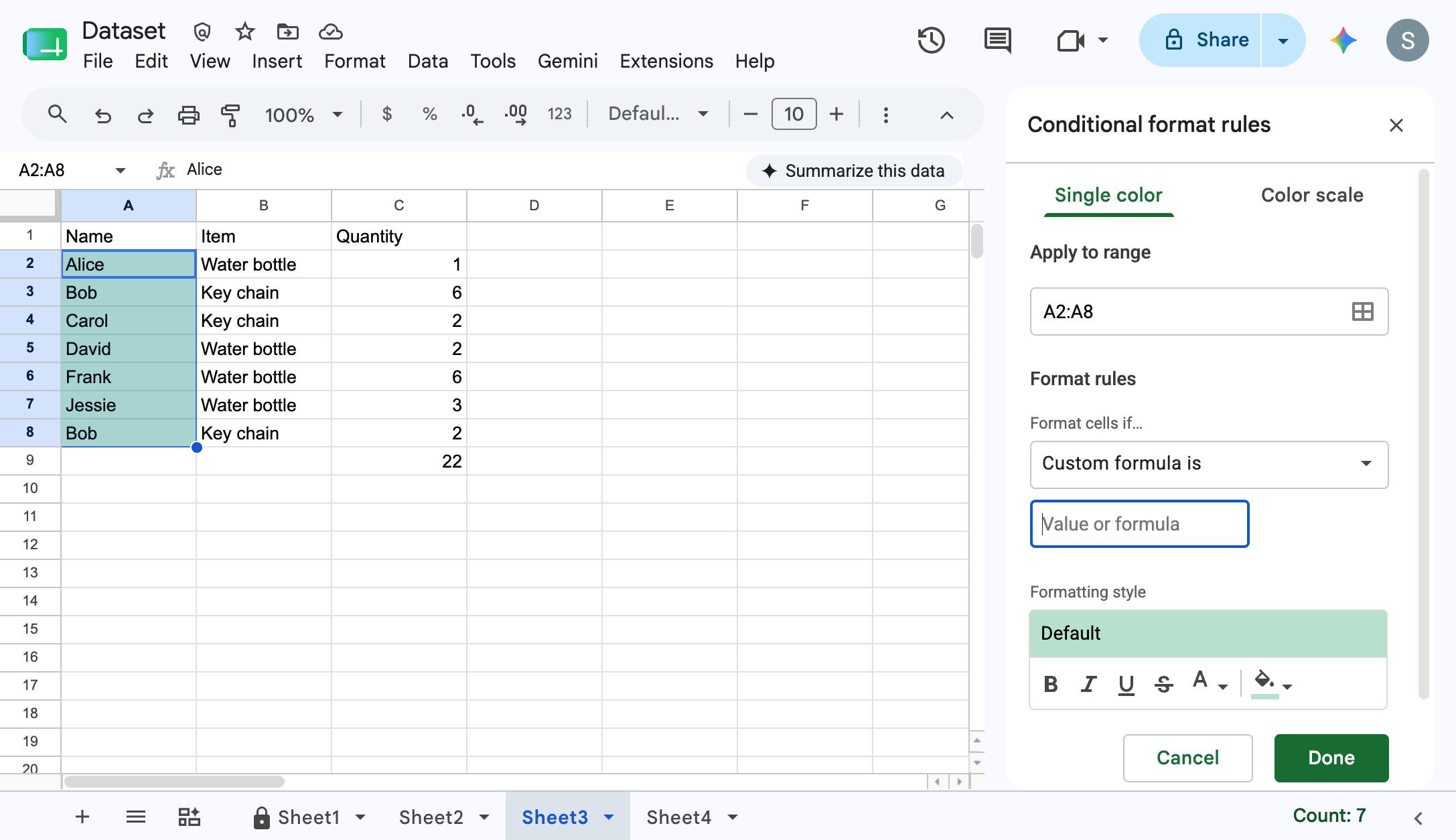
Click in "Value or formula" input field

Click in "Value or formula" input field

docs.google.com/spreadsheets
Click in "Value or formula" input field
8

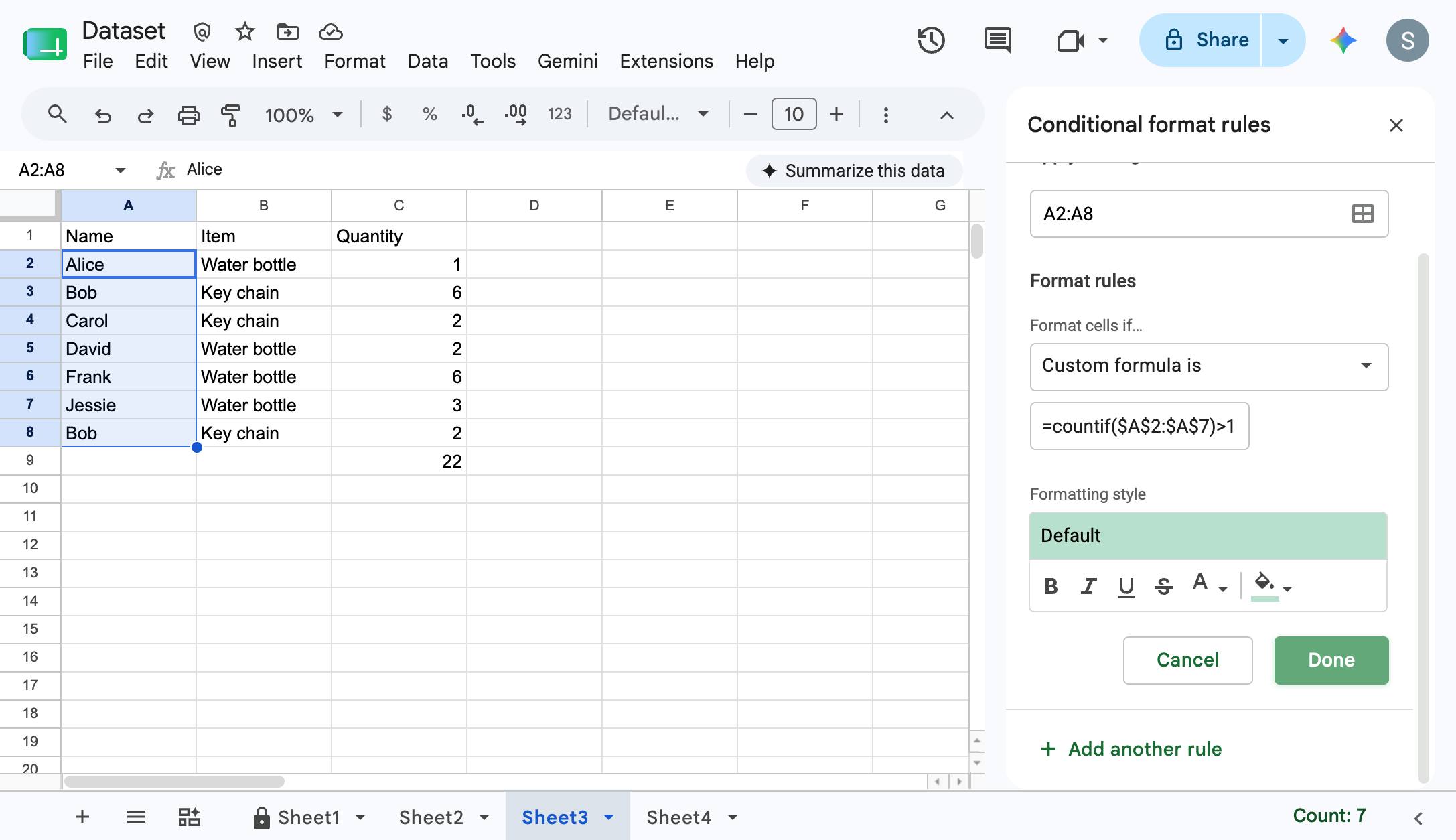
Type "=countif($A$2:$A$7,$A2)>1"

Type "=countif($A$2:$A$7,$A2)>1"

9

Click "Done" button

Click "Done" button

docs.google.com/spreadsheets
Click "Done" button
10

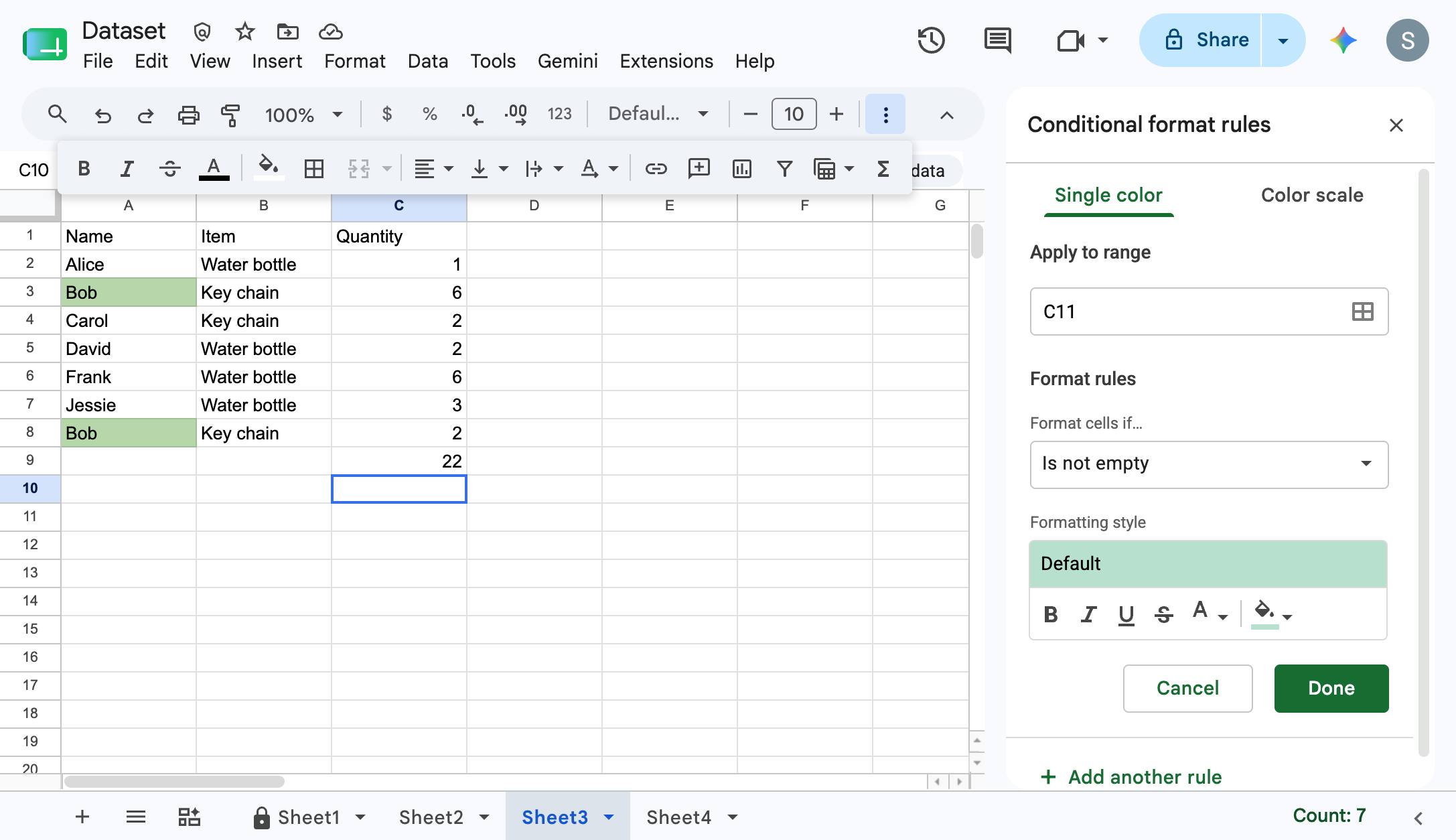
Now you'll see the duplicates highlighted in your specified color

Now you'll see the duplicates highlighted in your specified color

docs.google.com/spreadsheets
Now you'll see the duplicates highlighted in your specified color

Make this walkthrough your own

Duplicate this template, swap in your own screens, and share it with your team. Free to start — no credit card.