1
Select your data
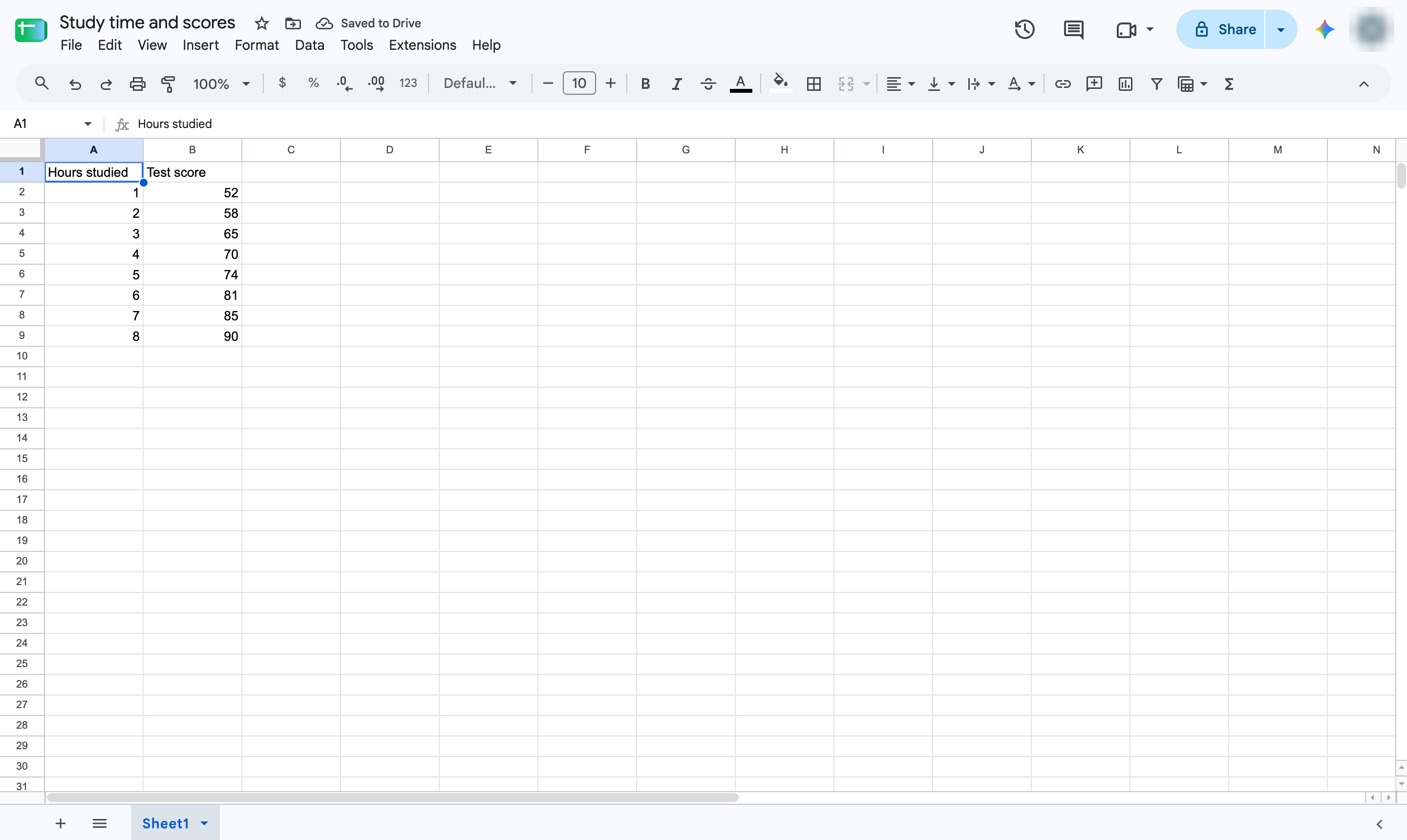
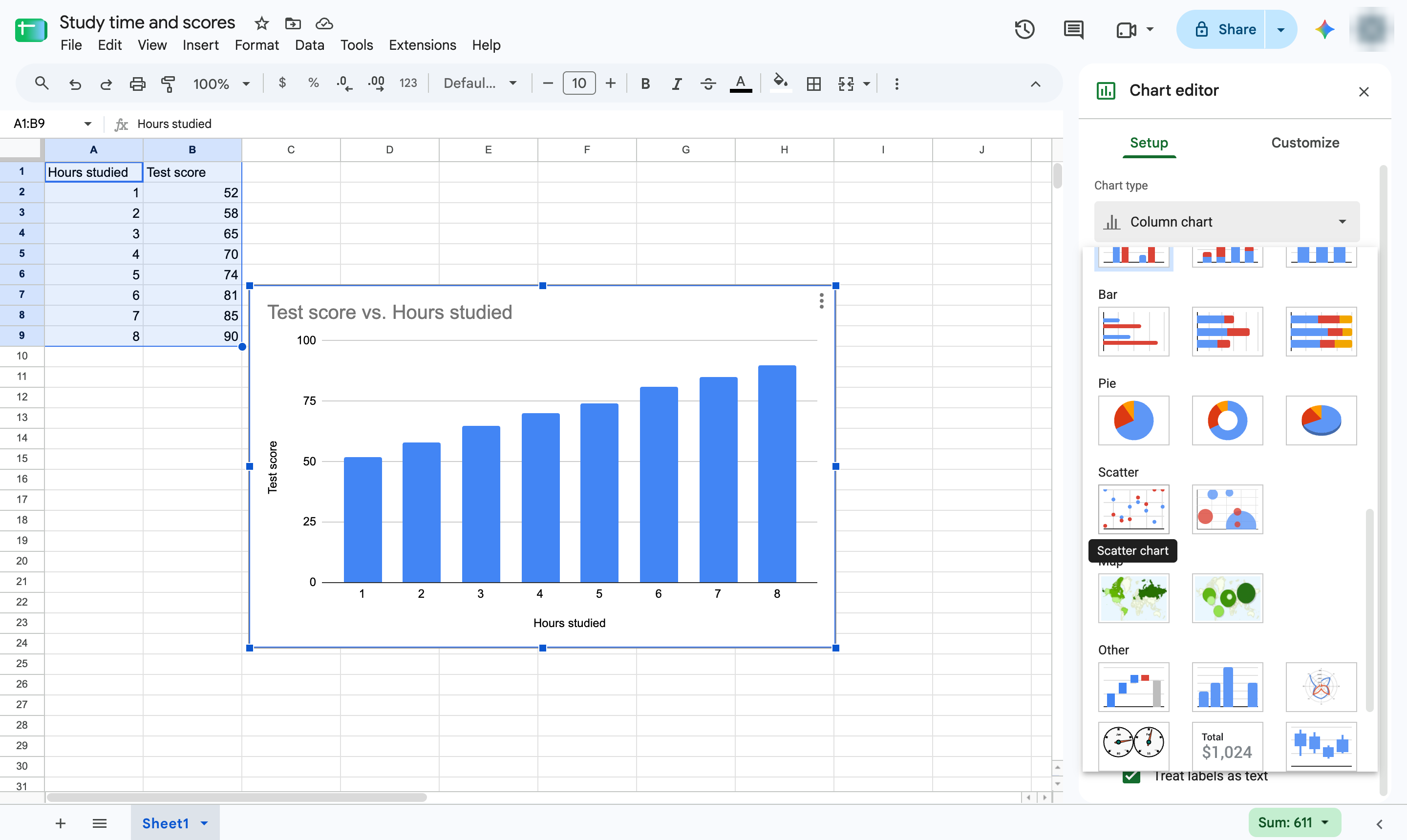
Highlight the cells to chart, including the header row - here, hours studied and test scores.

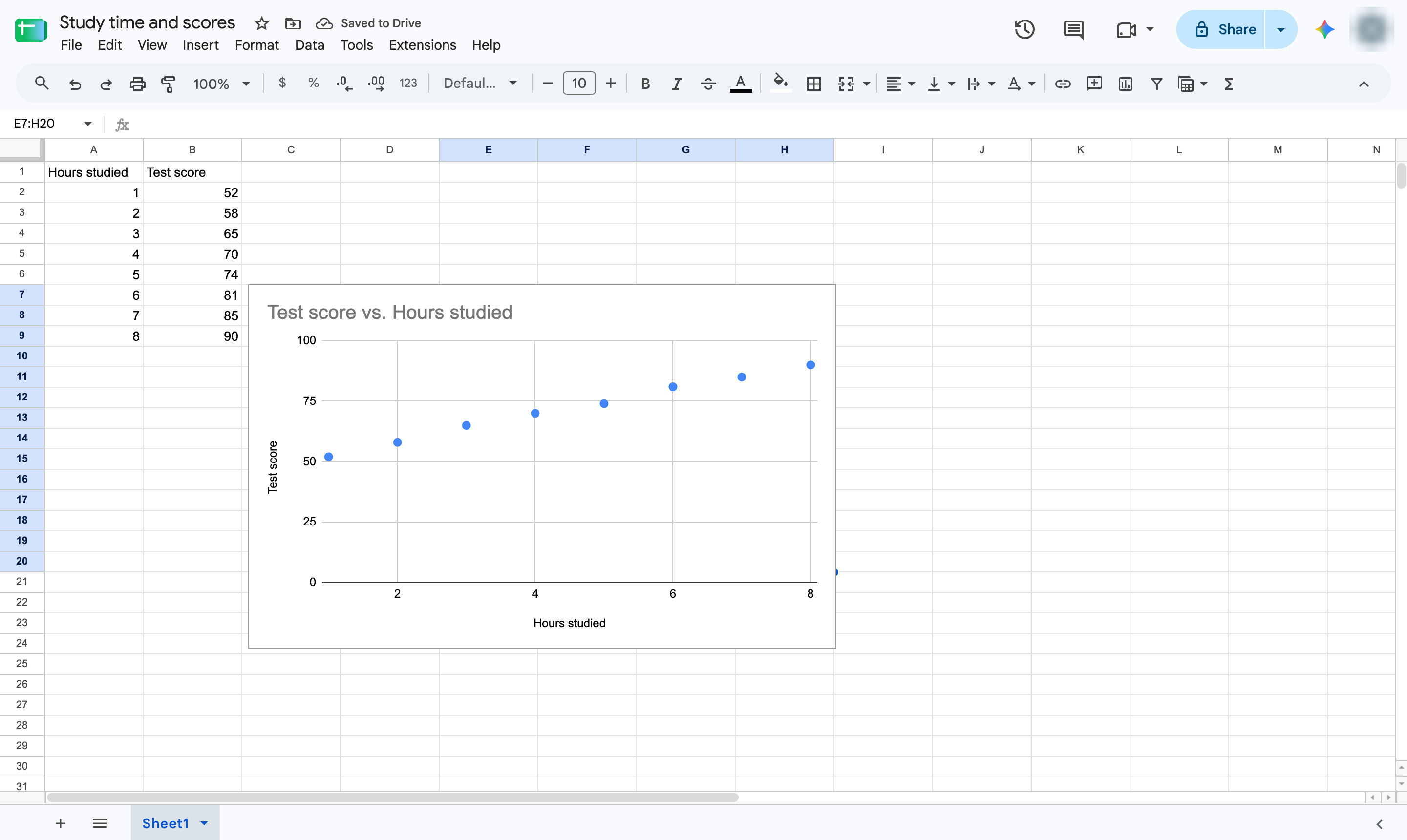
Plot two number columns against each other to see whether they are related.
Highlight the cells to chart, including the header row - here, hours studied and test scores.
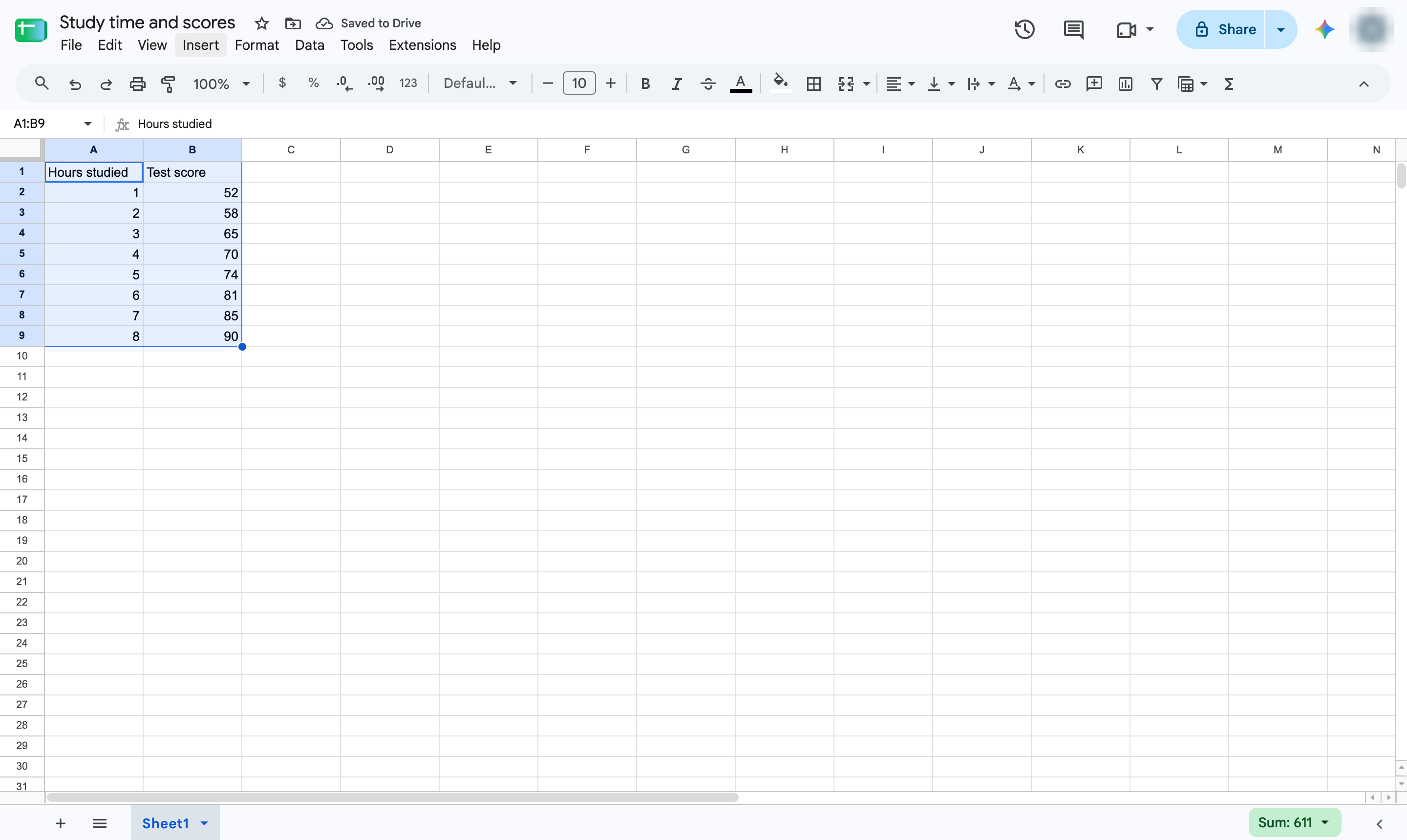
Open the Insert menu.
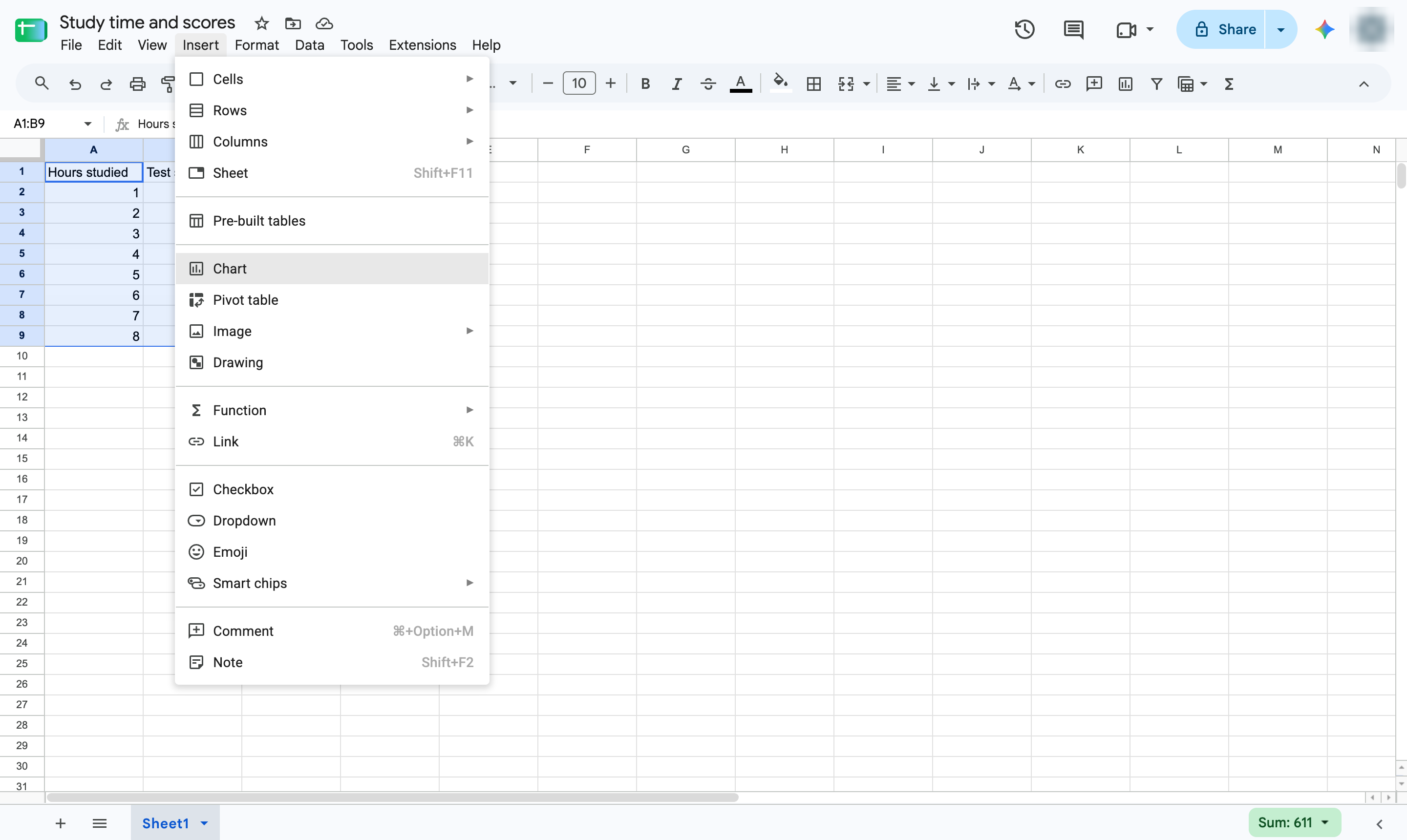
Choose Chart. A chart appears and the Chart editor opens.
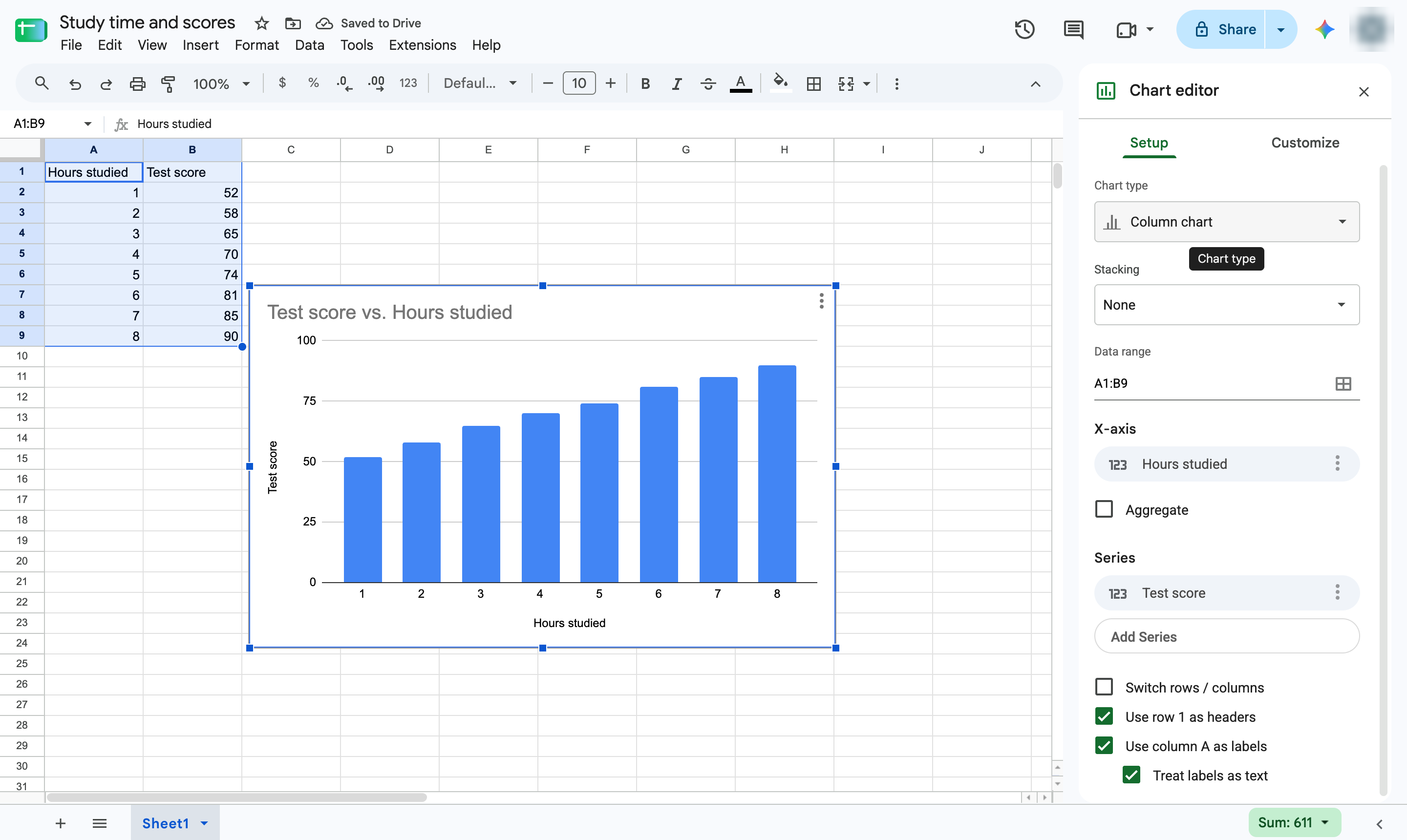
In the Chart editor, open the Chart type list under Setup.
Pick Scatter chart from the list.
Each dot is one row: its position shows both values. Add a trendline from Customize > Series.
Duplicate this template, swap in your own screens, and share it with your team. Free to start — no credit card.
Fill out the form and we'll get back to you as soon as possible.
Tell us about your team and we'll find the right plan together.