1
Click where the fraction goes
Click where you want the fraction. Press enter to start a new line.
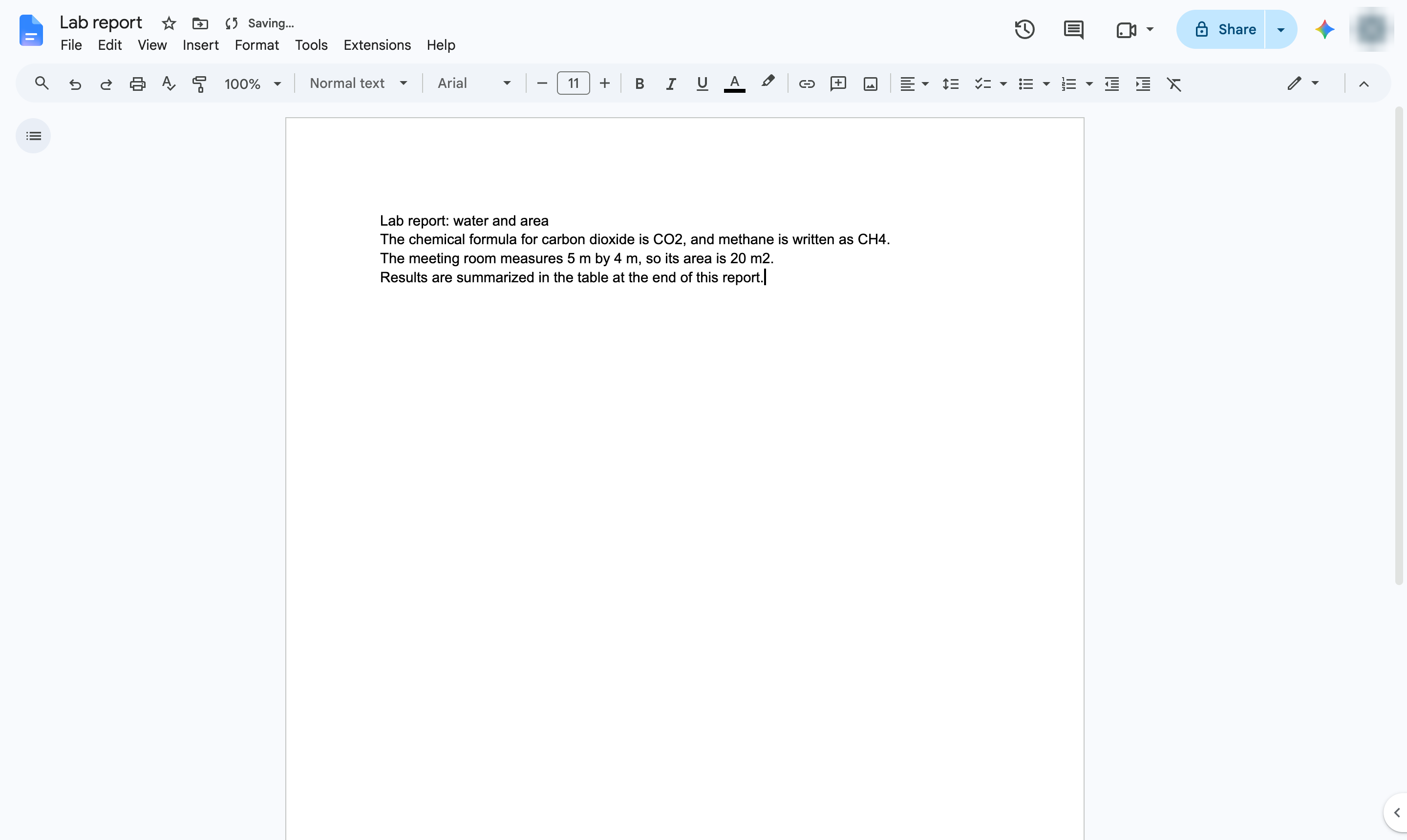

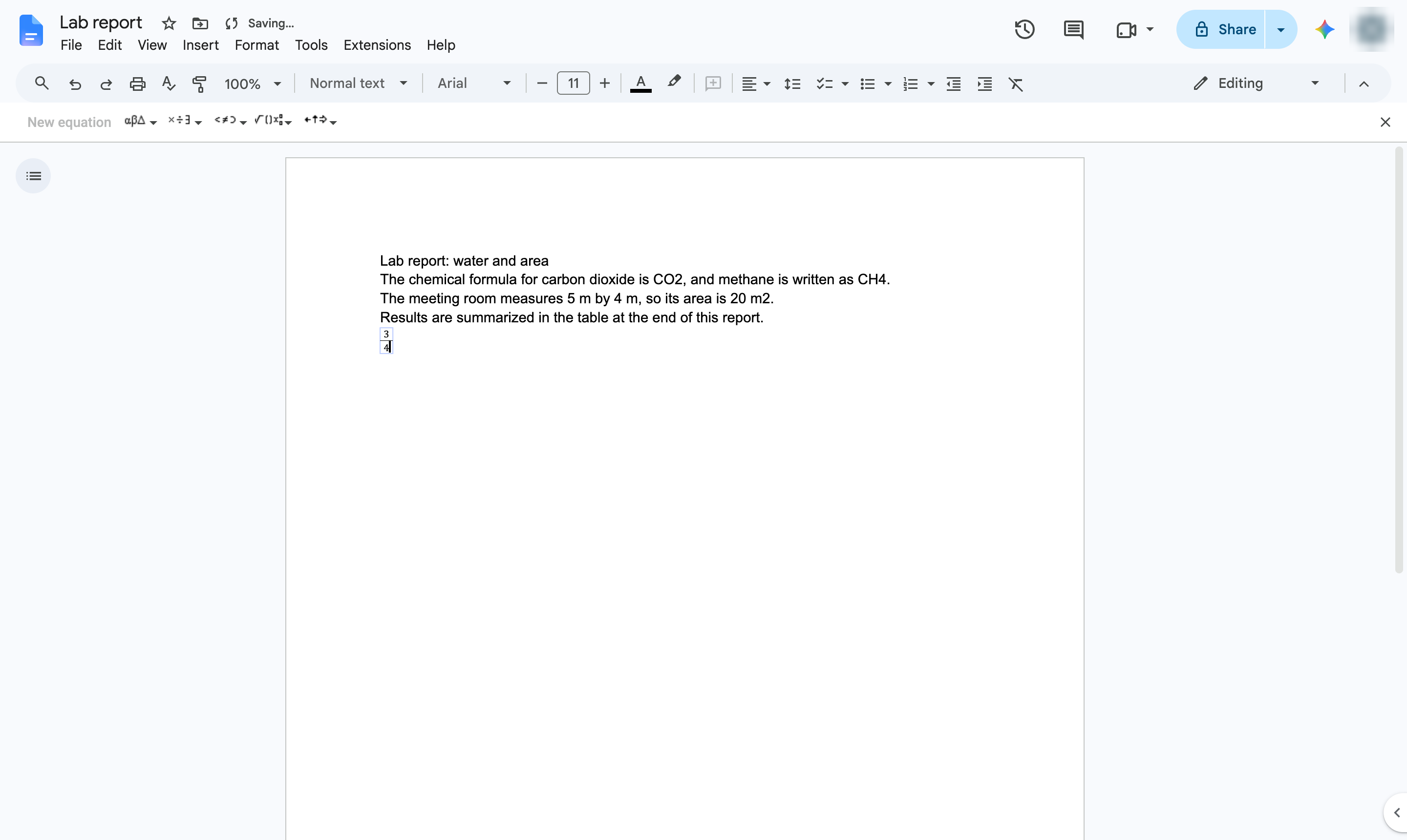
Write a stacked fraction with the equation editor.
Click where you want the fraction. Press enter to start a new line.
Open the Insert menu.
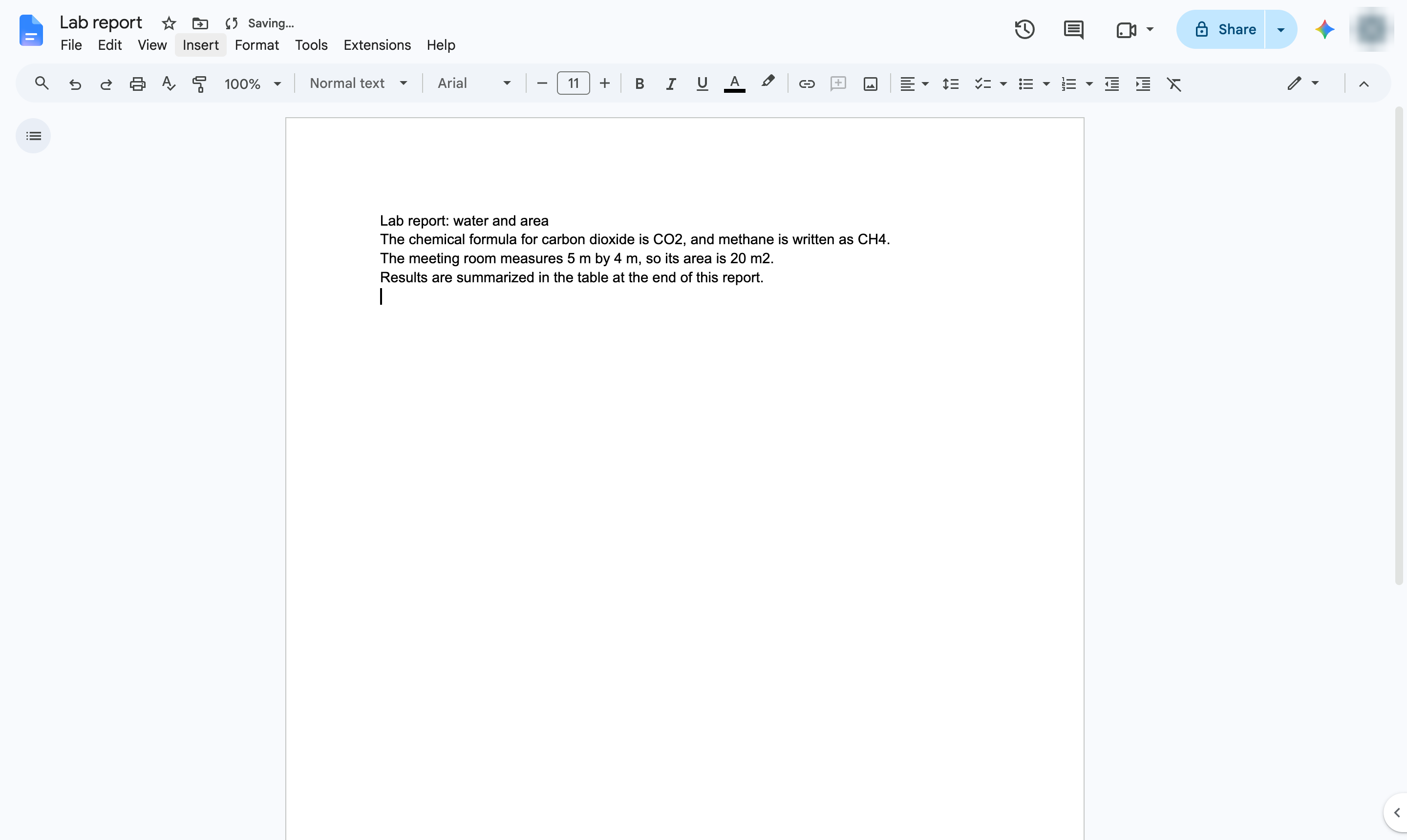
Hover over Symbols.
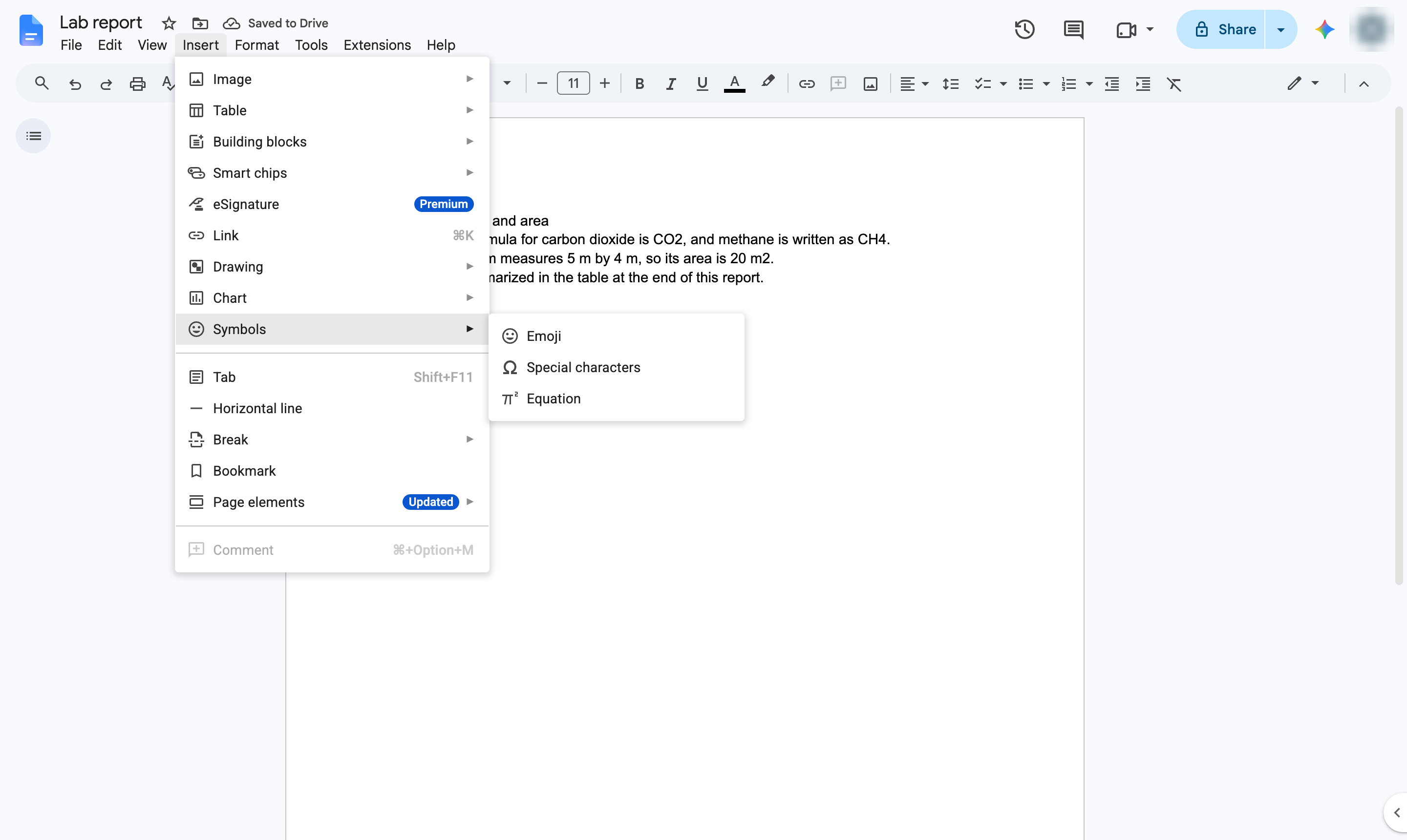
Choose Equation to open an equation box. Type frac followed by a space. An empty fraction appears. Type the numerator. Move down to the bottom of the fraction. Type the denominator.
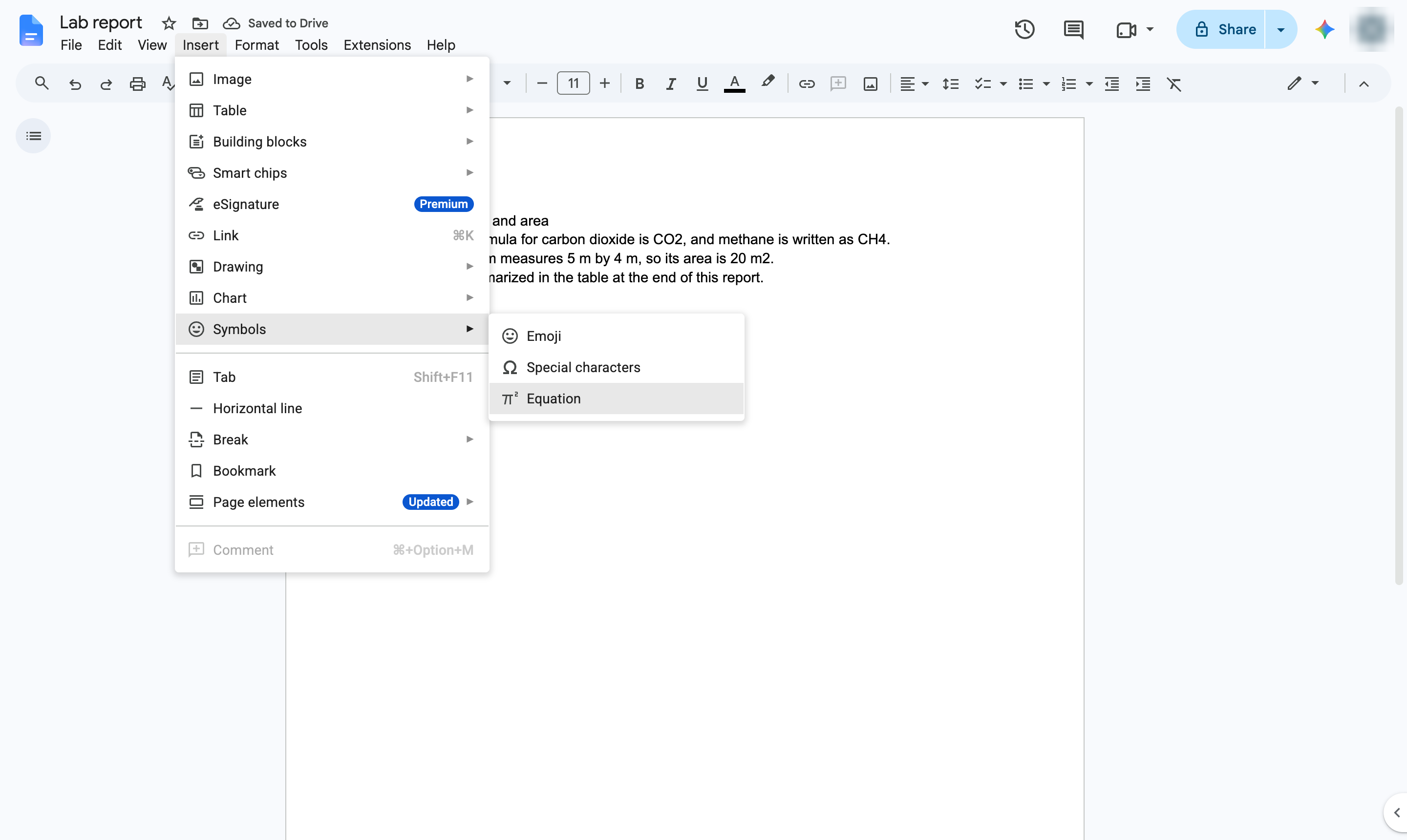
The numbers are stacked as a fraction. For simple ones like 1/2, typing 1/2 and a space also turns it into a fraction character.
Duplicate this template, swap in your own screens, and share it with your team. Free to start — no credit card.
Fill out the form and we'll get back to you as soon as possible.
Tell us about your team and we'll find the right plan together.