1
Navigate to the Gmail Inbox
Open your Gmail Inbox to begin the process of creating new folders for organizing your emails.
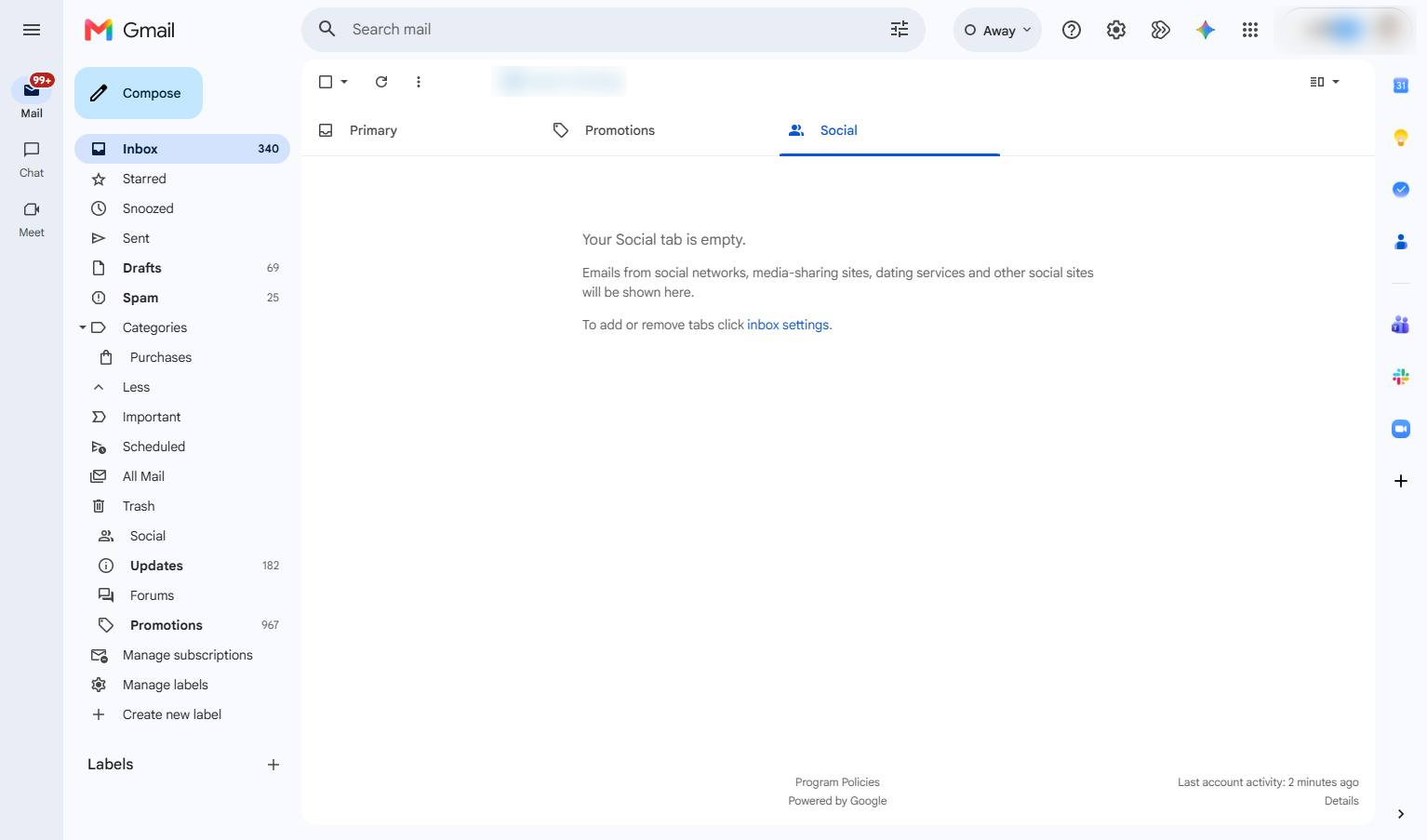

Learn how to organize your Gmail inbox by creating a custom label. This guide walks you through the steps to create and access a new label named "Transaction Email" to help manage your messages.
Open your Gmail Inbox to begin the process of creating new folders for organizing your emails.
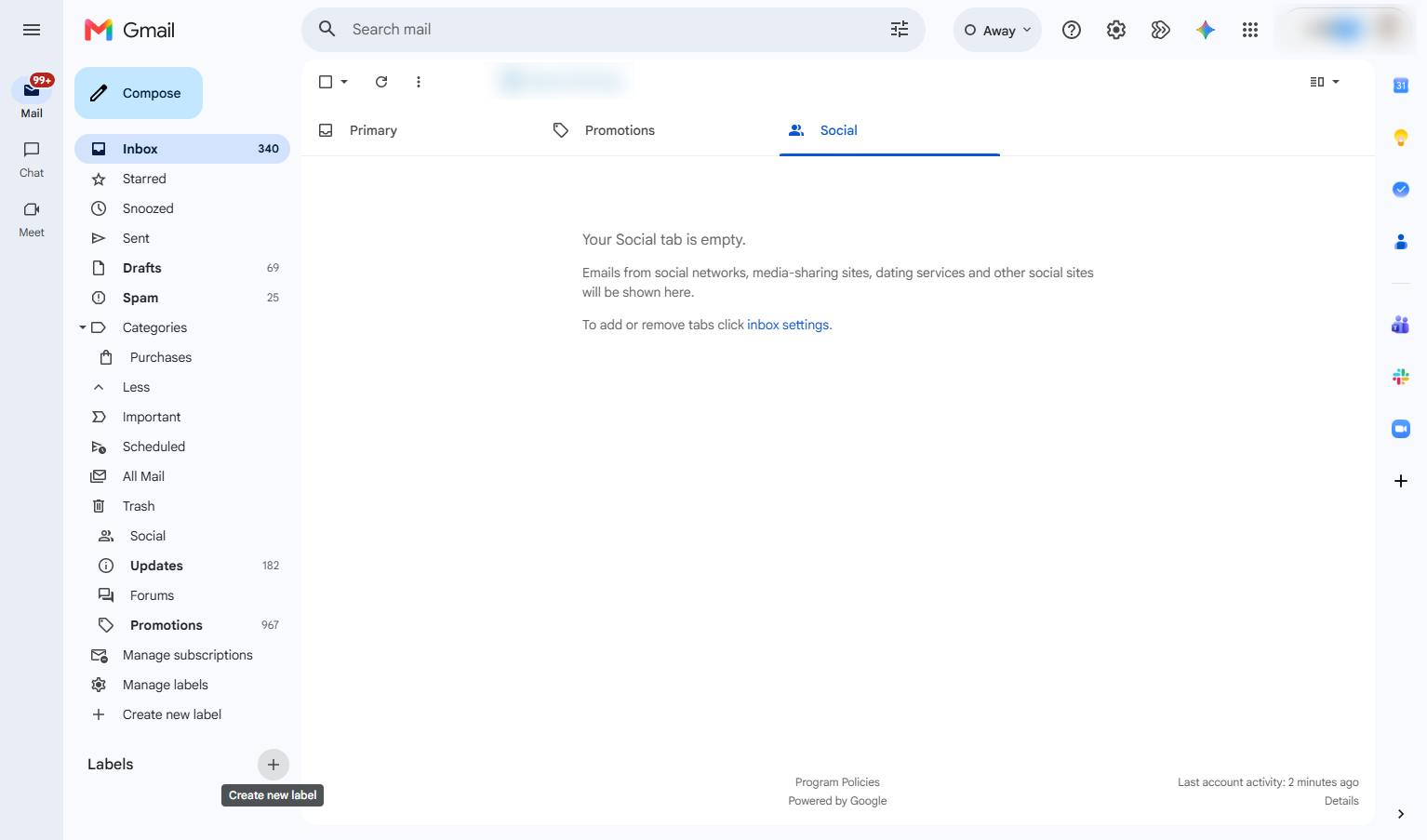
Click the "+" icon next to the Labels section in the left sidebar to add a new label.
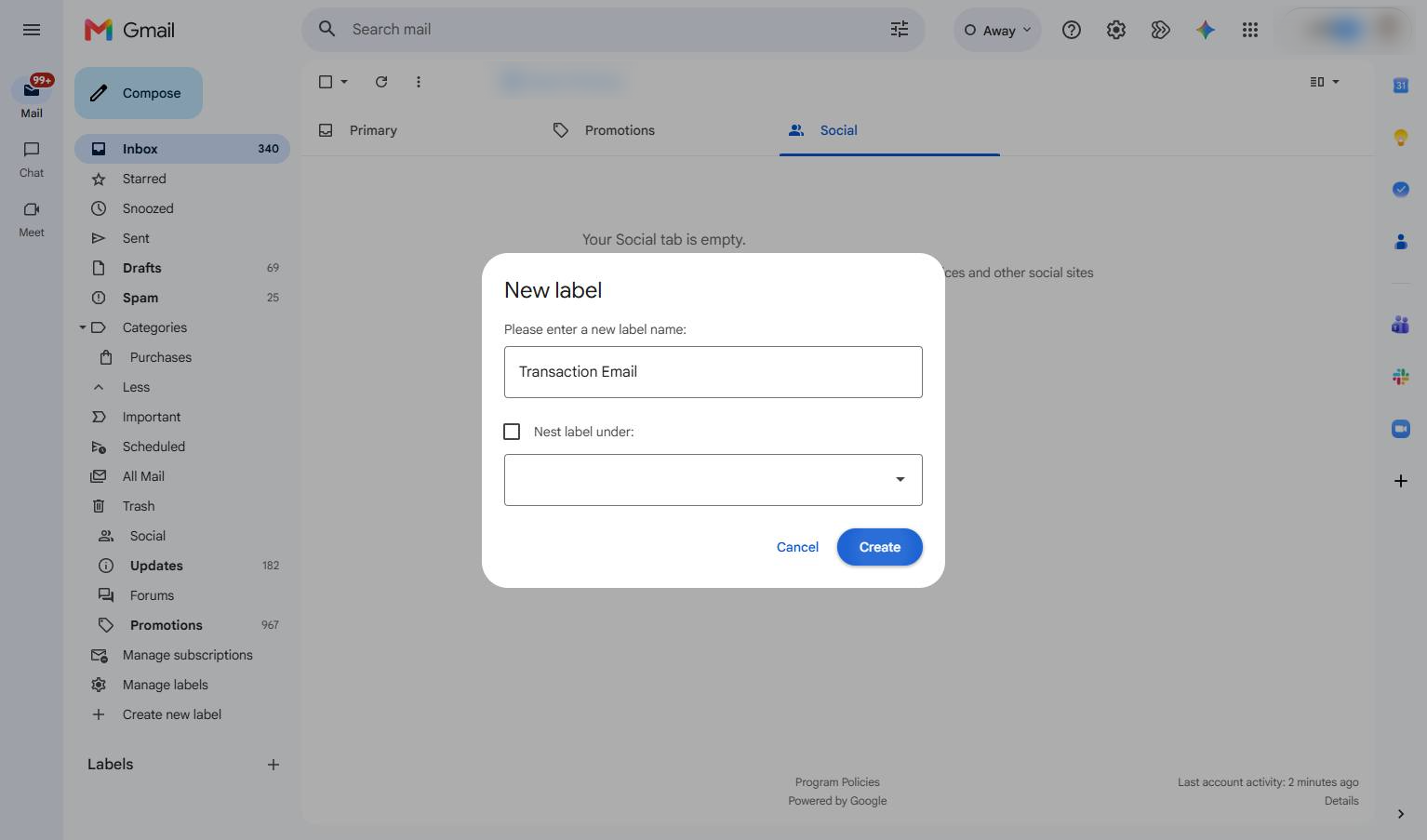
Type "Transaction Email"
Click the Create button in the New label modal to save your new folder.
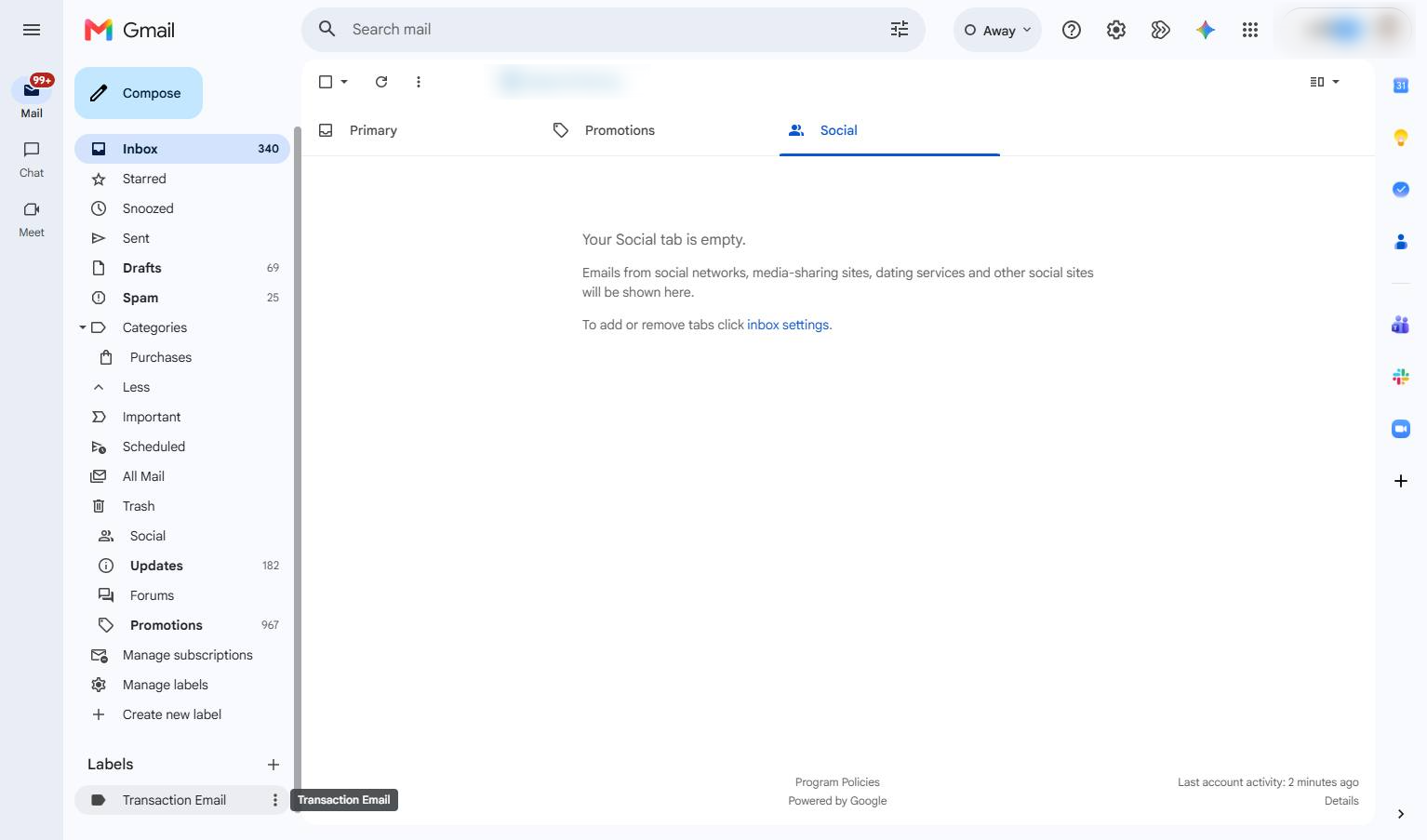
Click the Transaction Email label in the left sidebar to view the emails in this folder.
Duplicate this template, swap in your own screens, and share it with your team. Free to start — no credit card.
Fill out the form and we'll get back to you as soon as possible.
Tell us about your team and we'll find the right plan together.