1
Open your Google Sheets document
Navigate to the specific Google Sheets document where you want to create drop-down options.
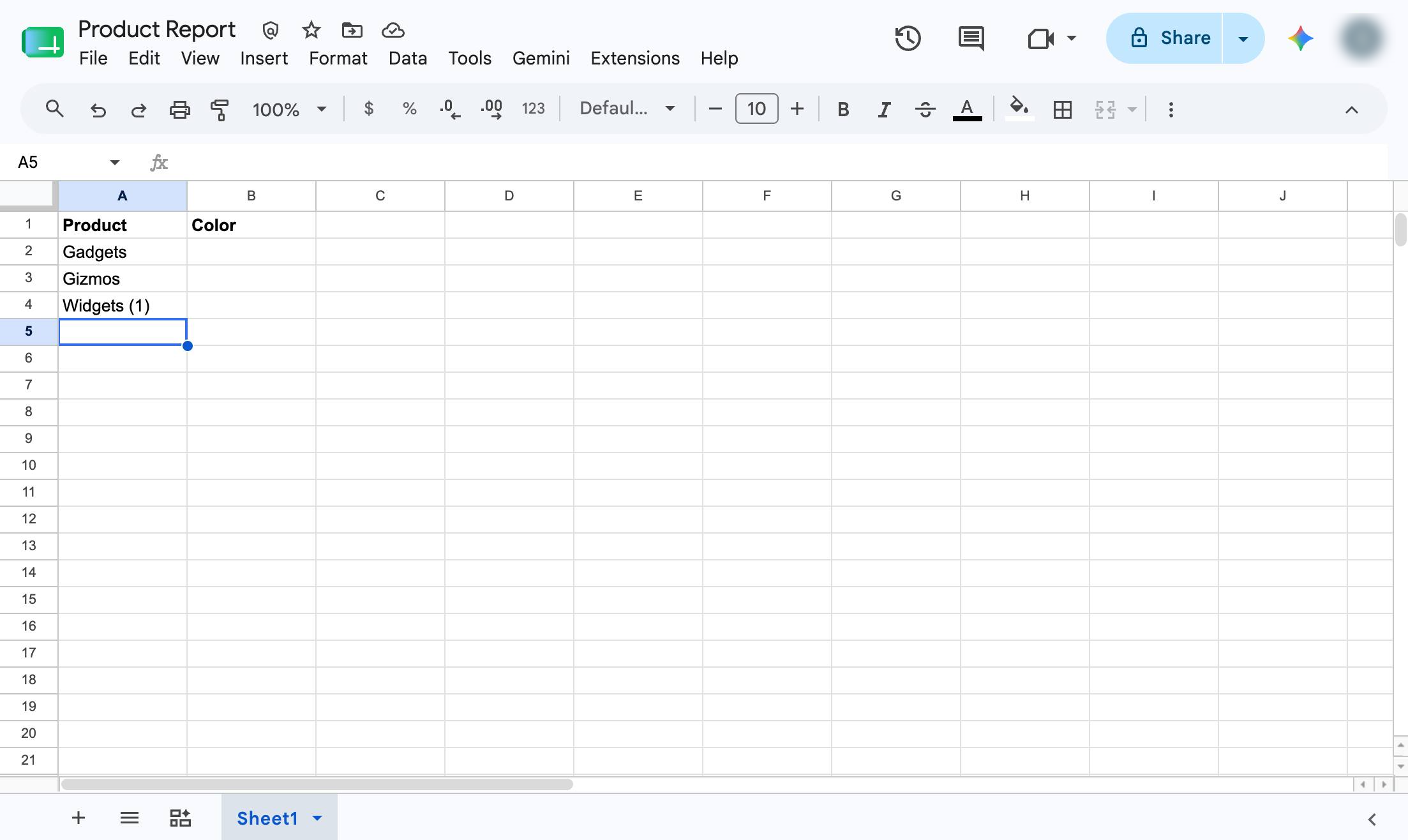

This guide will show you how to create a drop down option in Google Sheets so you can select from a list of items. Google Sheets calls this "Data Validation"
Navigate to the specific Google Sheets document where you want to create drop-down options.
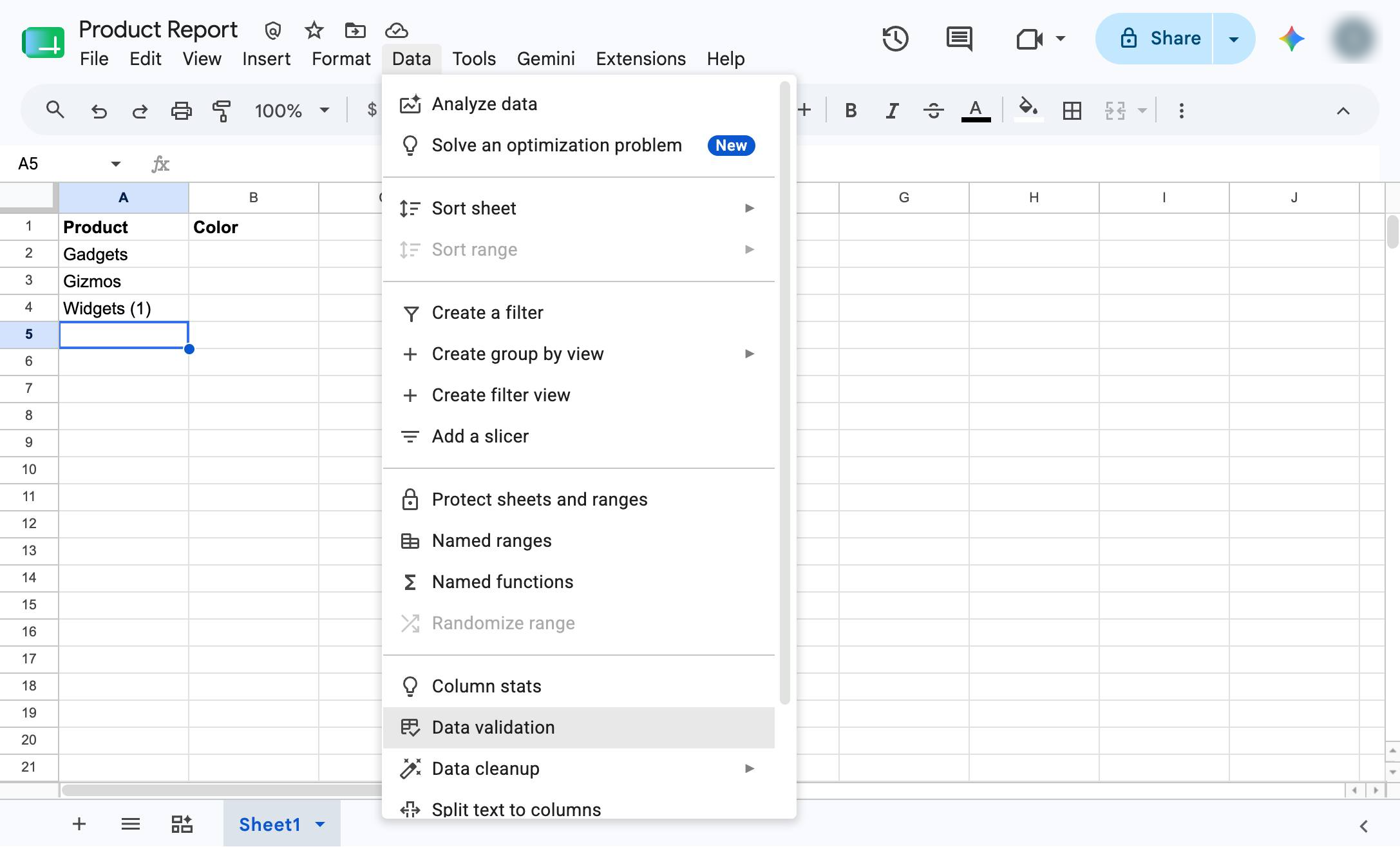
Click the Data validation option in the Data menu dropdown.
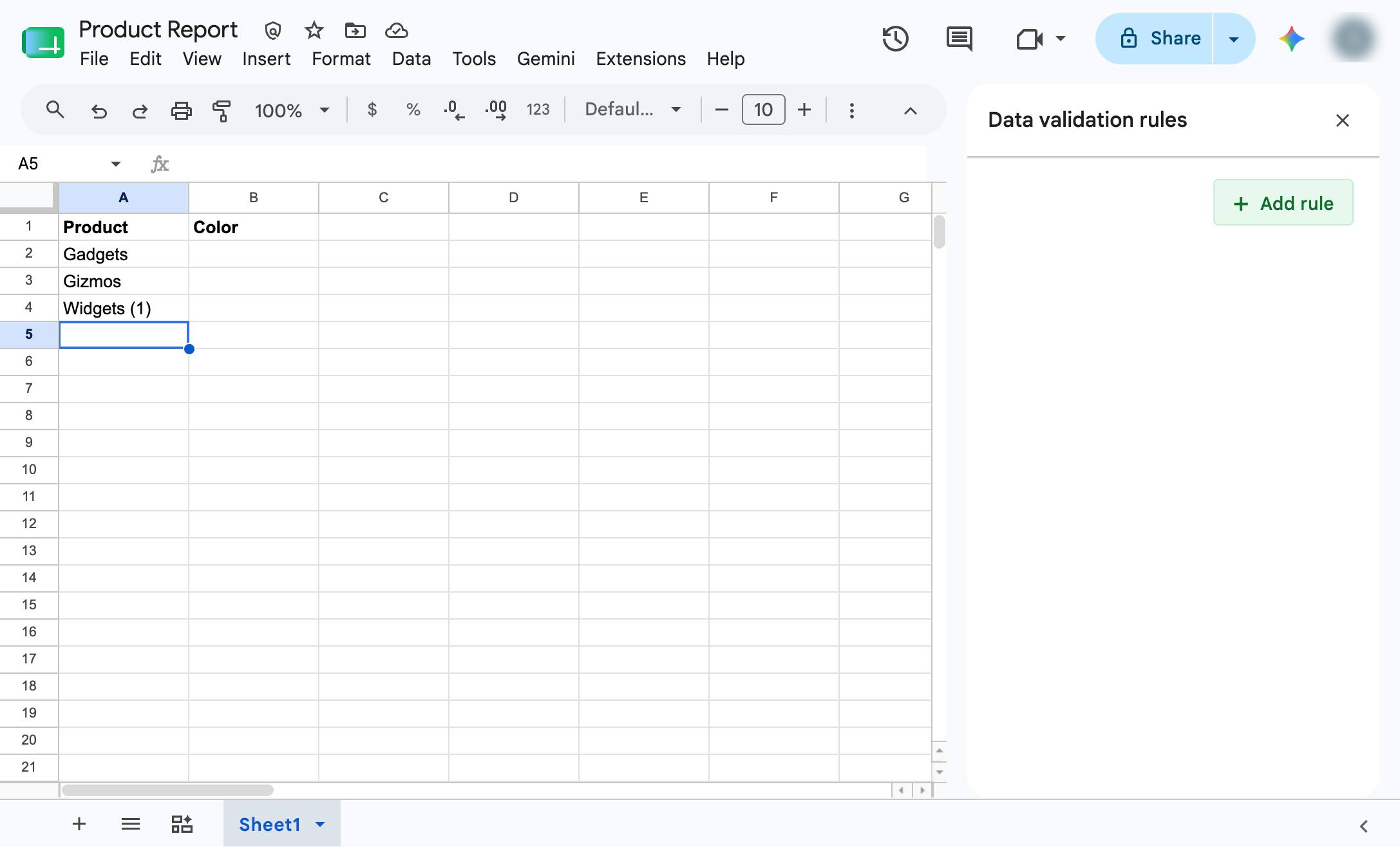
Click the Add rule button in the Data validation rules sidebar to create a new dropdown option.
Click the input field under "Apply to range" in the Data validation rules sidebar to specify the cells for the dropdown.
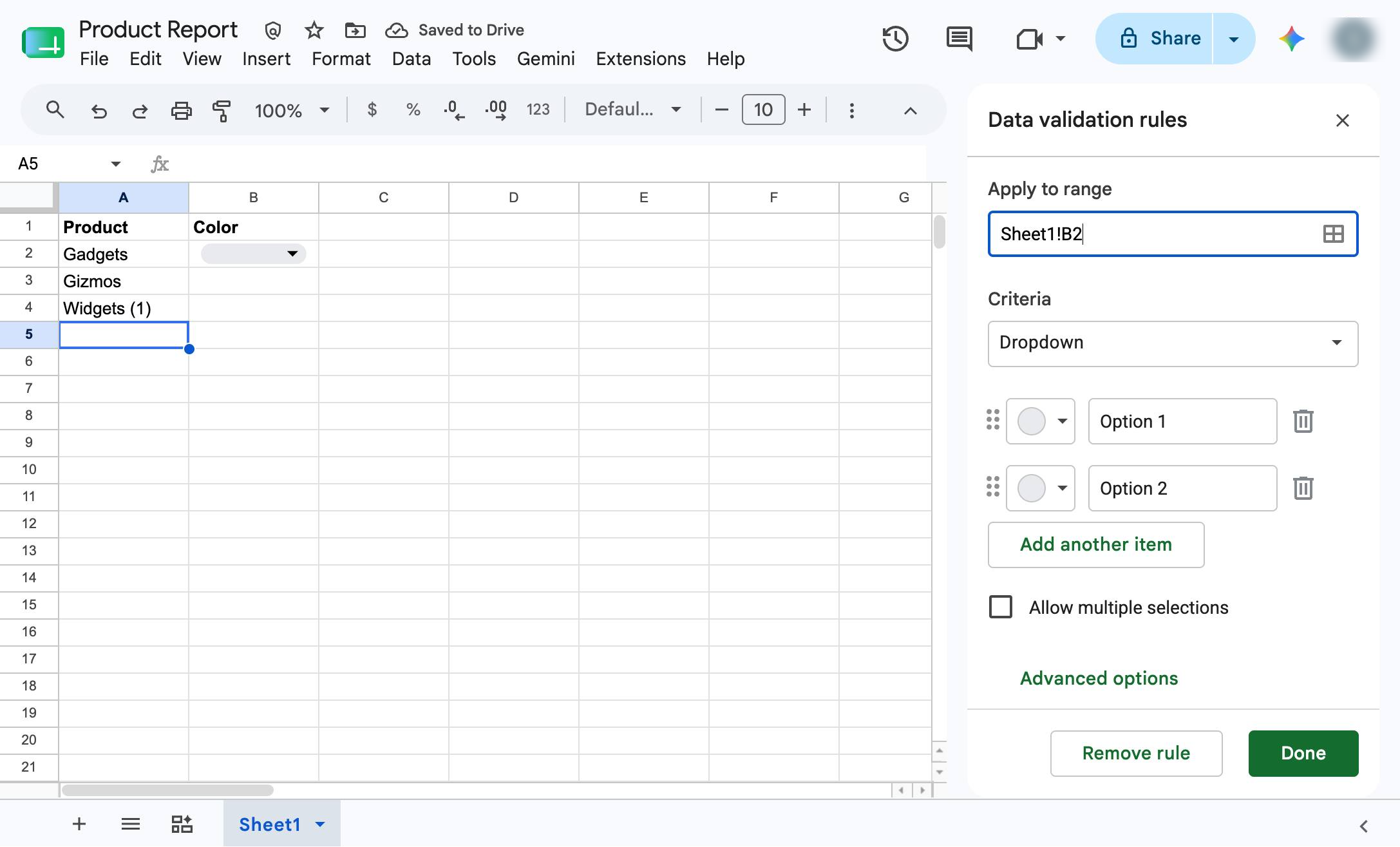
Click the small arrow icon next to the color circle for Option 1 in the sidebar to open the color palette.
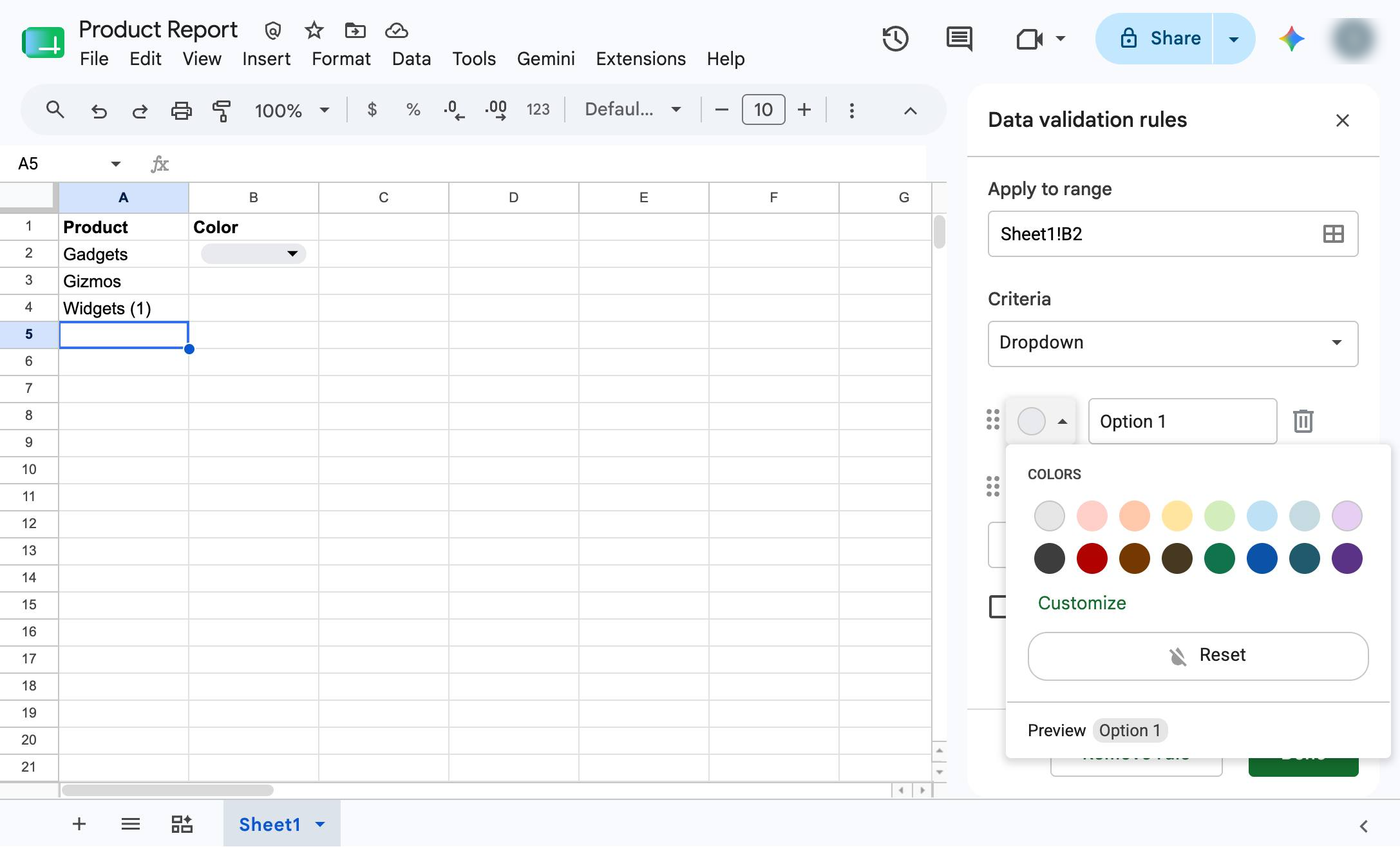
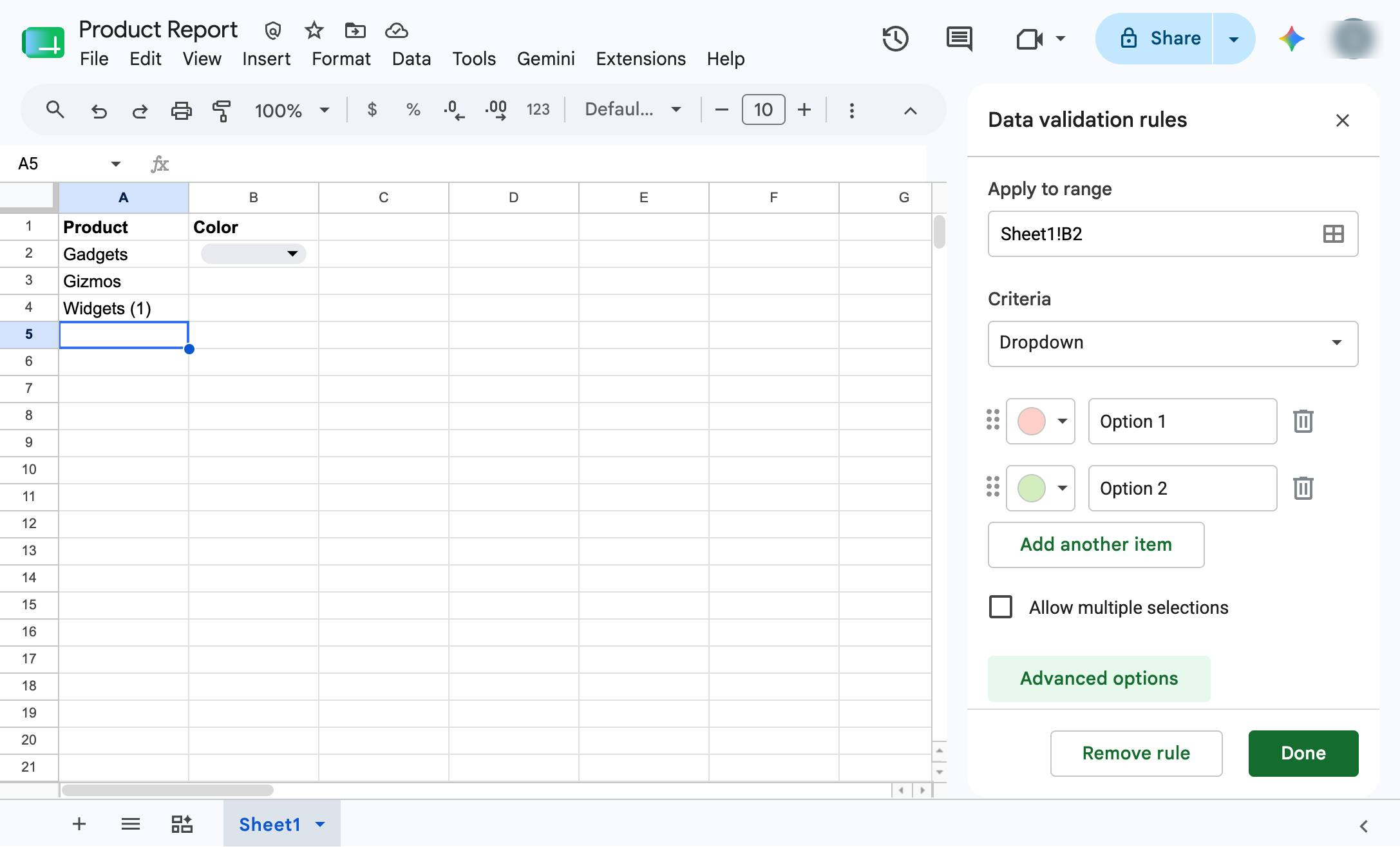
Click the "Advanced options" button in the Data validation rules sidebar to reveal additional settings.
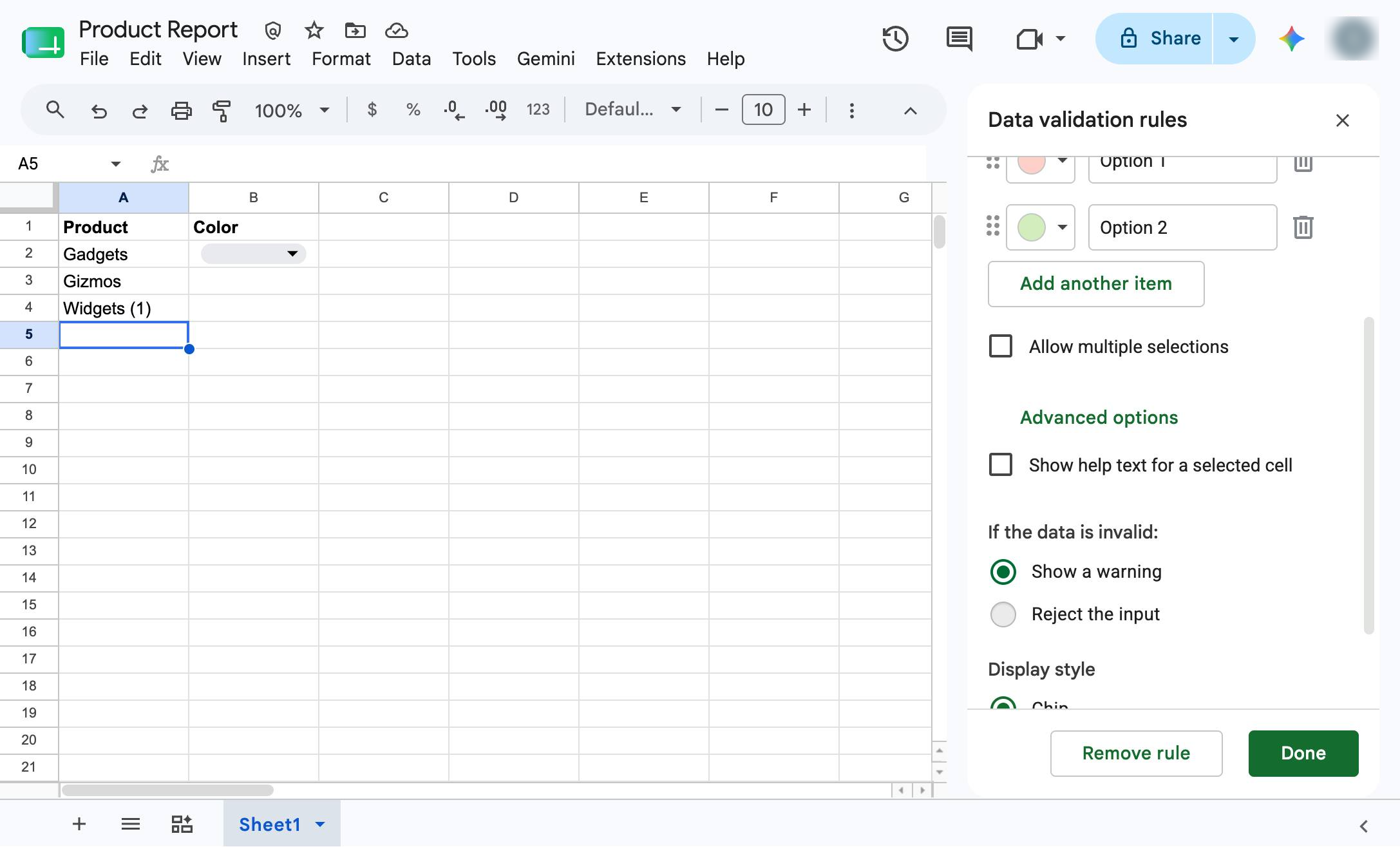
Click the radio button next to "Reject the input" in the Data validation rules sidebar to prevent invalid data entry.
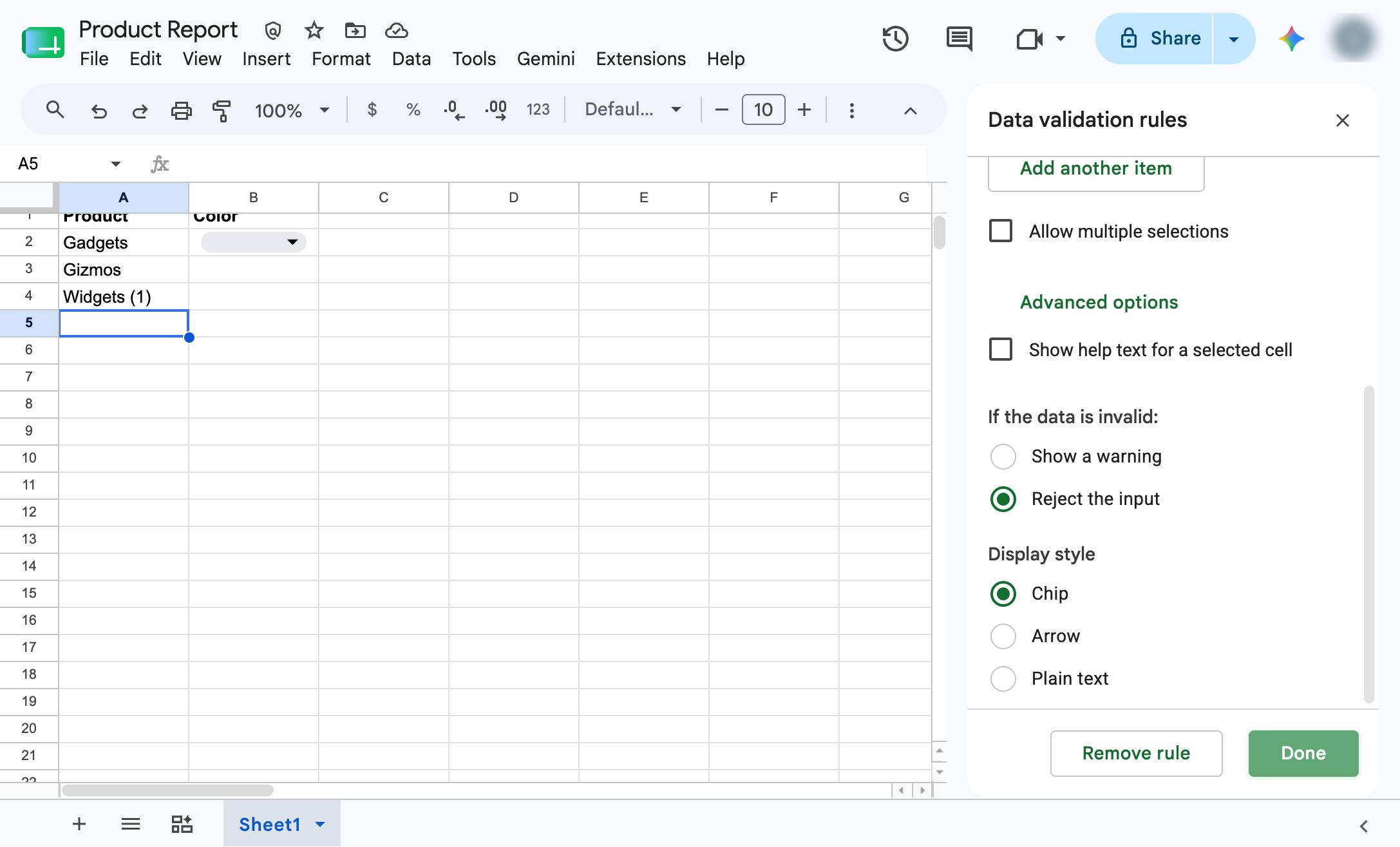
Click the "Done" button at the bottom of the Data validation rules sidebar to save your settings.
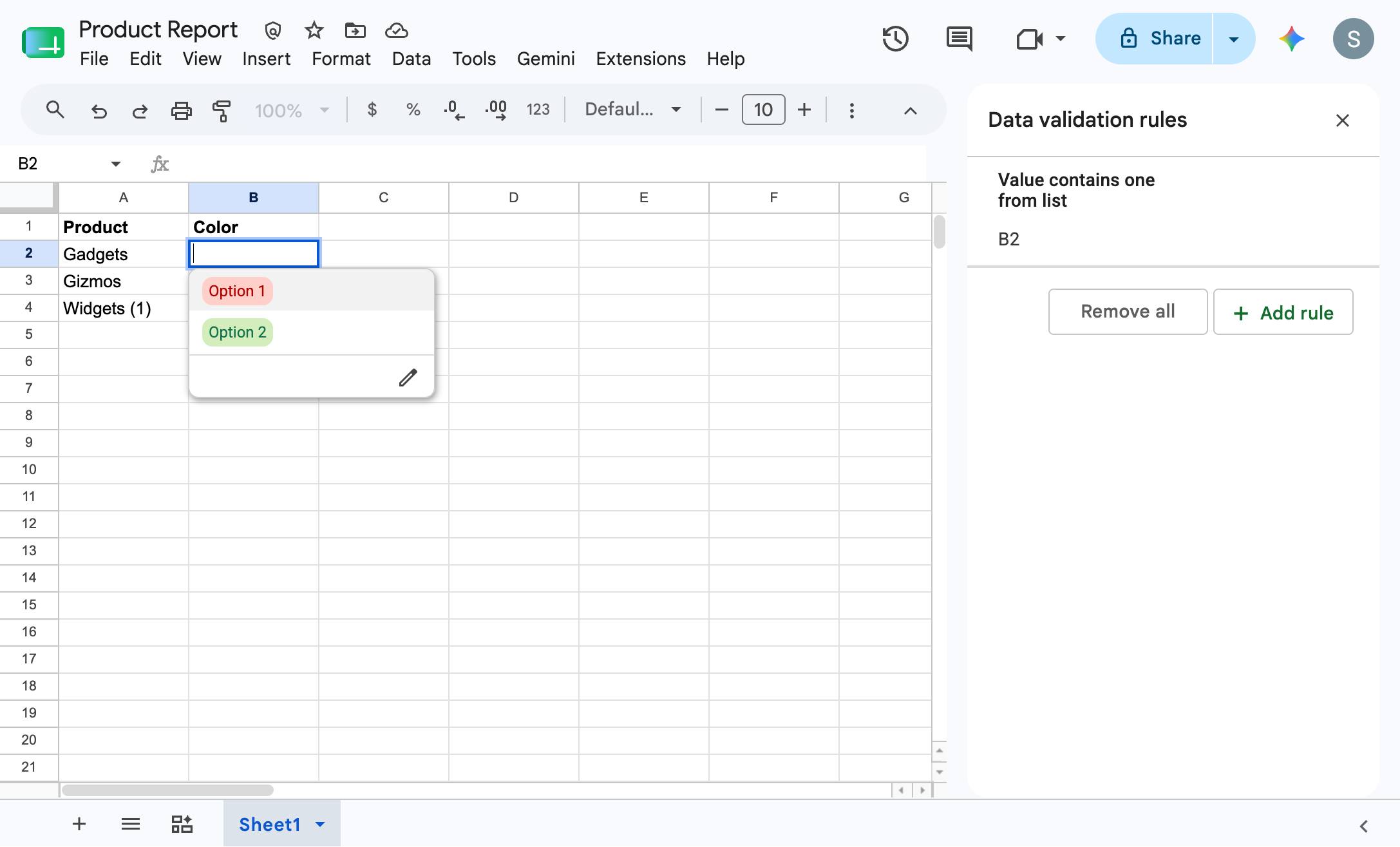
Check it out! You now have a list of items in Google sheets. Select the drop down icon to test your list.
Duplicate this template, swap in your own screens, and share it with your team. Free to start — no credit card.
Fill out the form and we'll get back to you as soon as possible.
Tell us about your team and we'll find the right plan together.