1
Click where the table of contents goes
Click at the spot for the table of contents - usually after the title.
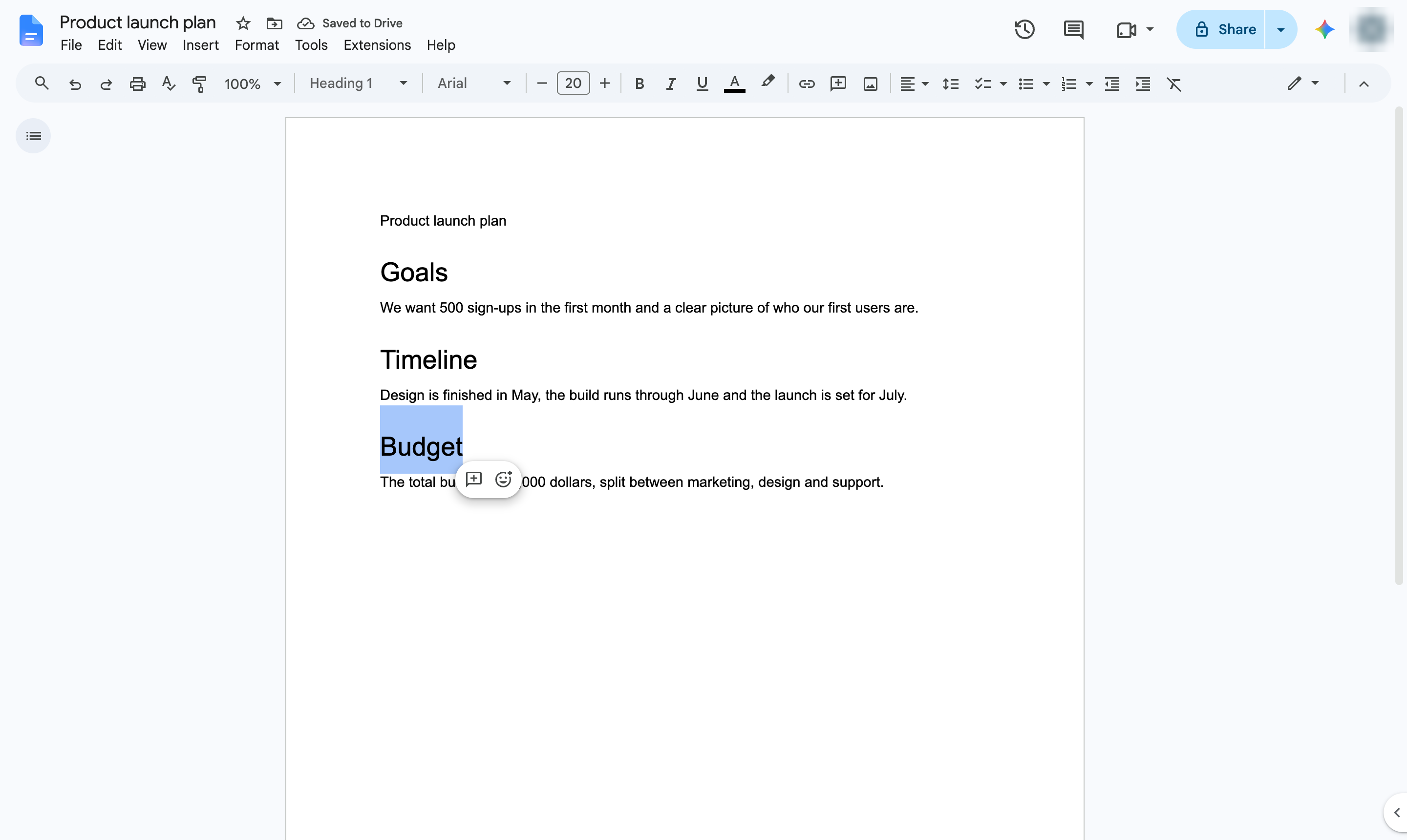

Build a table of contents from your headings, with links that jump to each section.
Click at the spot for the table of contents - usually after the title.
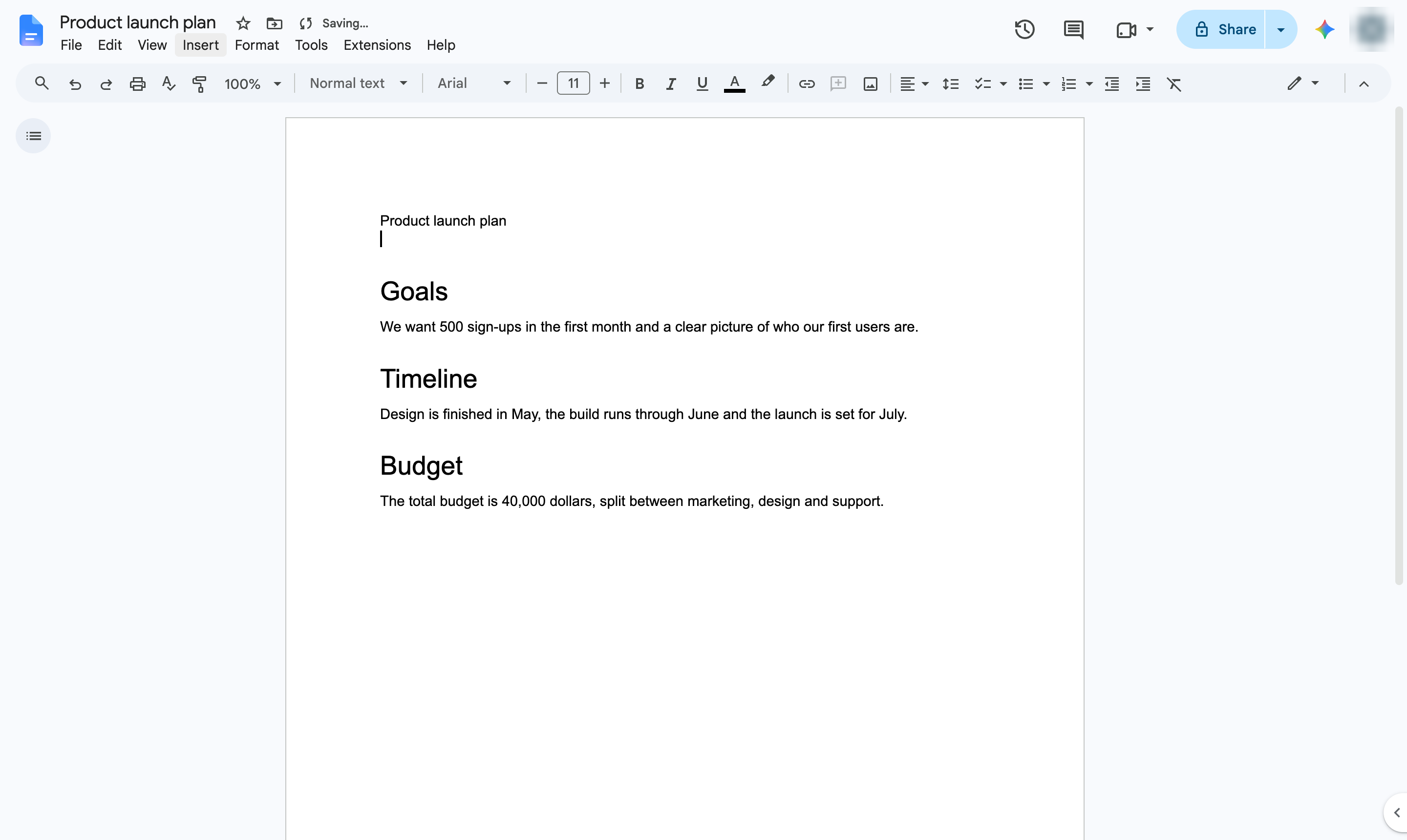
Start a new line for it.
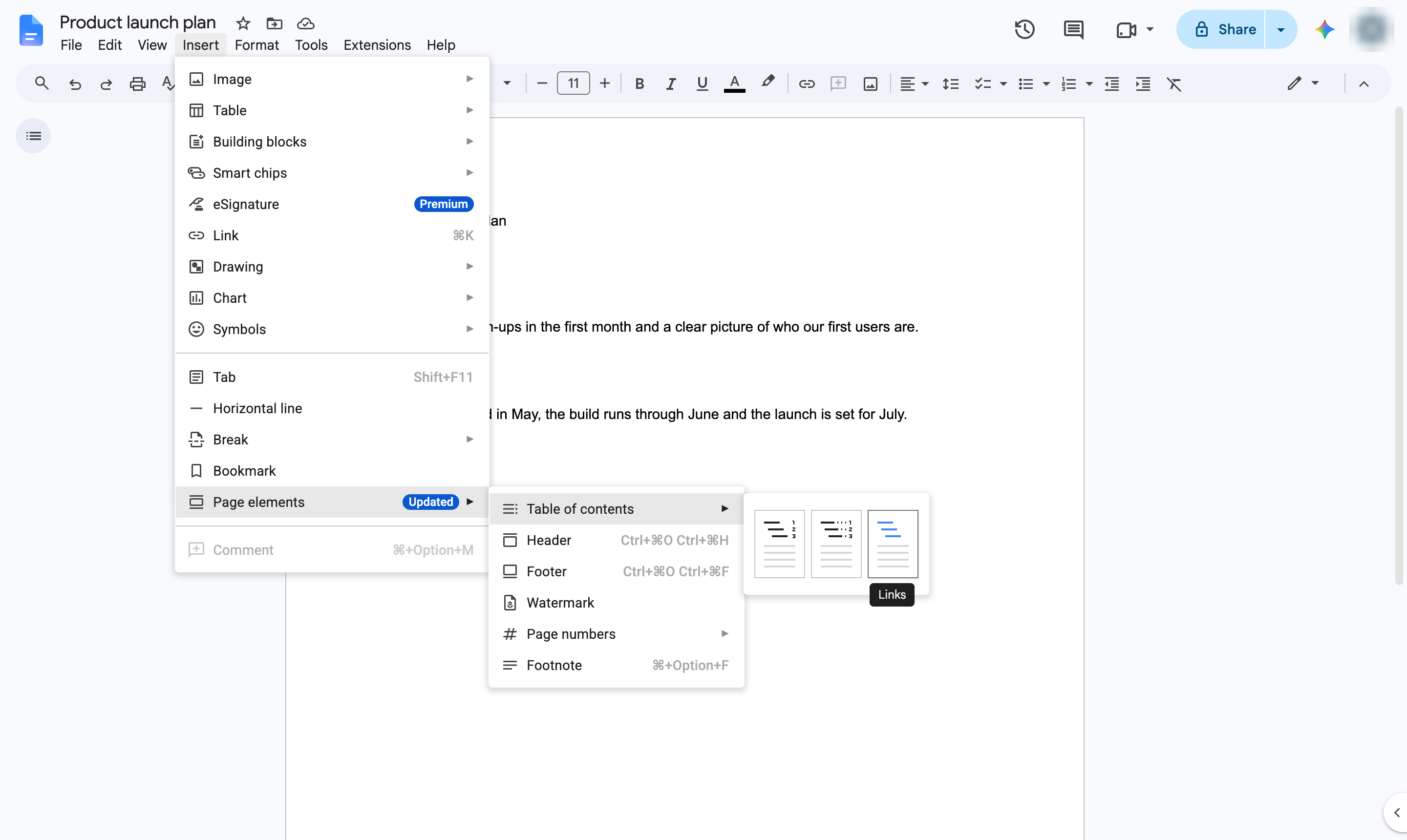
Open the Insert menu.
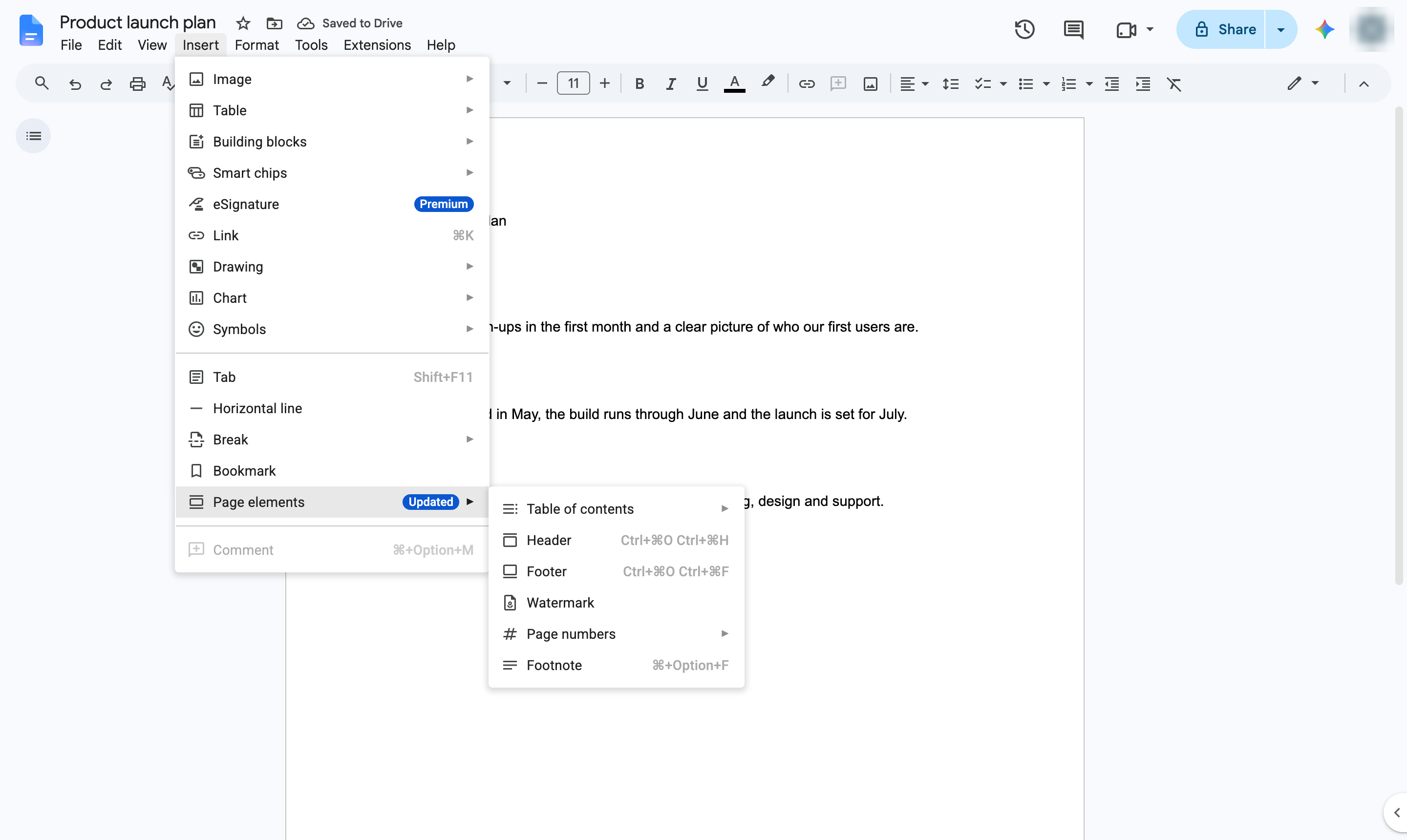
Hover over Page elements.
Hover over Table of contents.
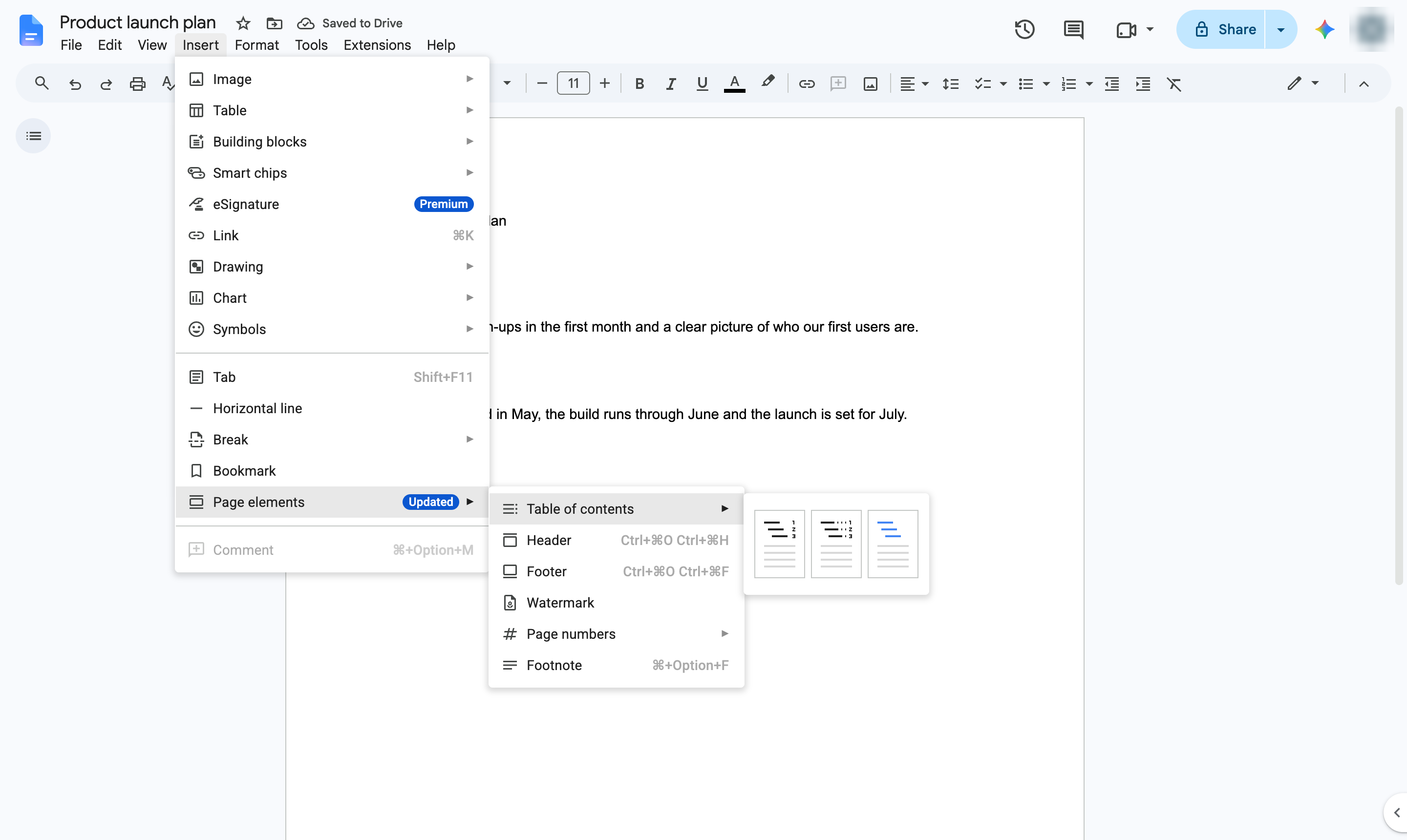
Pick a style - here, blue links. The table lists every heading in the document.
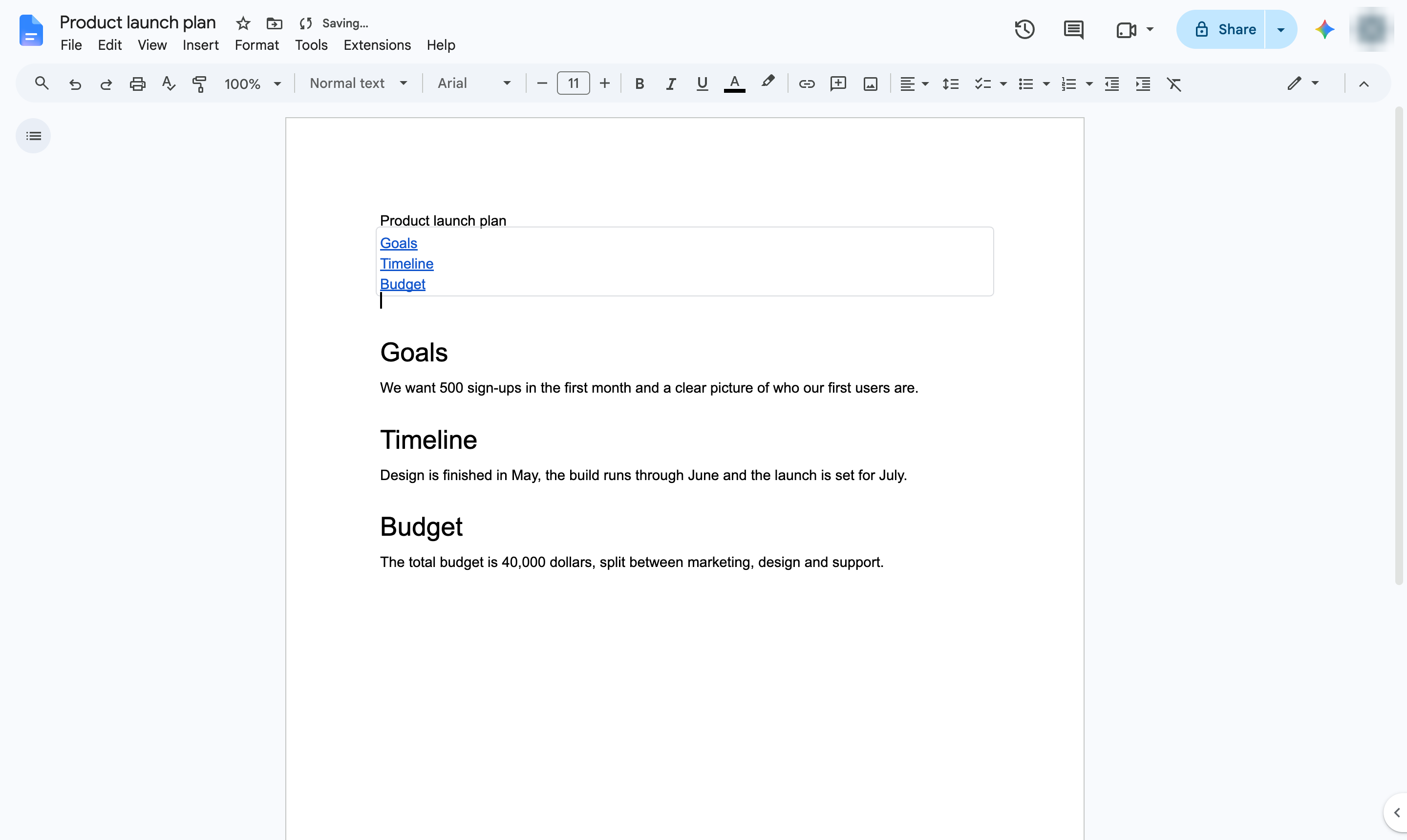
Each heading is listed and links to its section. After editing headings, click the refresh button on the table to update it.
Duplicate this template, swap in your own screens, and share it with your team. Free to start — no credit card.
Fill out the form and we'll get back to you as soon as possible.
Tell us about your team and we'll find the right plan together.