1
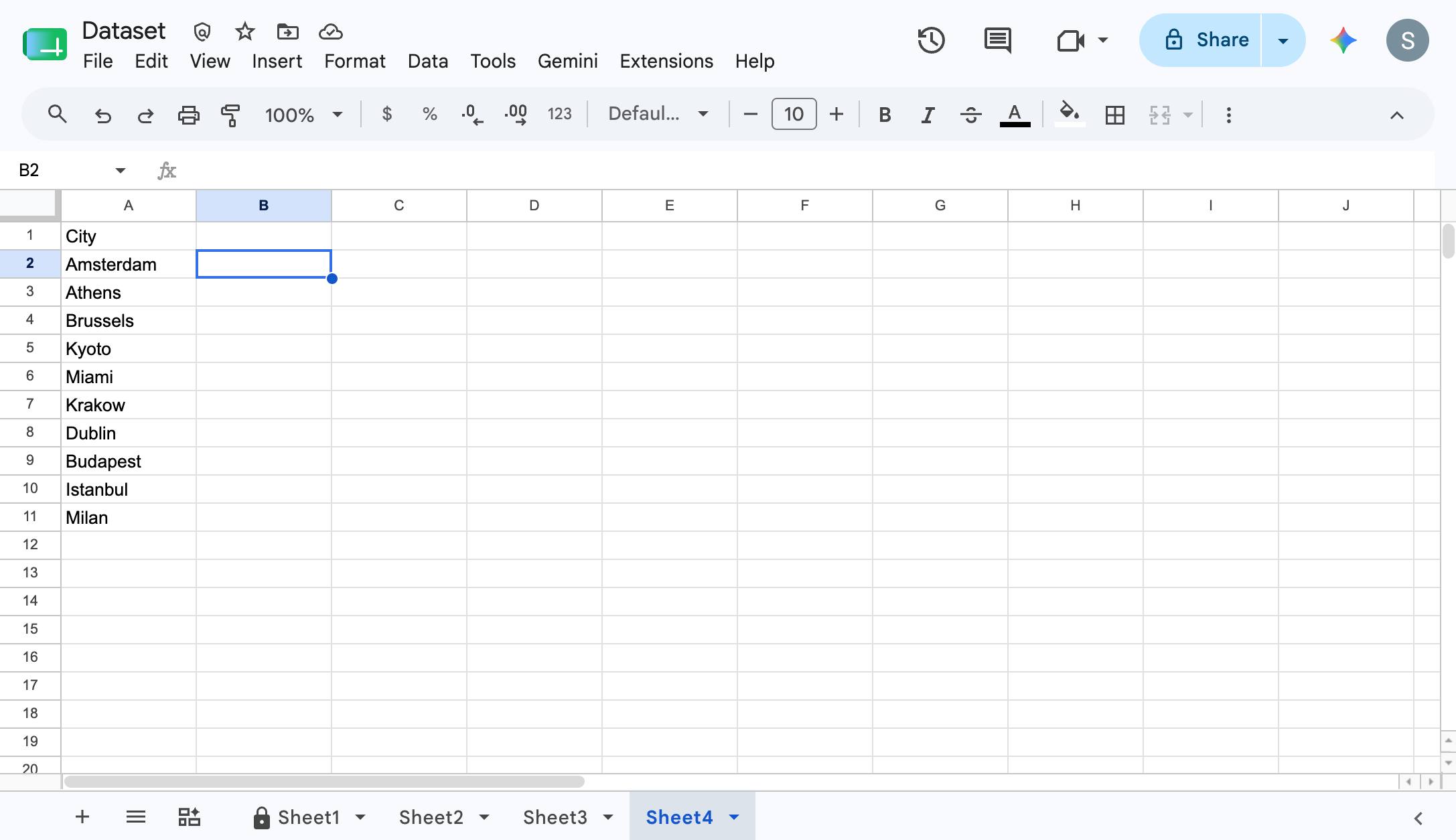
Click on a blank cell in the Sheet
Click on a blank cell in the Sheet

A ready-made, step-by-step walkthrough. Preview every step below — then make it your own in seconds.
Click on a blank cell in the Sheet
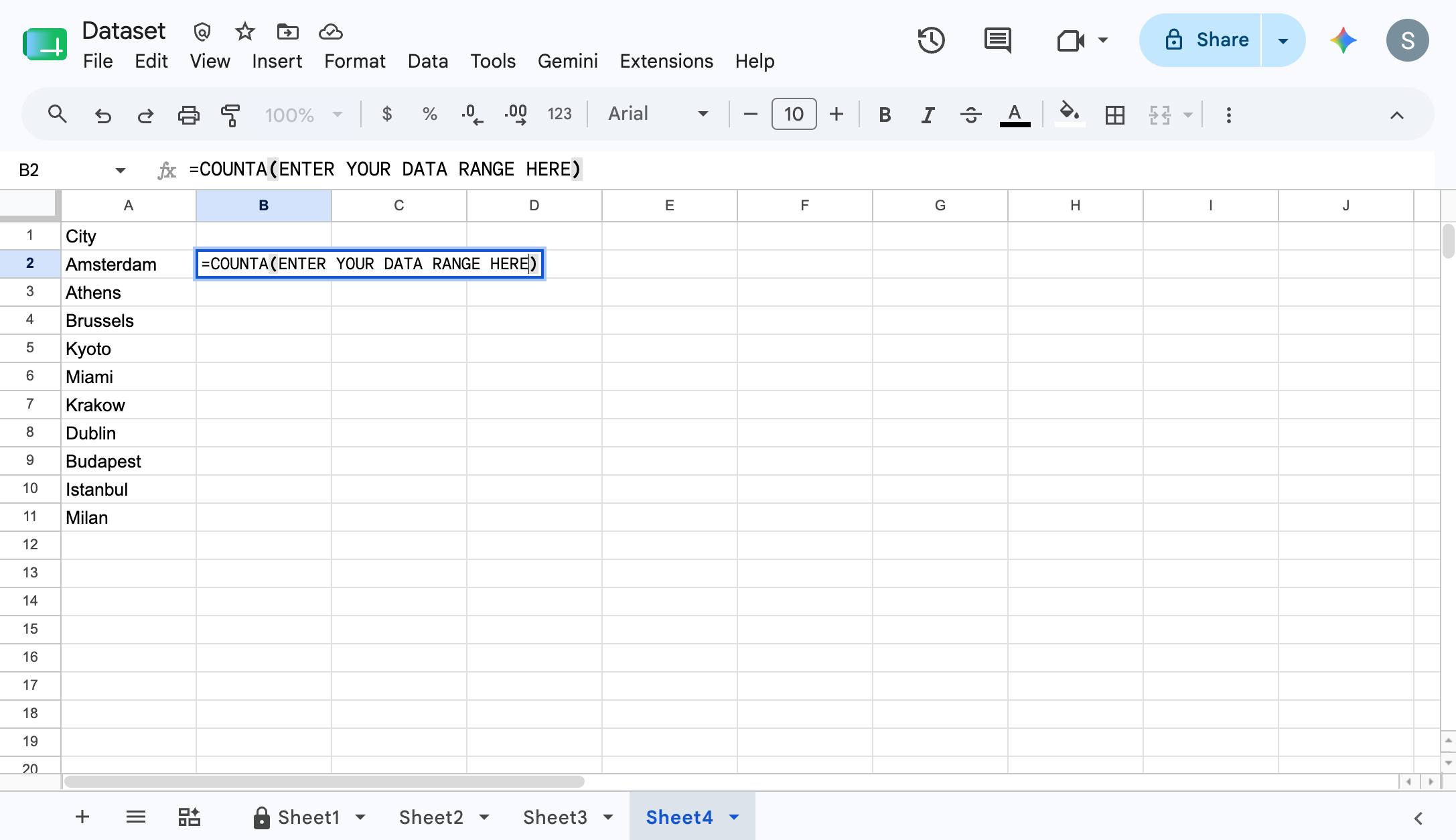
Type =COUNTA(ENTER YOUR DATA RANGE HERE) In this example, the data range was A2:A11 or you can just highlight all of the cells you need to count
Click "HERE"
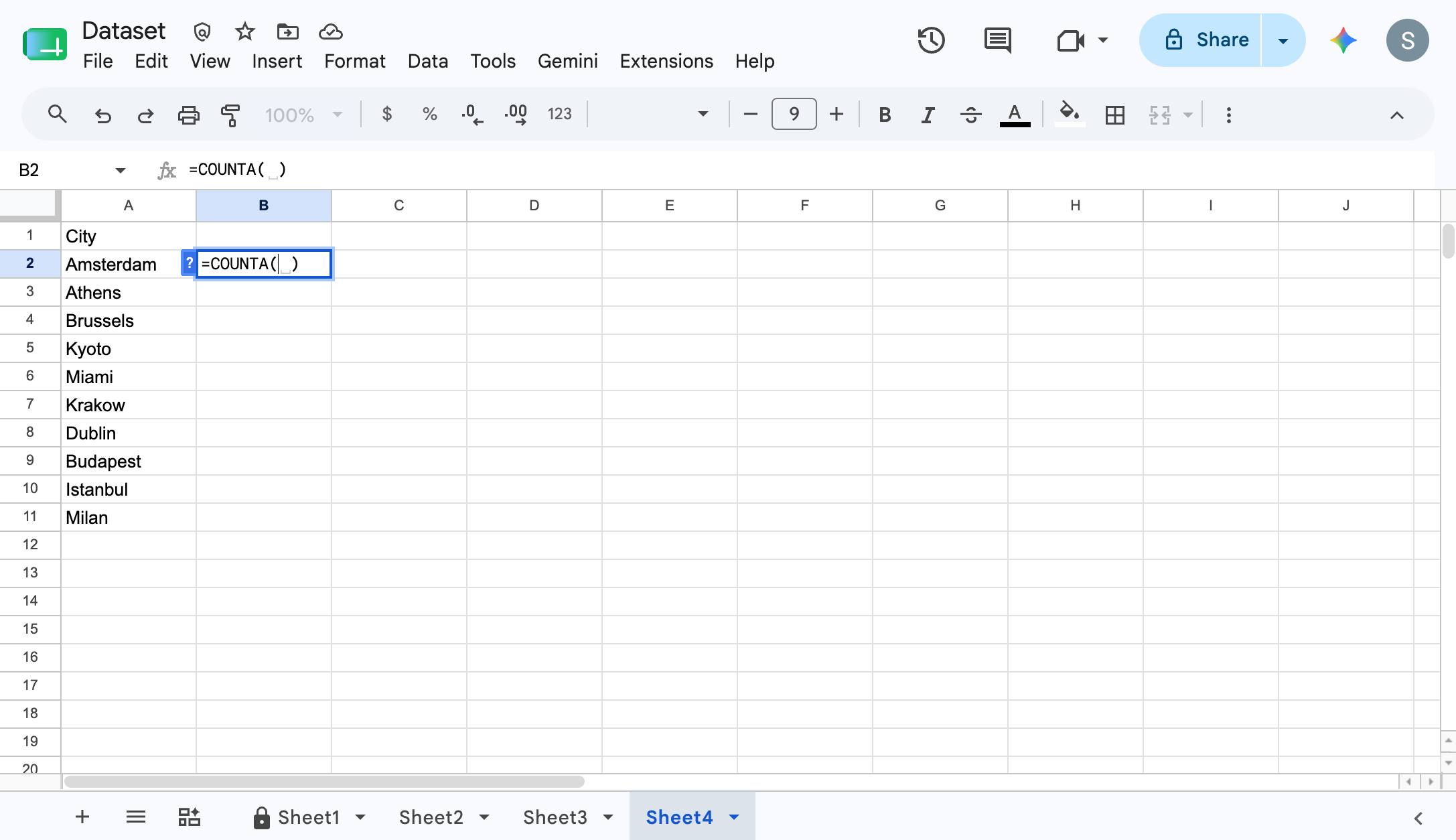
Click on the cells you need to count to specify the data range if you did not type it in the step before
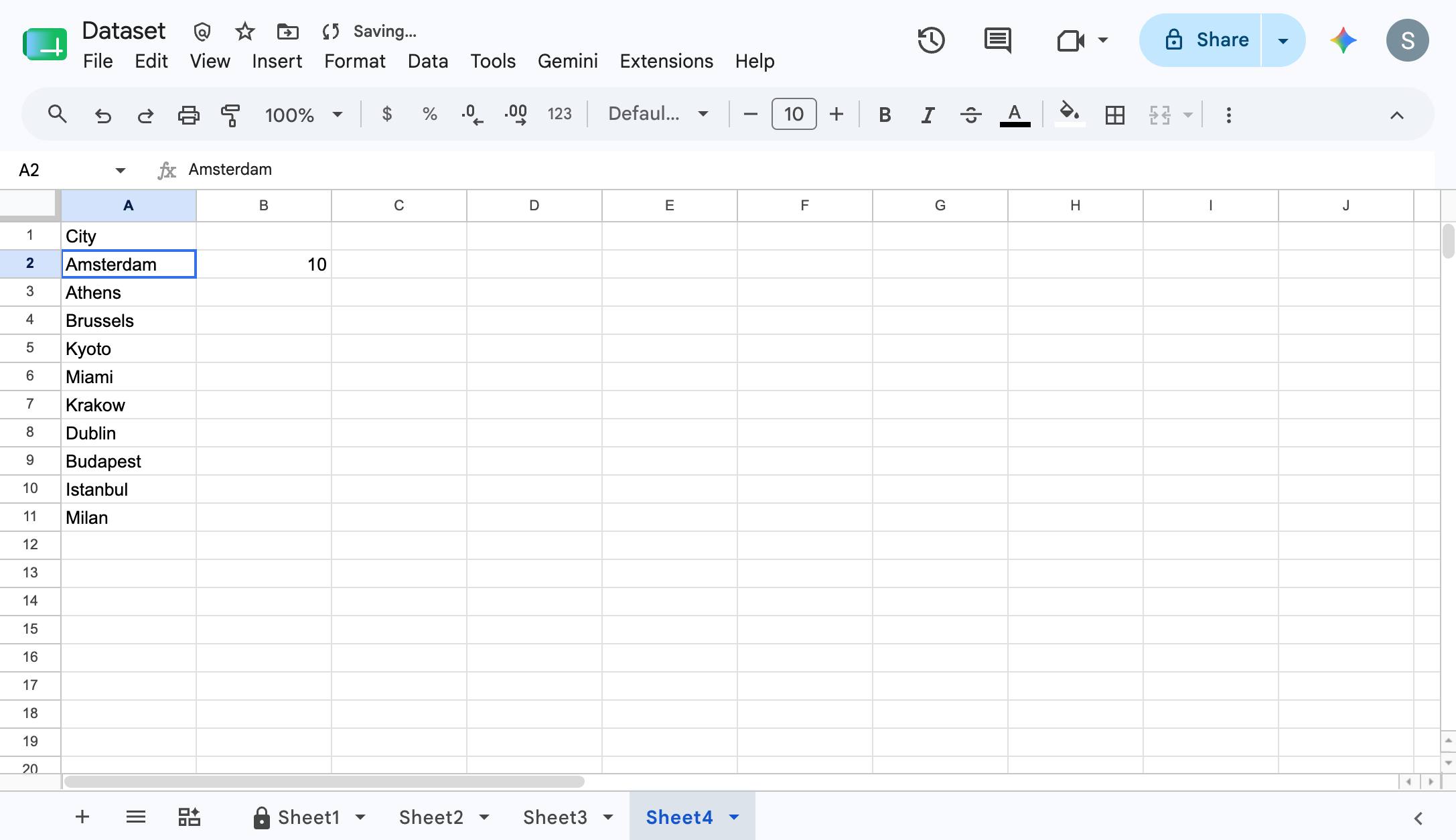
You're finished!
Duplicate this template, swap in your own screens, and share it with your team. Free to start — no credit card.
Fill out the form and we'll get back to you as soon as possible.
Tell us about your team and we'll find the right plan together.