1
Click File
Open the File menu in any presentation.
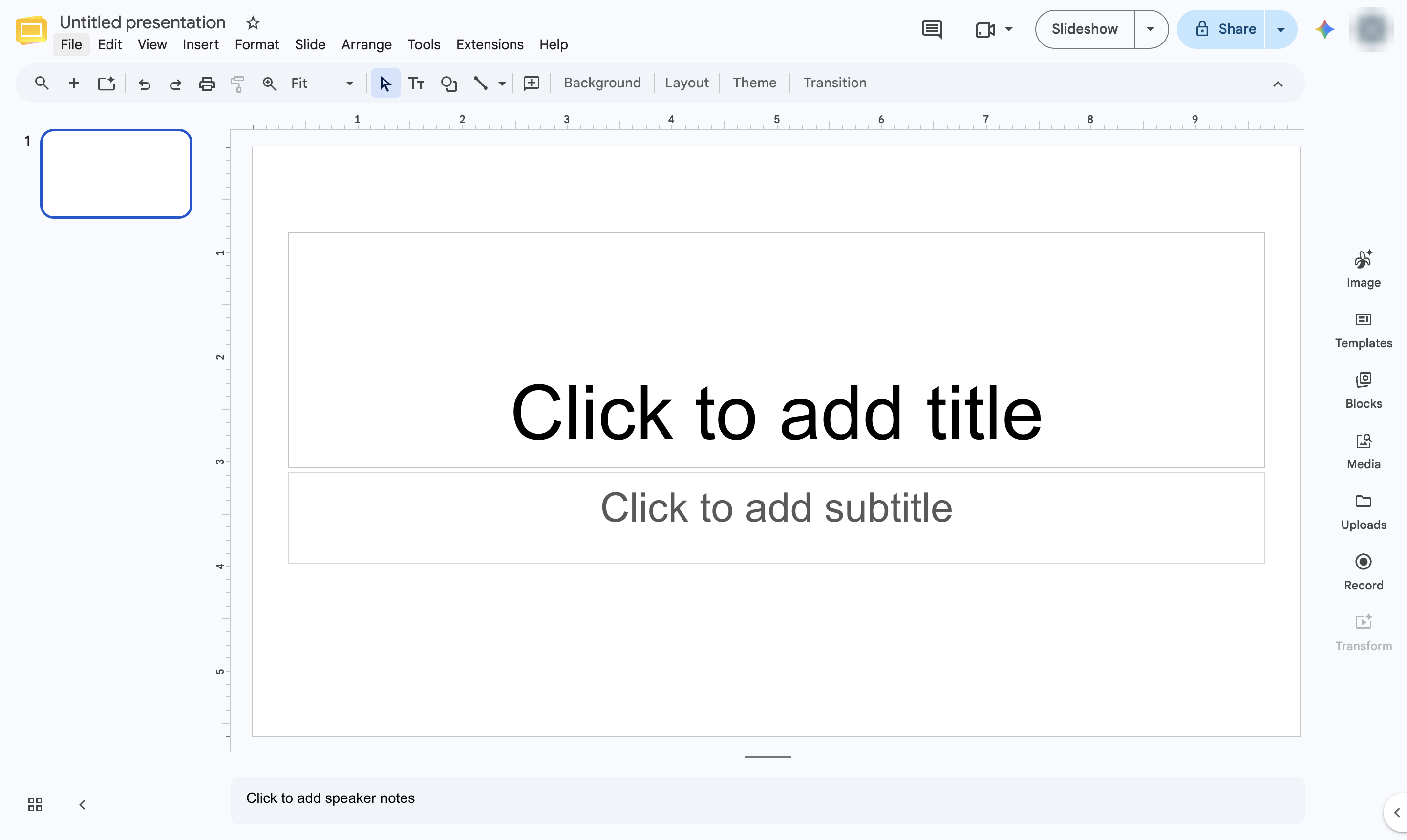

Upload a PowerPoint (.pptx) file with File > Open, and Slides turns it into a Google Slides presentation.
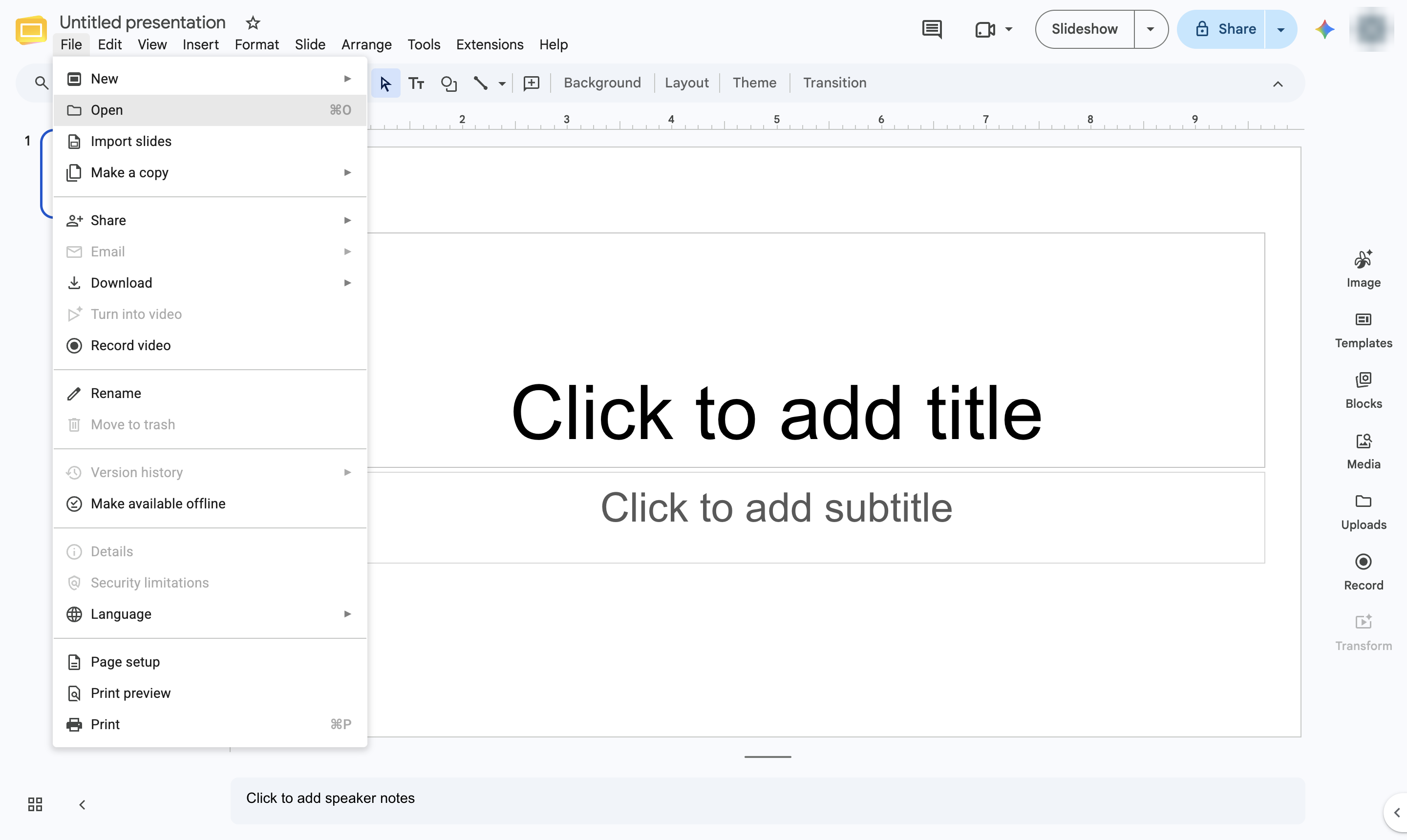
Open the File menu in any presentation.
Choose Open.
Click the Upload tab.
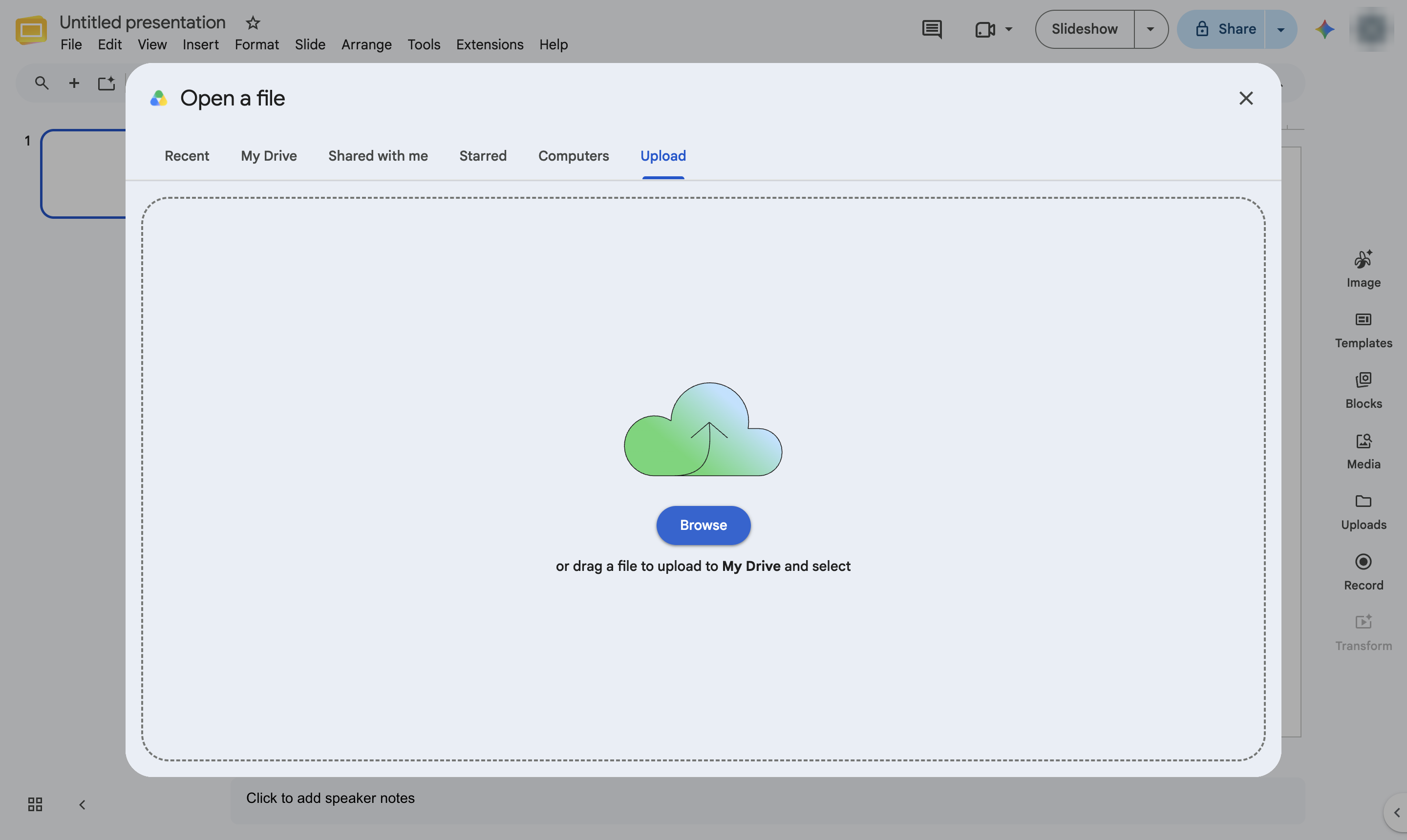
Click Browse and choose your PowerPoint file. You can also drag the file into the window.
Slides converts the file and opens it as a Google Slides presentation you can edit and share. If it opens with a .PPTX label next to the title instead, choose File > Save as Google Slides.
Duplicate this template, swap in your own screens, and share it with your team. Free to start — no credit card.
Fill out the form and we'll get back to you as soon as possible.
Tell us about your team and we'll find the right plan together.