1
Click where the letter goes
Click where the accented letter belongs.
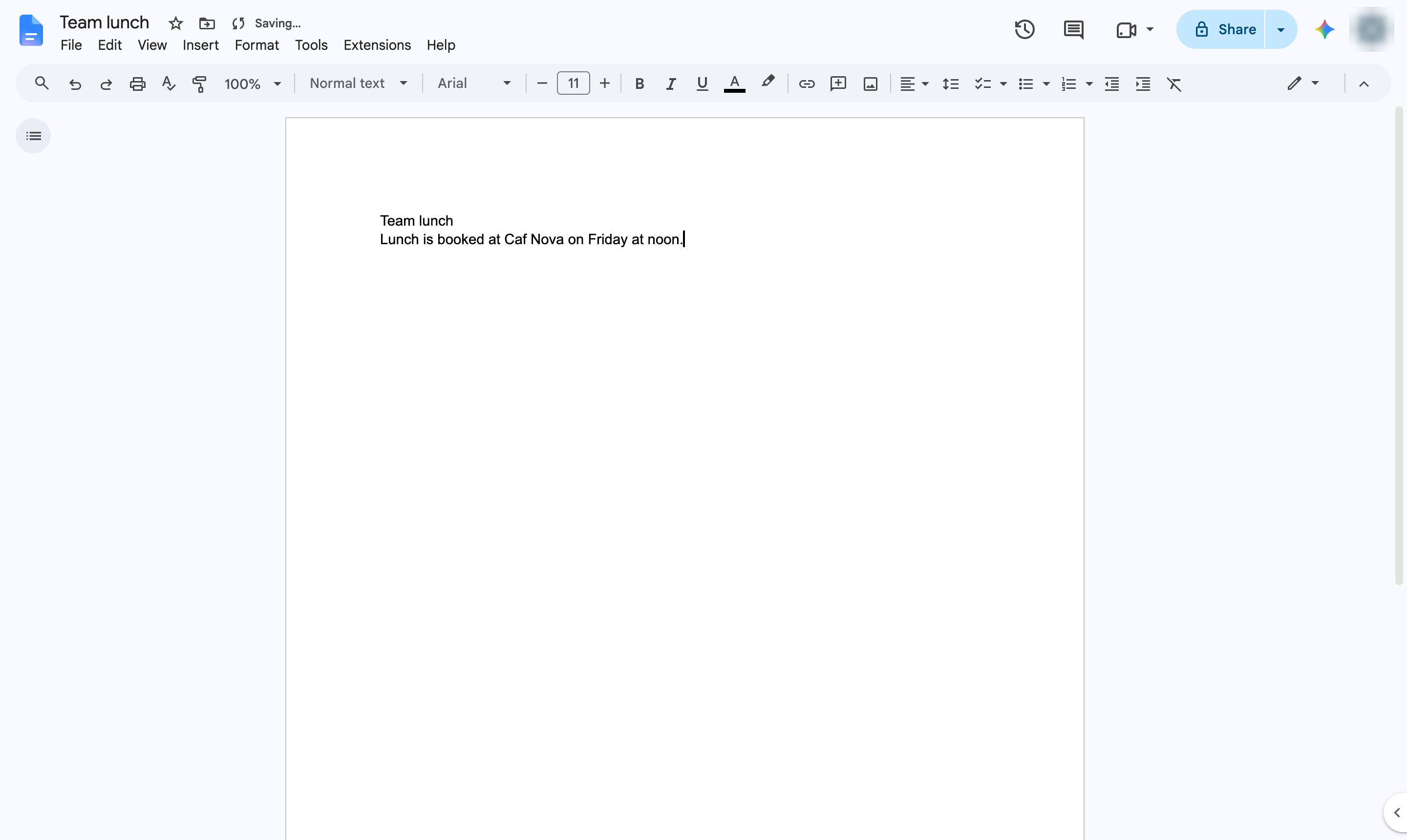

Insert letters with accents - like é or ñ - from the special characters picker.
Click where the accented letter belongs.
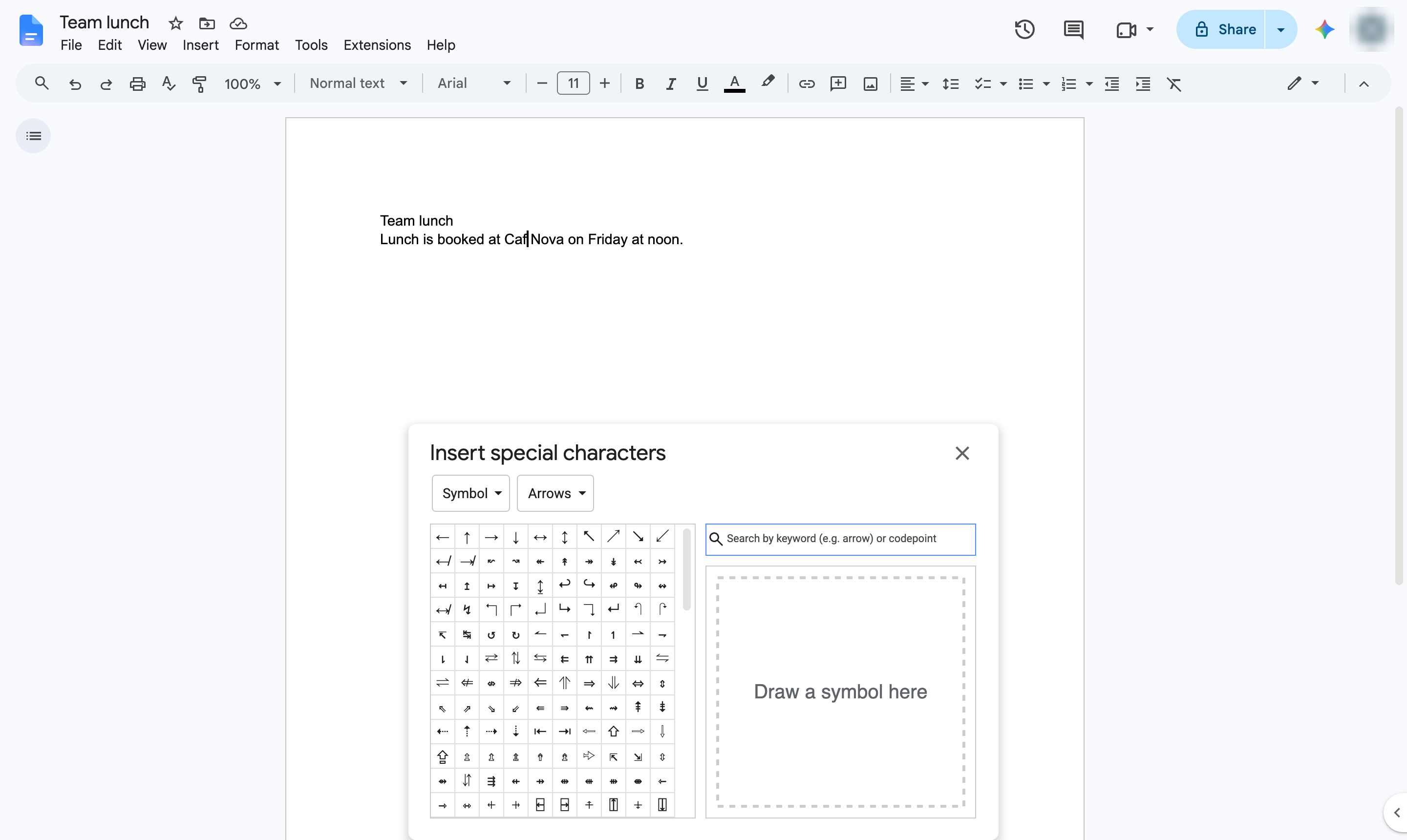
Open the Insert menu.
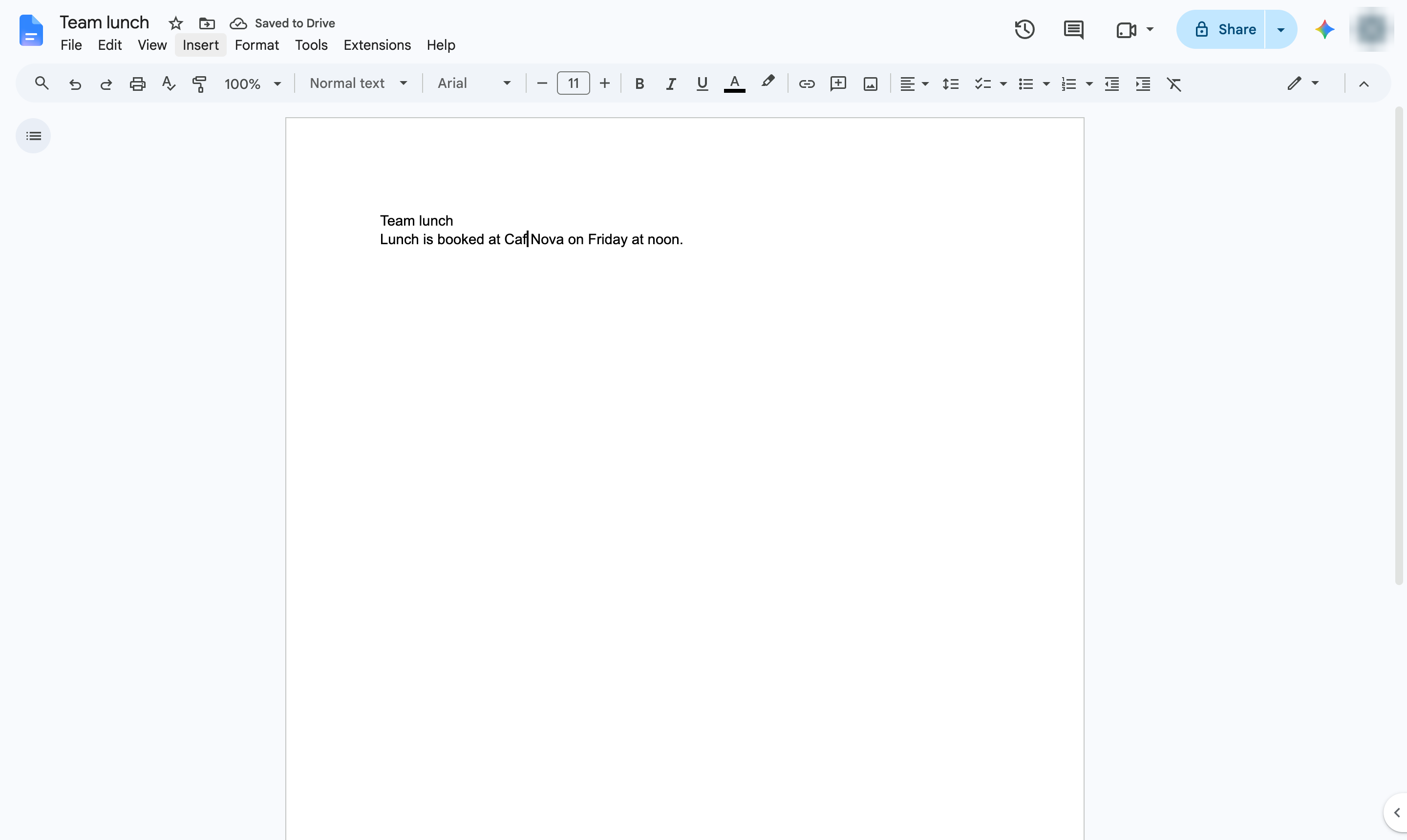
Hover over Symbols.
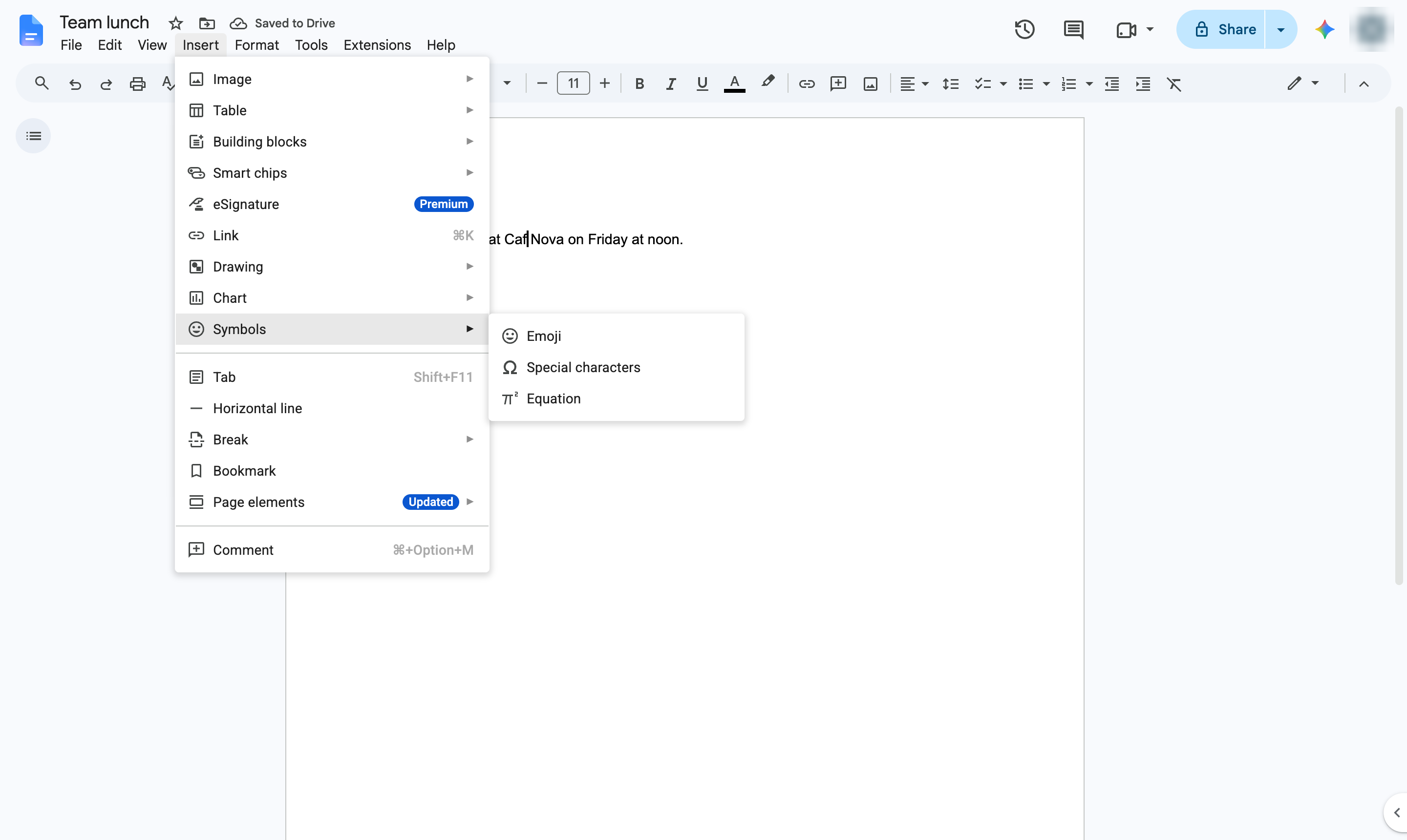
Choose Special characters.
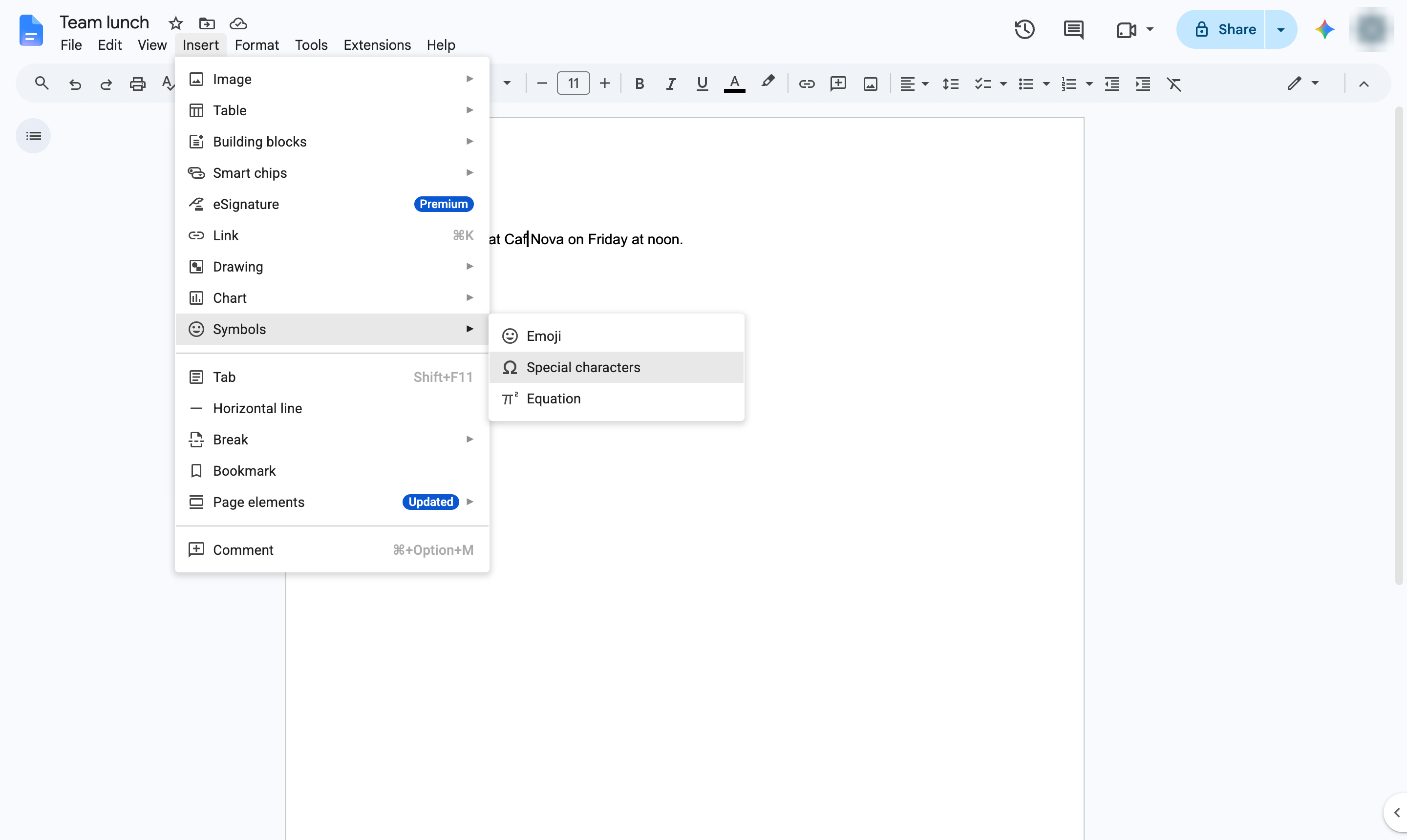
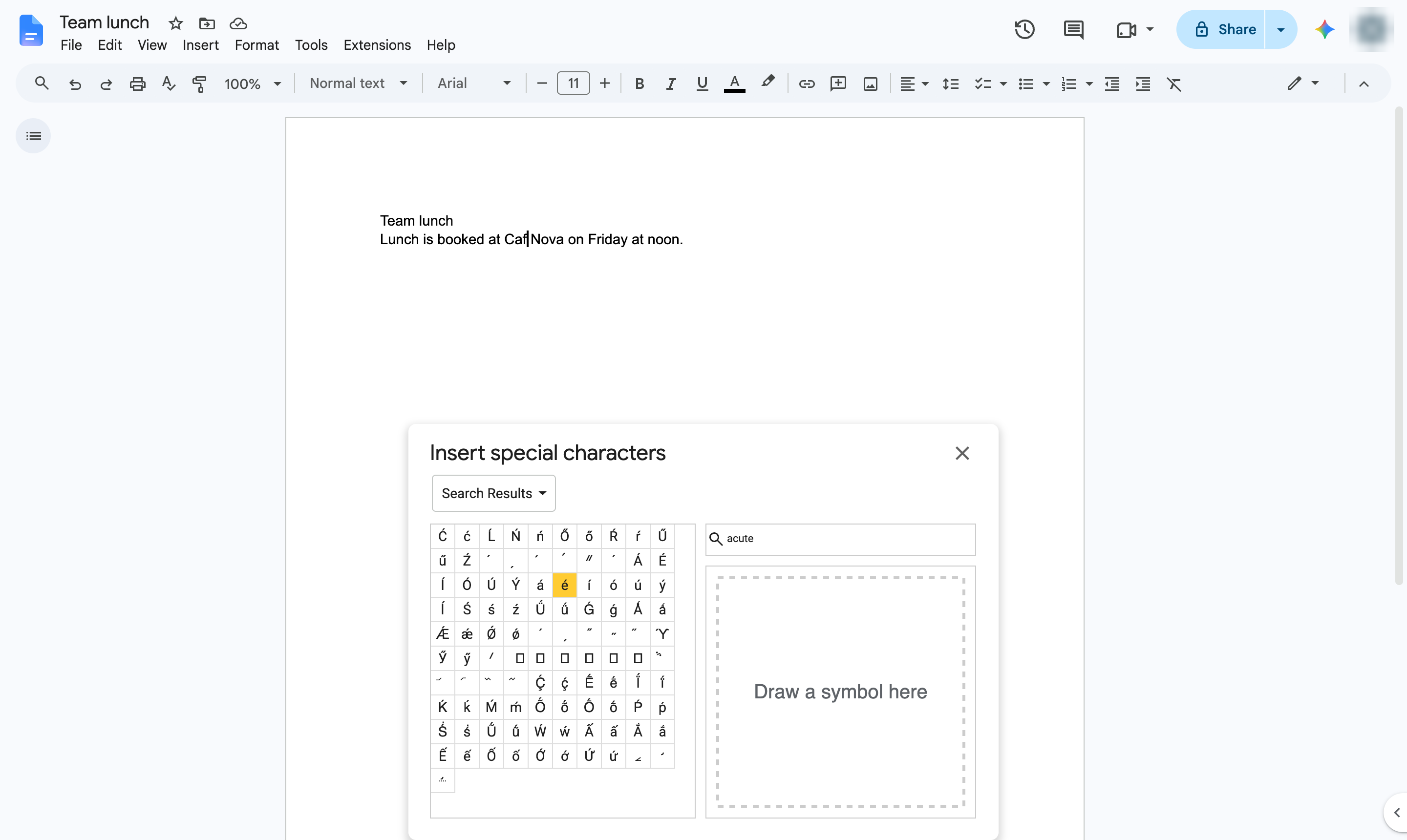
Click the search box. Type the accent name - acute, grave, tilde or umlaut.
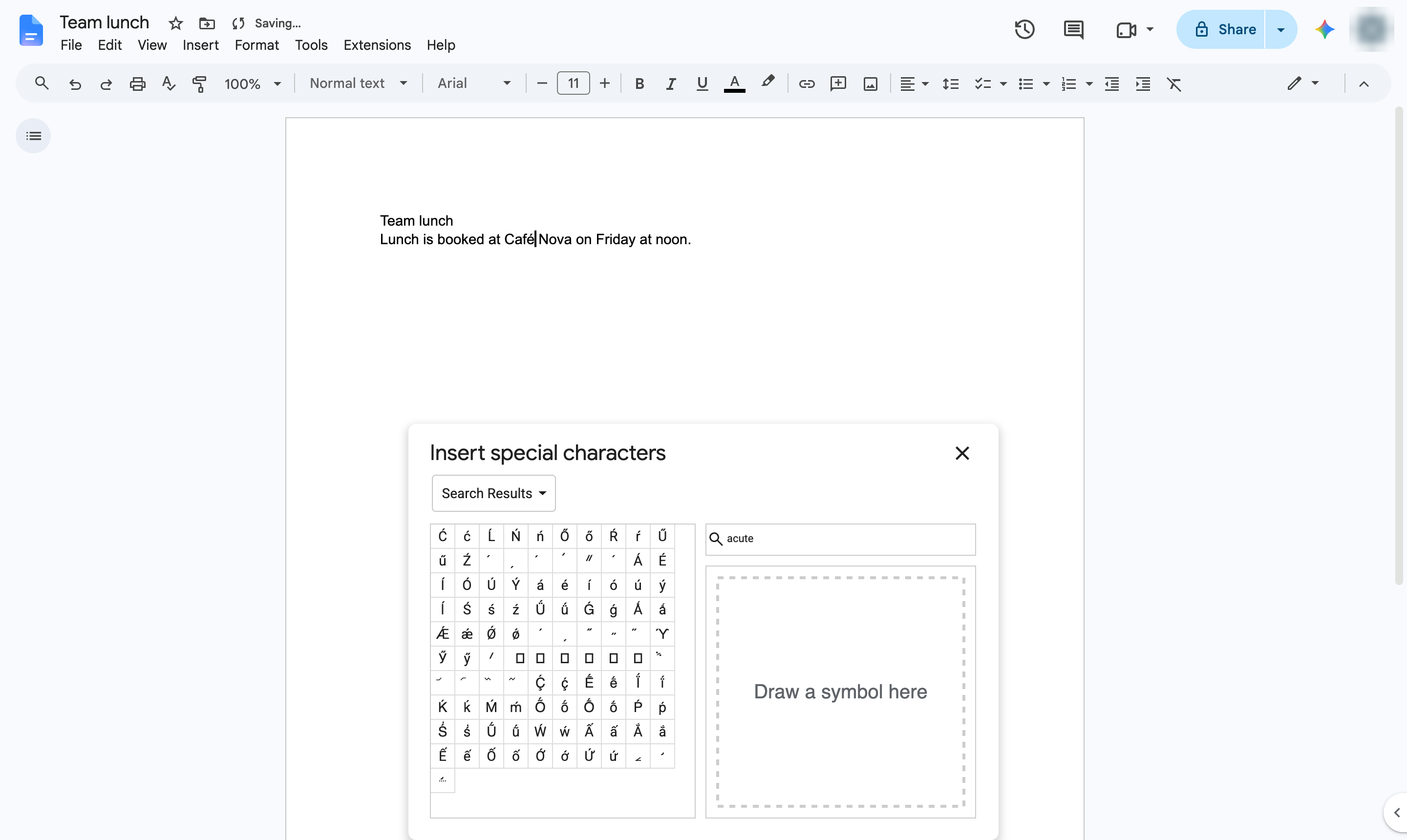
Click the letter you need - here, é. It is added at the cursor.
Close Insert special characters.
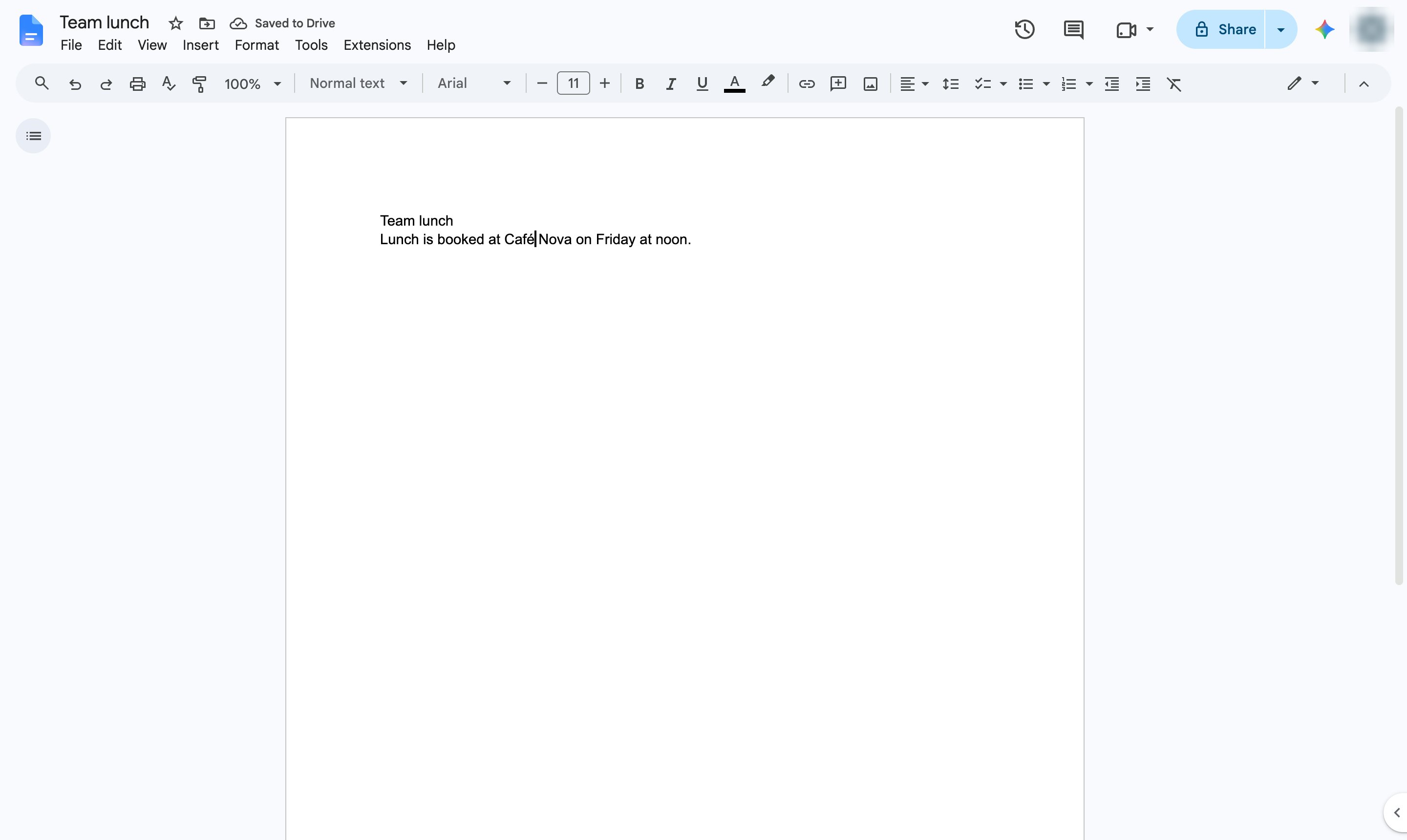
The accented letter is now in your text. On a Mac you can also hold down the letter key and pick the accent.
Duplicate this template, swap in your own screens, and share it with your team. Free to start — no credit card.
Fill out the form and we'll get back to you as soon as possible.
Tell us about your team and we'll find the right plan together.