1
Select the paragraphs
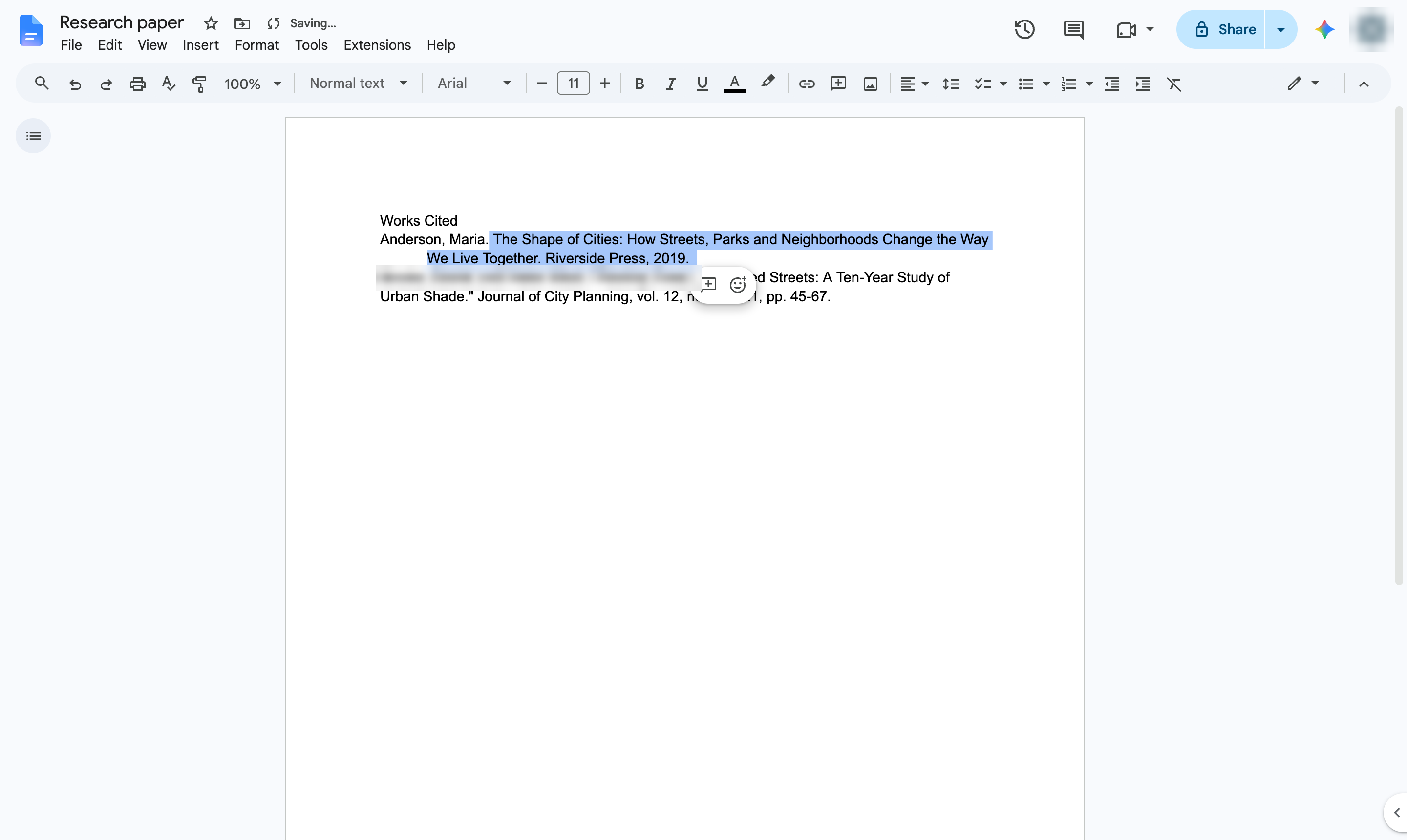
Click in the paragraph, or highlight several citations at once.
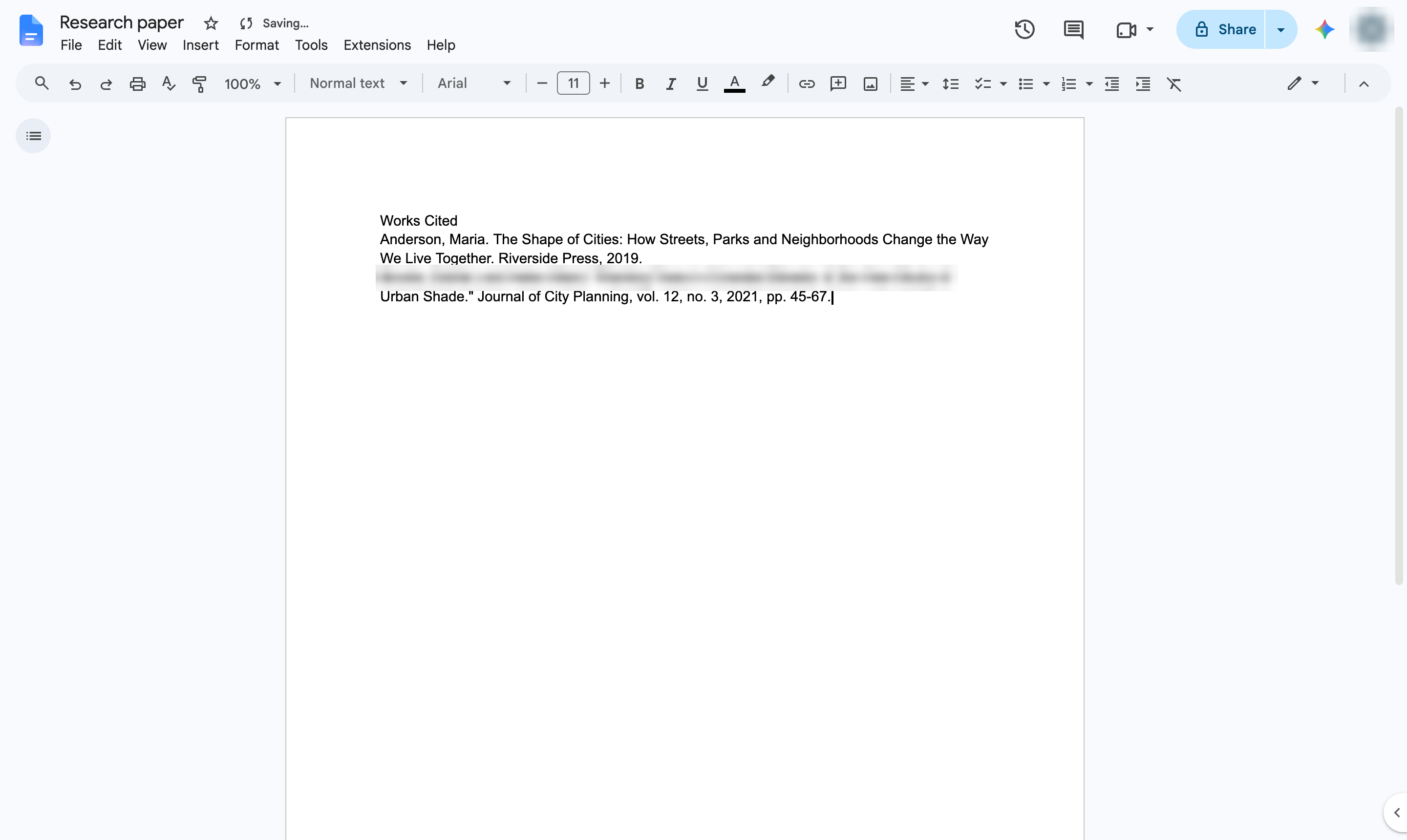

Indent every line of a paragraph except the first - the format used for works cited and bibliographies.
Click in the paragraph, or highlight several citations at once.
Open the Format menu.
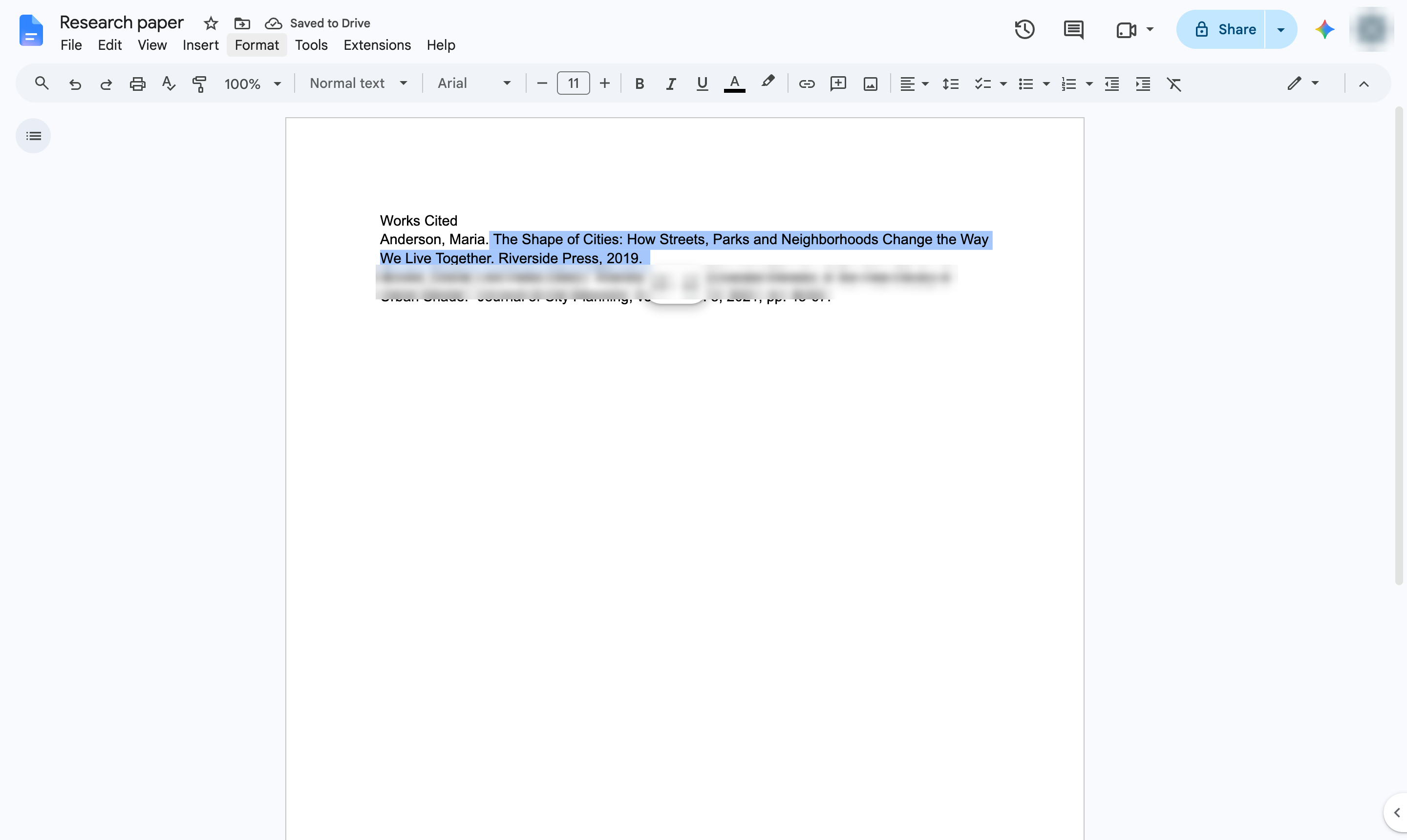
Hover over Align & indent.
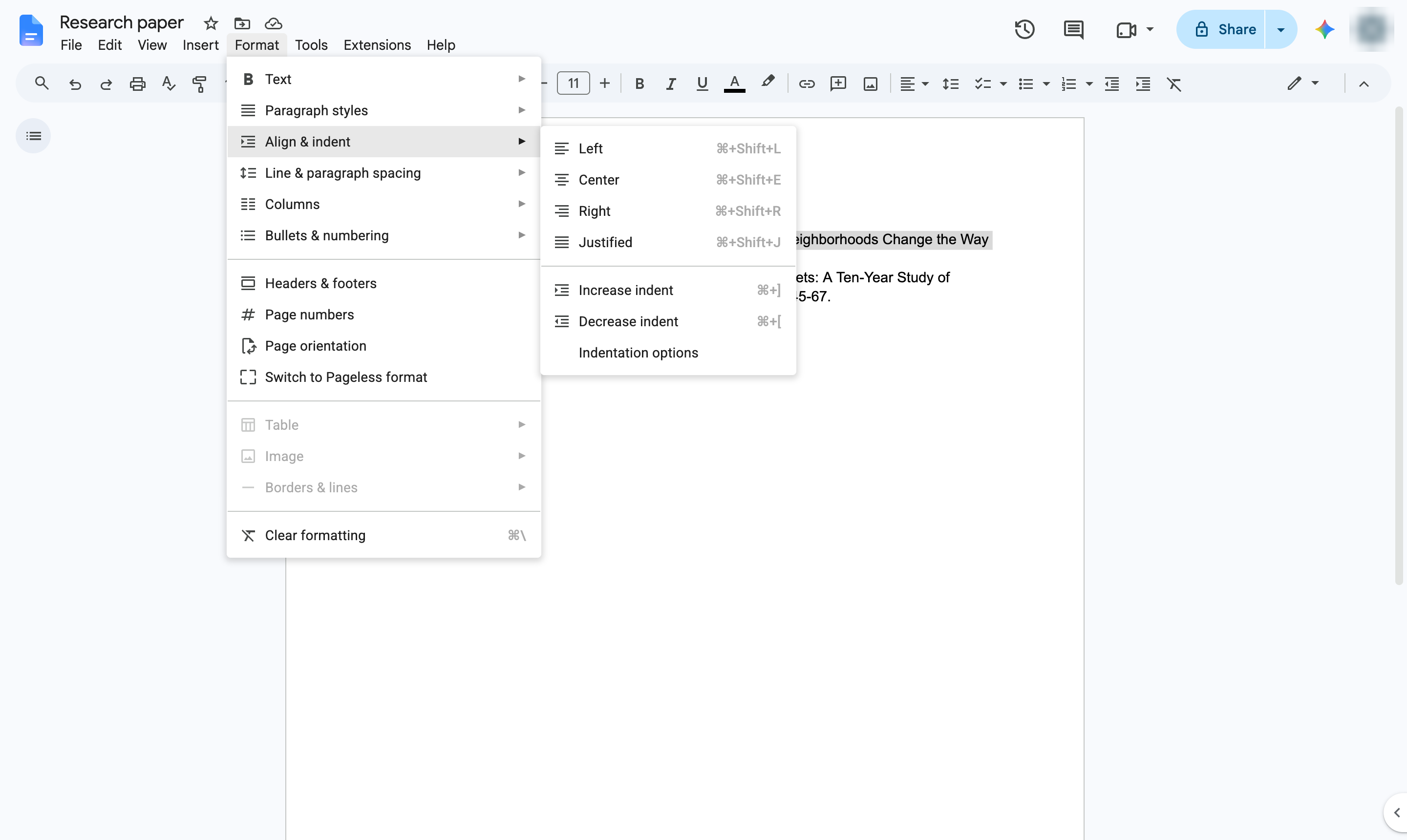
Choose Indentation options.
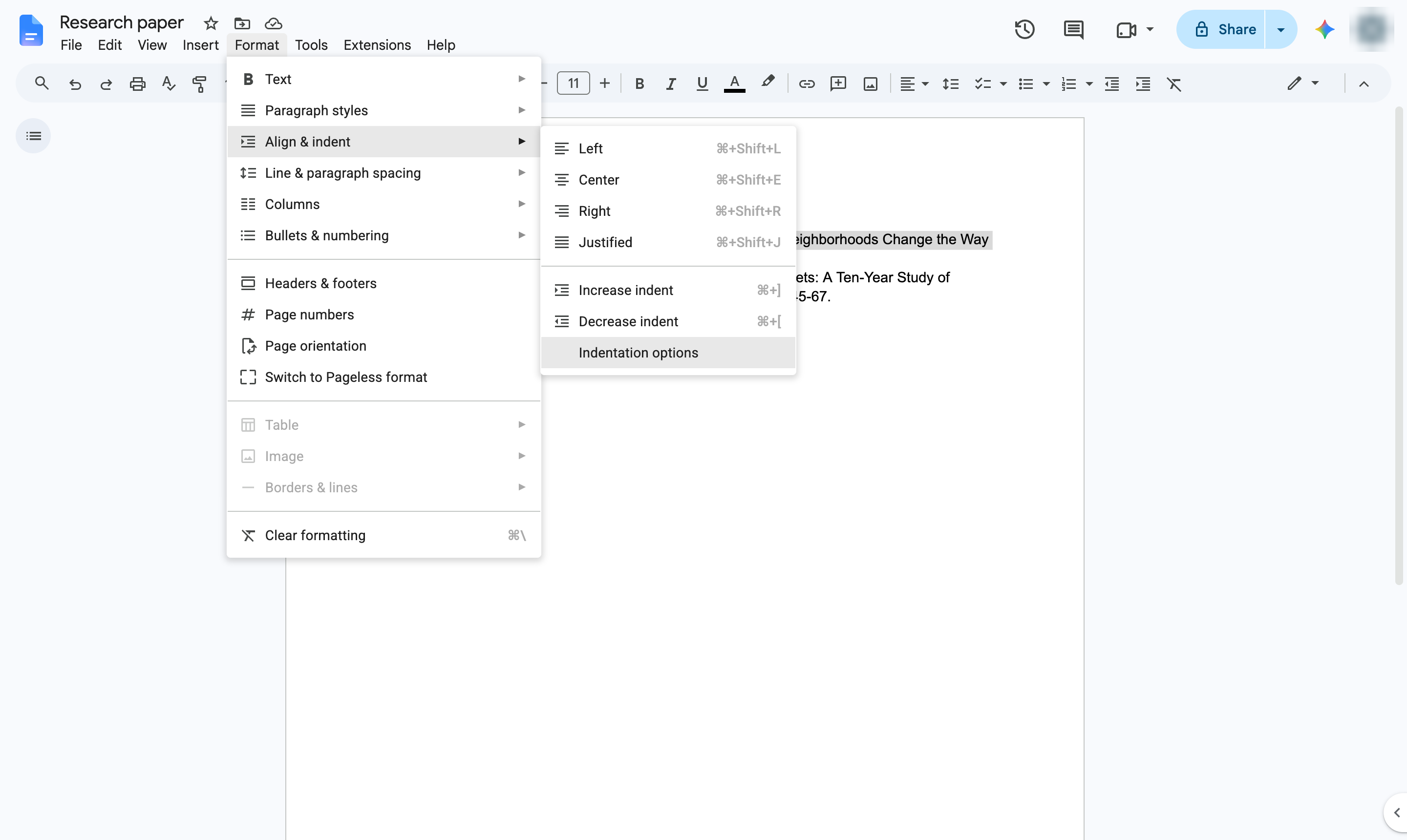
Open the Special indent list - it shows None.
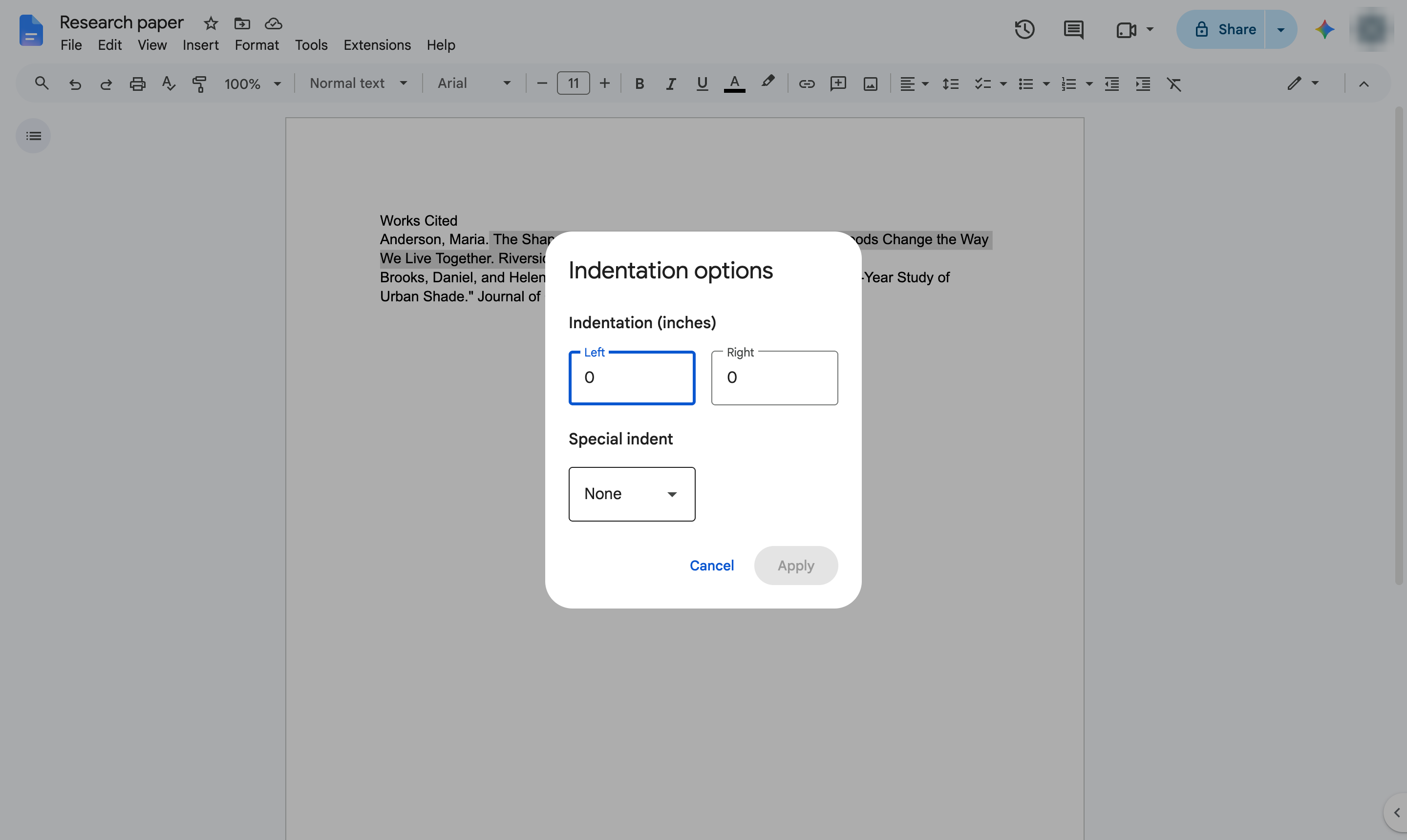
Choose Hanging.
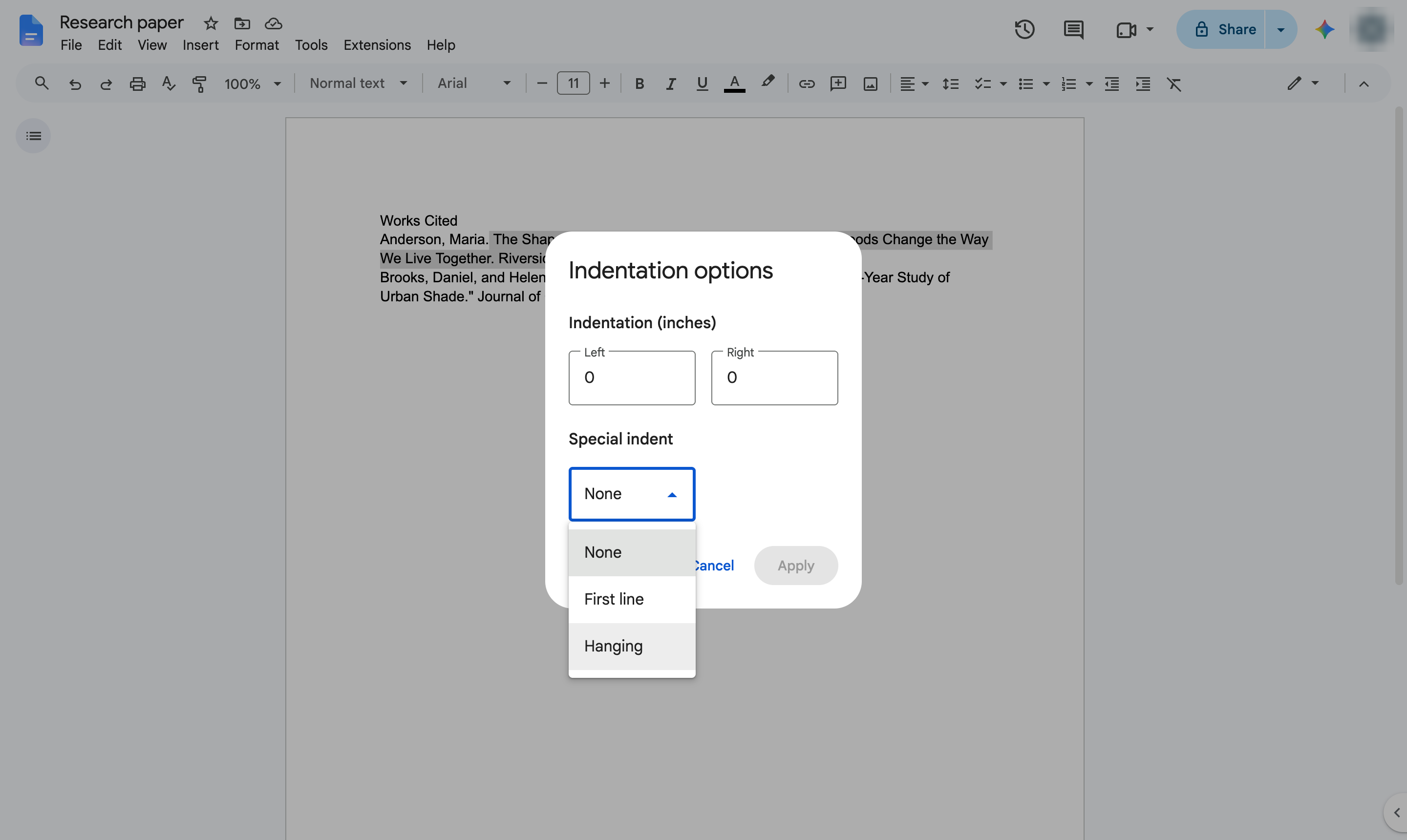
Click the box next to the list to set how far the lines under the first one move in. Type 0.5 for the standard half-inch hanging indent.
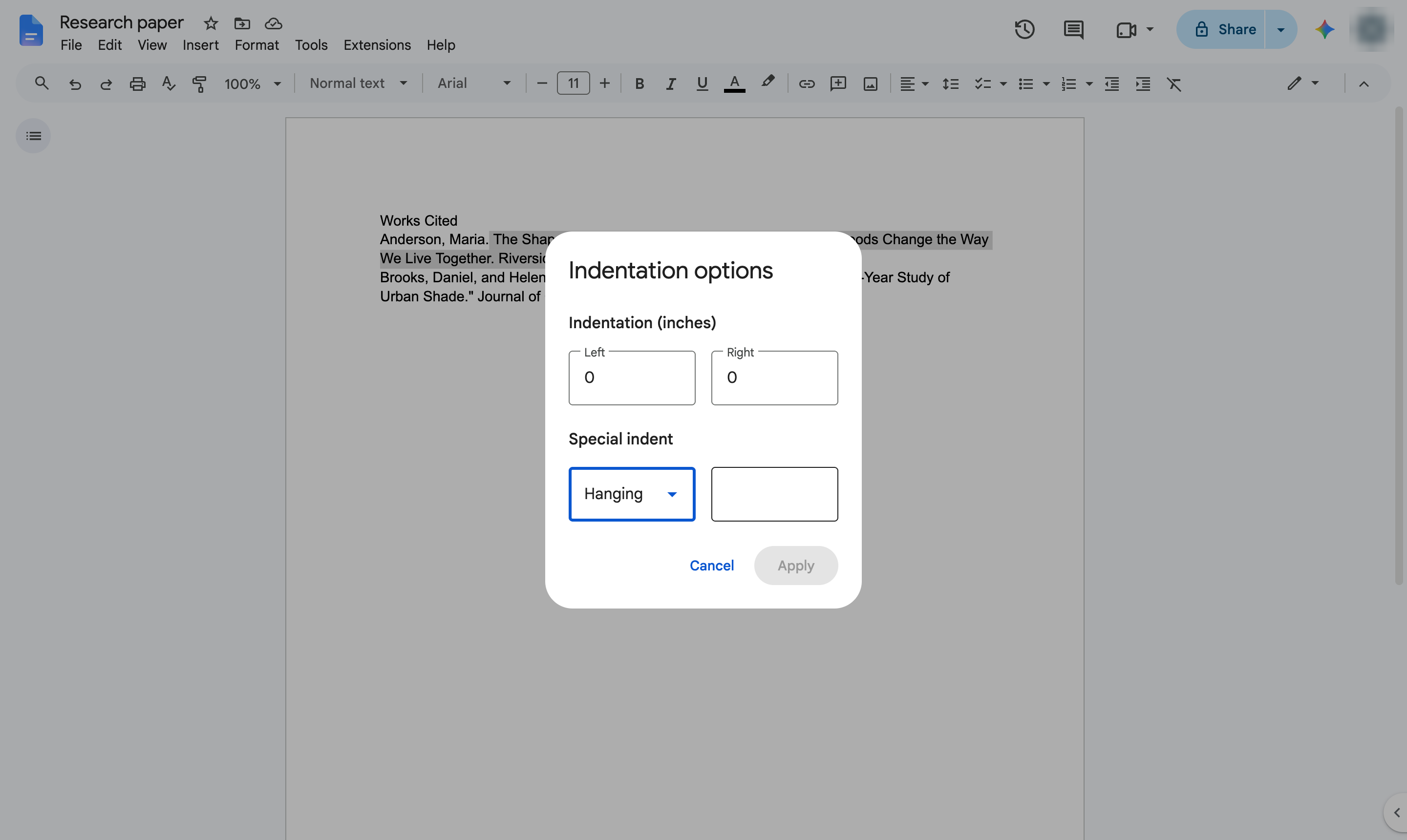
Apply the indent.
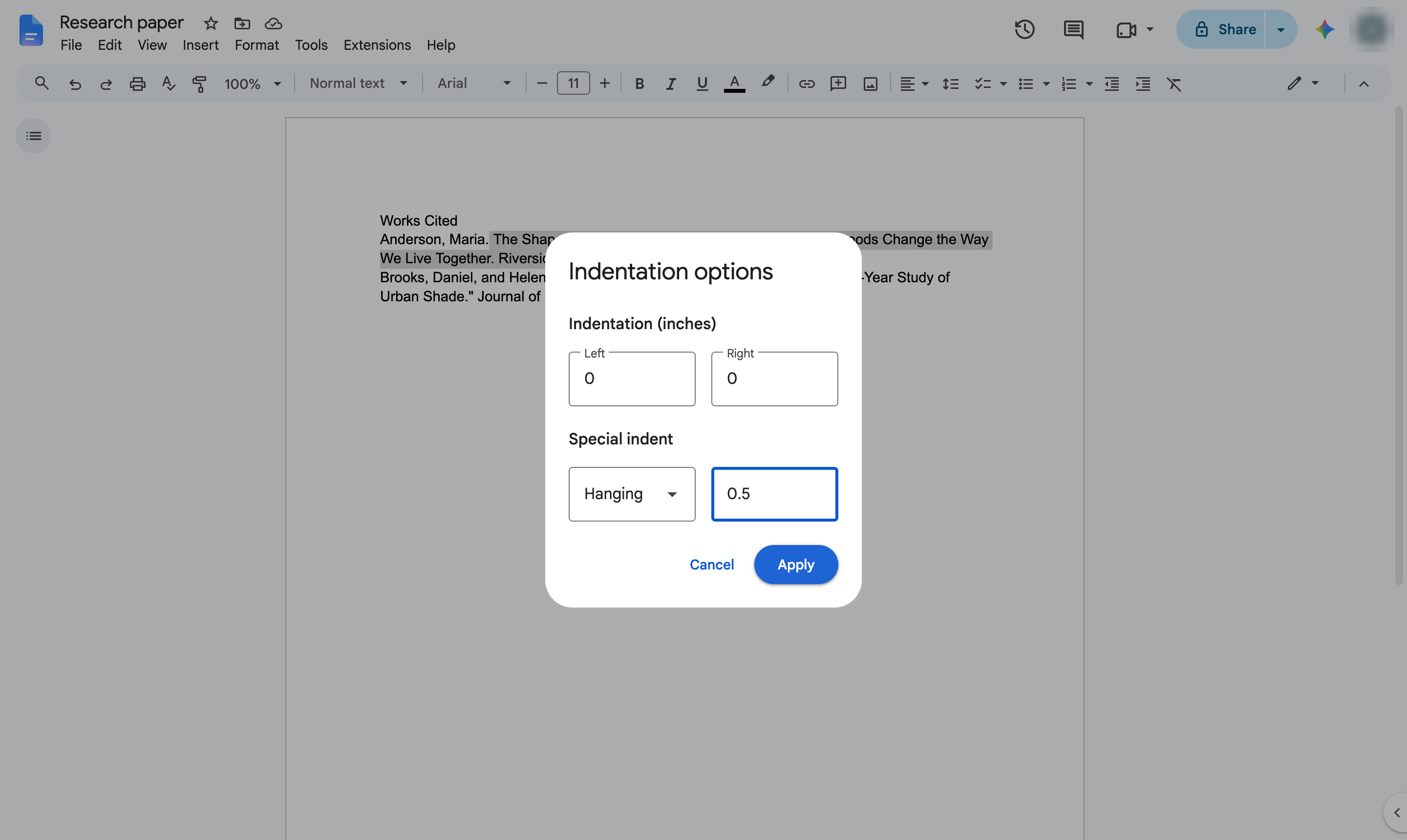
The first line of each citation starts at the margin and the lines under it are indented.
Duplicate this template, swap in your own screens, and share it with your team. Free to start — no credit card.
Fill out the form and we'll get back to you as soon as possible.
Tell us about your team and we'll find the right plan together.