1
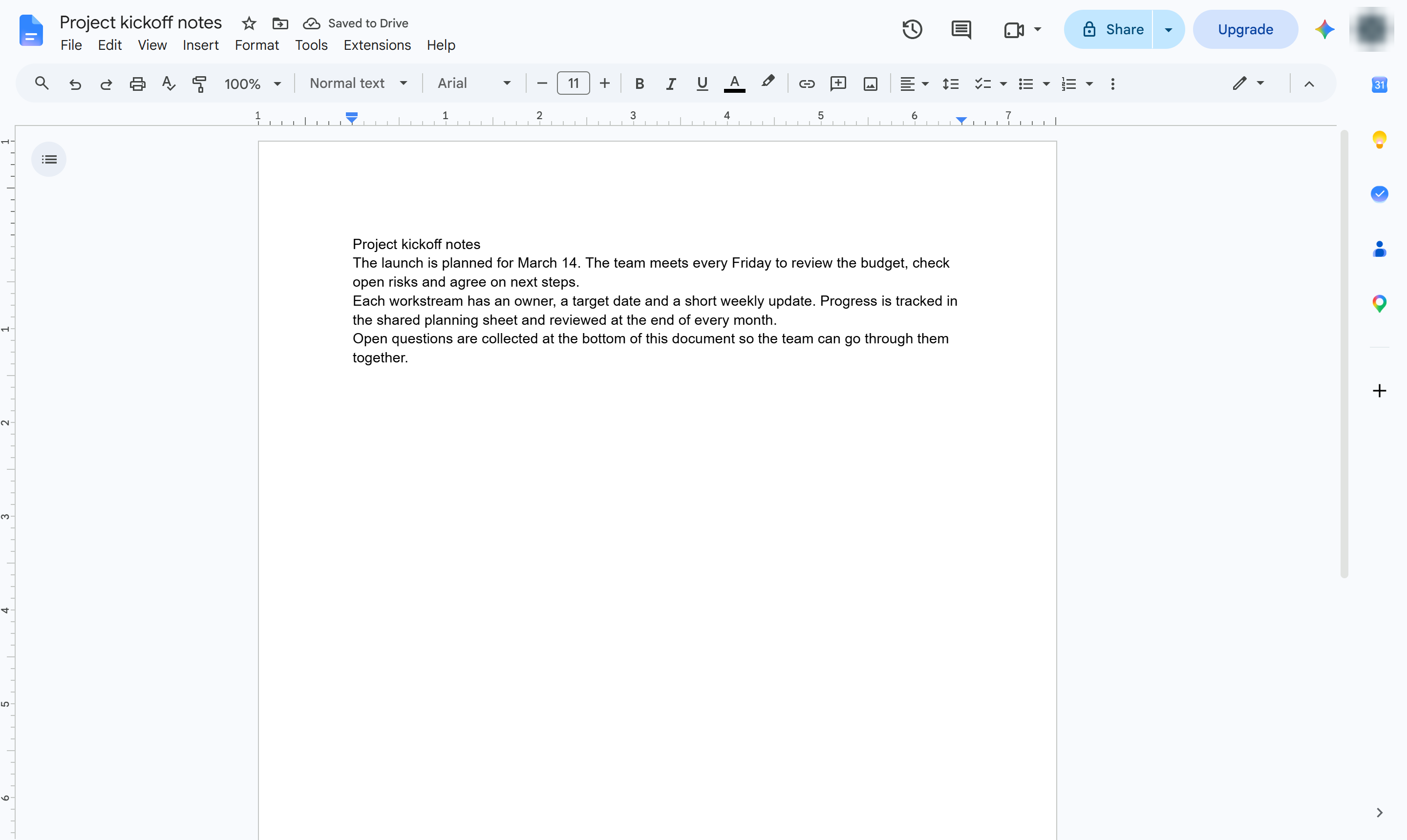
Click in the paragraph
Click anywhere in the paragraph that should get a border. Select several paragraphs to box them together.

Put a box around a paragraph with Borders and shading, and pick its width, style and color.
Click anywhere in the paragraph that should get a border. Select several paragraphs to box them together.
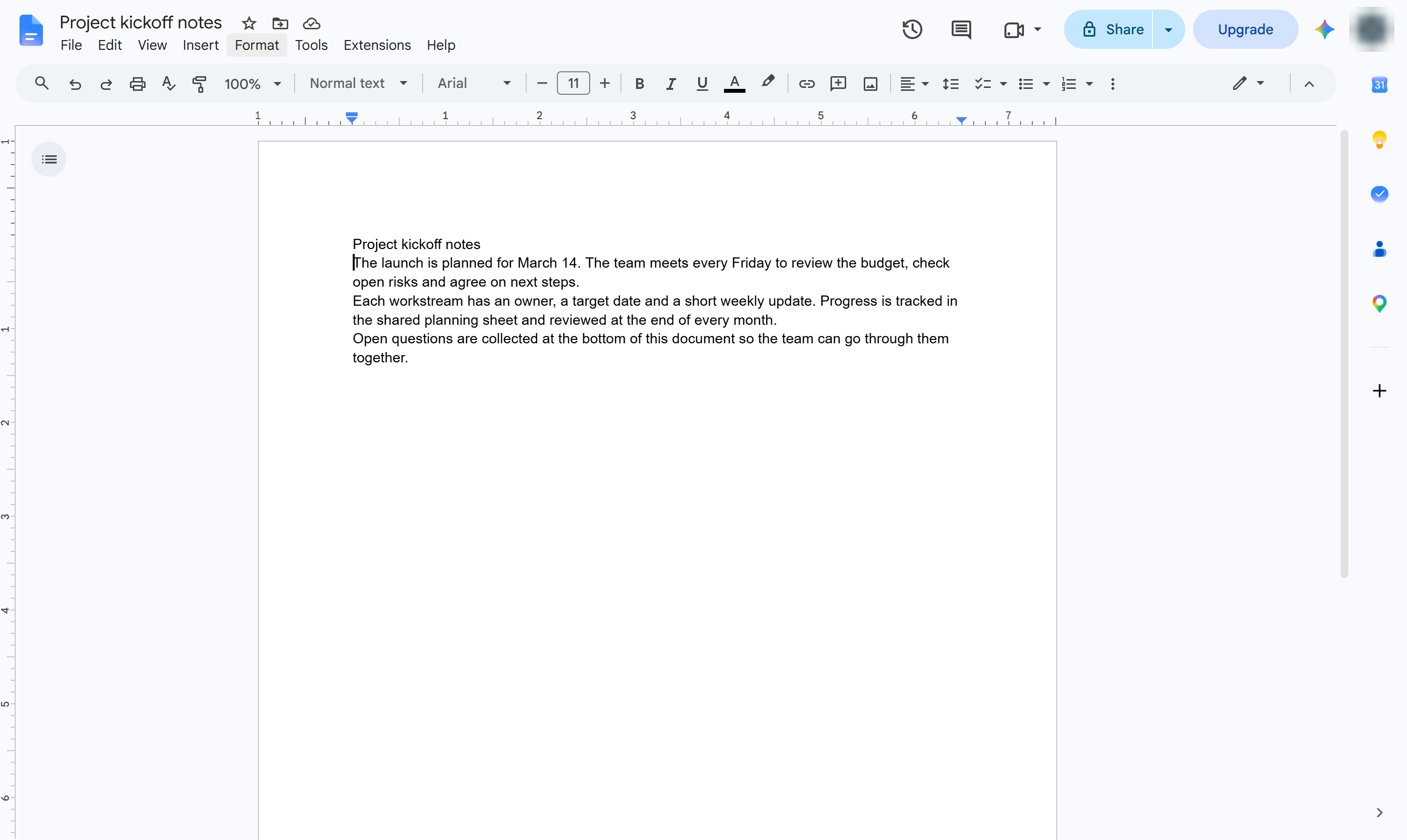
Open the Format menu.
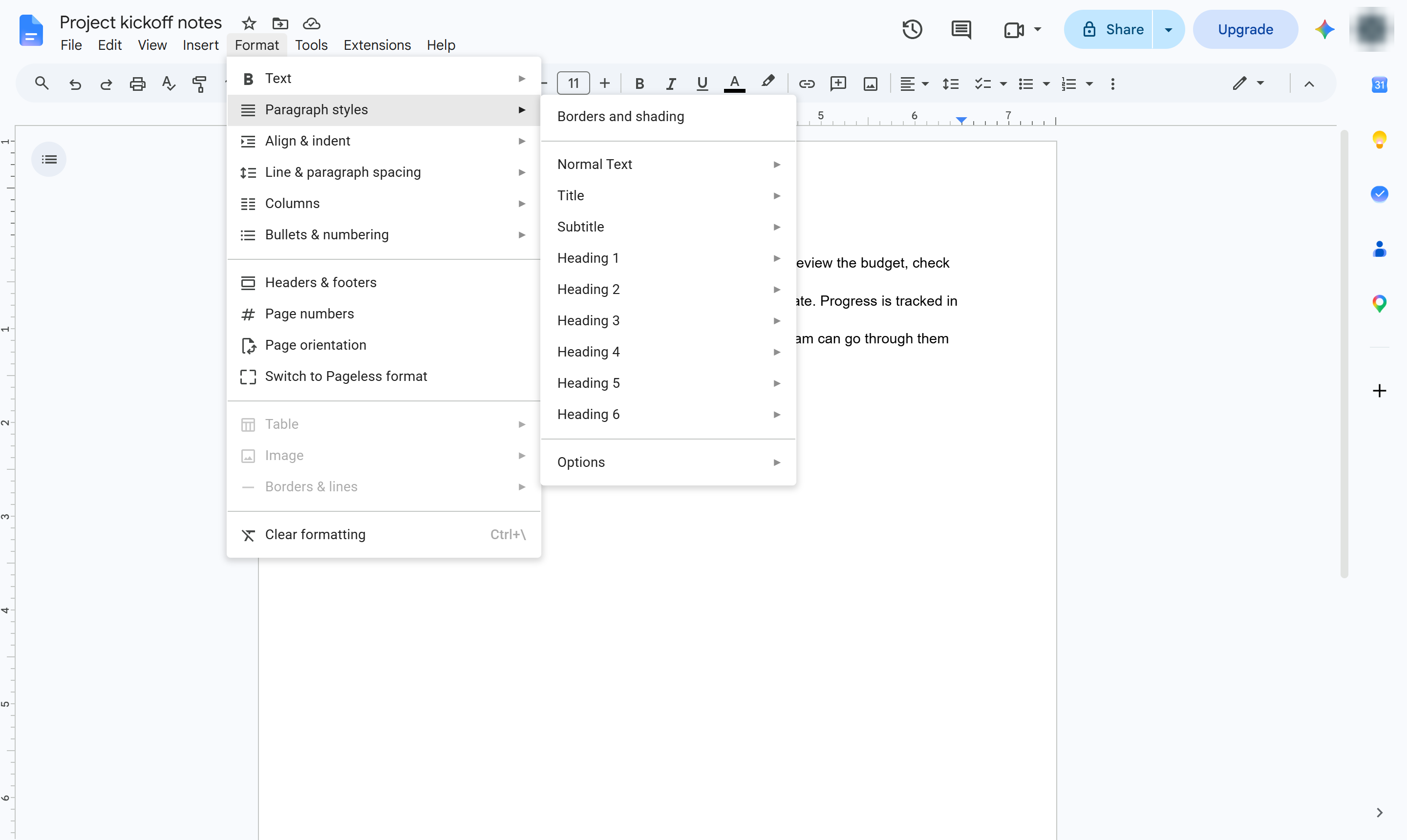
Hover over Paragraph styles.
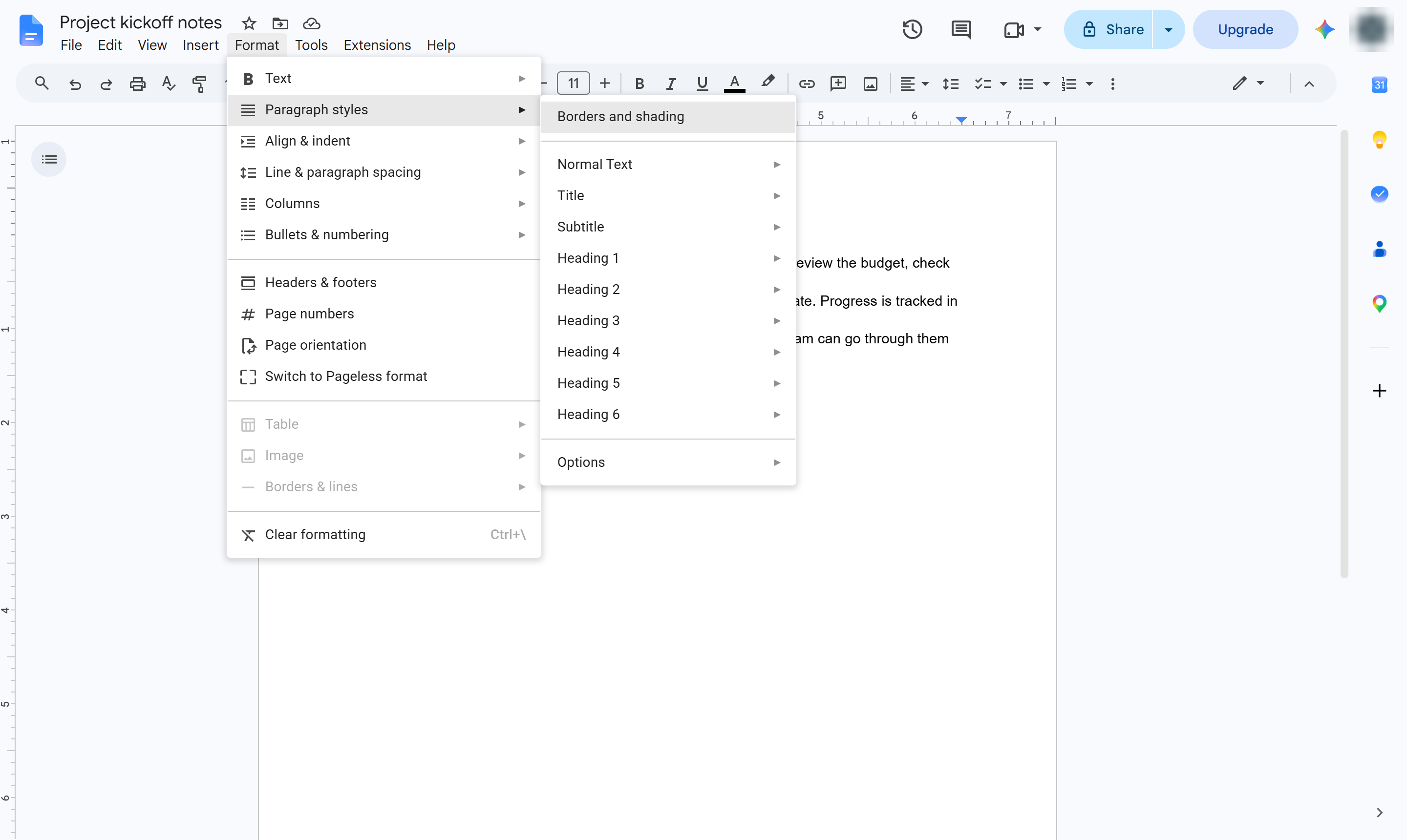
Choose Borders and shading.
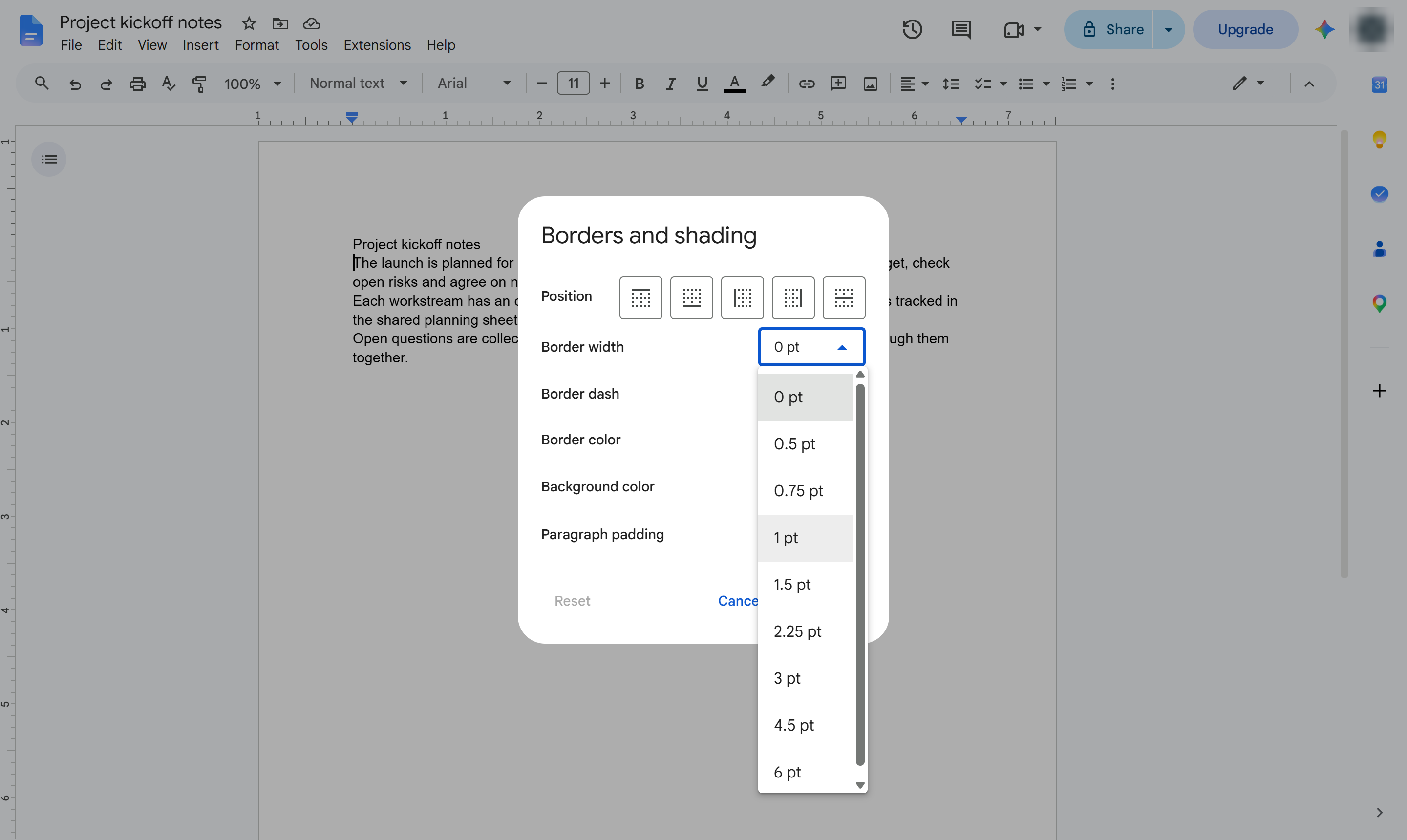
Open the Border width list. It starts at 0 pt, which means no border.
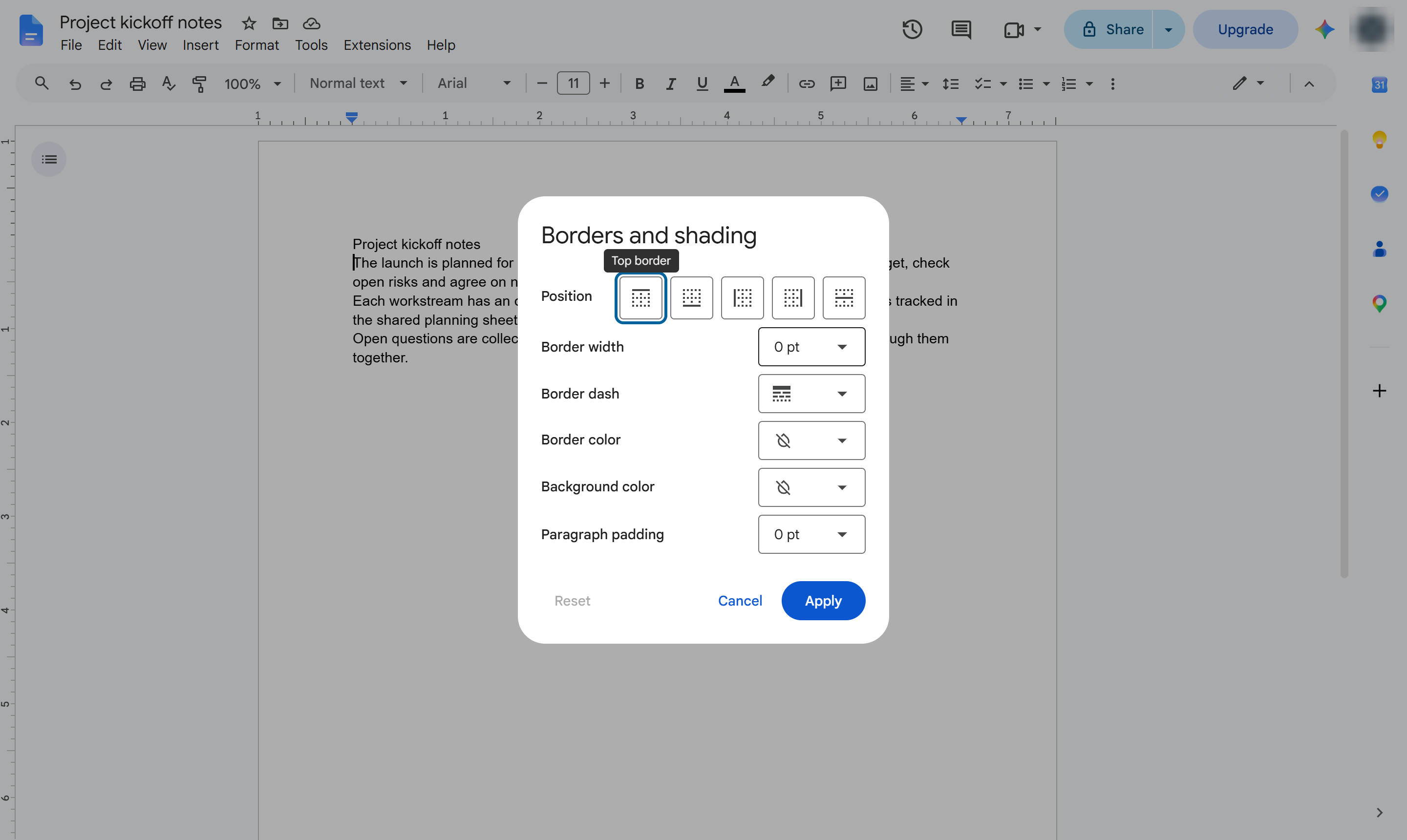
Pick a width - here, 1 pt. With no position chosen, the border goes on all four sides. Use the Position buttons for just the top, bottom or sides.
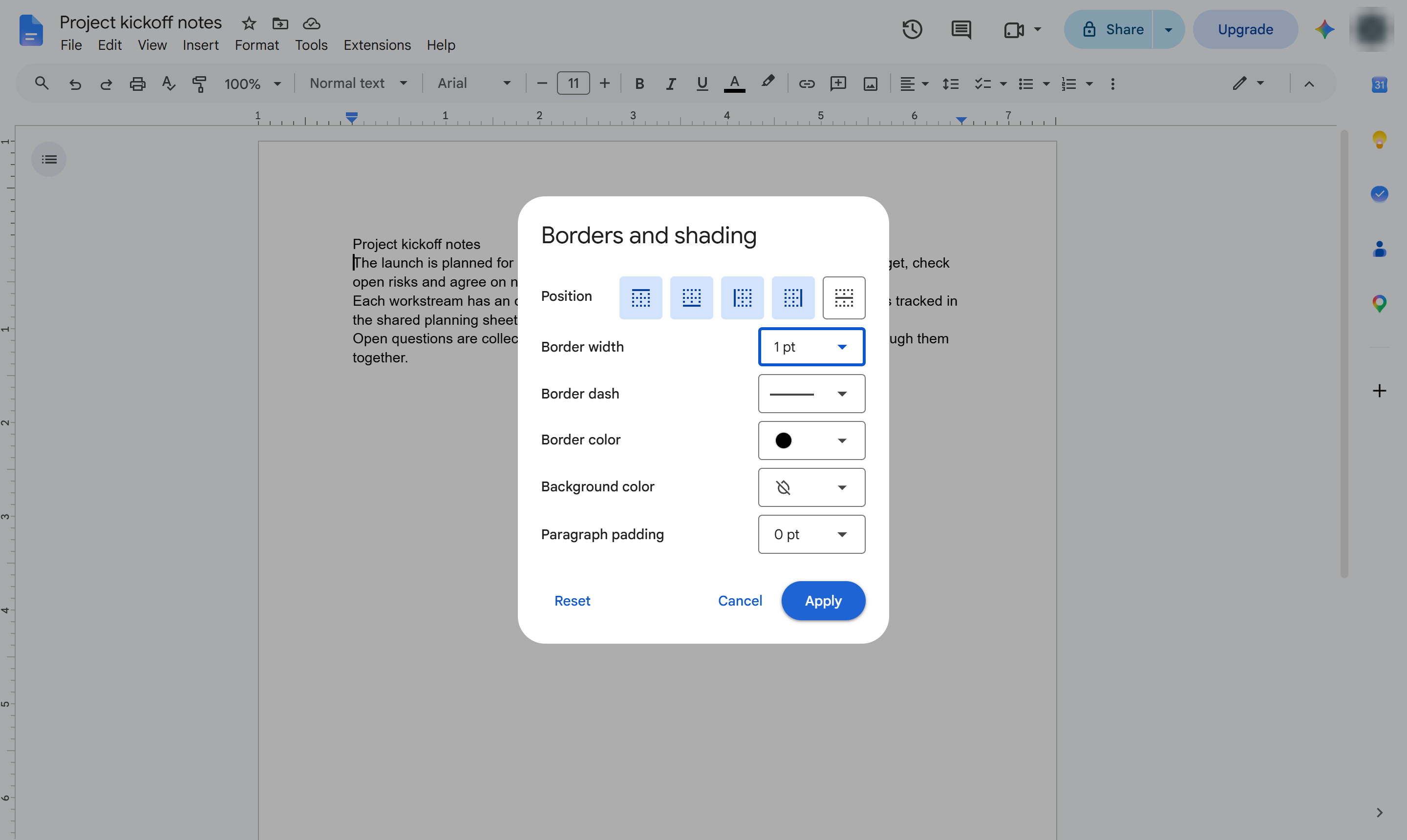
Apply the border. Border dash, Border color and Background color in the same box change its look.
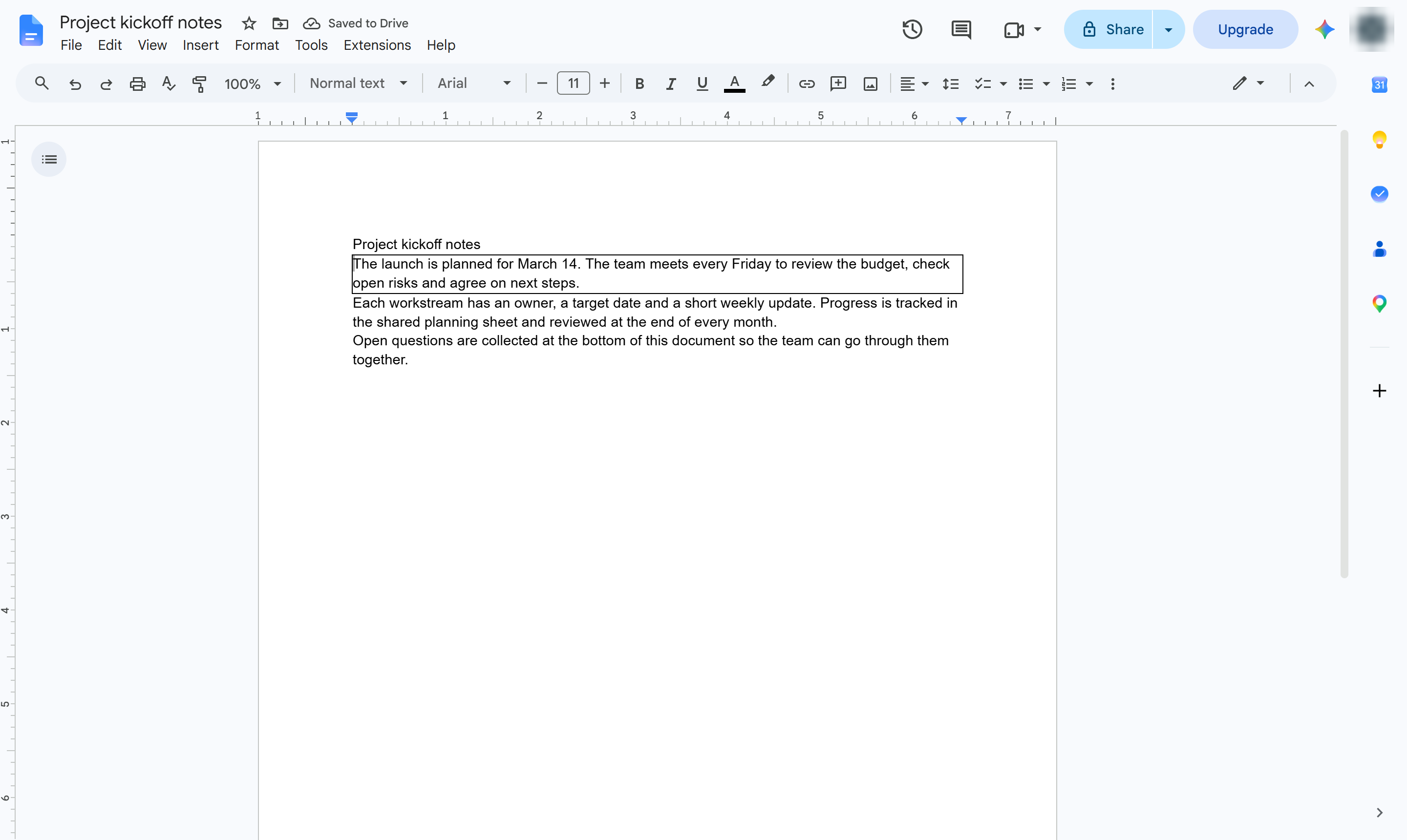
A box now frames the paragraph. Set the width back to 0 pt to remove it.
Duplicate this template, swap in your own screens, and share it with your team. Free to start — no credit card.
Fill out the form and we'll get back to you as soon as possible.
Tell us about your team and we'll find the right plan together.