1
Click the Zoom menu
In the toolbar, click the zoom box (100%).
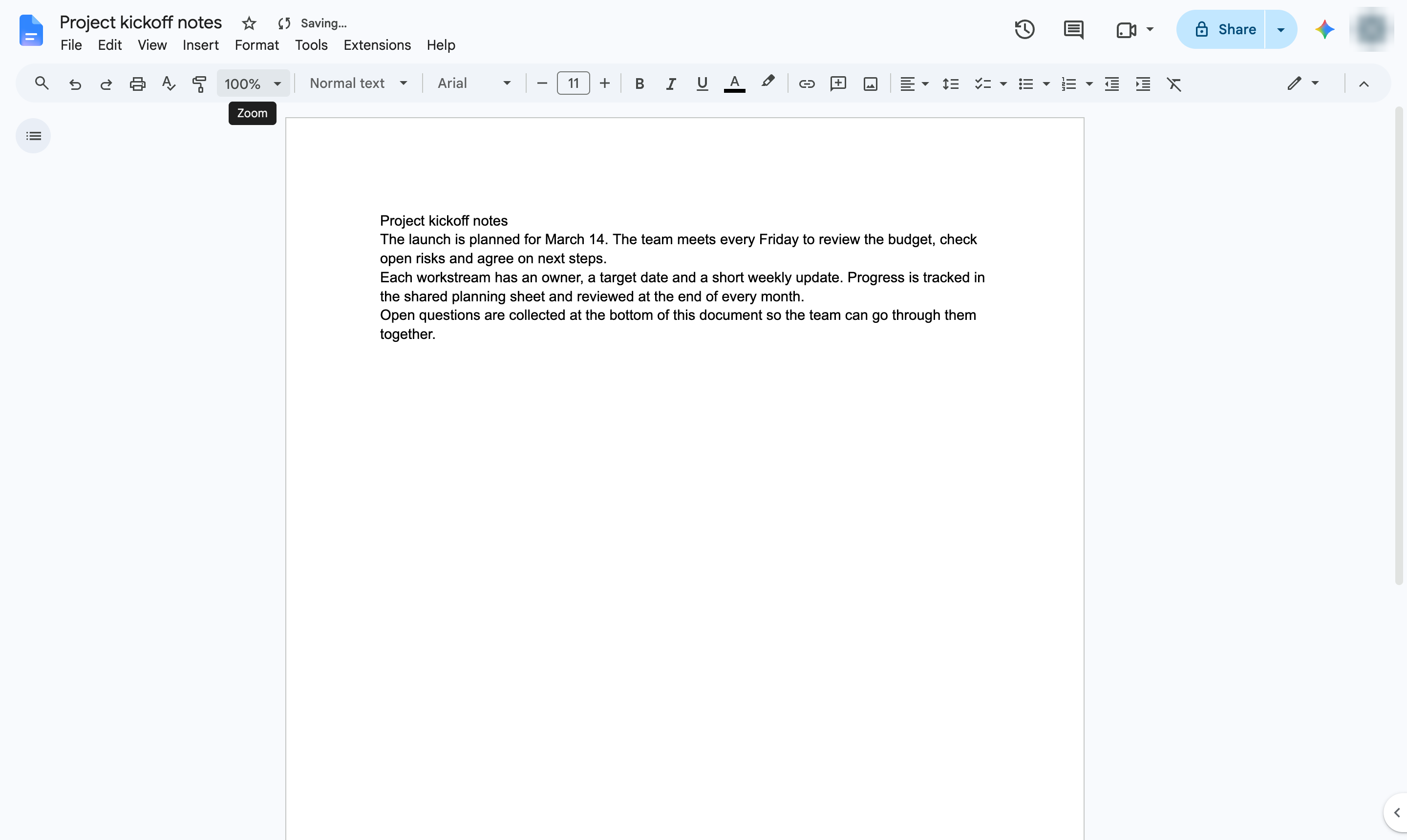

Shrink the page view to see more of your document at once. Zoom changes only your view, not the printed size.
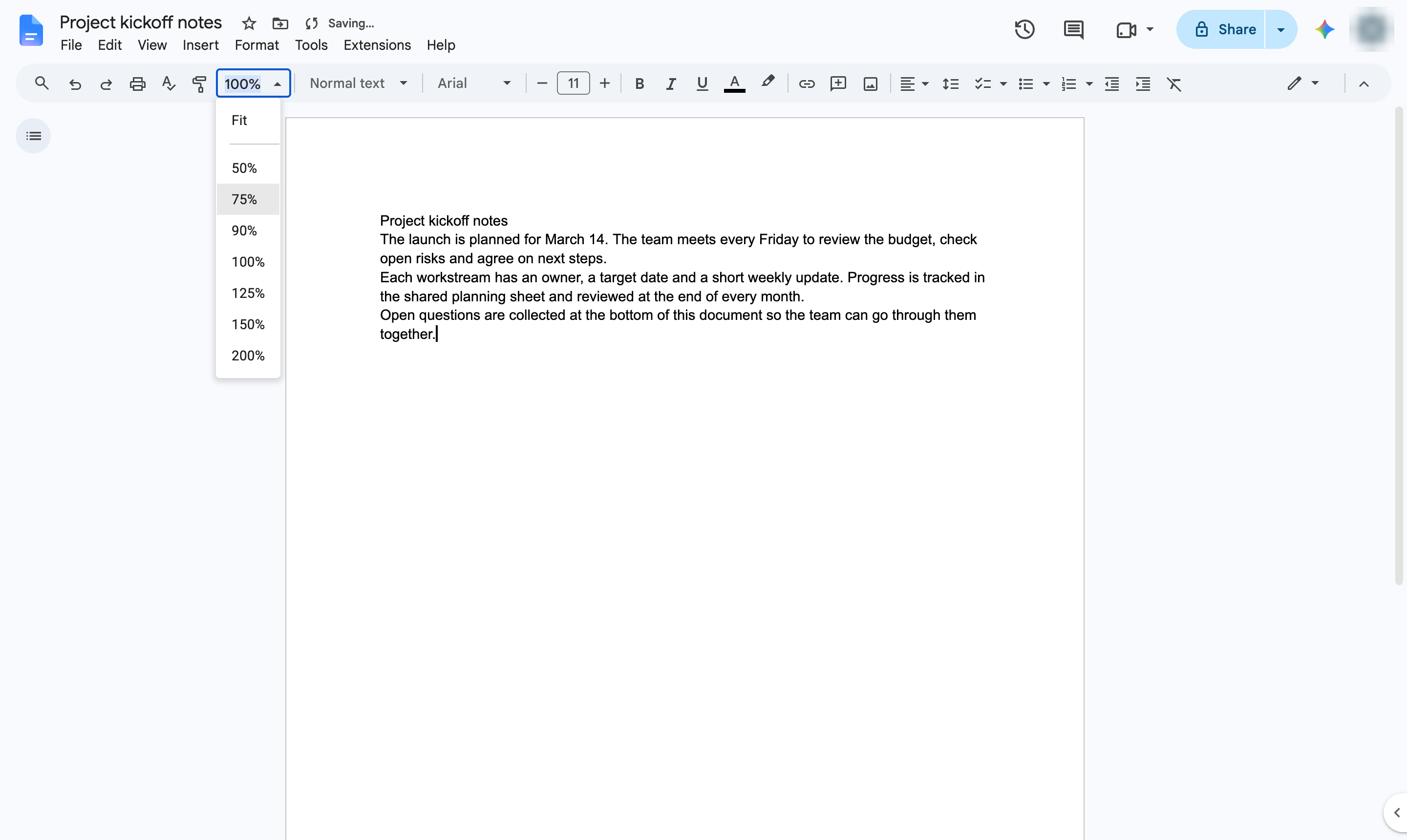
In the toolbar, click the zoom box (100%).
Pick a value below 100% - here, 75%. You can also type a value into the box.
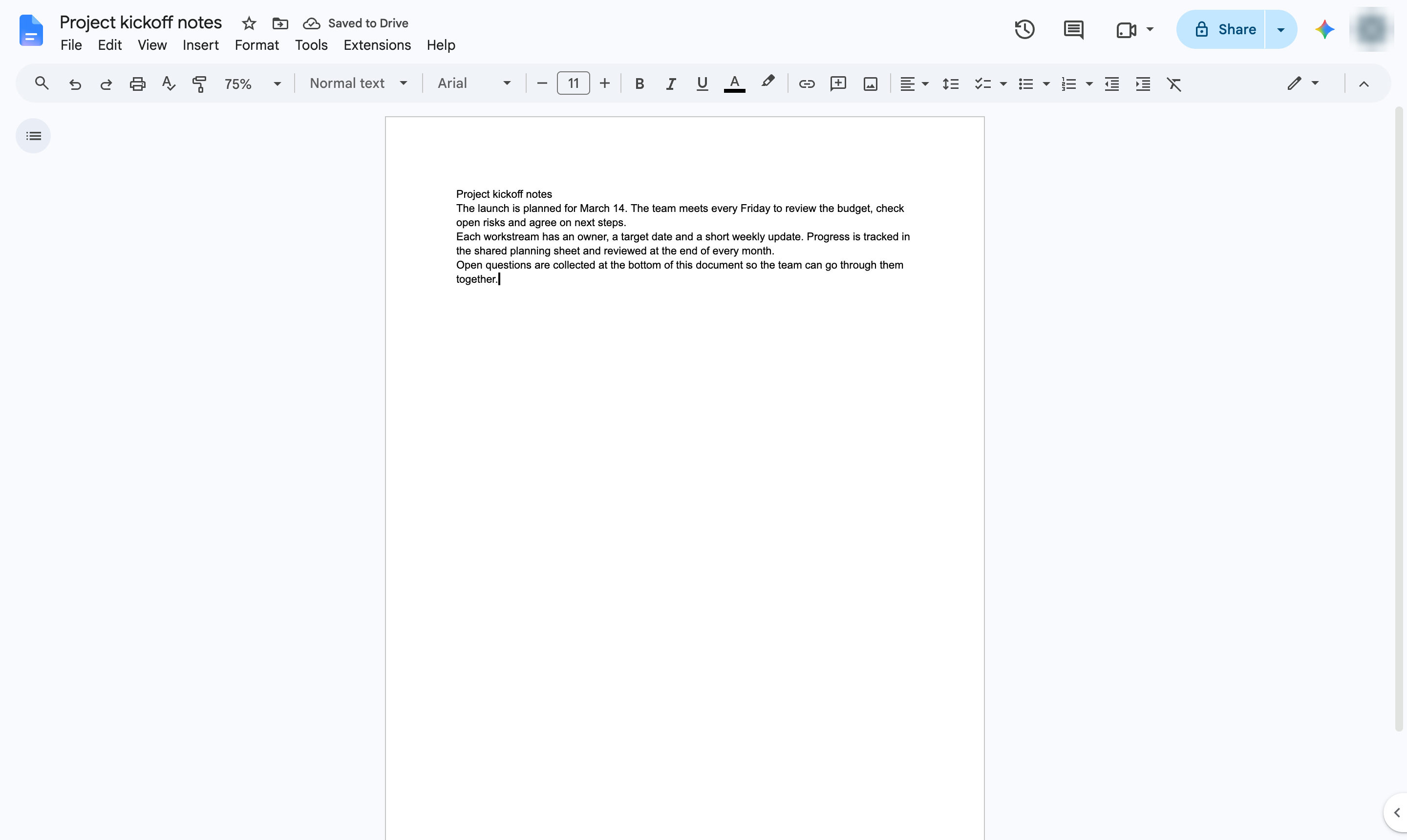
The page now looks smaller, so more of the document fits on screen.
Duplicate this template, swap in your own screens, and share it with your team. Free to start — no credit card.
Fill out the form and we'll get back to you as soon as possible.
Tell us about your team and we'll find the right plan together.