1
Click New
Open the folder you want the video in, then click New at the top left.
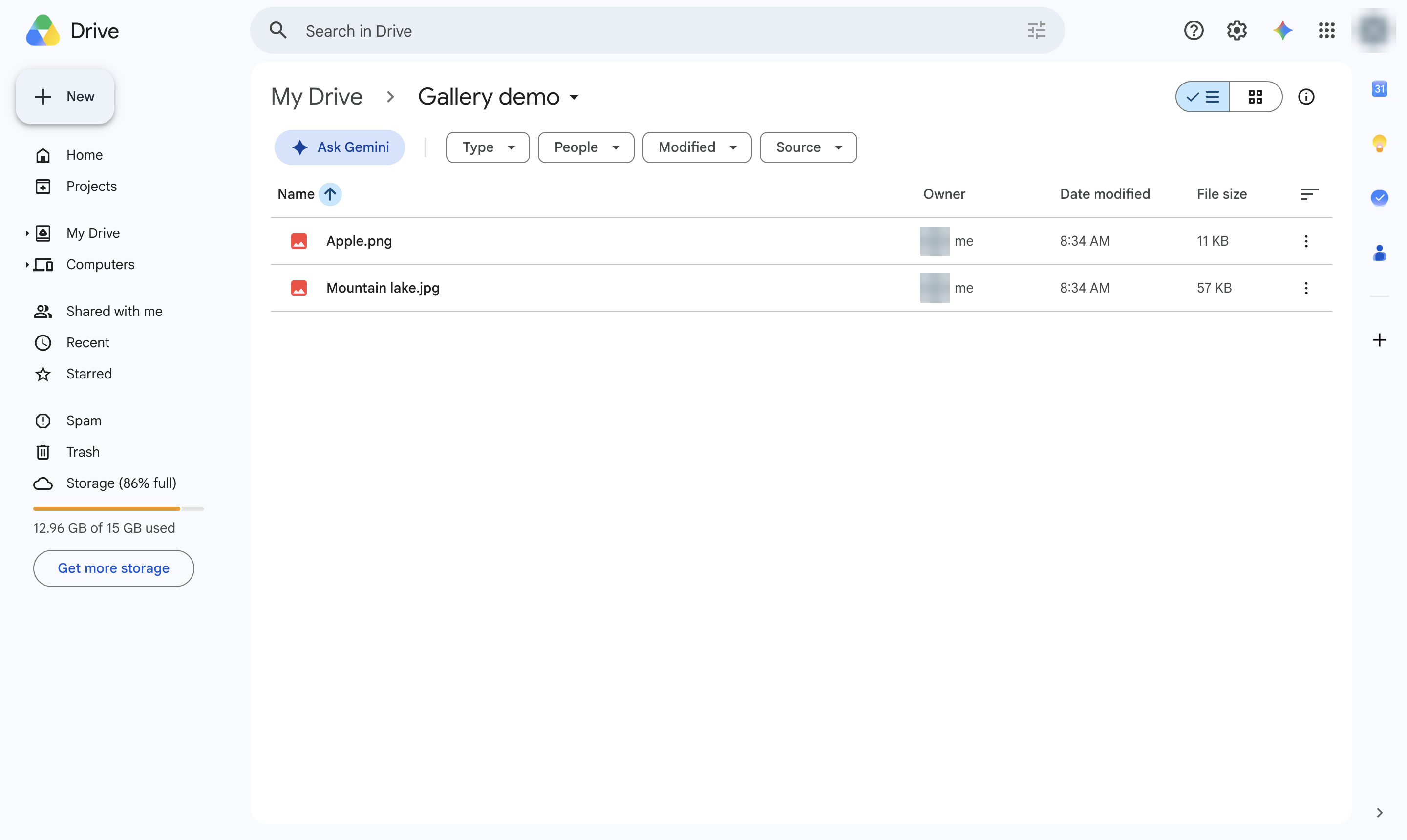

Upload a video from your computer to Google Drive.
Open the folder you want the video in, then click New at the top left.
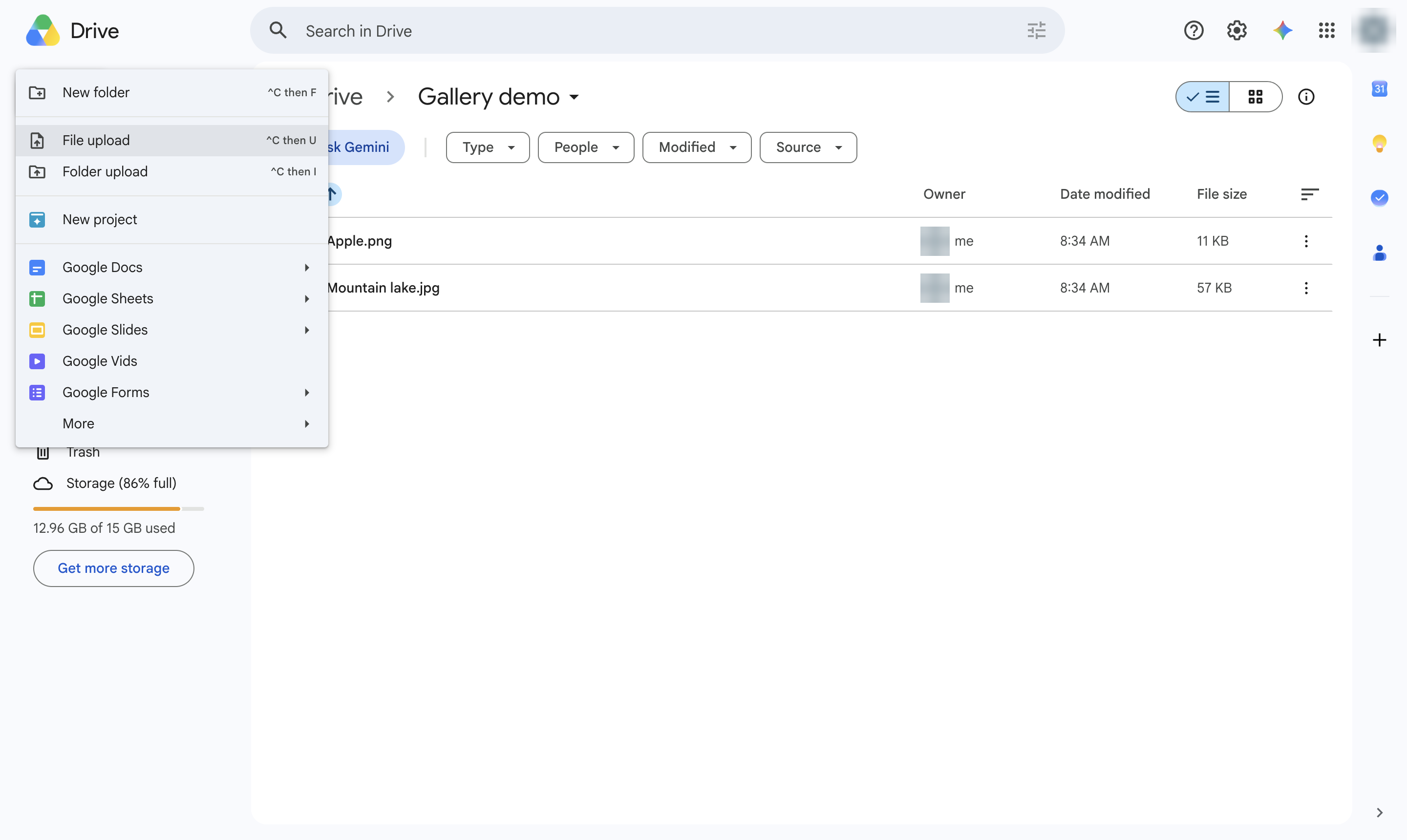
Choose File upload, then pick your video and click Open. You can also drag the video into the window.
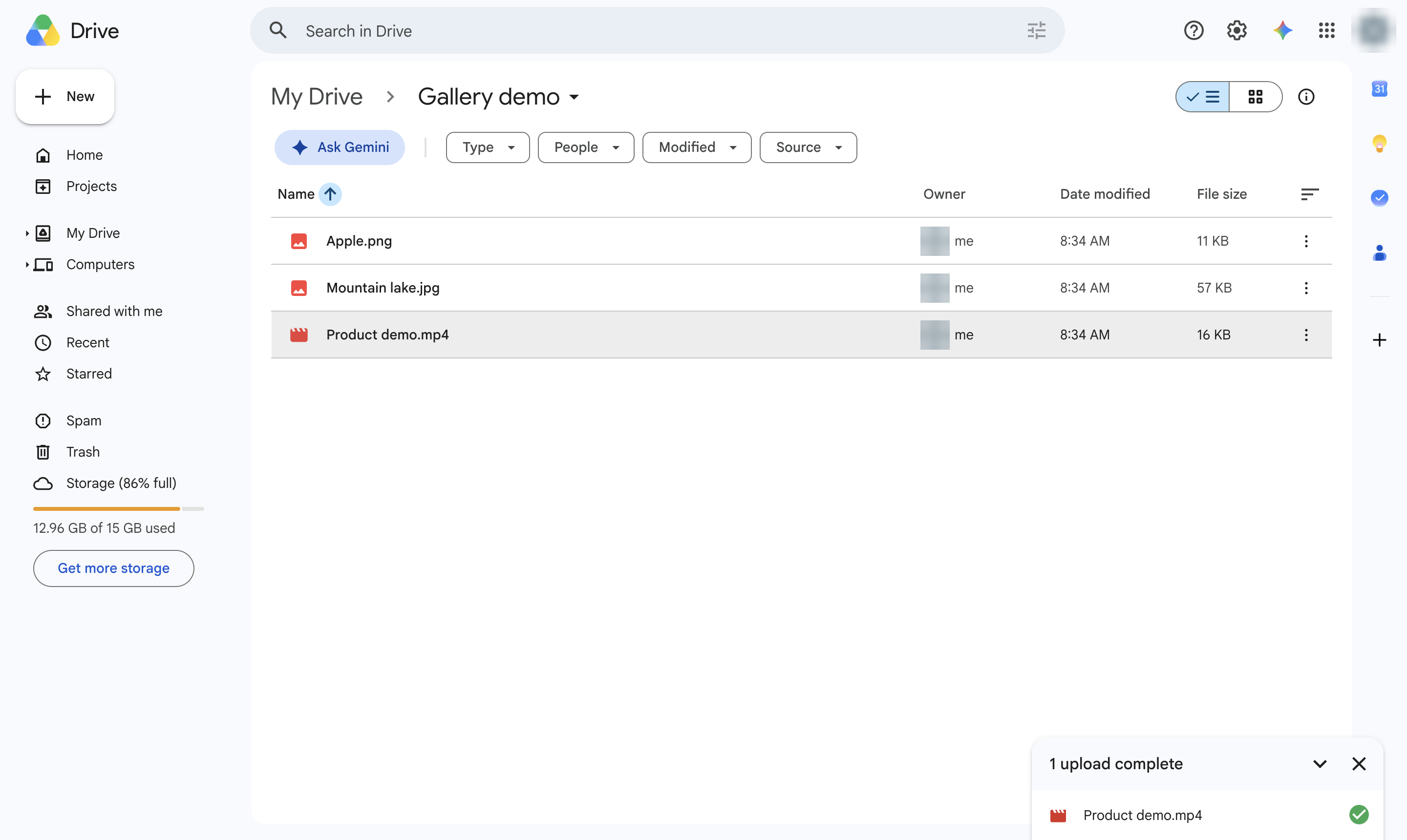
The video shows in the folder once the upload finishes. Drive may need a few minutes to process it before it plays.
Duplicate this template, swap in your own screens, and share it with your team. Free to start — no credit card.
Fill out the form and we'll get back to you as soon as possible.
Tell us about your team and we'll find the right plan together.