1
Navigate to the ChatGPT website
Go to the ChatGPT website in your browser to log in and access your account features.
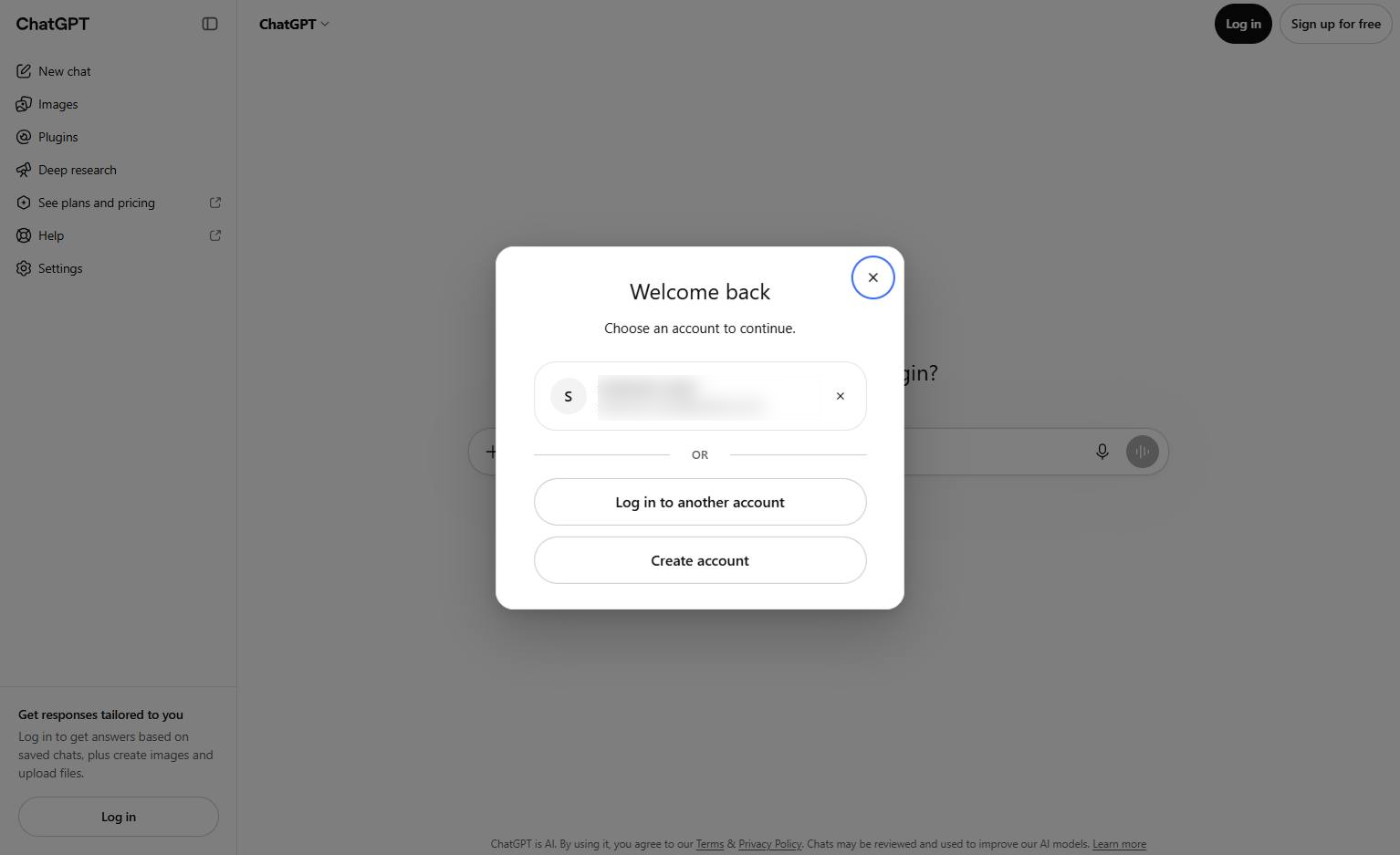
This guide shows you how to upload and add photos to your conversations in ChatGPT. You will learn how to navigate the platform, open the file attachment menu, and select the photo option to share images with the AI.
Go to the ChatGPT website in your browser to log in and access your account features.
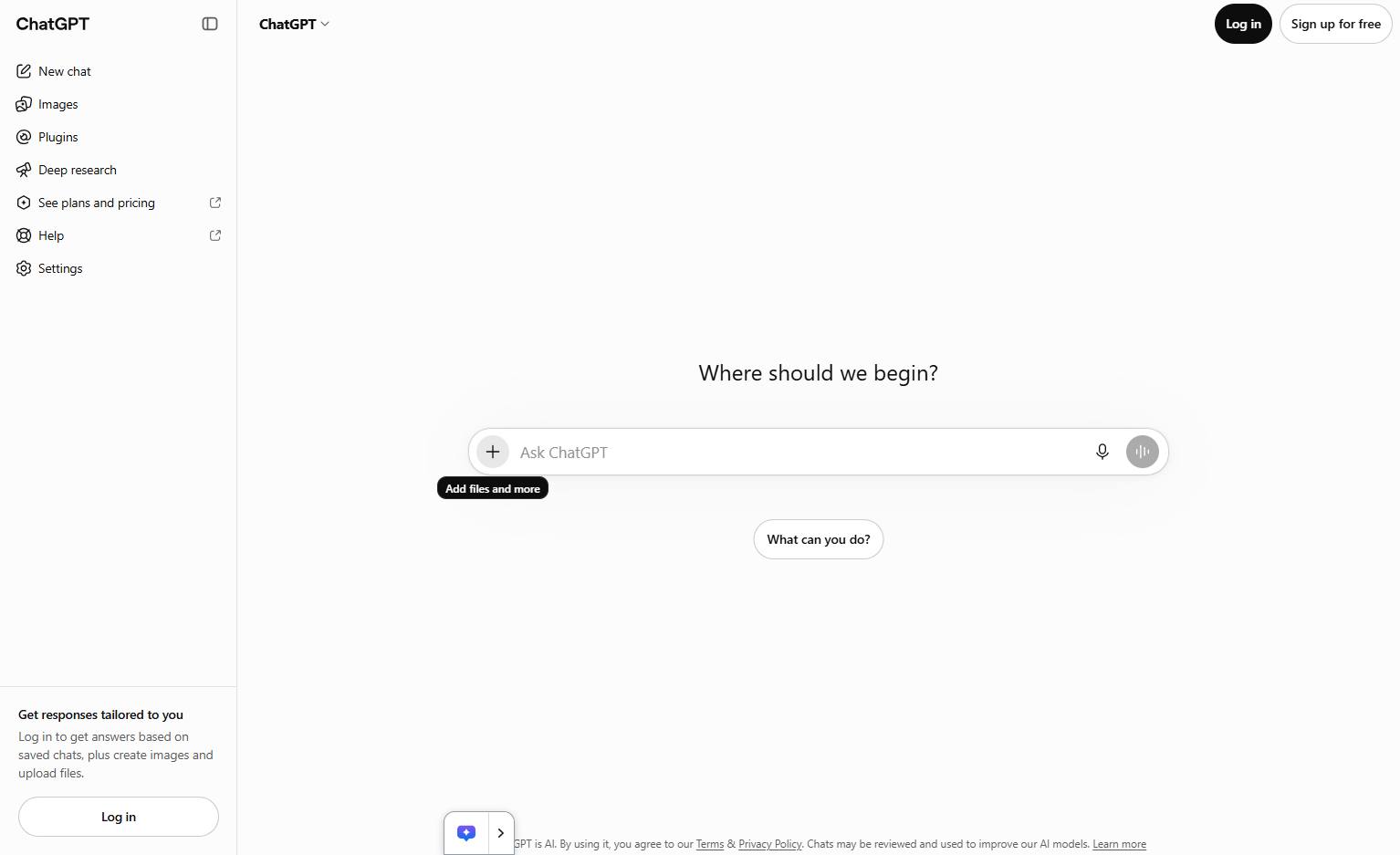
Click the + (Add files and more) button located on the left side of the chat input field.
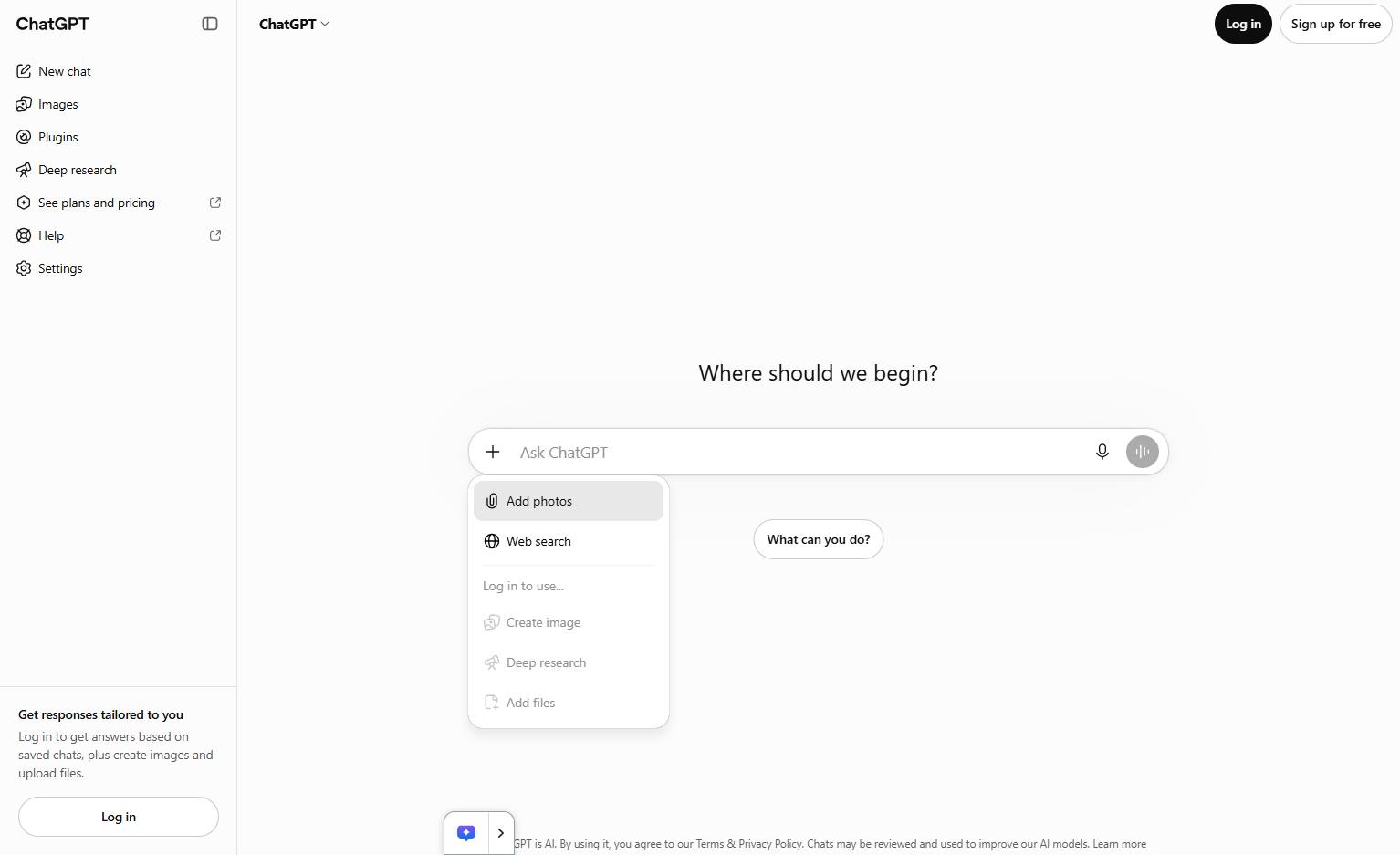
Click the "Add photos" option in the dropdown menu below the chat input field to upload an image.
Click on the desired image file within the file explorer dialog to select it for uploading.
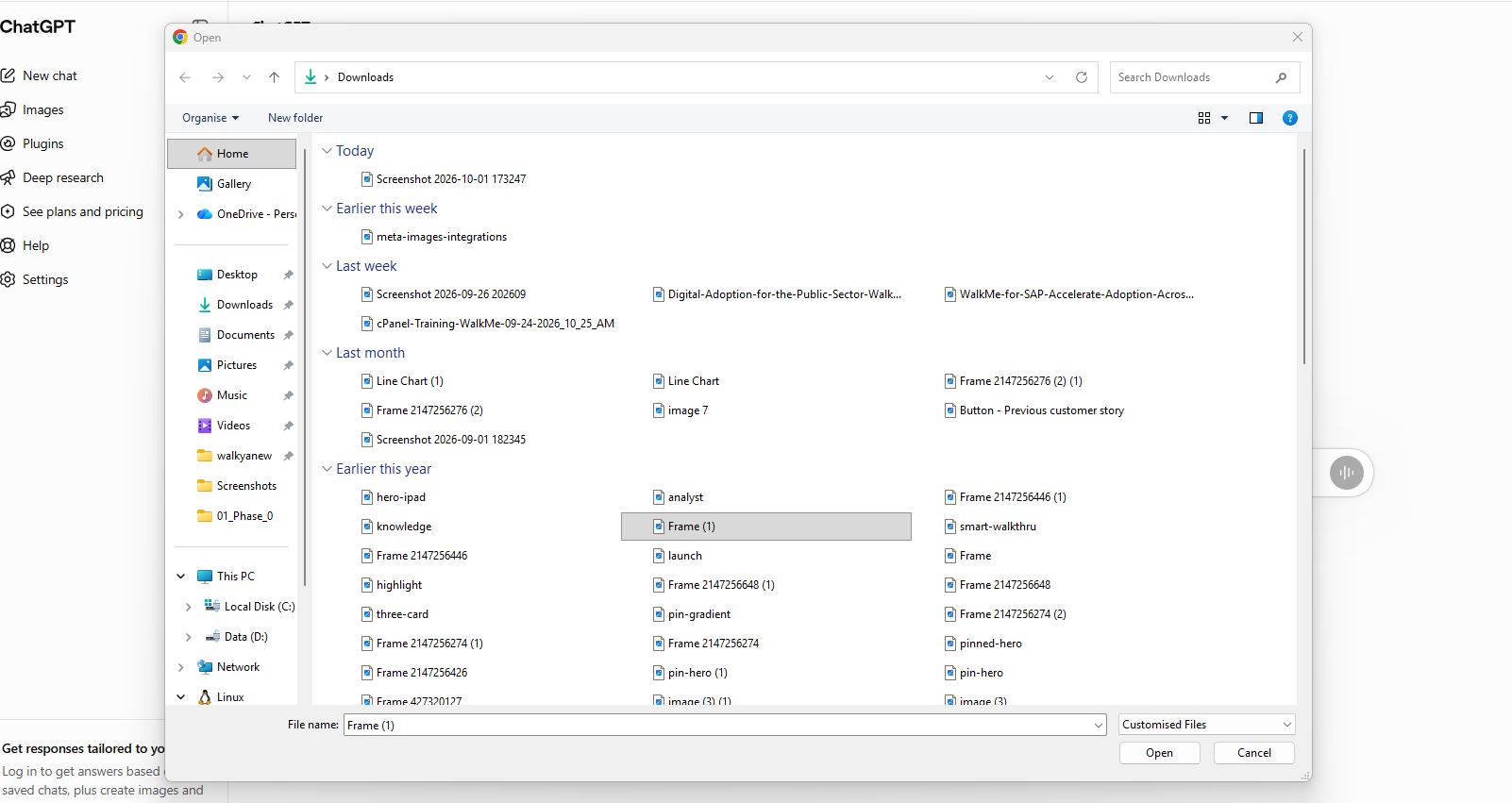
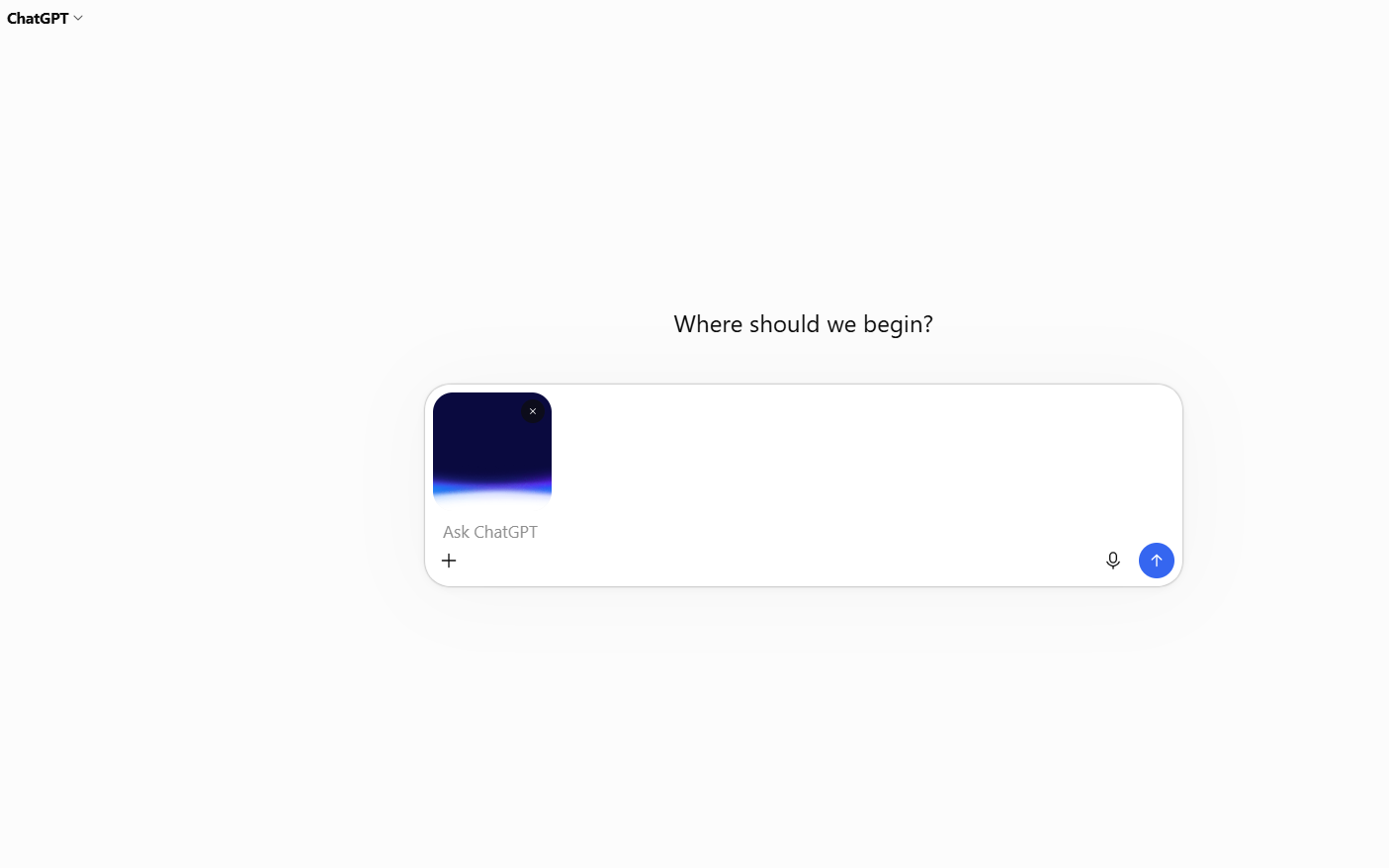
The selected photo has been successfully uploaded and is now attached to the ChatGPT conversation.
Duplicate this template, swap in your own screens, and share it with your team. Free to start — no credit card.
Fill out the form and we'll get back to you as soon as possible.
Tell us about your team and we'll find the right plan together.