1
Navigate to the Gmail Inbox
Navigate to your Gmail Inbox to begin the process of viewing your blocked email addresses.
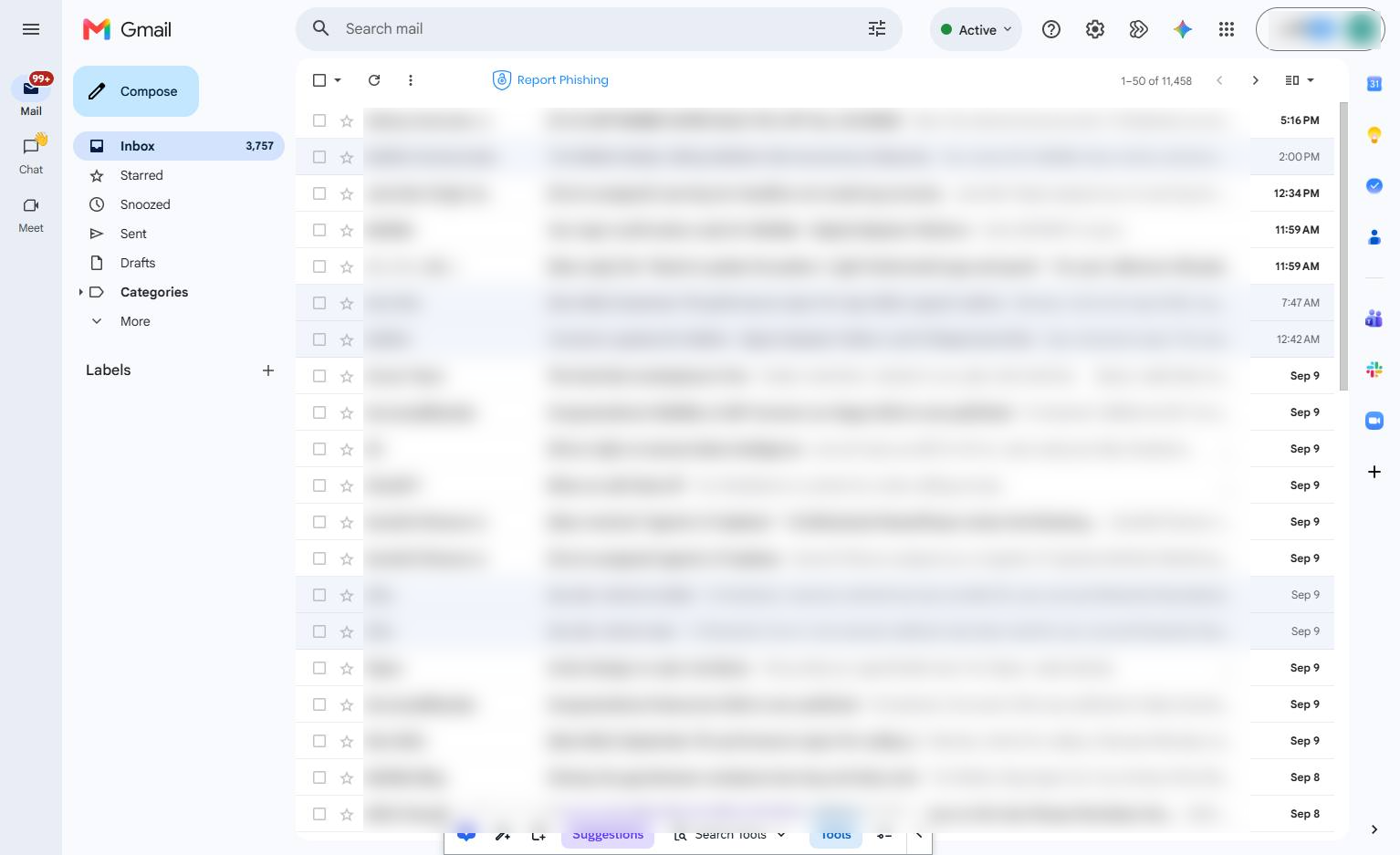

Learn how to access and manage your blocked email addresses in WalkMe Mail. This guide will walk you through navigating to your settings and opening the Filters and Blocked Addresses tab to view your blocked senders.
Navigate to your Gmail Inbox to begin the process of viewing your blocked email addresses.
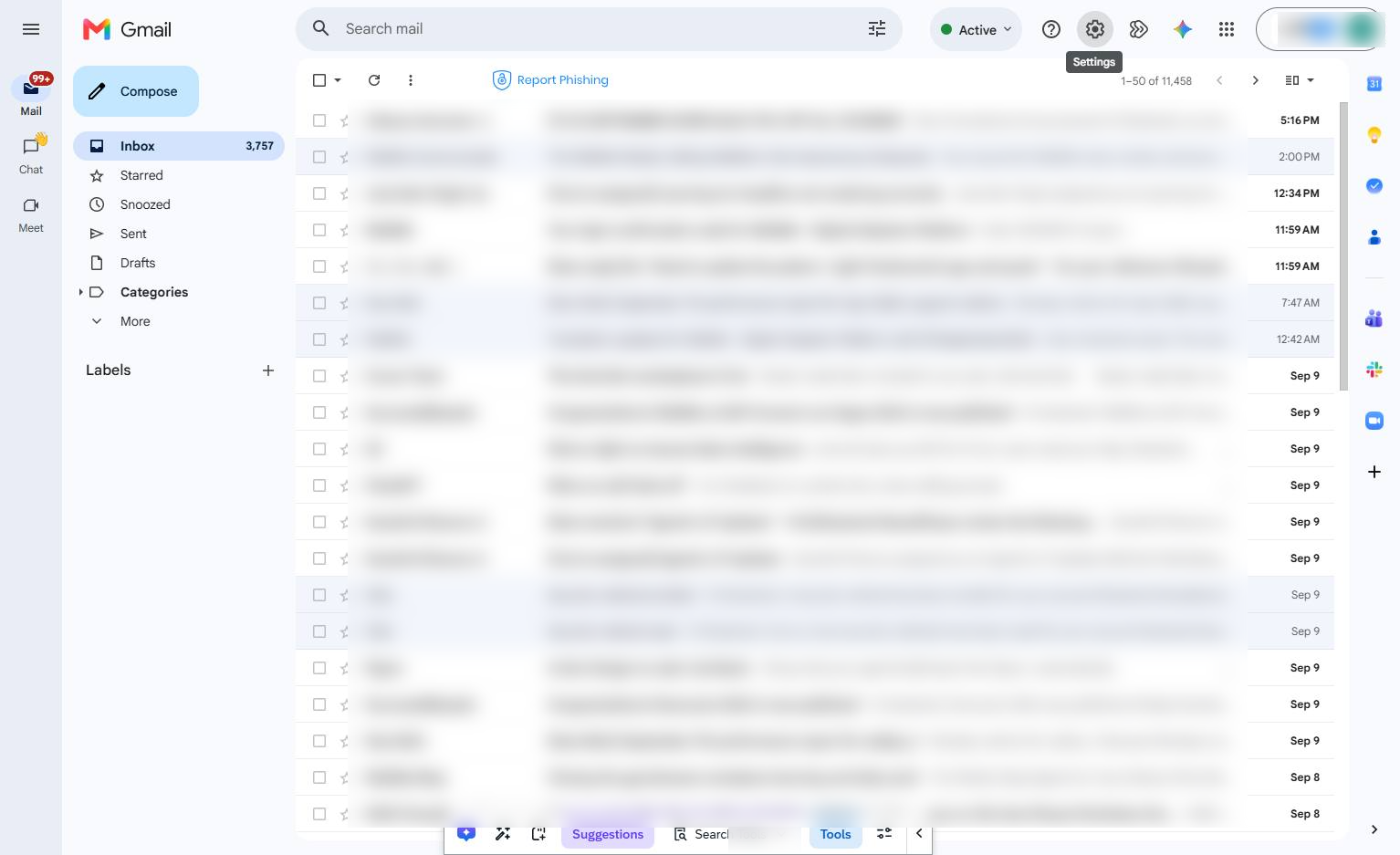
Click the Settings gear icon in the top right corner of the page to access your account preferences.
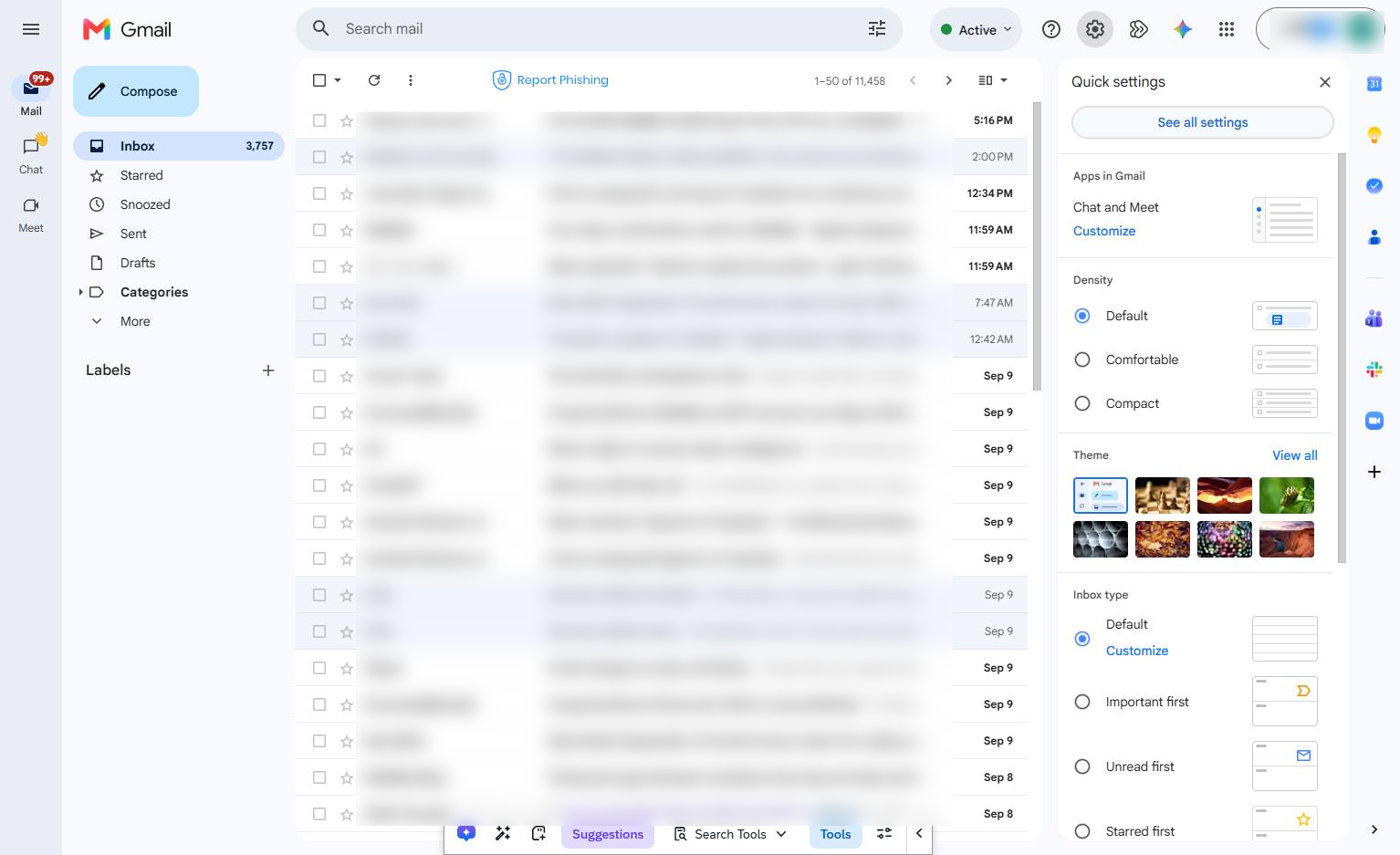
Click the "See all settings" button at the top of the Quick settings panel on the right side of the screen.
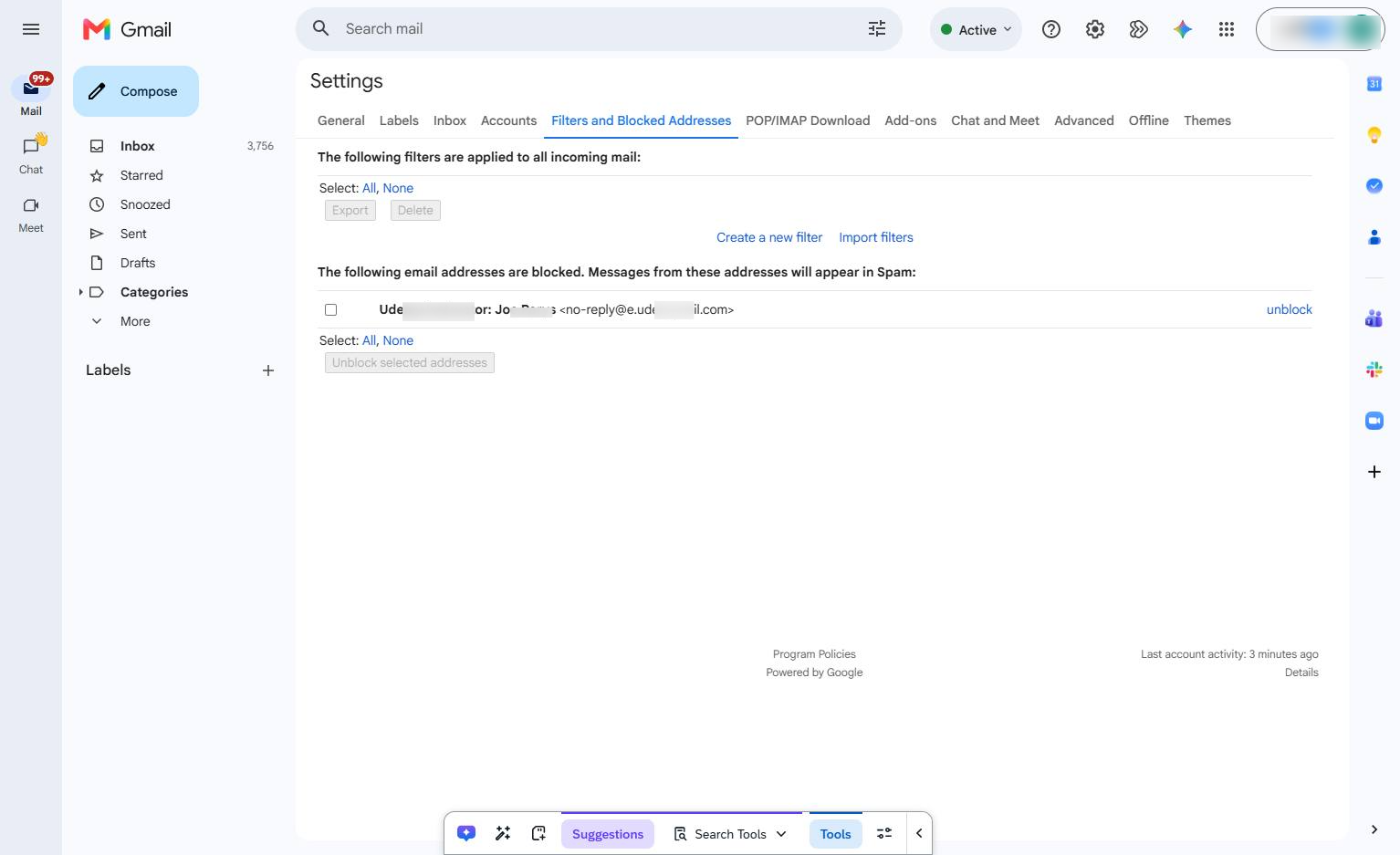
Click the "Filters and Blocked Addresses" tab in the top navigation menu of the Settings page.
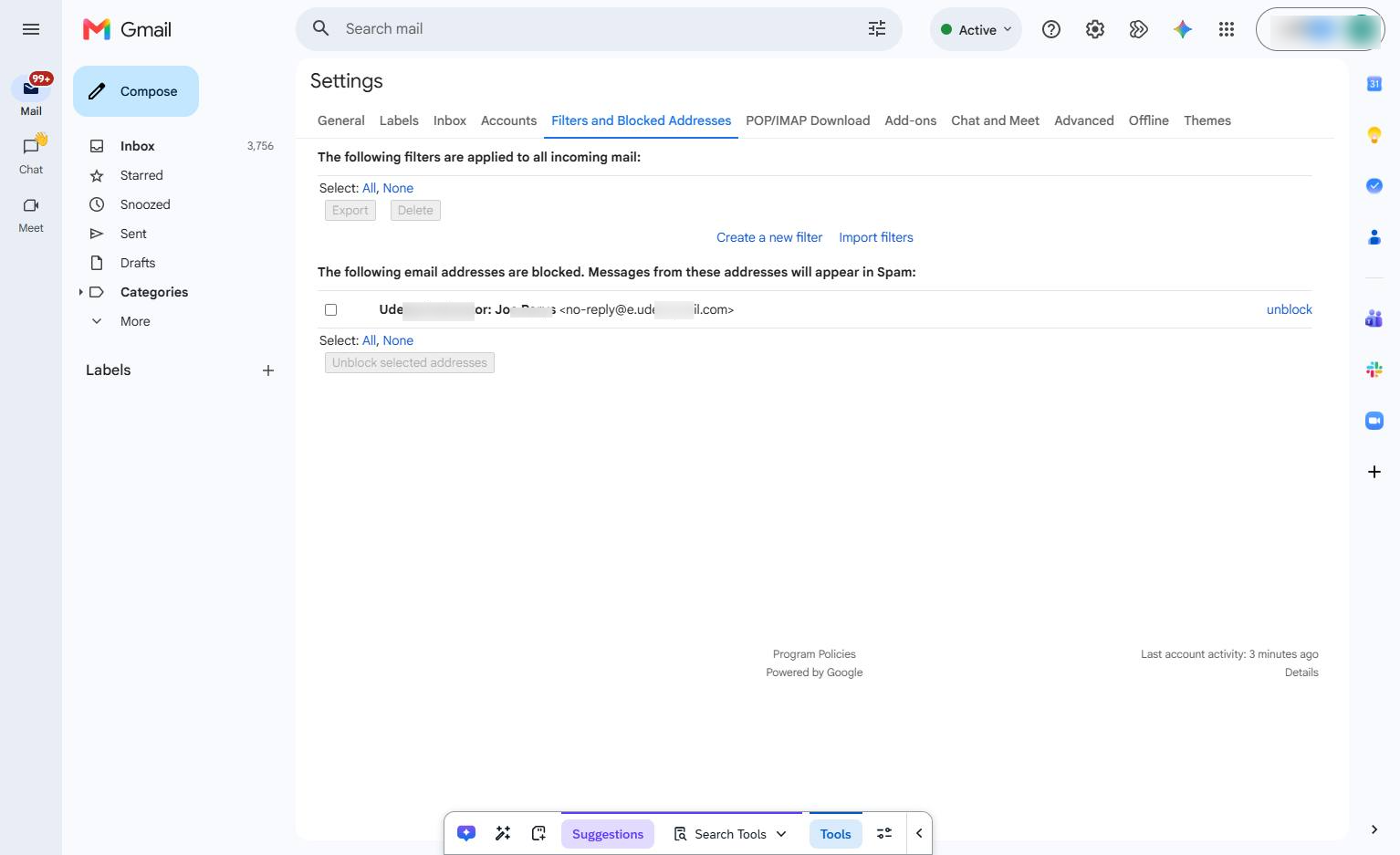
Click the checkbox next to the blocked email address in the list to select it for unblocking.
Duplicate this template, swap in your own screens, and share it with your team. Free to start — no credit card.
Fill out the form and we'll get back to you as soon as possible.
Tell us about your team and we'll find the right plan together.