1
Click in your document
Click where you want to write. Type or edit as usual. There is no Save button - every change is saved to Drive as you work.
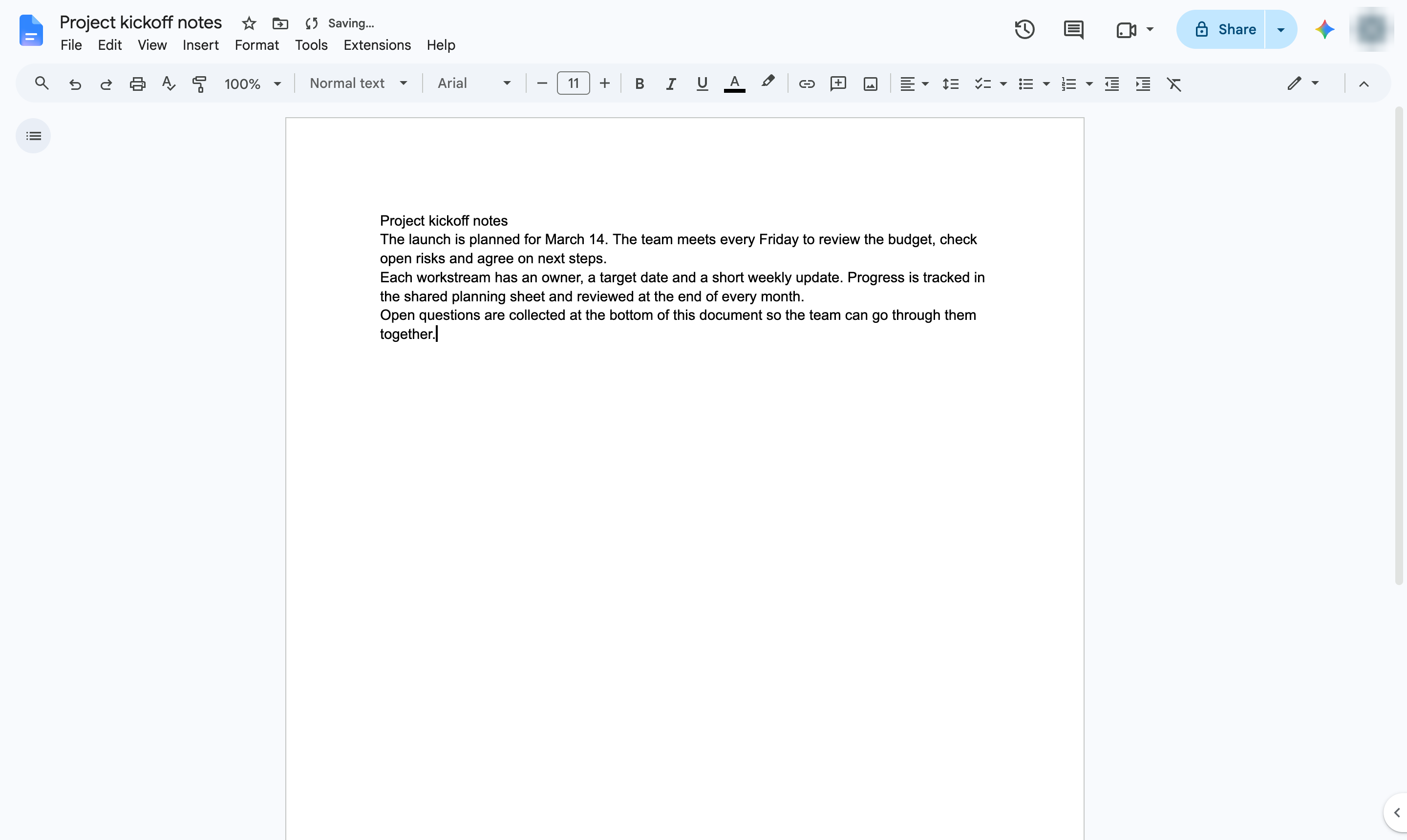

Google Docs saves every change for you. Check the save status, or download a copy to your computer.
Click where you want to write. Type or edit as usual. There is no Save button - every change is saved to Drive as you work.
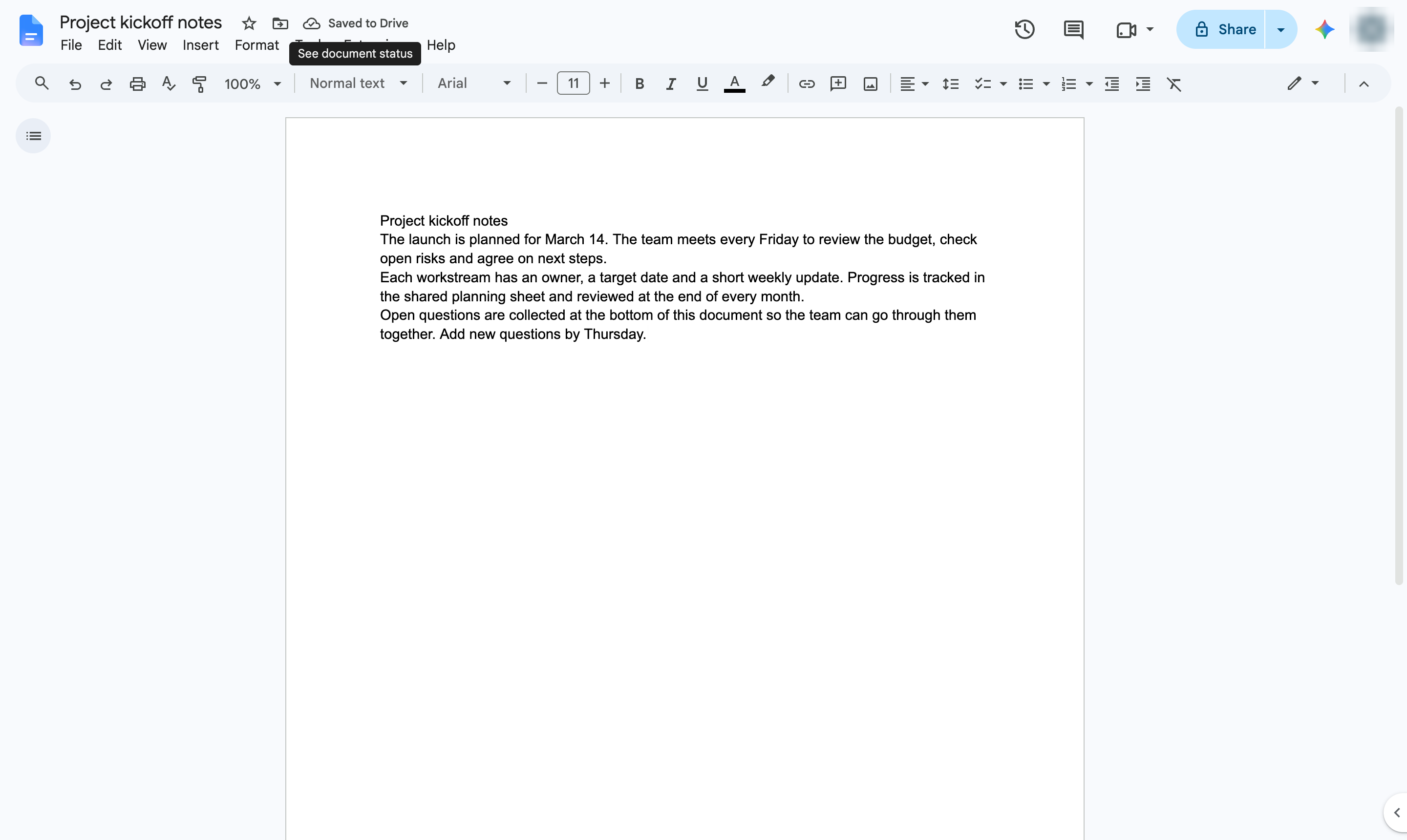
The cloud icon next to the title confirms the change is saved to Drive. For a copy on your computer, choose File > Download.
Duplicate this template, swap in your own screens, and share it with your team. Free to start — no credit card.
Fill out the form and we'll get back to you as soon as possible.
Tell us about your team and we'll find the right plan together.