1
Select your data
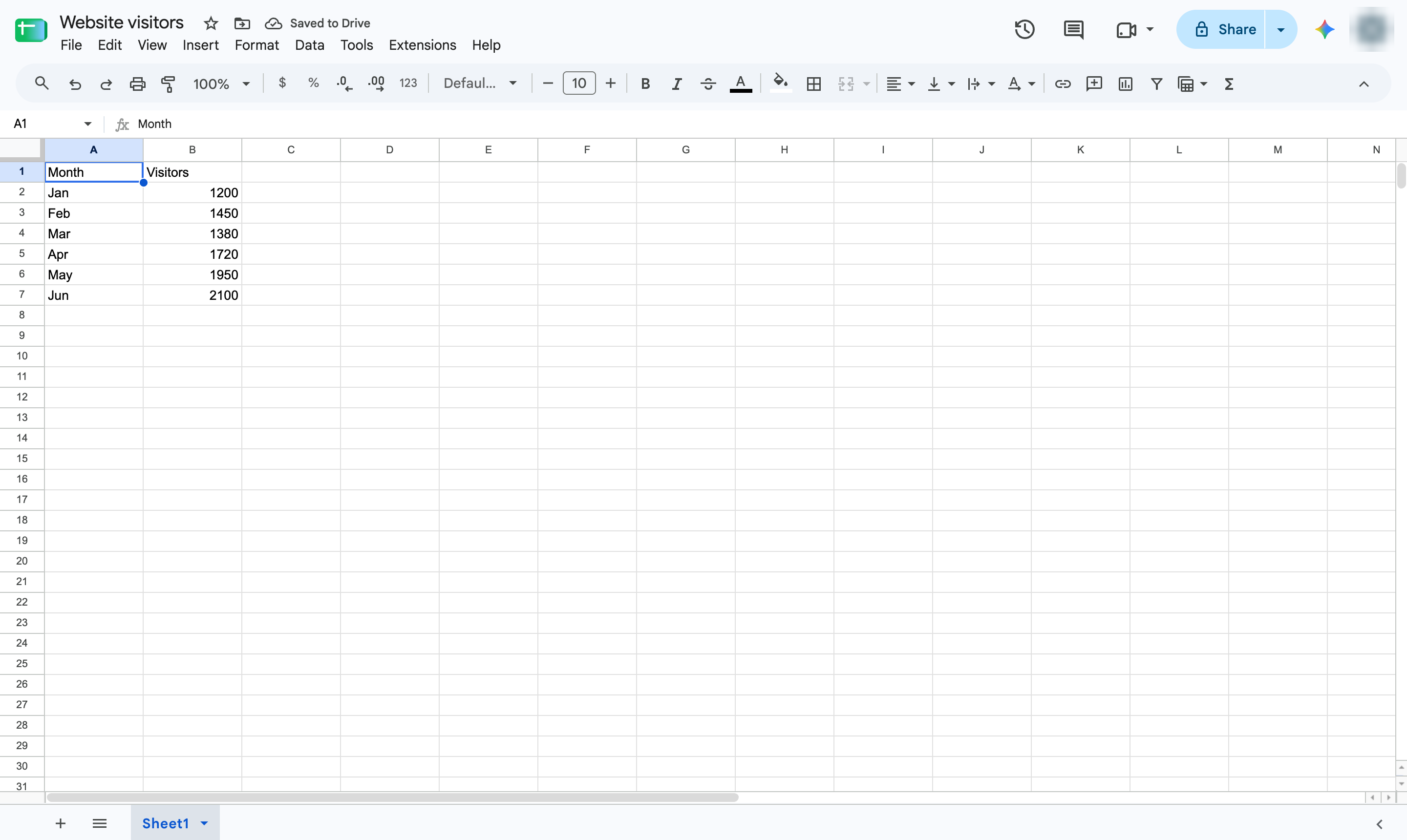
Highlight the cells to chart, including the header row - here, the months and the visitor counts.

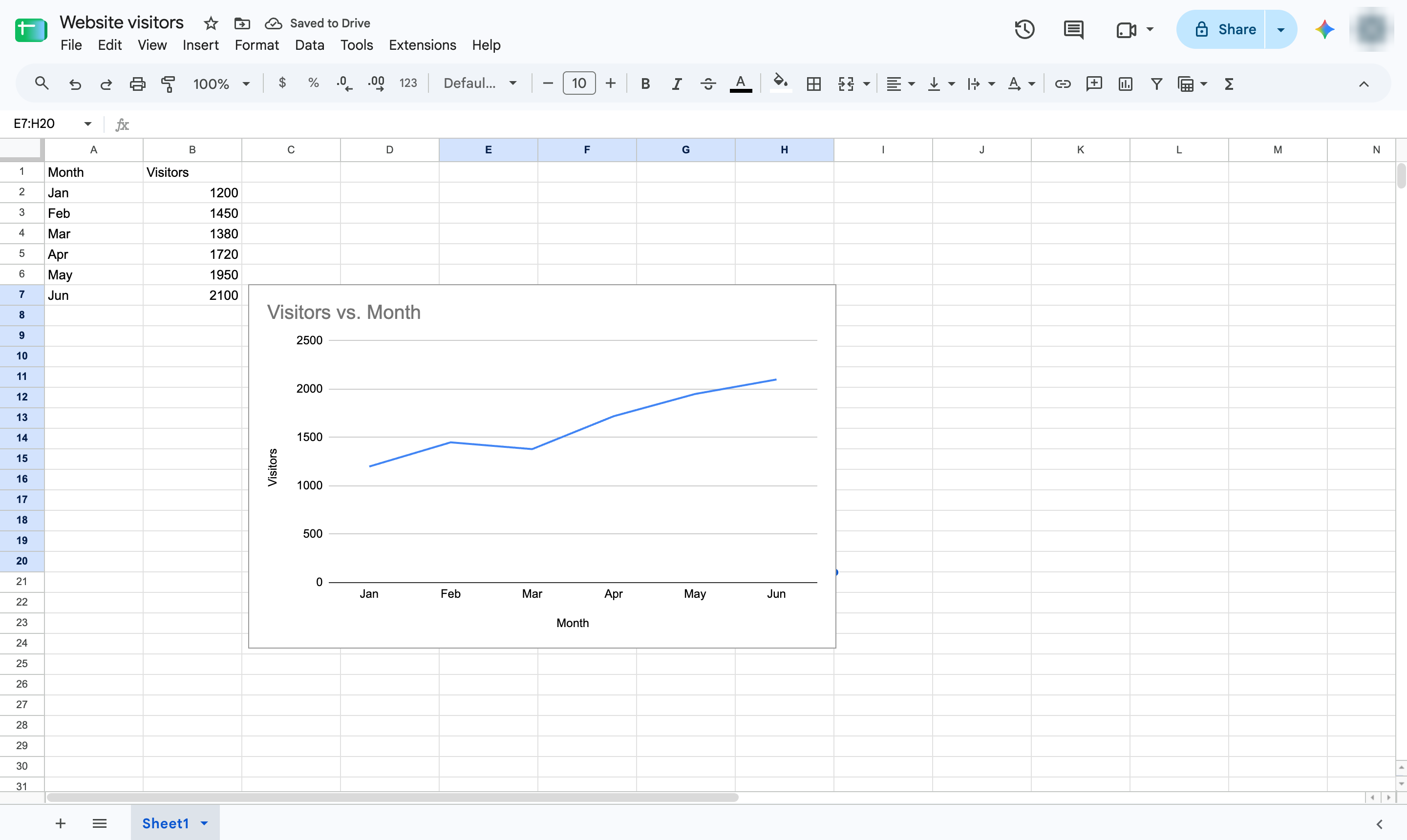
Show how a value changes over time: select the data, insert a chart and choose Line chart.
Highlight the cells to chart, including the header row - here, the months and the visitor counts.
Open the Insert menu.
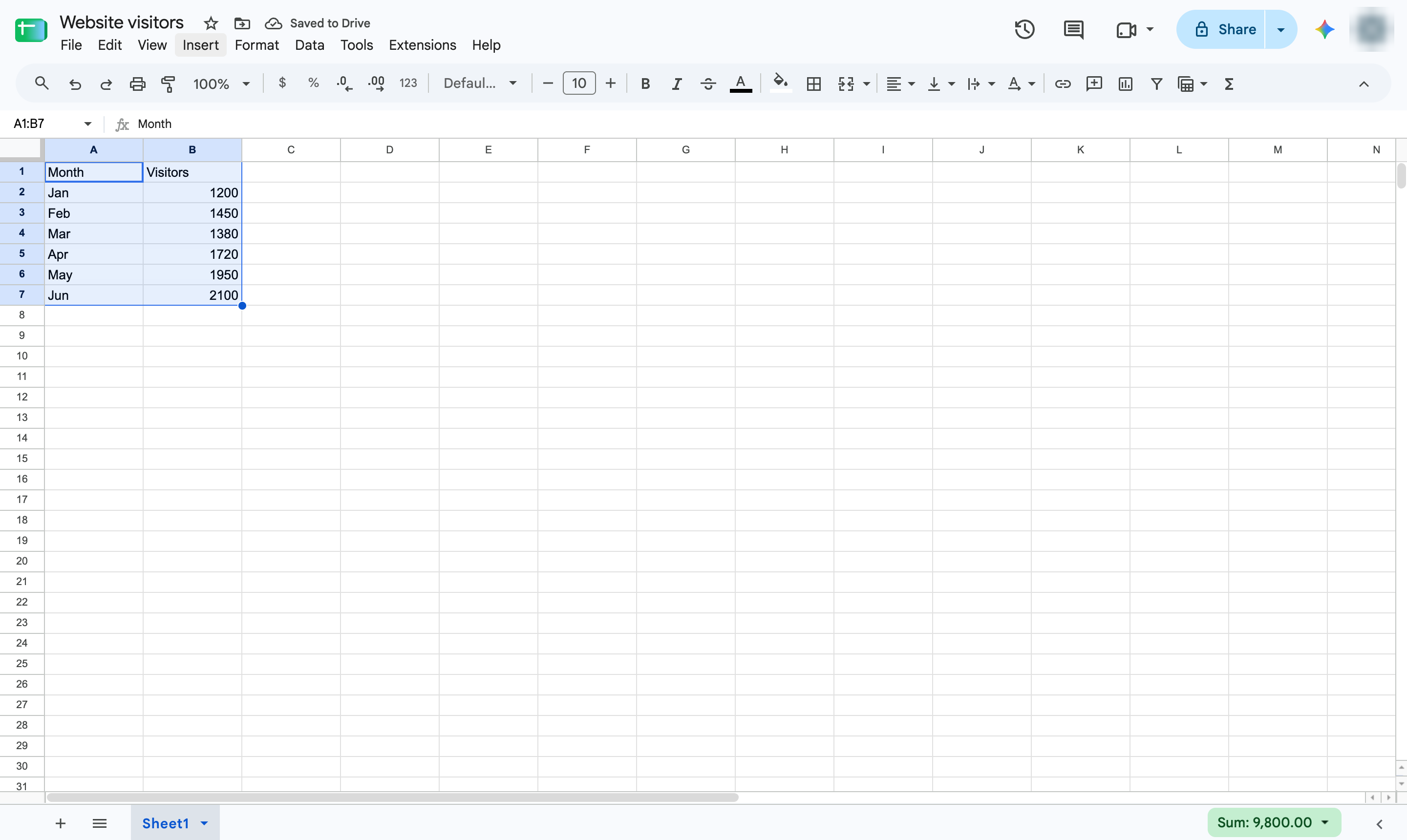
Choose Chart. A chart appears and the Chart editor opens.
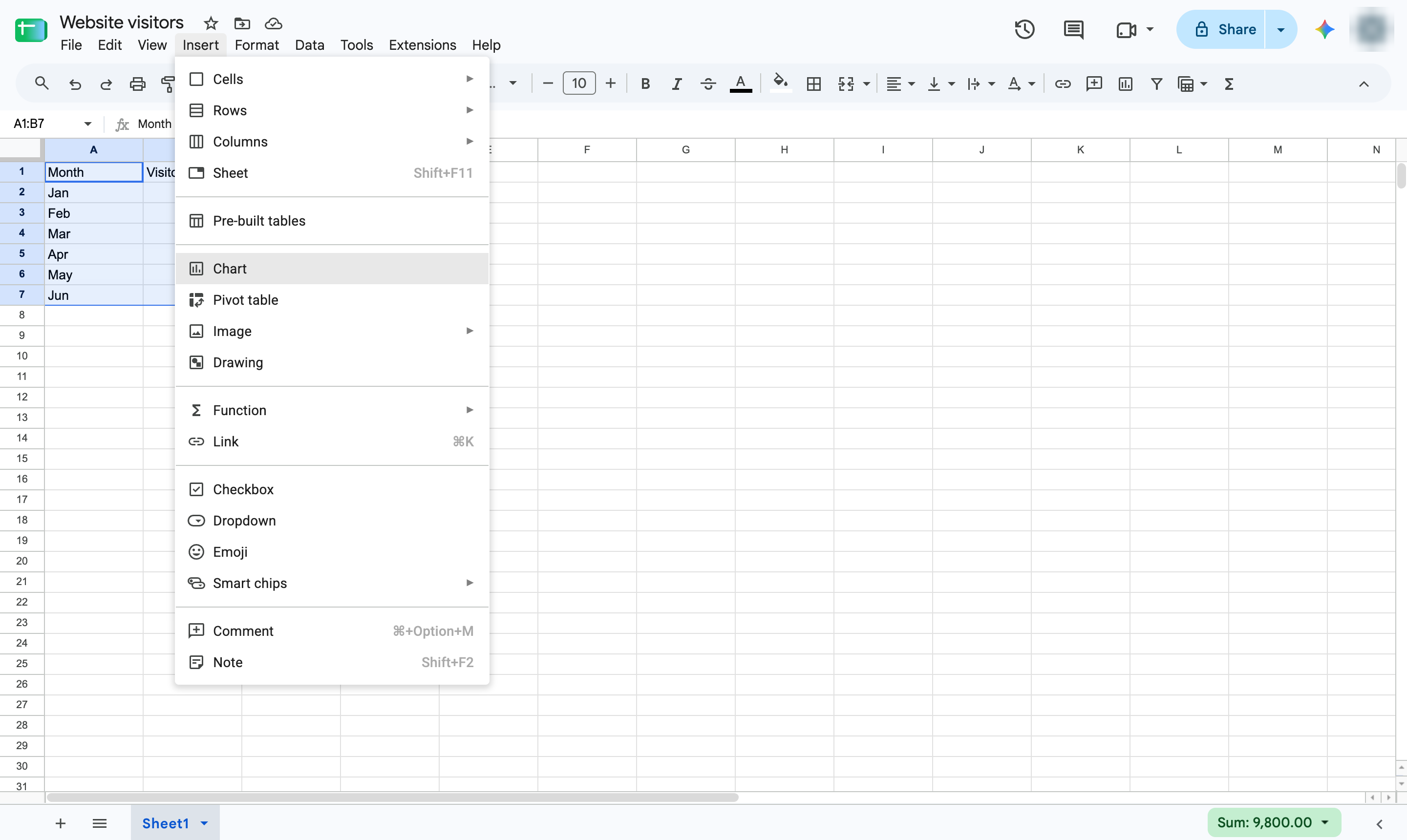
In the Chart editor, open the Chart type list under Setup.
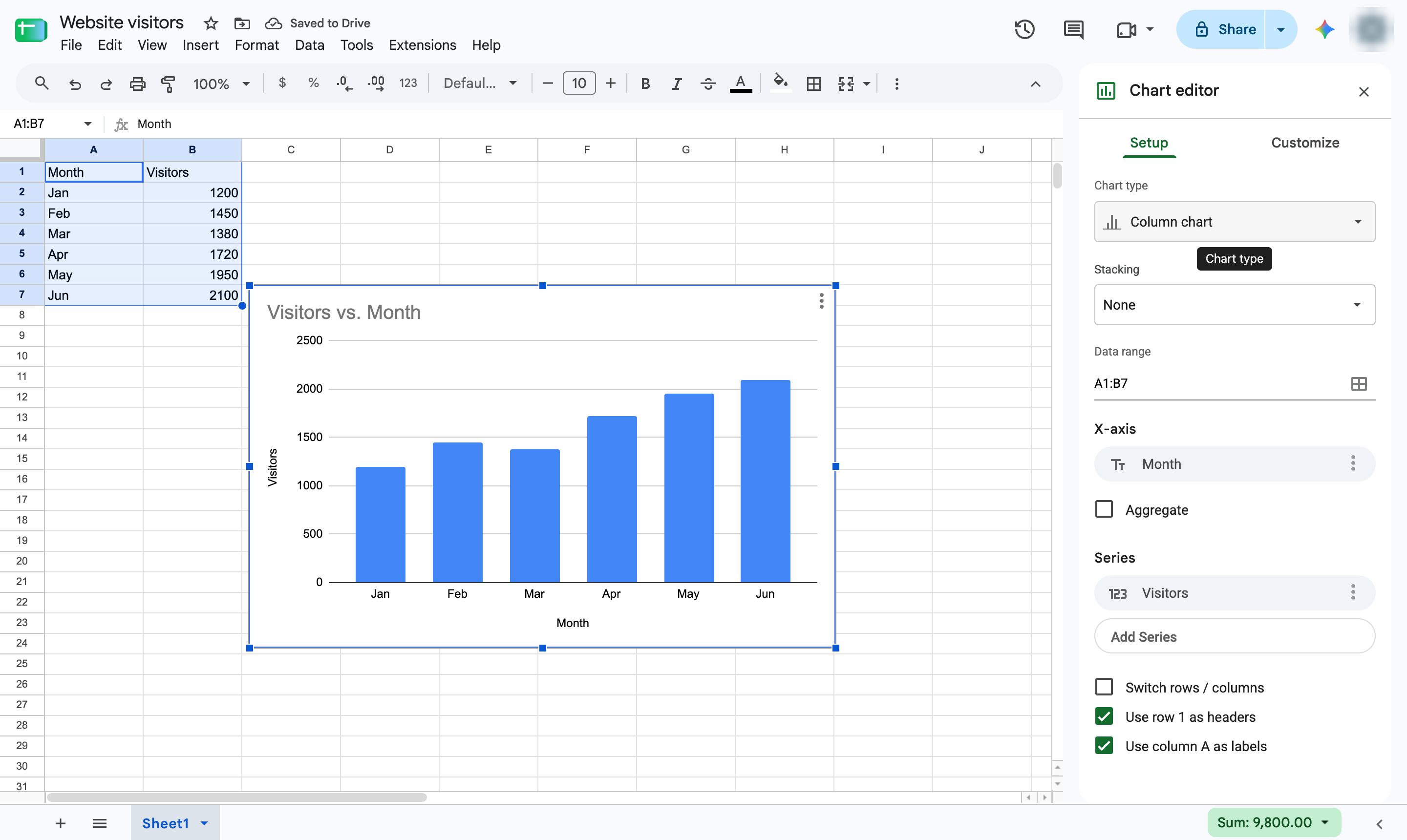
Pick Line chart from the list.
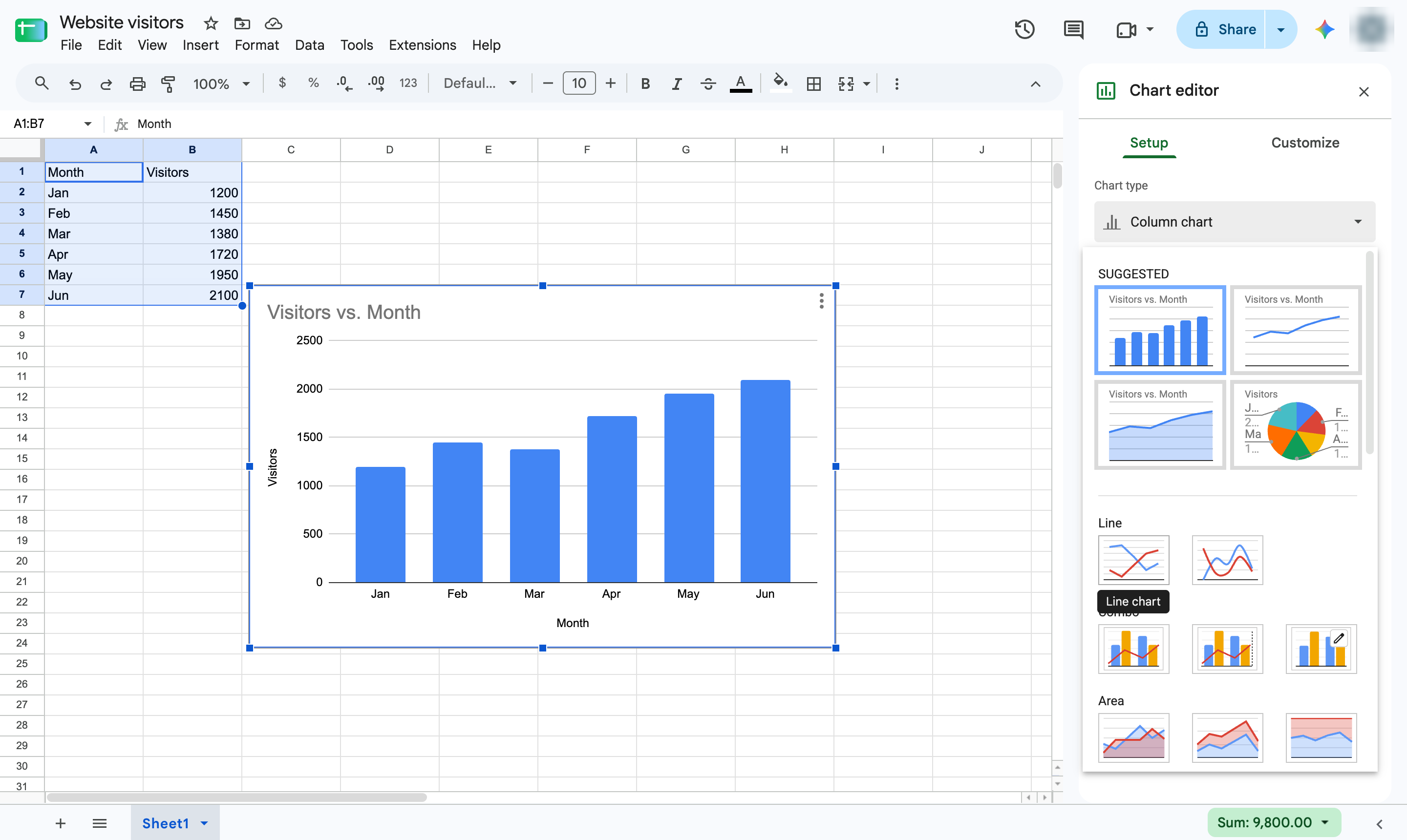
The line connects each month's value so the trend is easy to see.
Duplicate this template, swap in your own screens, and share it with your team. Free to start — no credit card.
Fill out the form and we'll get back to you as soon as possible.
Tell us about your team and we'll find the right plan together.