1
Click Settings
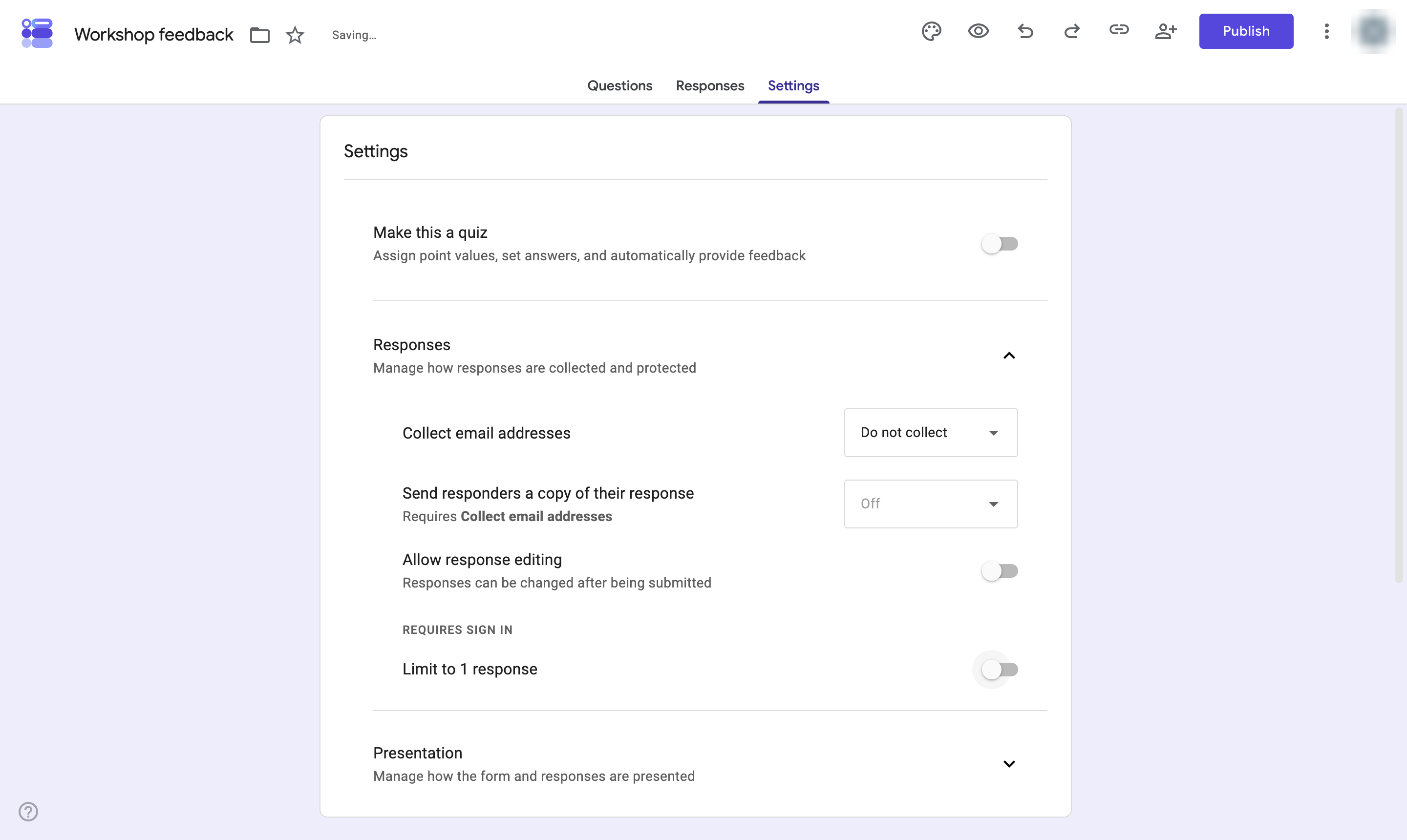
In the form editor, click the Settings tab.
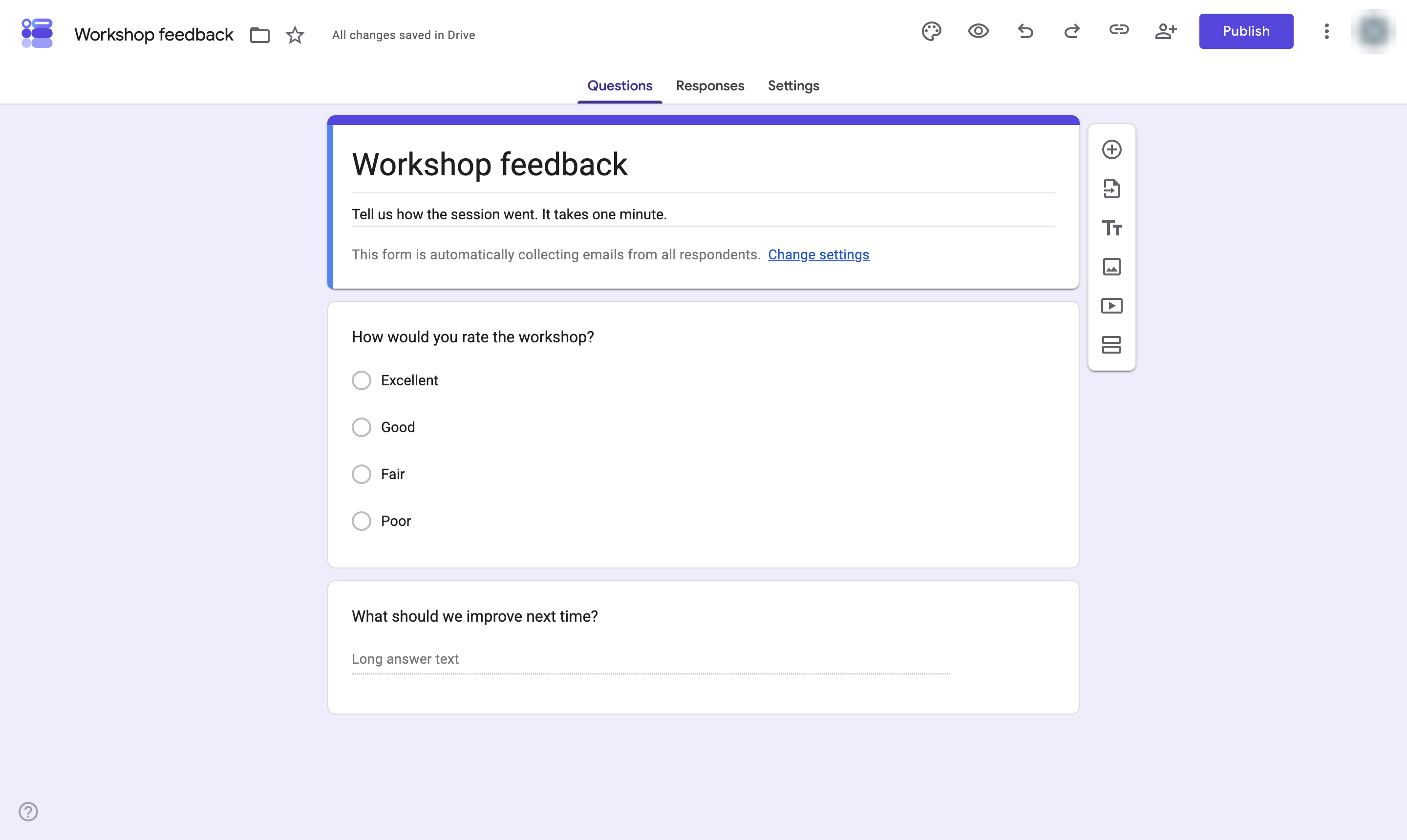

Stop a Google Form from collecting email addresses, so responses stay anonymous.
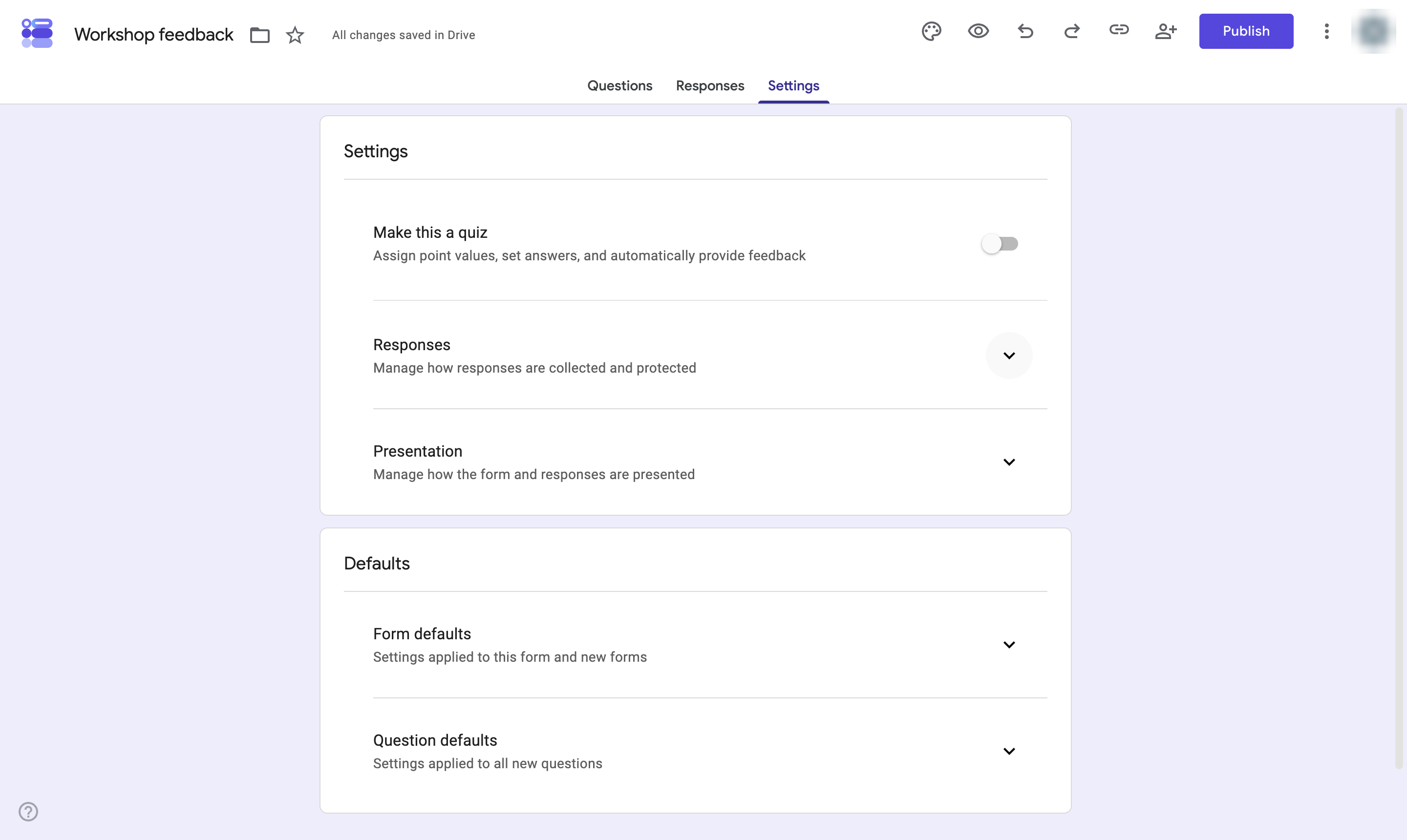
In the form editor, click the Settings tab.
Click the arrow next to Responses to open its settings.
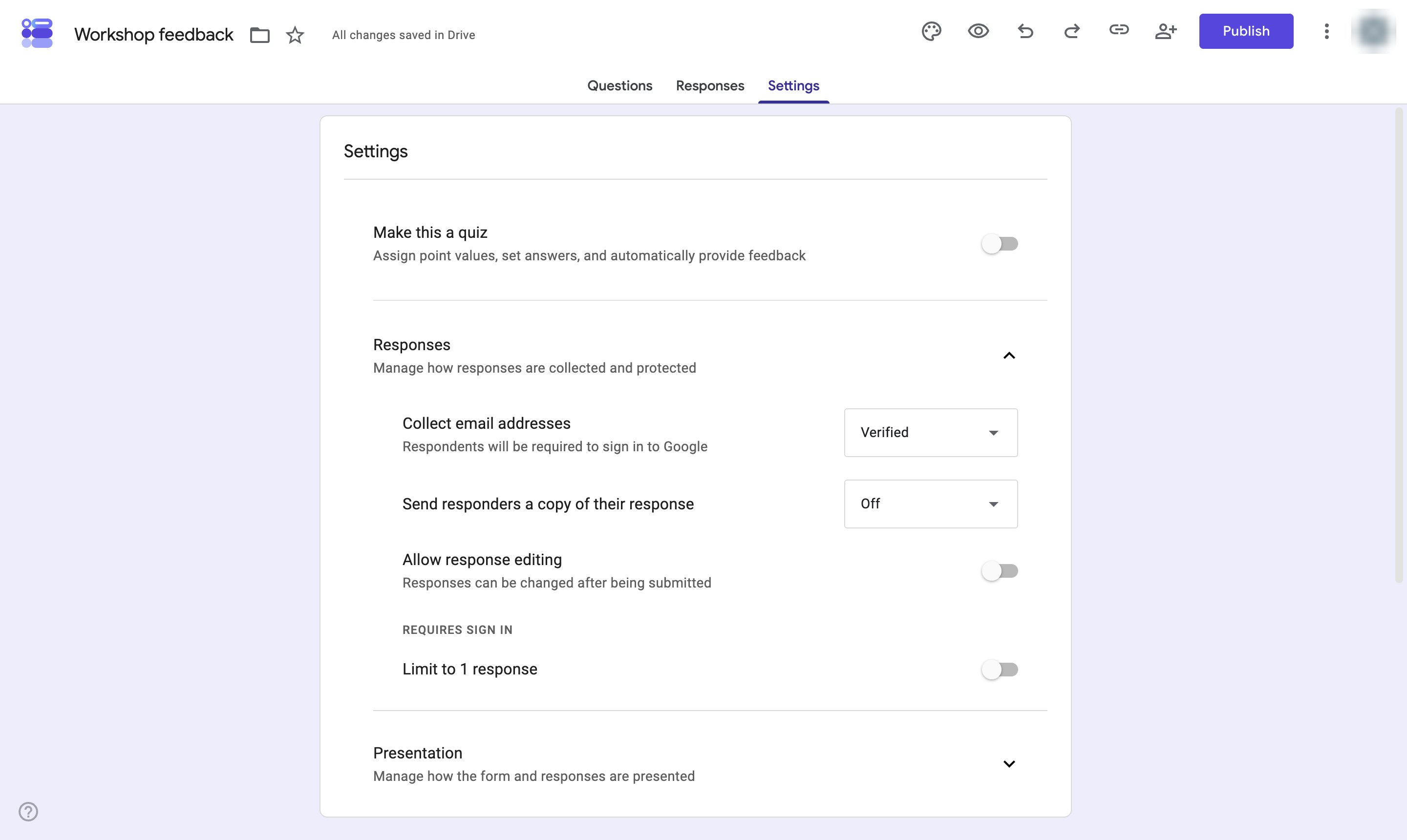
Click the drop-down next to Collect email addresses.
Choose Do not collect. The form no longer asks for or records an email address.
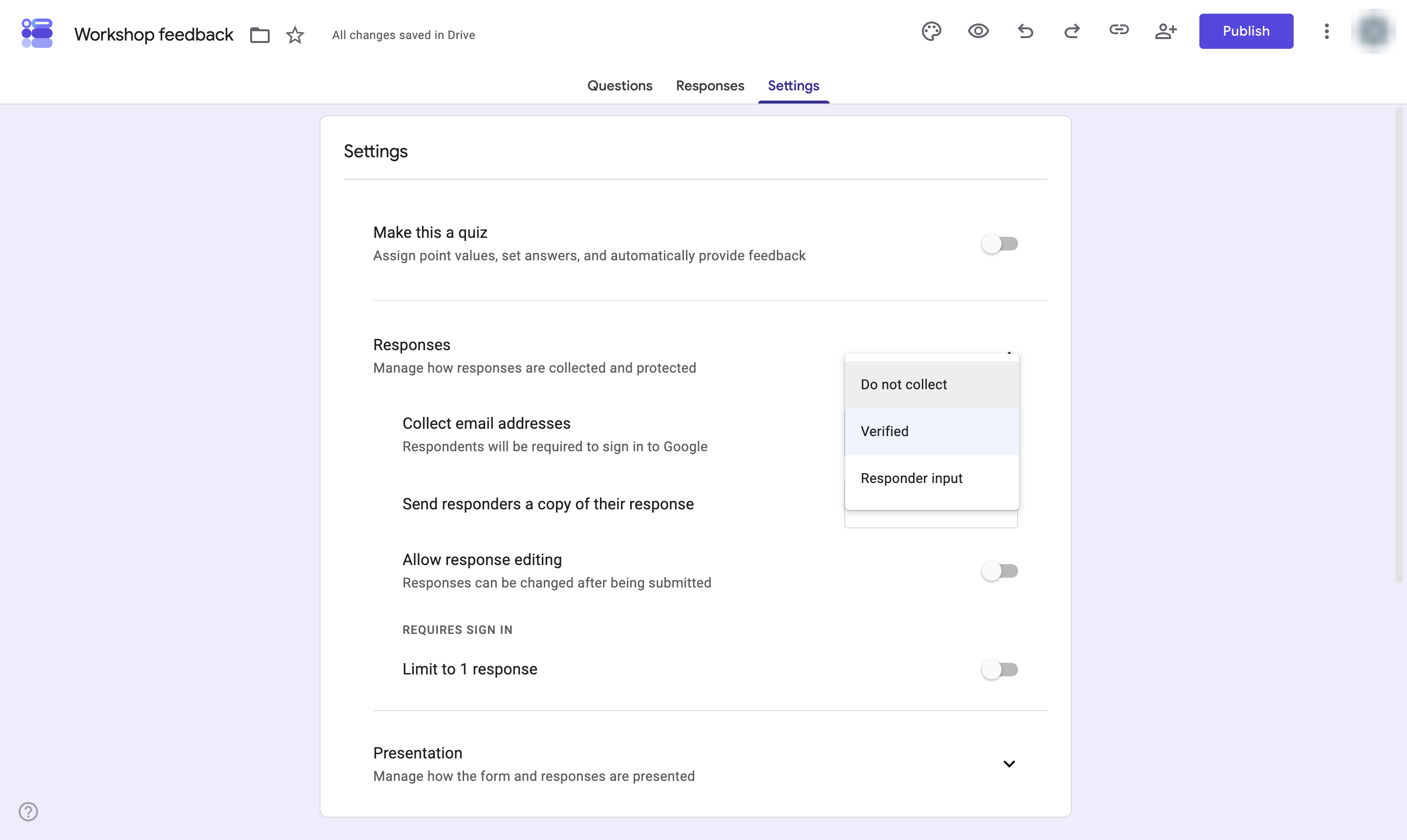
Leave Limit to 1 response off: it makes people sign in with Google, so the form is no longer anonymous.
Duplicate this template, swap in your own screens, and share it with your team. Free to start — no credit card.
Fill out the form and we'll get back to you as soon as possible.
Tell us about your team and we'll find the right plan together.