1
Click File
Open the File menu.


Turn your pages sideways with Page setup - handy for wide tables and charts.
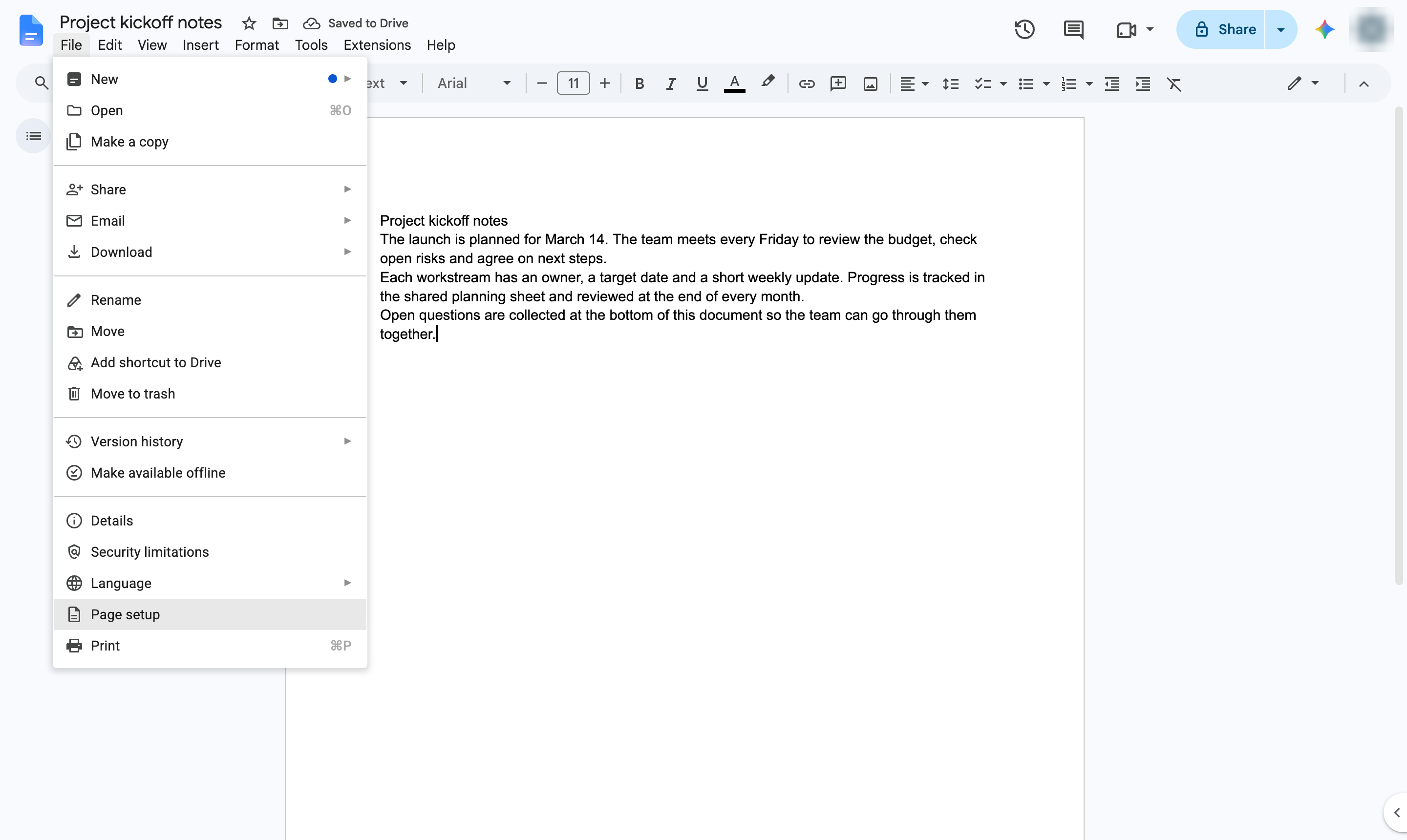
Open the File menu.
Choose Page setup.
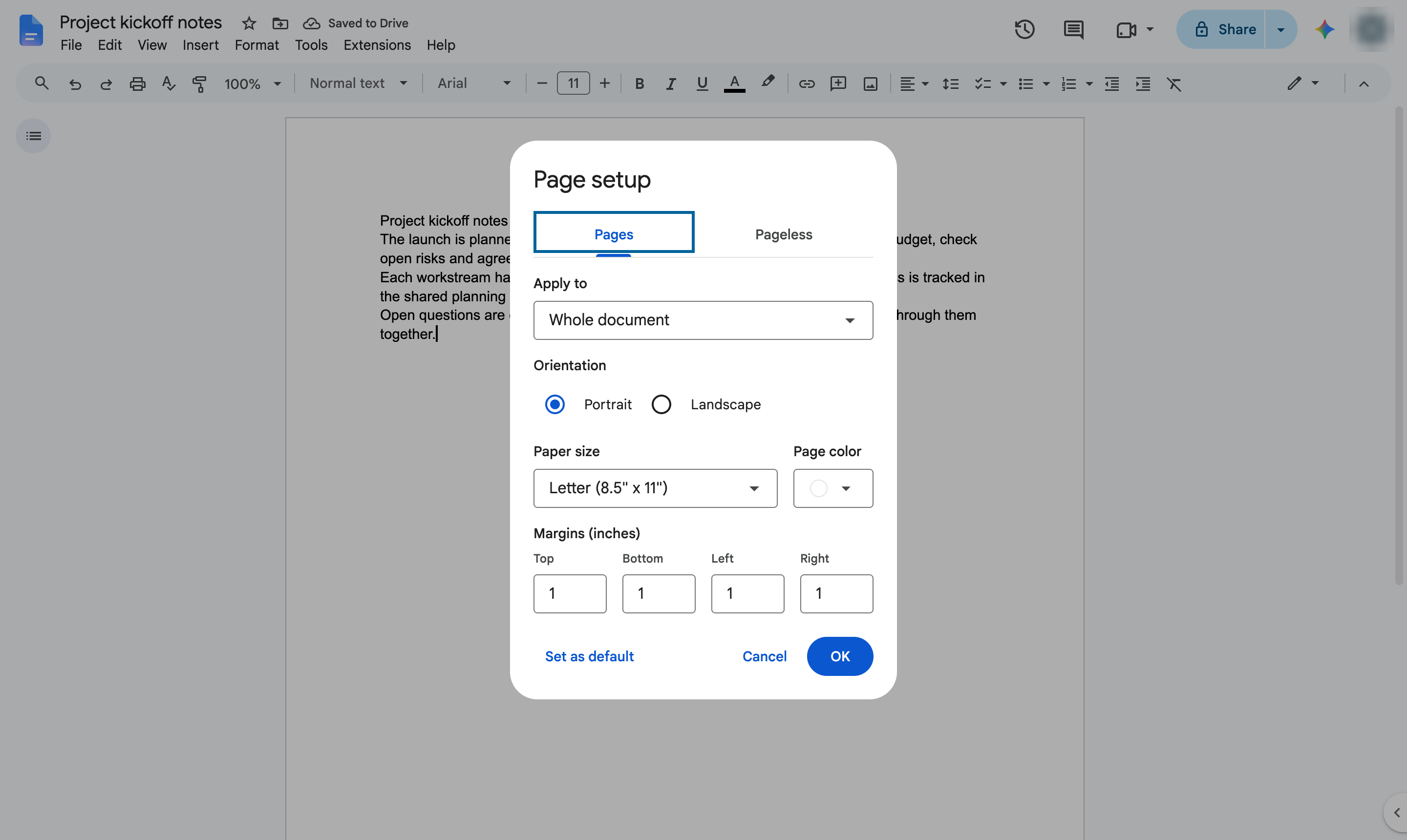
Under Orientation, choose Landscape.
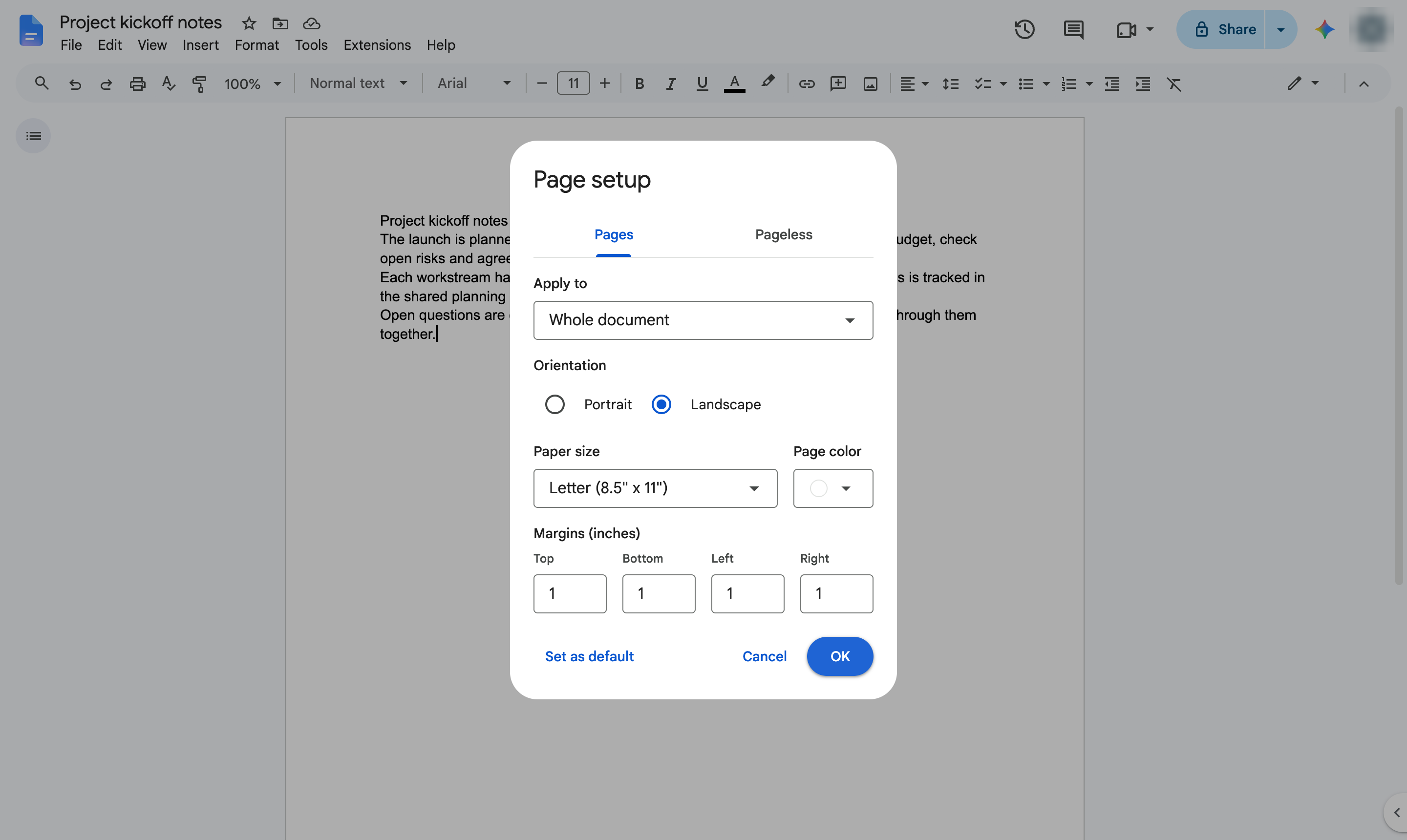
Apply the change.
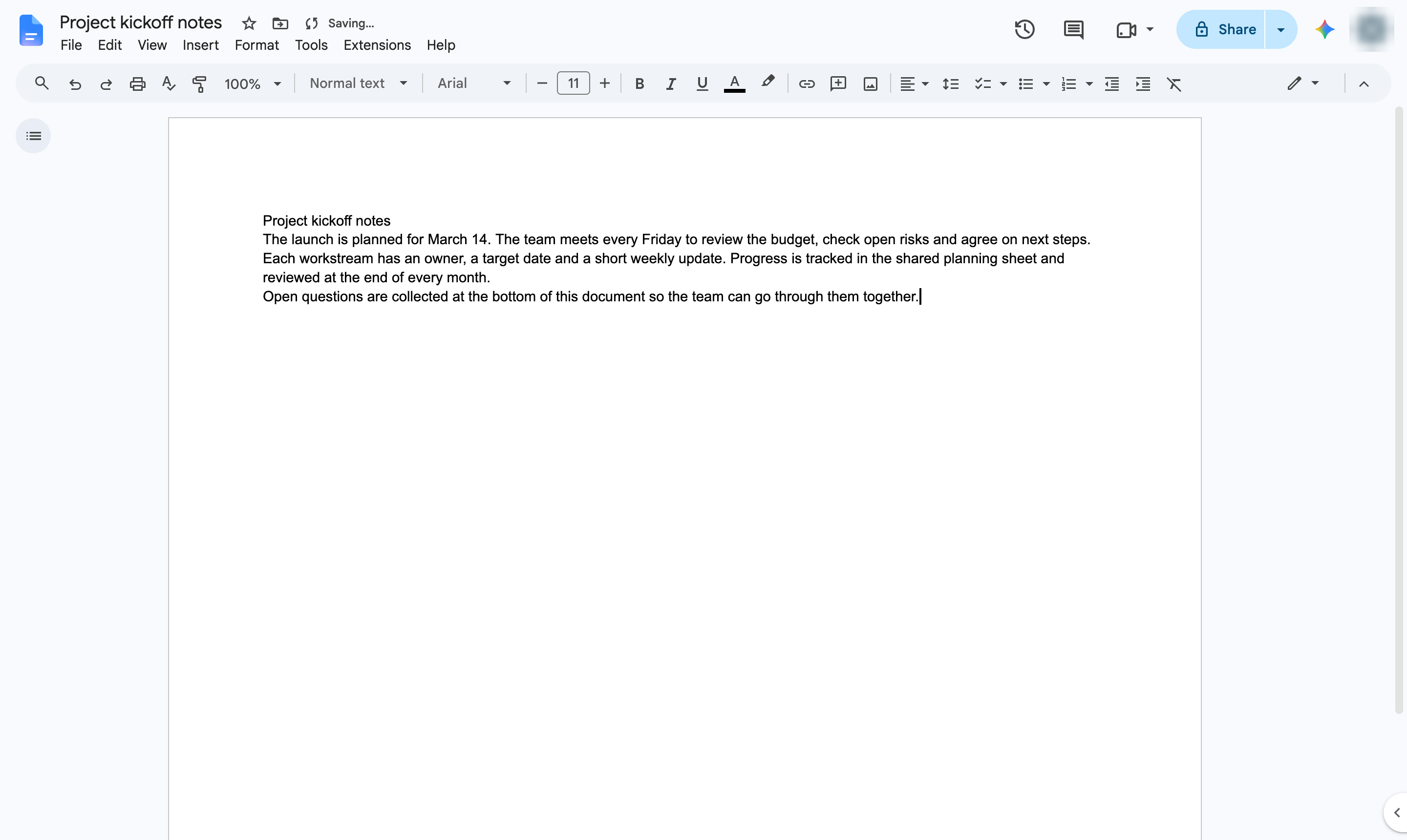
Every page is now wider than it is tall.
Duplicate this template, swap in your own screens, and share it with your team. Free to start — no credit card.
Fill out the form and we'll get back to you as soon as possible.
Tell us about your team and we'll find the right plan together.