1
Select the list items
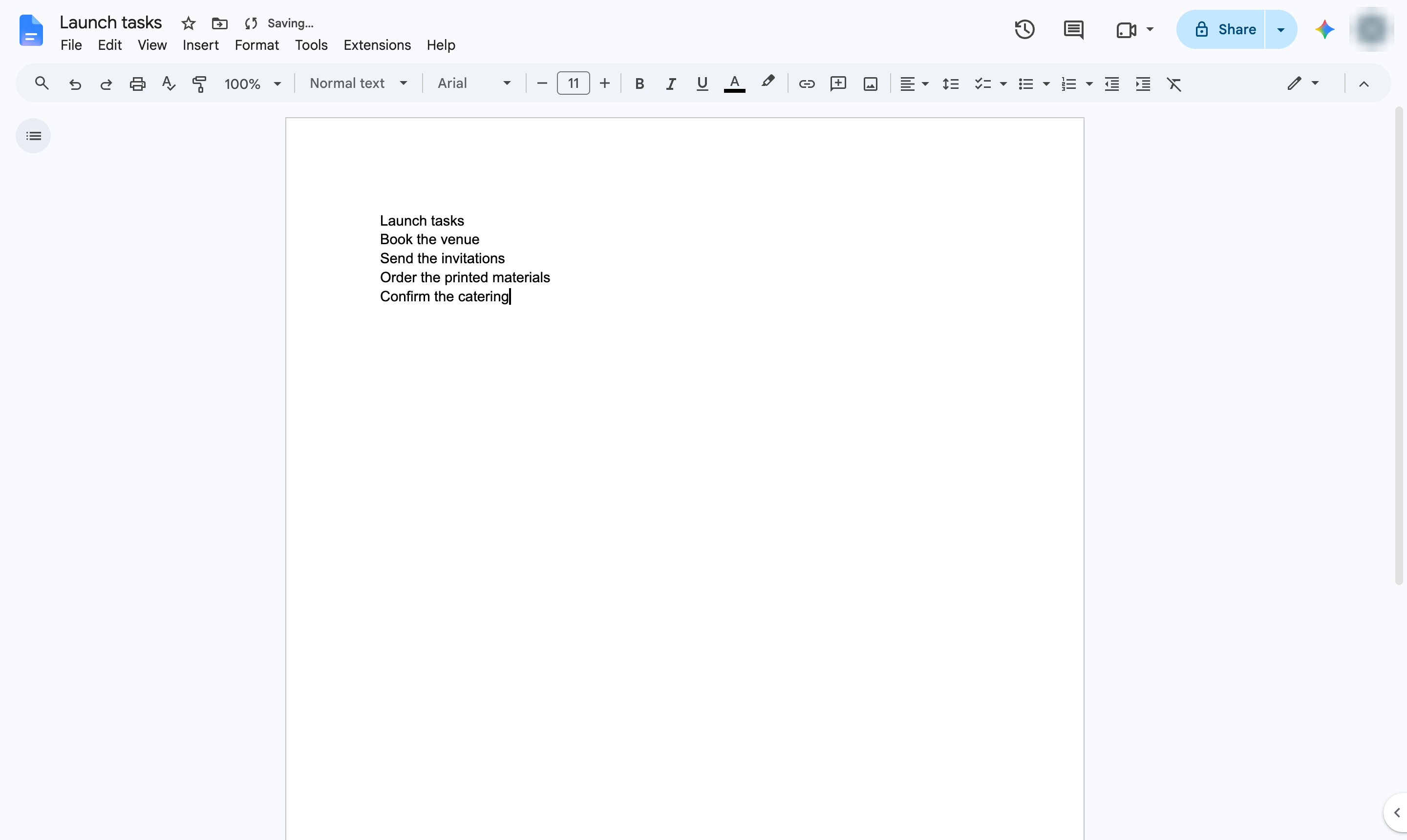
Highlight the lines you want to turn into a checklist.

Turn a list of tasks into a checklist with boxes you can tick off.
Highlight the lines you want to turn into a checklist.
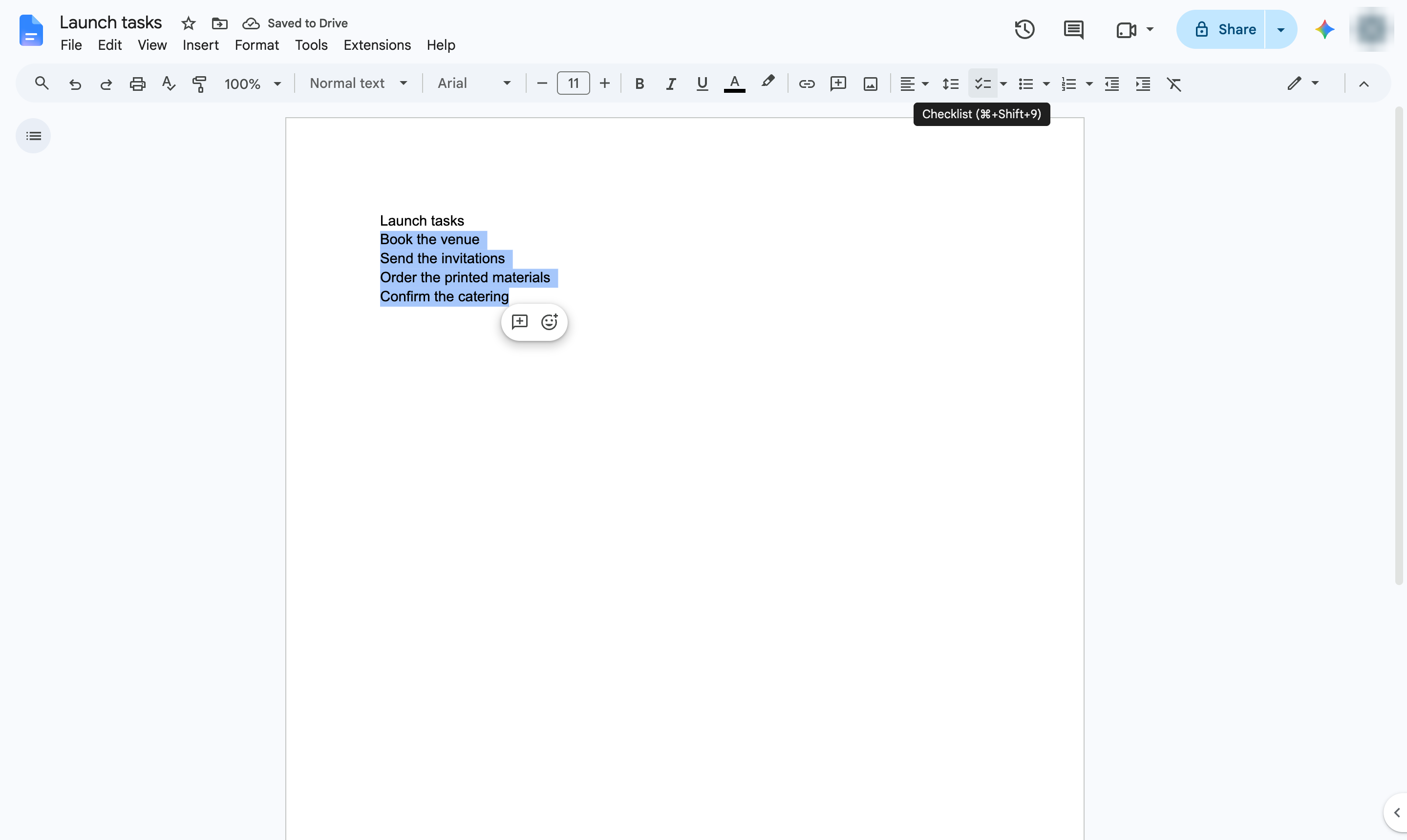
In the toolbar, click the Checklist button. Shortcut: Ctrl + Shift + 9 (Cmd + Shift + 9 on Mac).
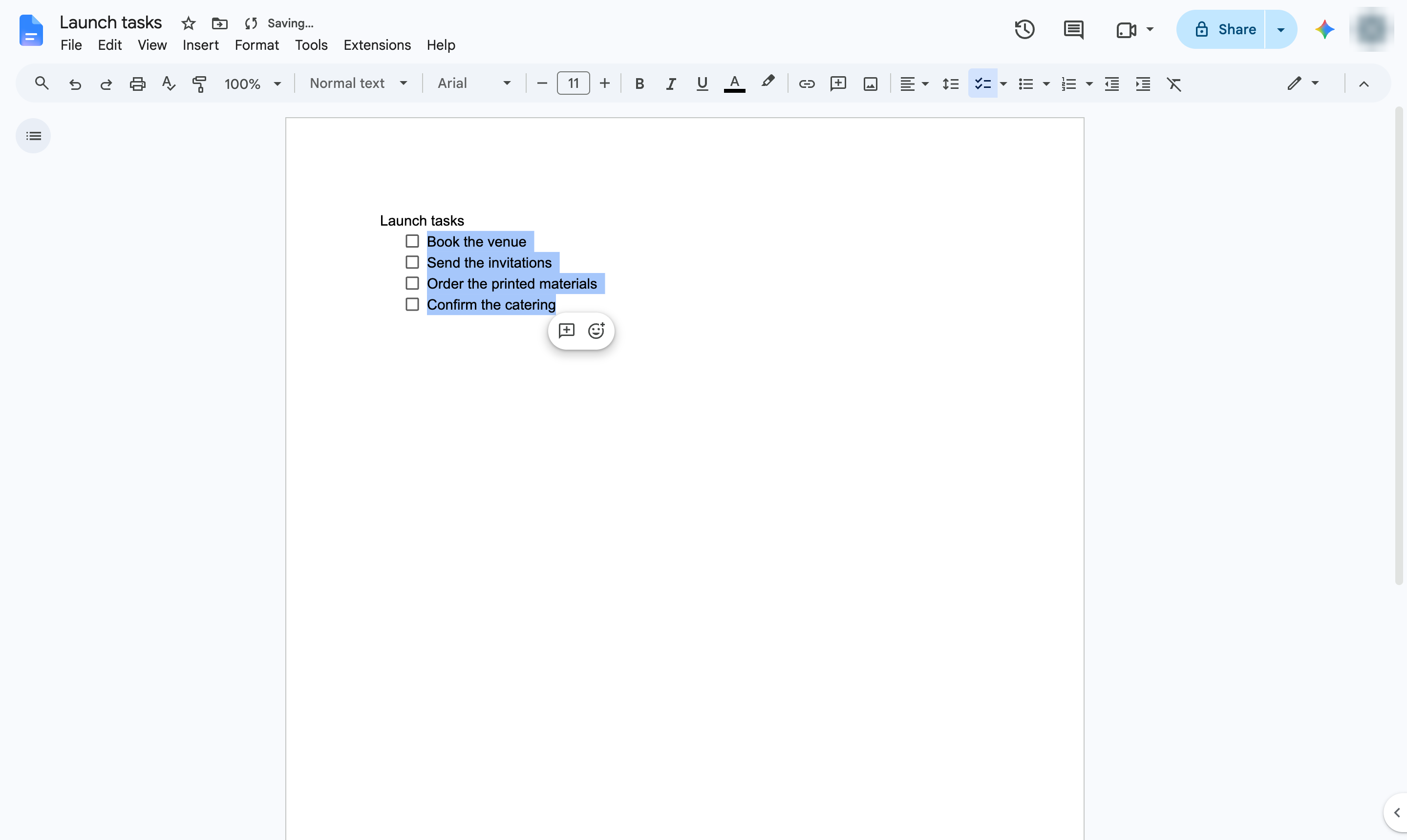
Each line now has a checkbox. Click a box to tick the task off.
Duplicate this template, swap in your own screens, and share it with your team. Free to start — no credit card.
Fill out the form and we'll get back to you as soon as possible.
Tell us about your team and we'll find the right plan together.