1
Click Insert
Open the Insert menu.
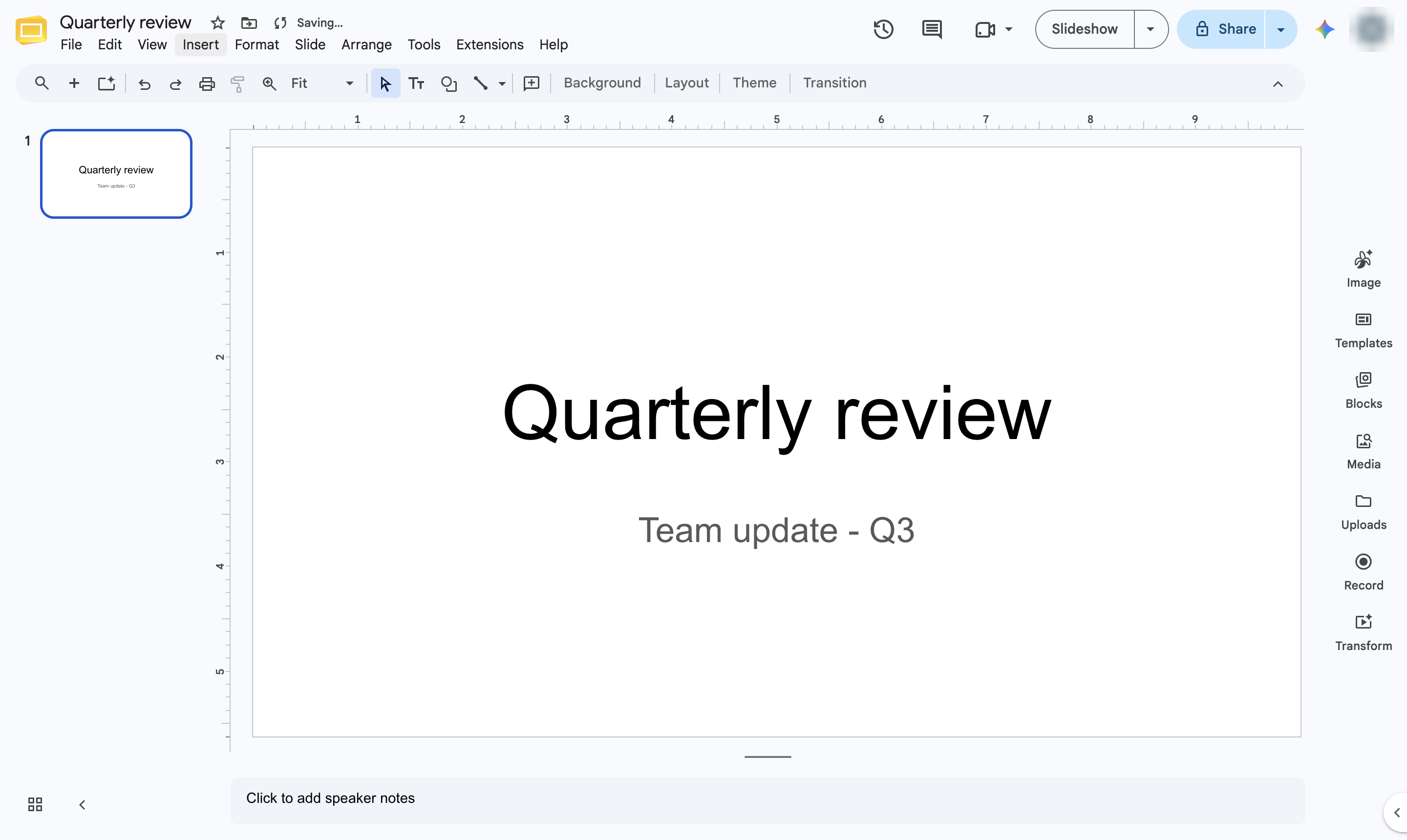

Add a YouTube video to a slide with Insert > Video - search for it or paste its link.
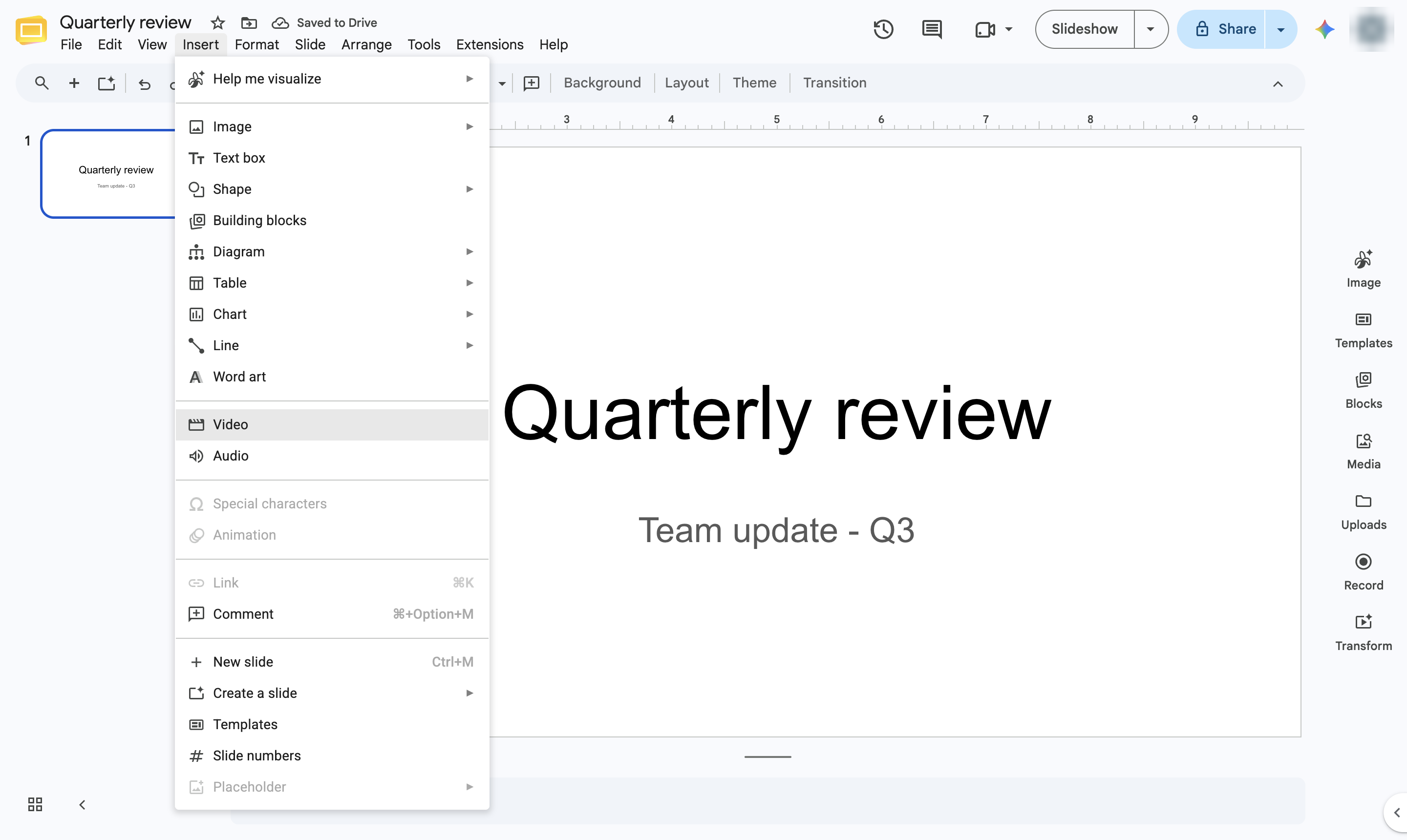
Open the Insert menu.
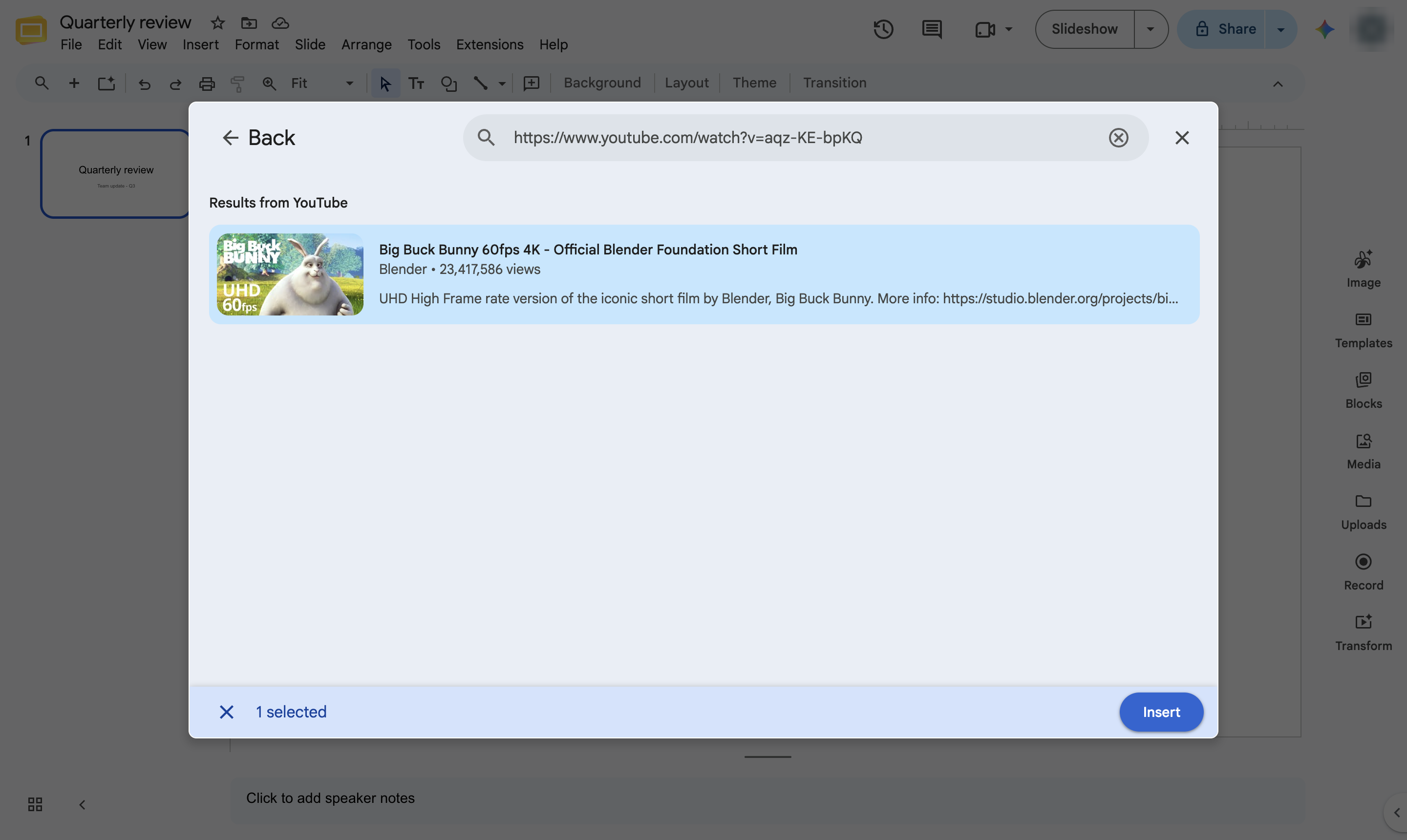
Choose Video. The Insert video window opens.
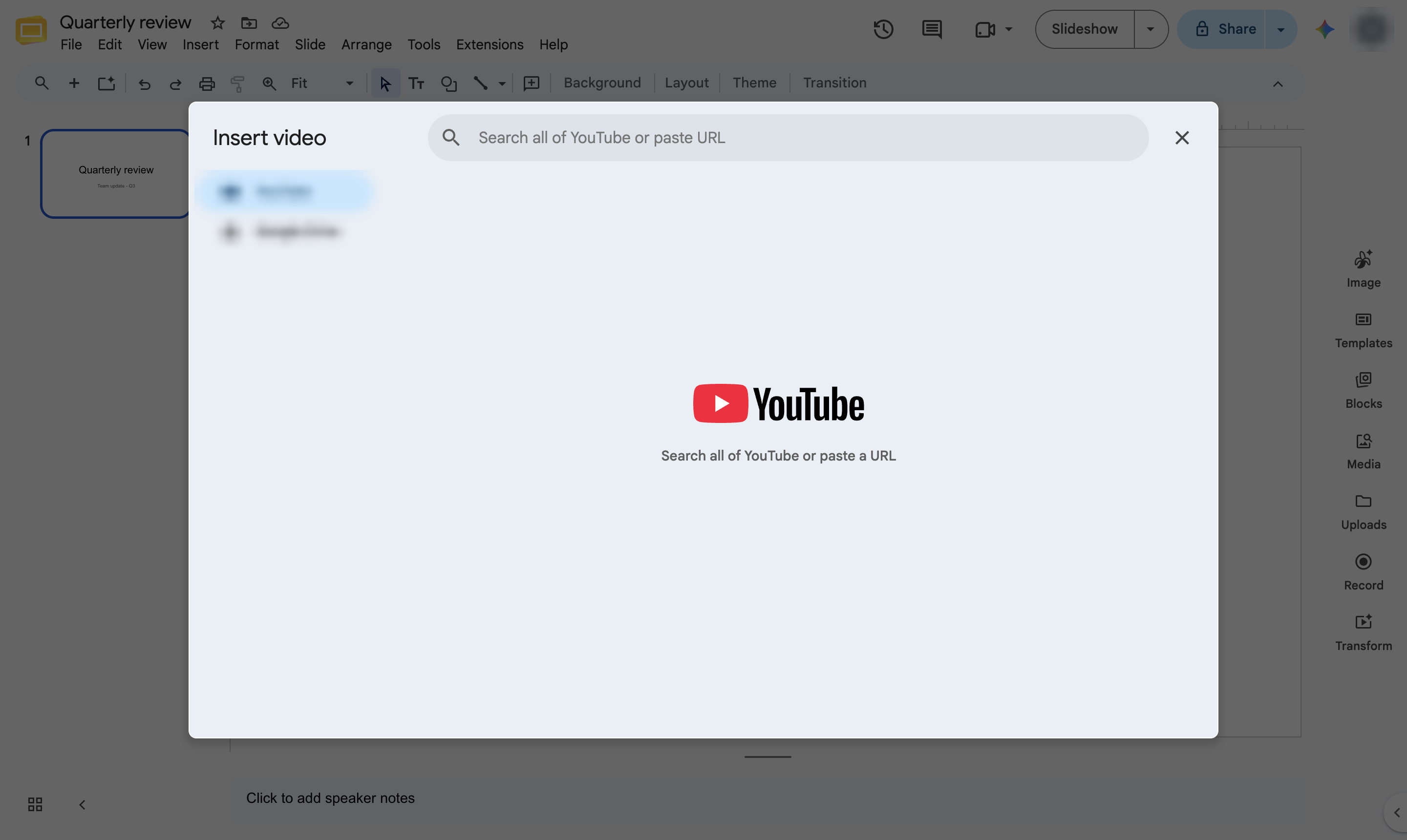
Click the search box. Search YouTube, paste a YouTube link, or switch the source to Google Drive for your own videos.
Type a search or paste the video link.
Press Enter to search.
Click the video you want.
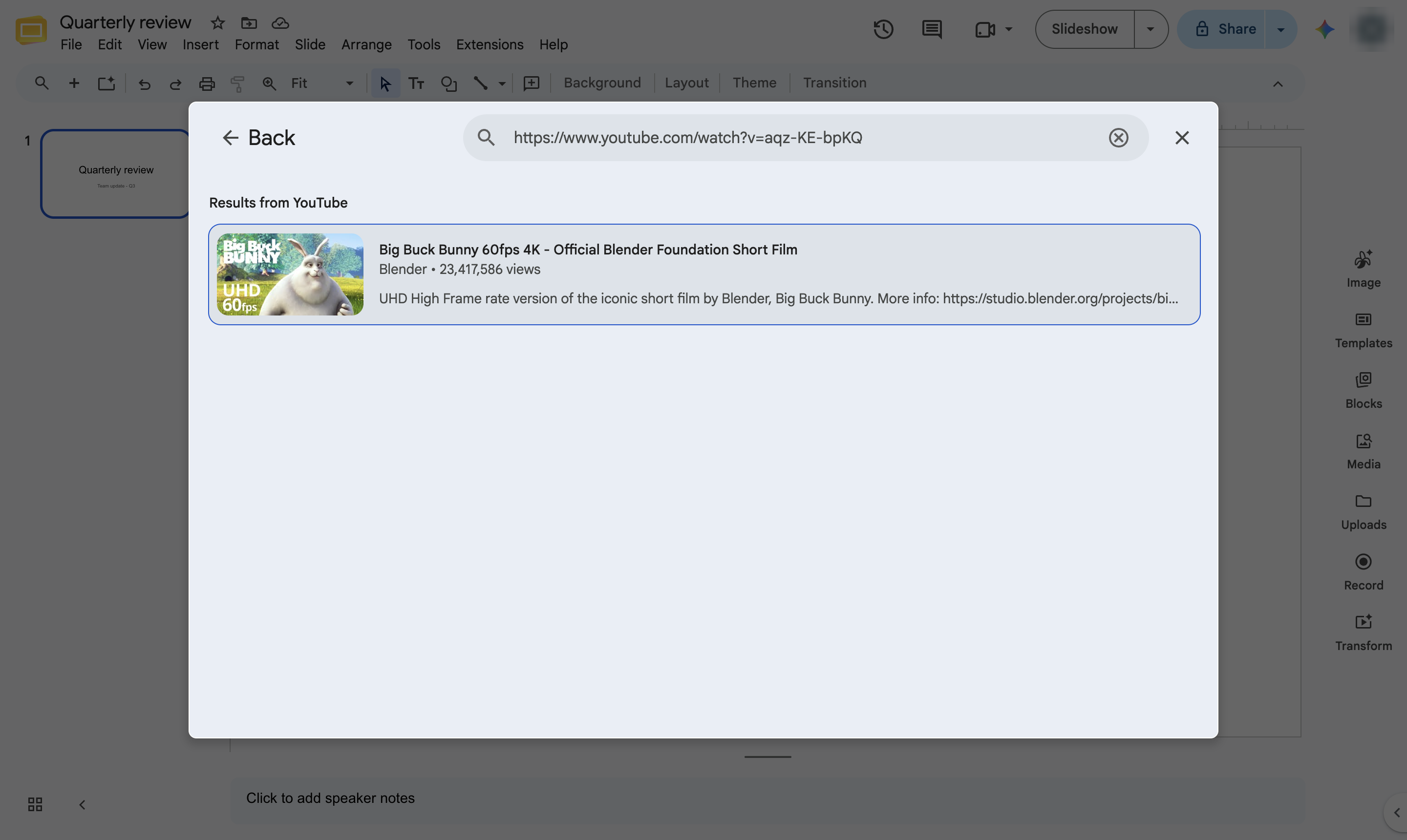
Click Insert.
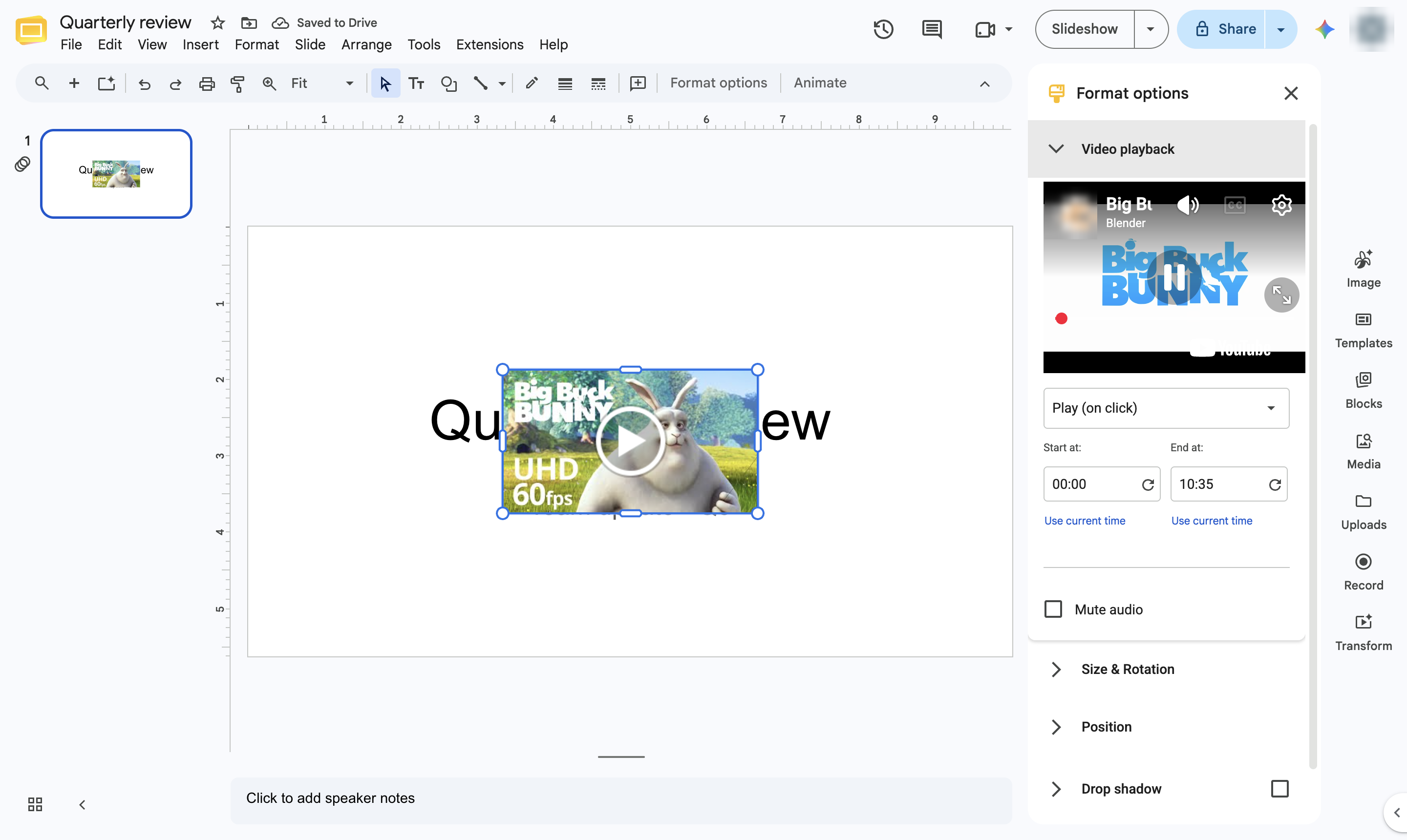
The video sits on the slide. Drag to move or resize it, and use Format options to start it automatically or trim it.
Duplicate this template, swap in your own screens, and share it with your team. Free to start — no credit card.
Fill out the form and we'll get back to you as soon as possible.
Tell us about your team and we'll find the right plan together.