1
Click in the paragraph to indent
Click anywhere in the paragraph you want to move in.
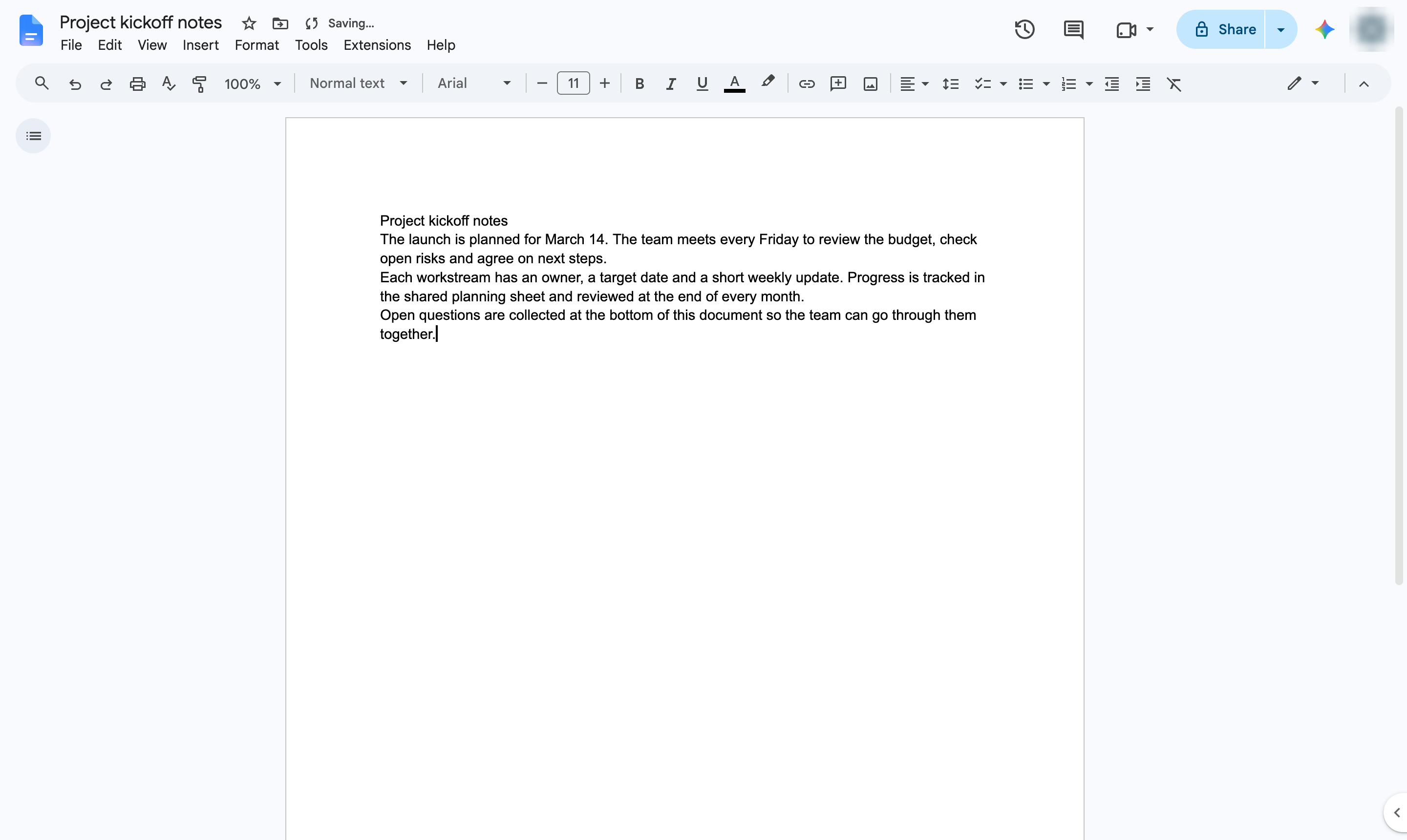

Move a paragraph in from the margin with the Increase indent button or Tab.
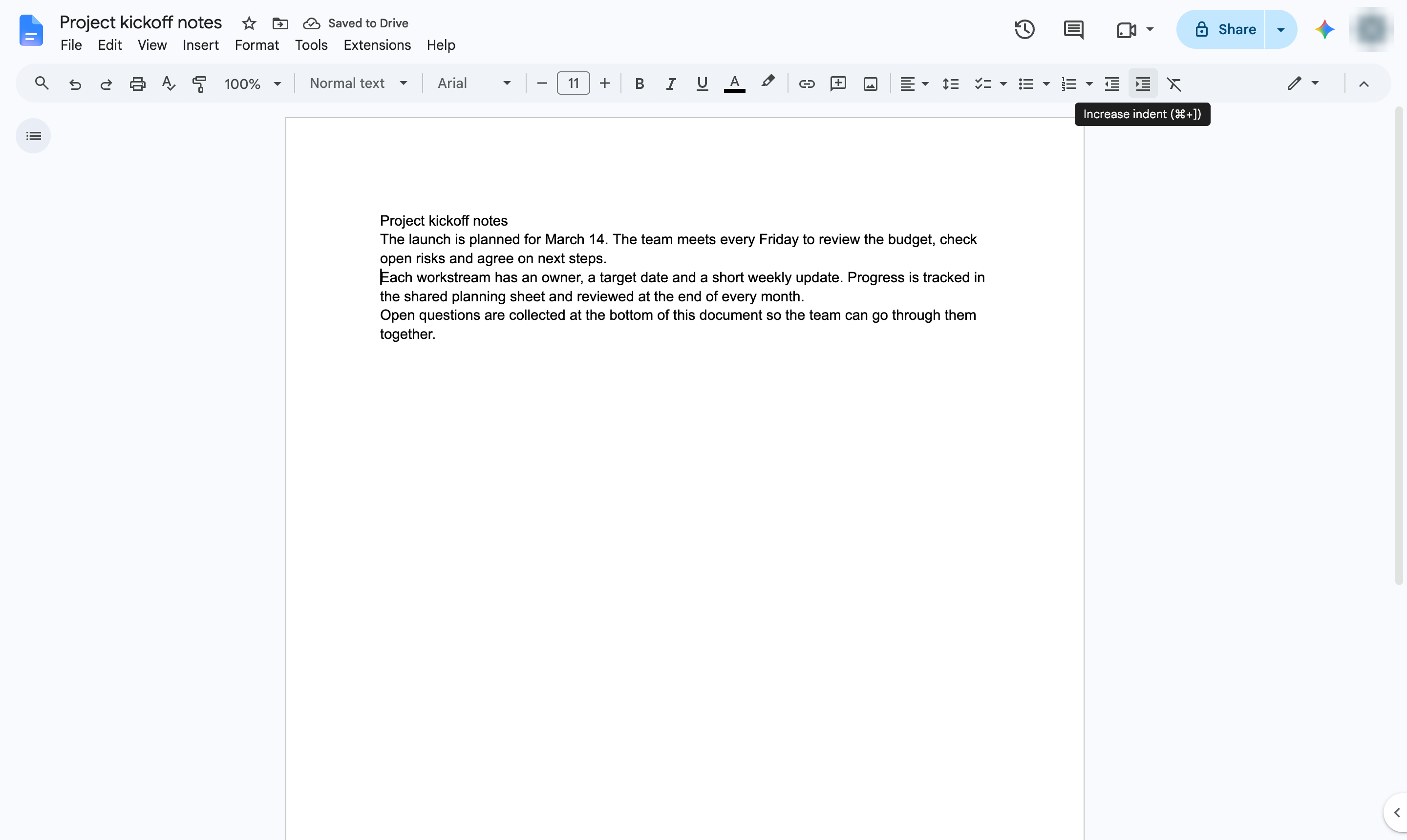
Click anywhere in the paragraph you want to move in.
In the toolbar, click Increase indent. Shortcut: Ctrl + ] (Cmd + ] on Mac).
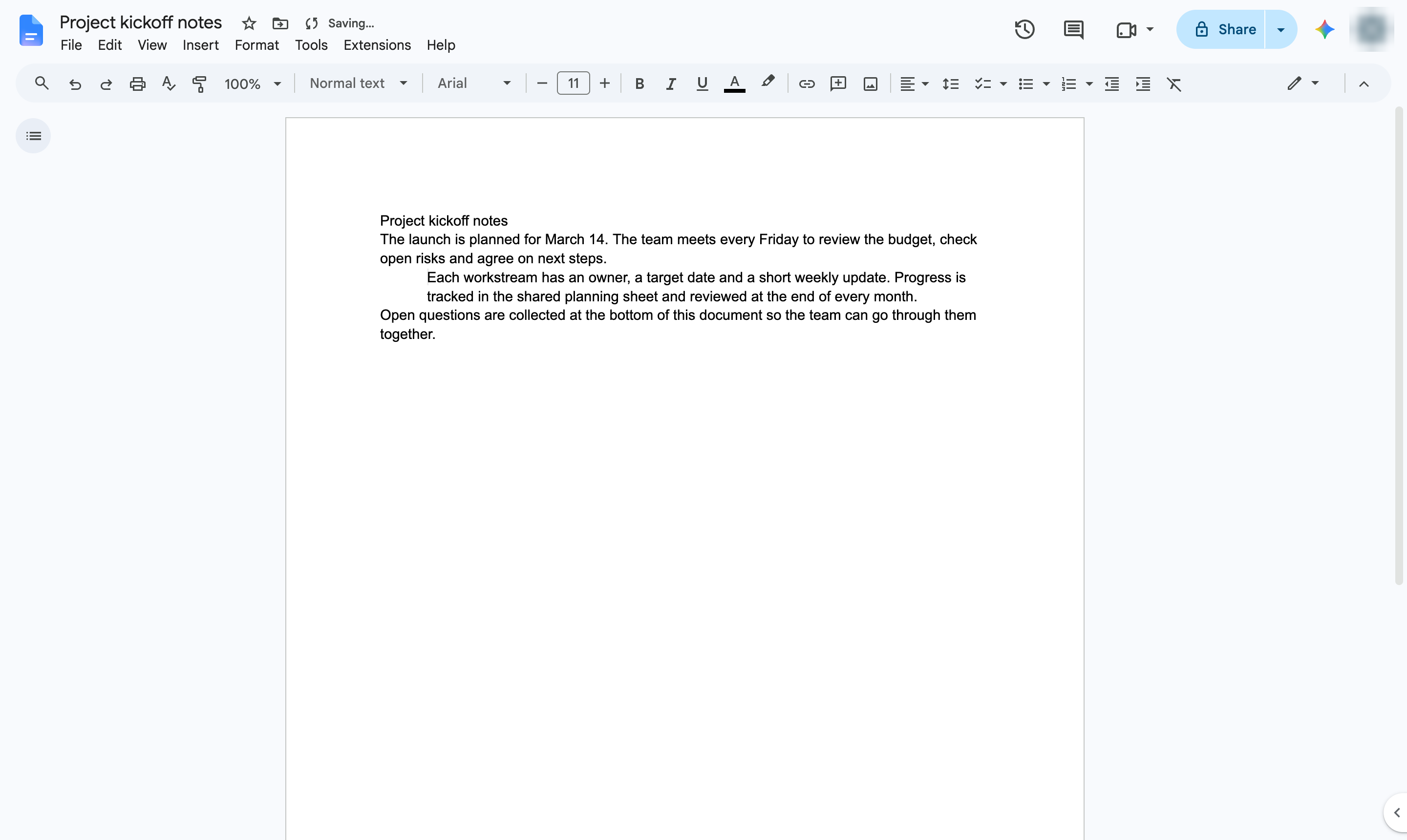
The paragraph now starts further from the margin. Click Decrease indent to move it back.
Duplicate this template, swap in your own screens, and share it with your team. Free to start — no credit card.
Fill out the form and we'll get back to you as soon as possible.
Tell us about your team and we'll find the right plan together.