1
Click View
Open the View menu.
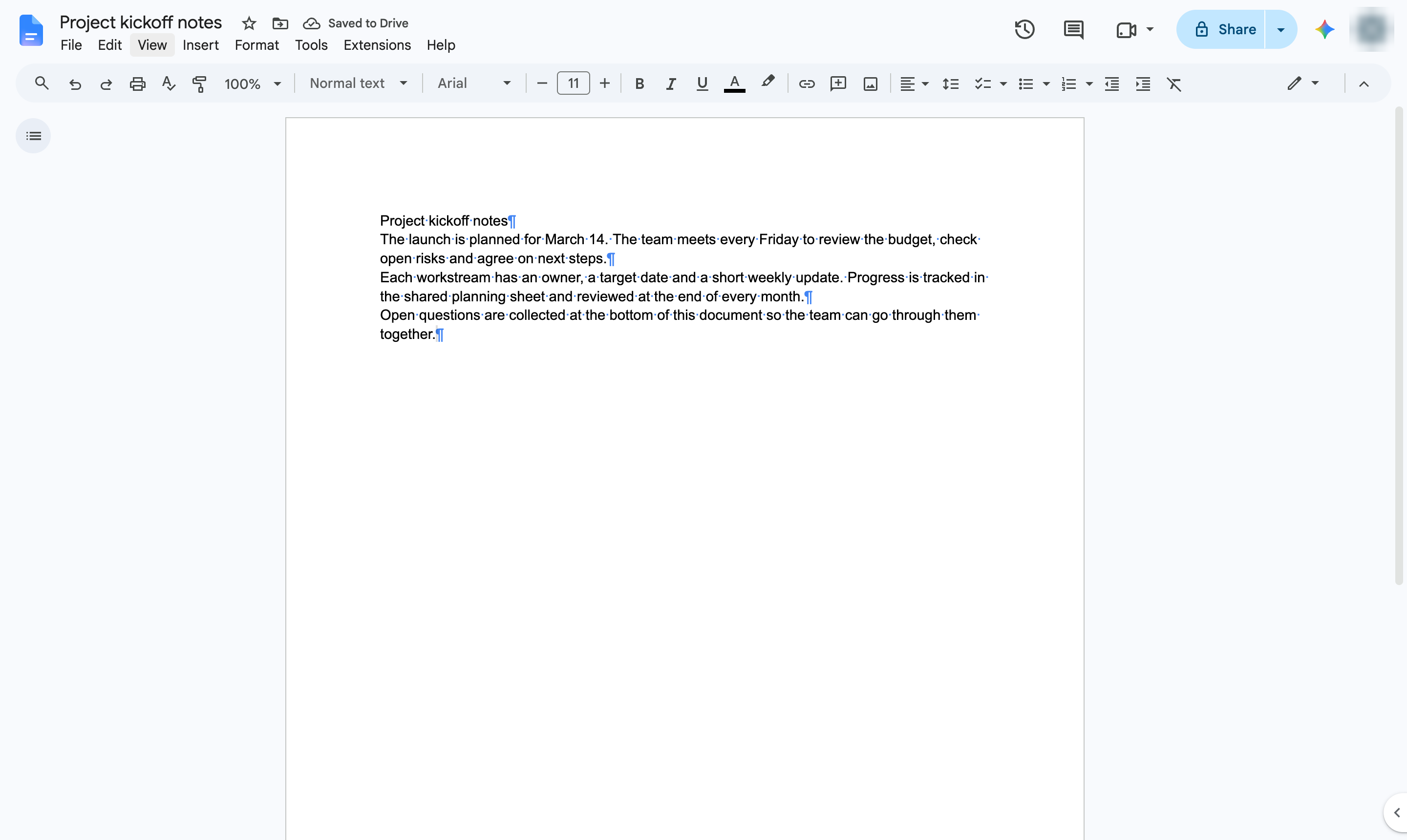

Hide the paragraph marks (¶) and other formatting symbols shown in your document.
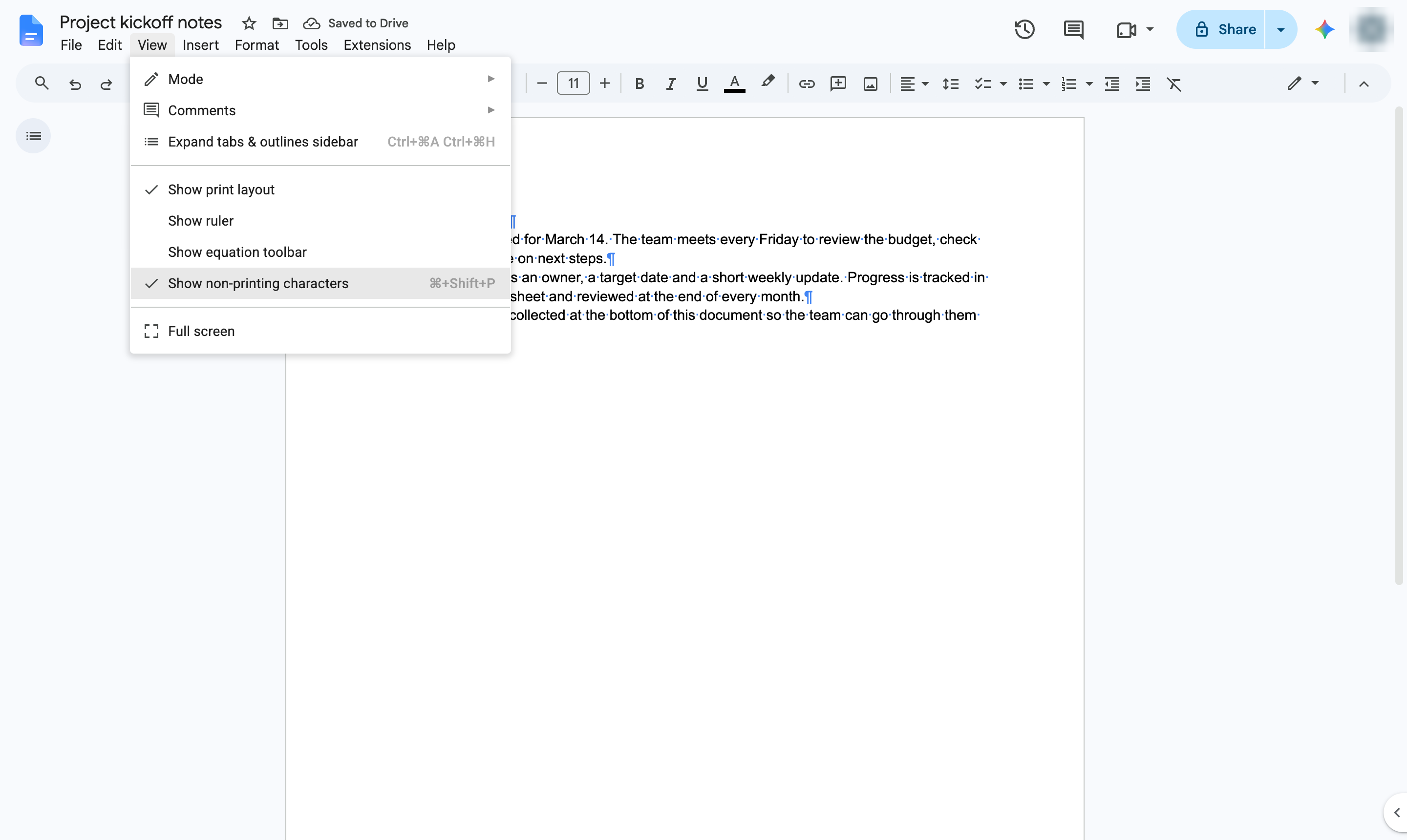
Open the View menu.
Click Show non-printing characters to untick it. Shortcut: Ctrl + Shift + P (Cmd + Shift + P on Mac).
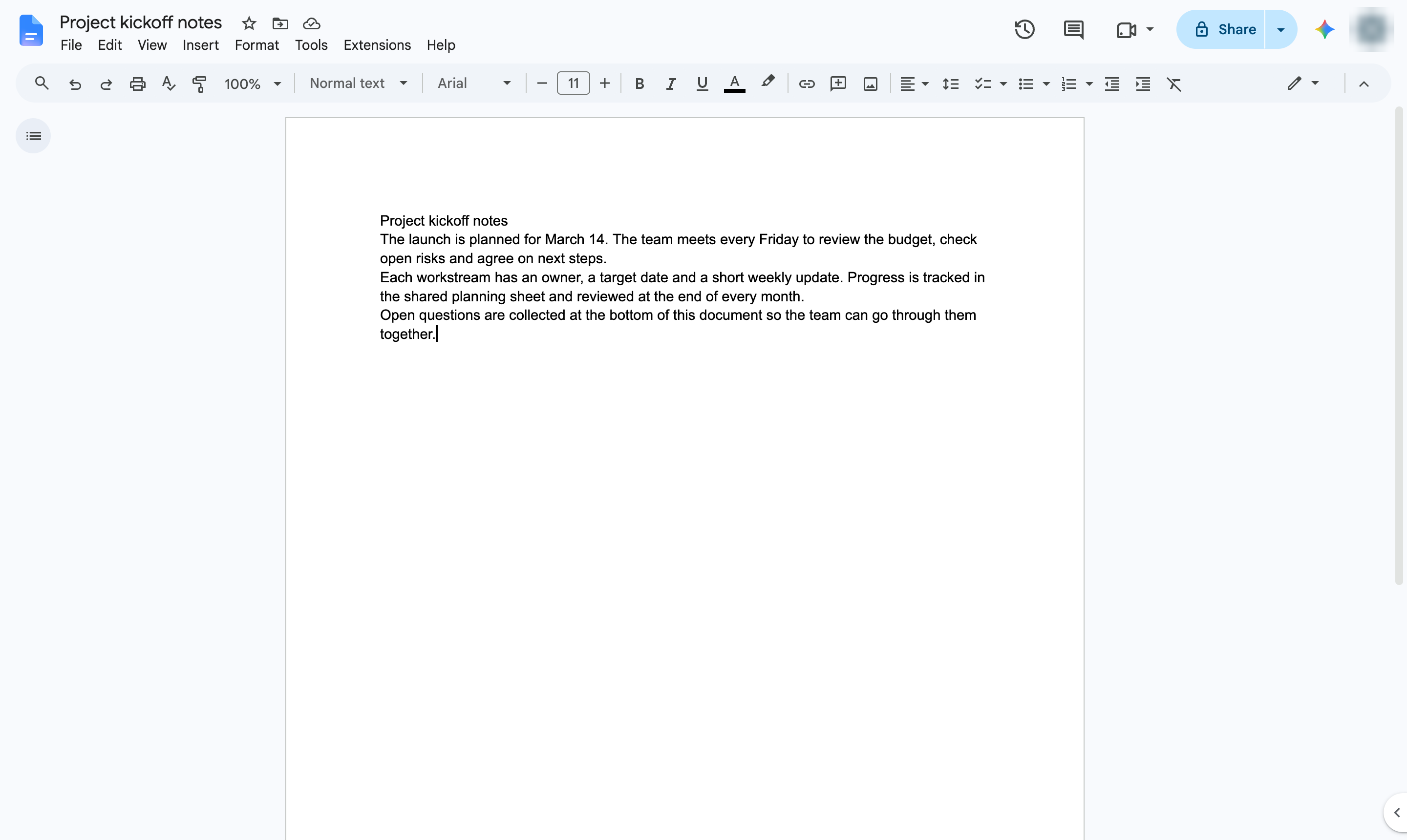
The ¶ symbols are gone. Turn the option back on the same way to see paragraph breaks again.
Duplicate this template, swap in your own screens, and share it with your team. Free to start — no credit card.
Fill out the form and we'll get back to you as soon as possible.
Tell us about your team and we'll find the right plan together.