1
Navigate to the repository page you want to generate a link for.
Navigate to the repository page you want to generate a link for.
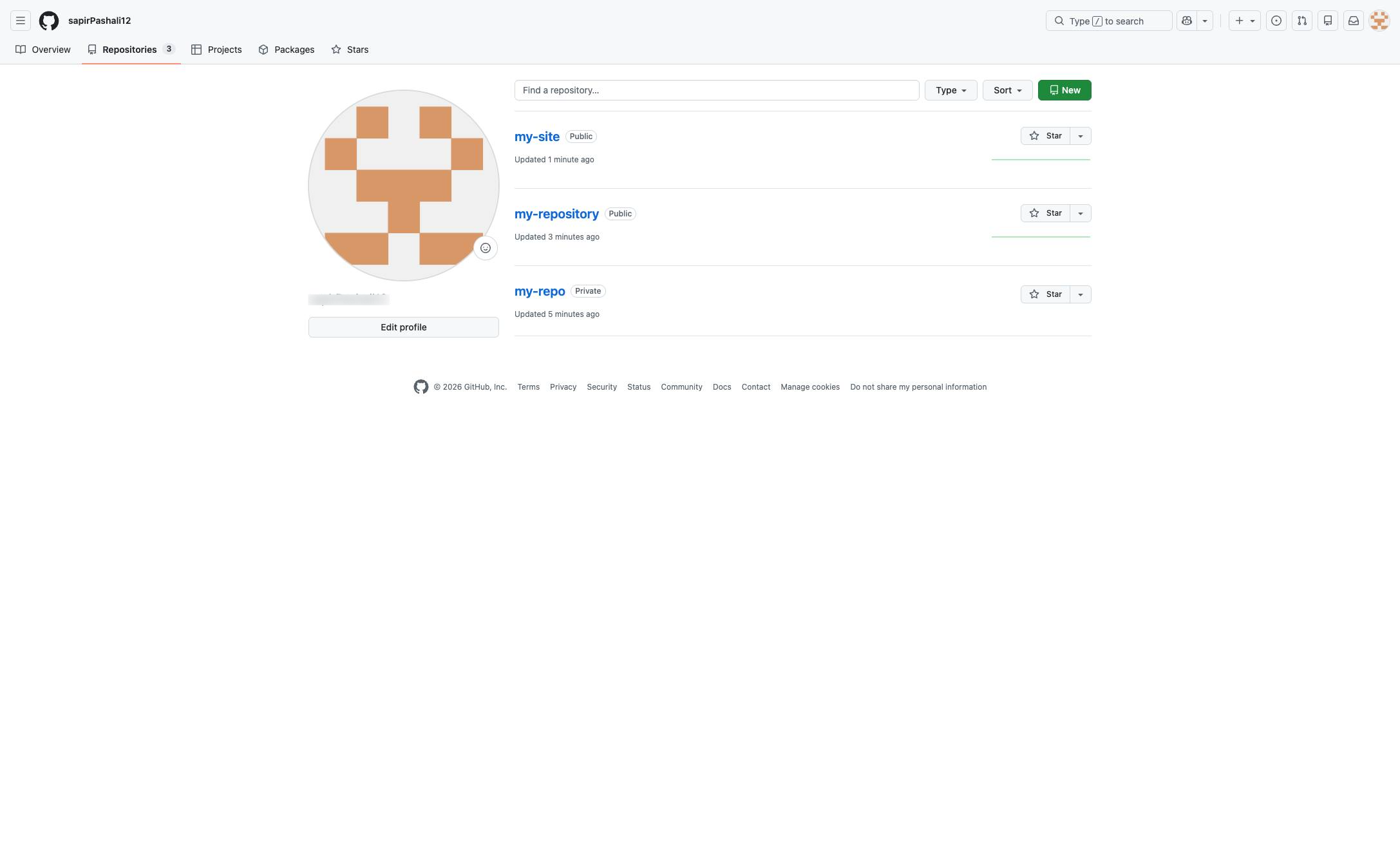

You can always generate an HTTPS link if you don't want to clone your GitHub repo with SSH. You can easily retrieve this information from your repository page on GitHub
Navigate to the repository page you want to generate a link for.
Click the green Code button located above the repository files to access cloning and download options.
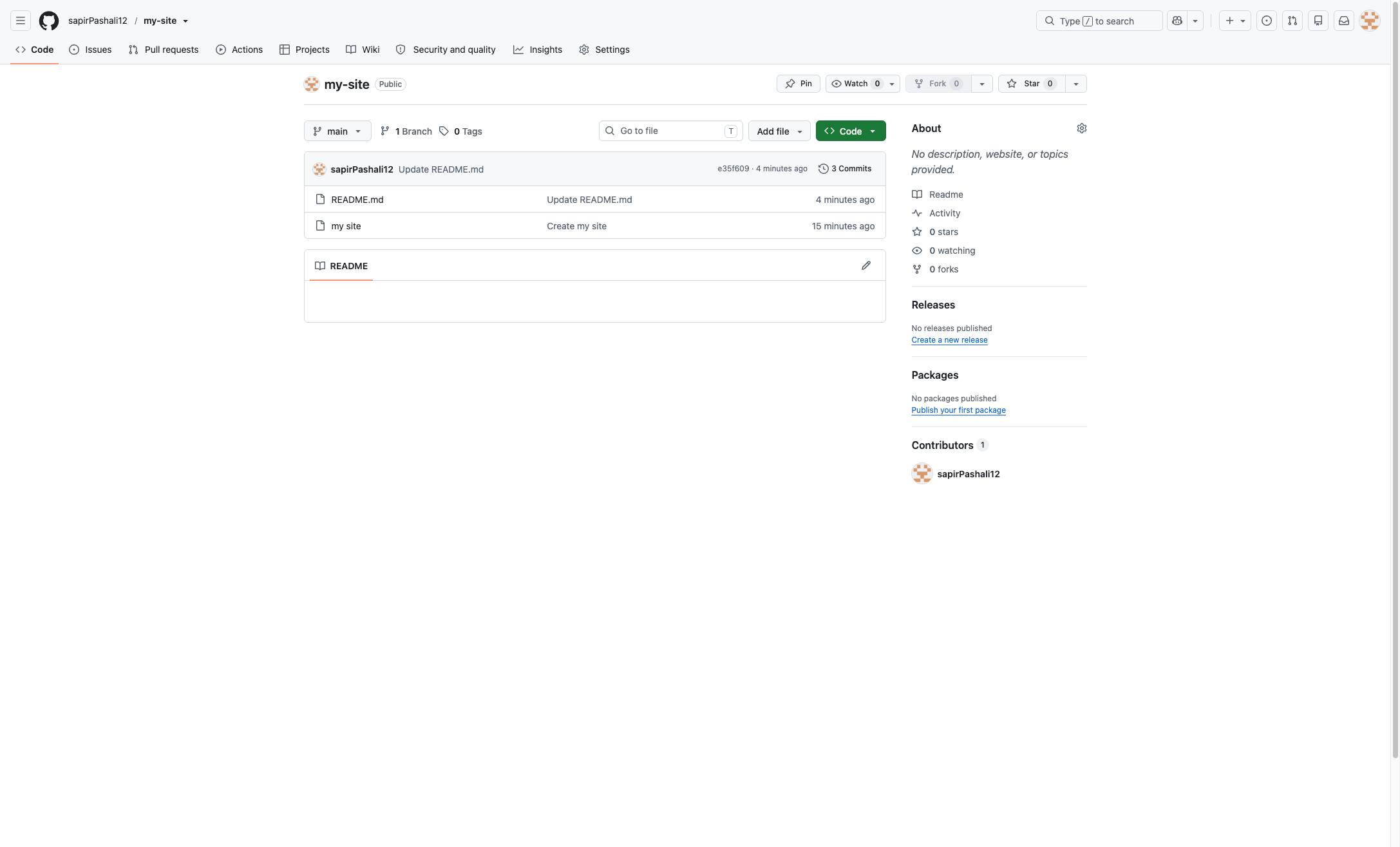
Click the HTTPS tab in the Clone section of the dropdown menu to view the web URL.
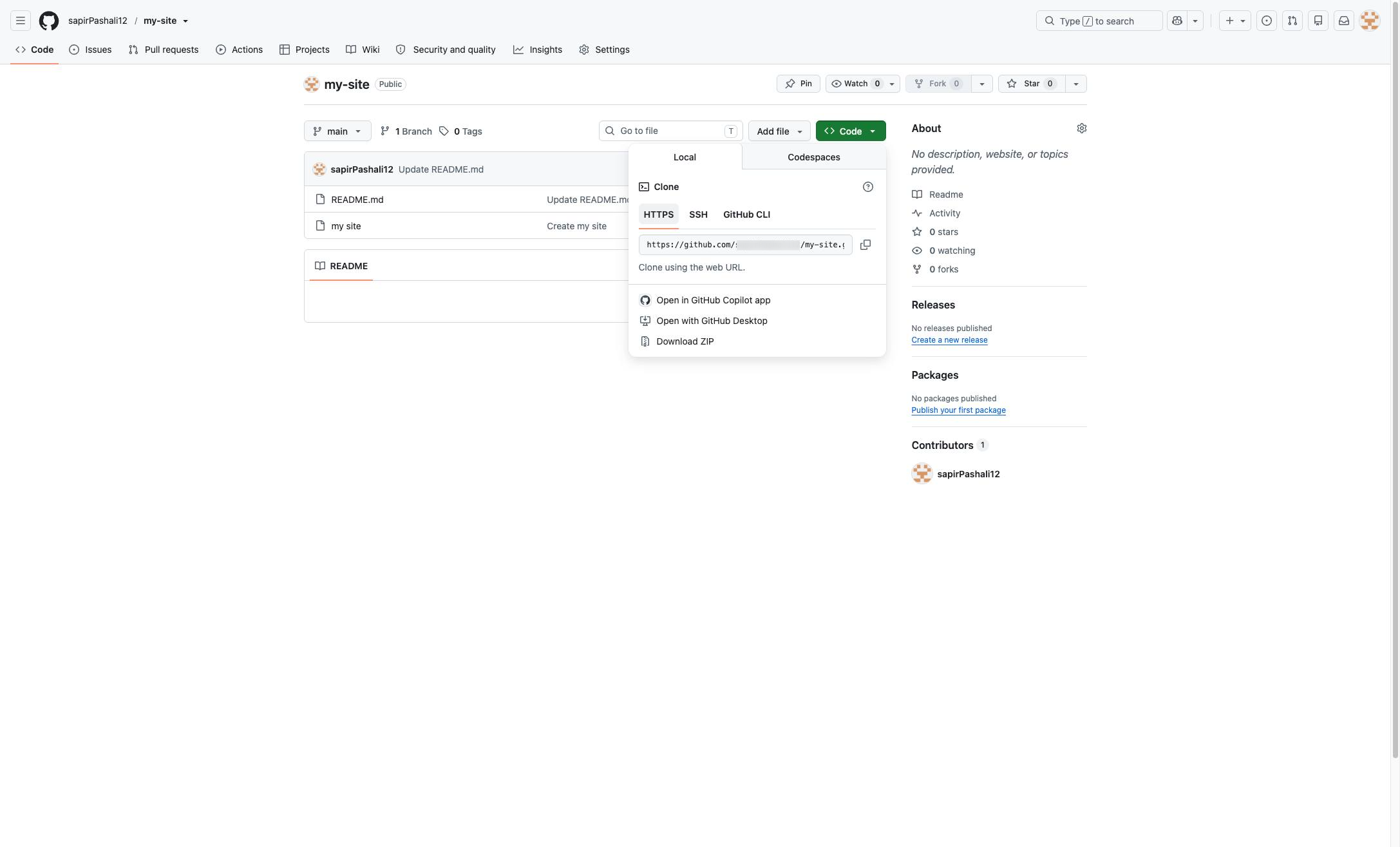
Click the copy icon next to the repository URL to copy it to your clipboard.
Duplicate this template, swap in your own screens, and share it with your team. Free to start — no credit card.
Fill out the form and we'll get back to you as soon as possible.
Tell us about your team and we'll find the right plan together.