1
Click a cell in the column
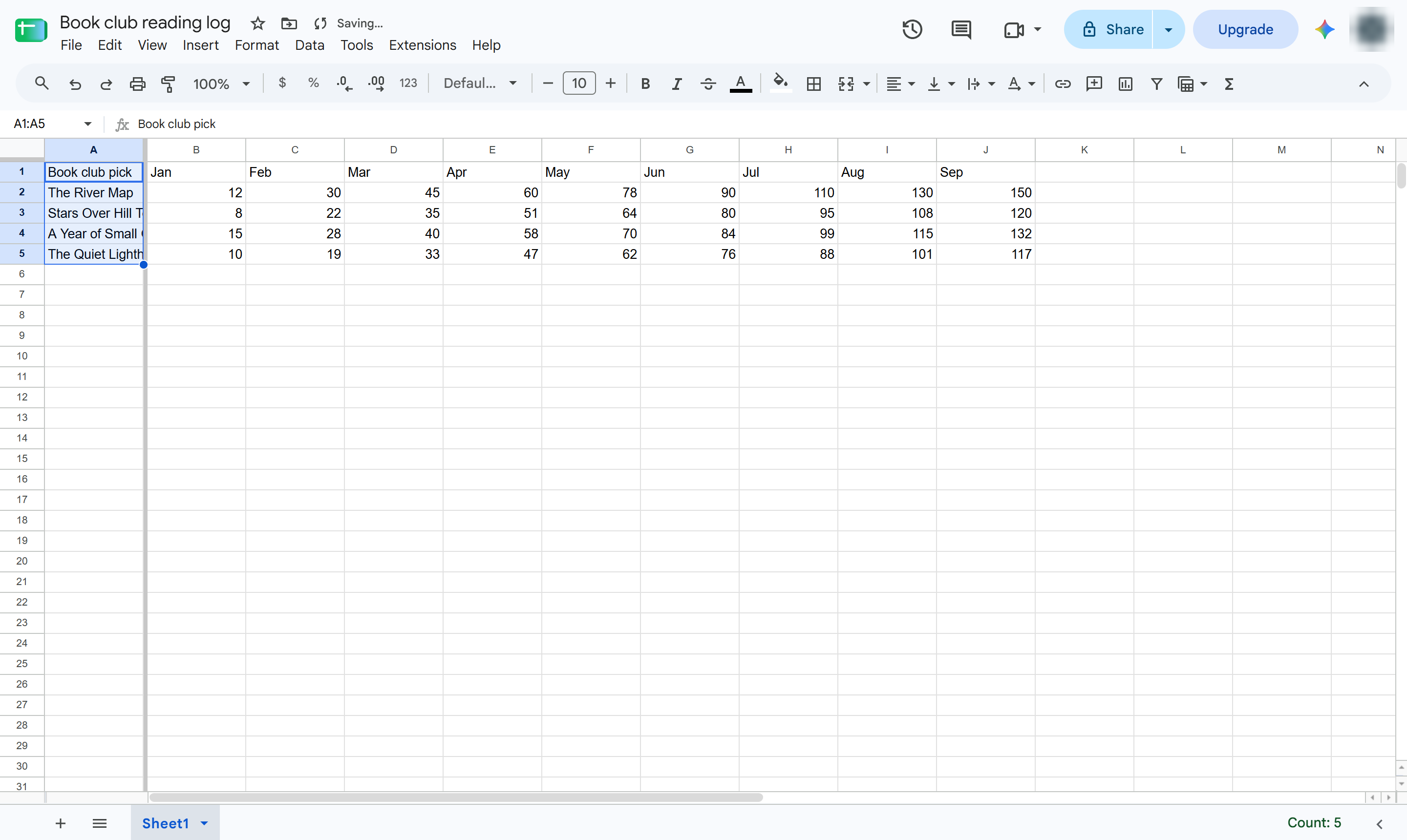
Click any cell in the column you want to keep in view - here, column A.
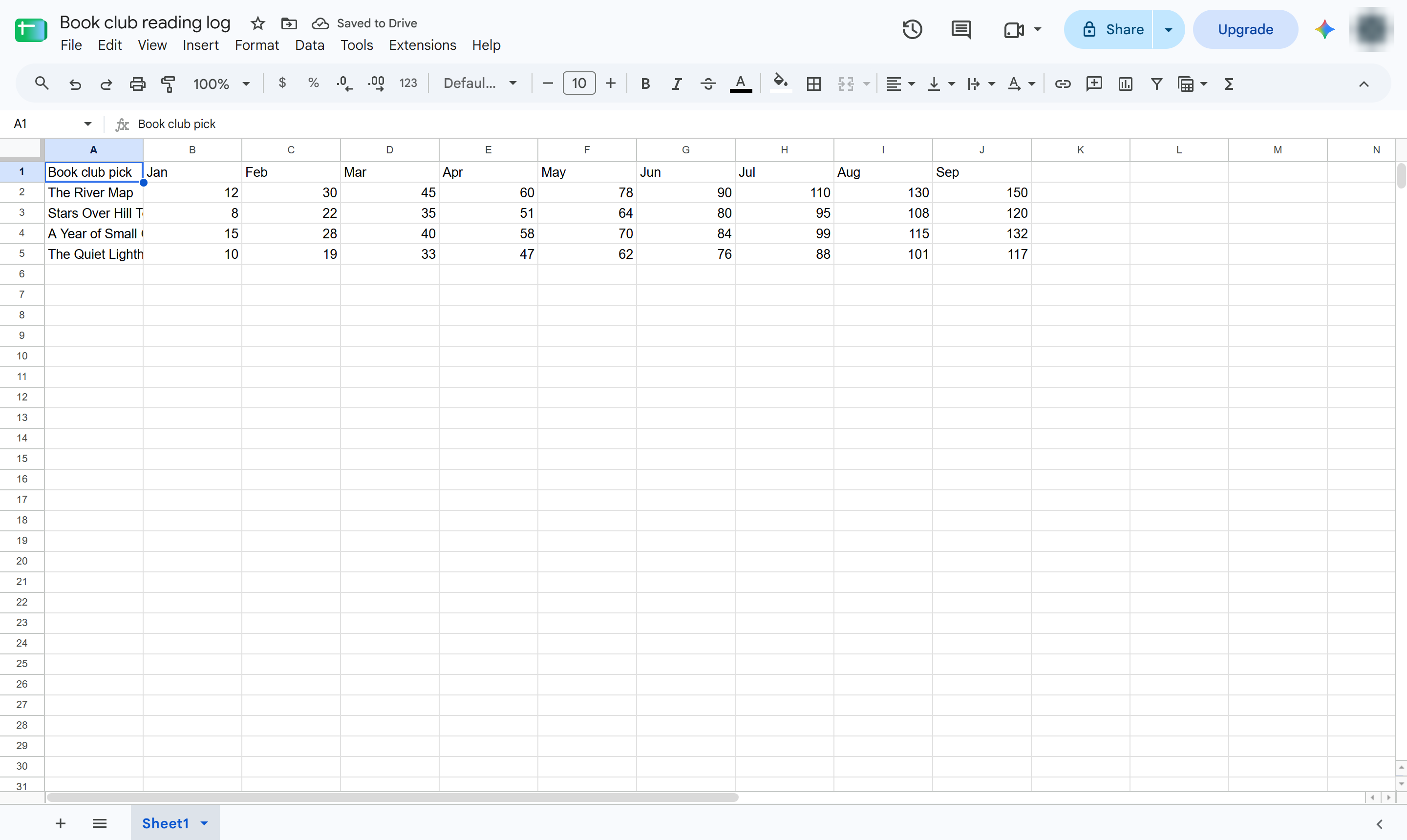

Keep the first column on screen while you scroll across a wide sheet.
Click any cell in the column you want to keep in view - here, column A.
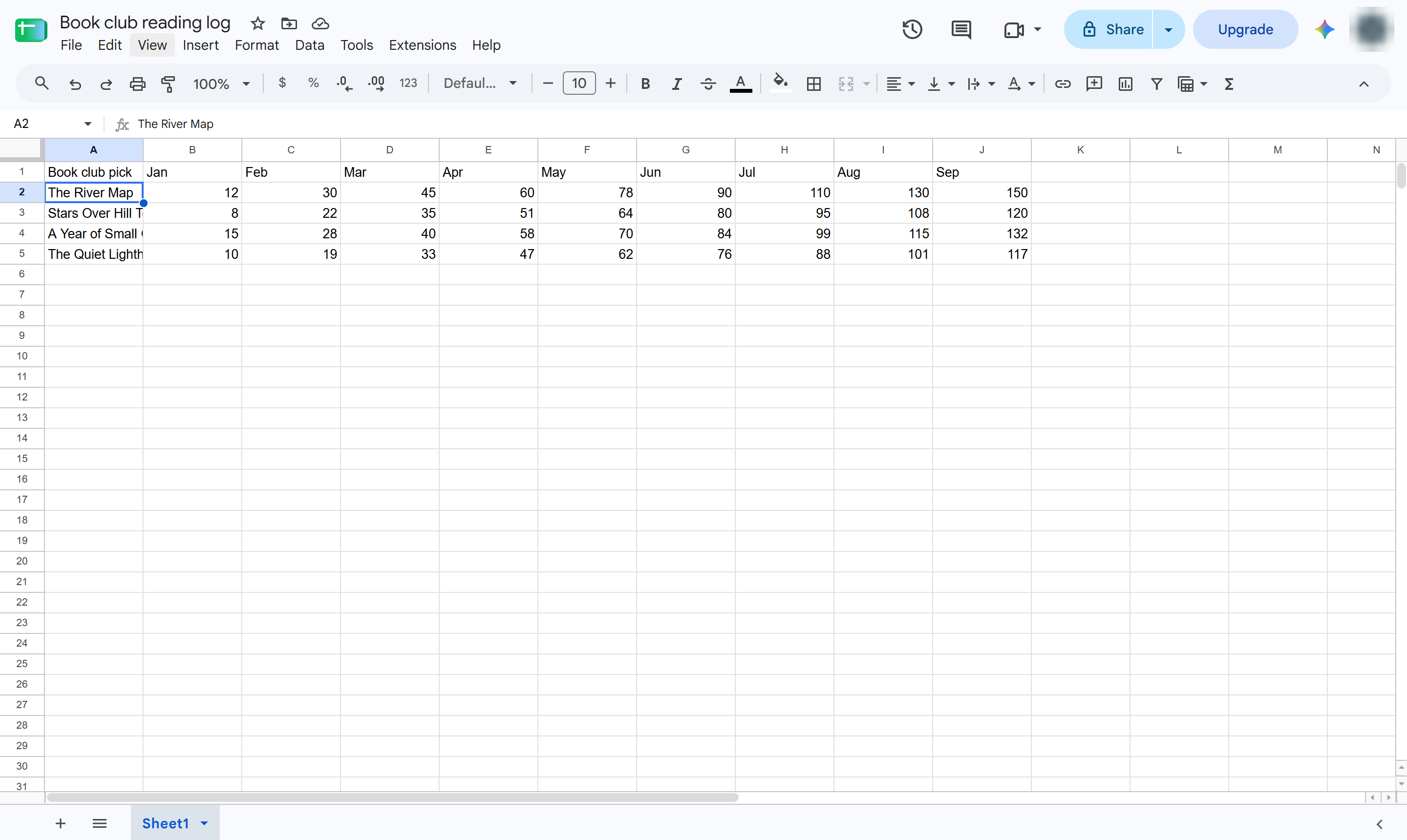
Open the View menu.
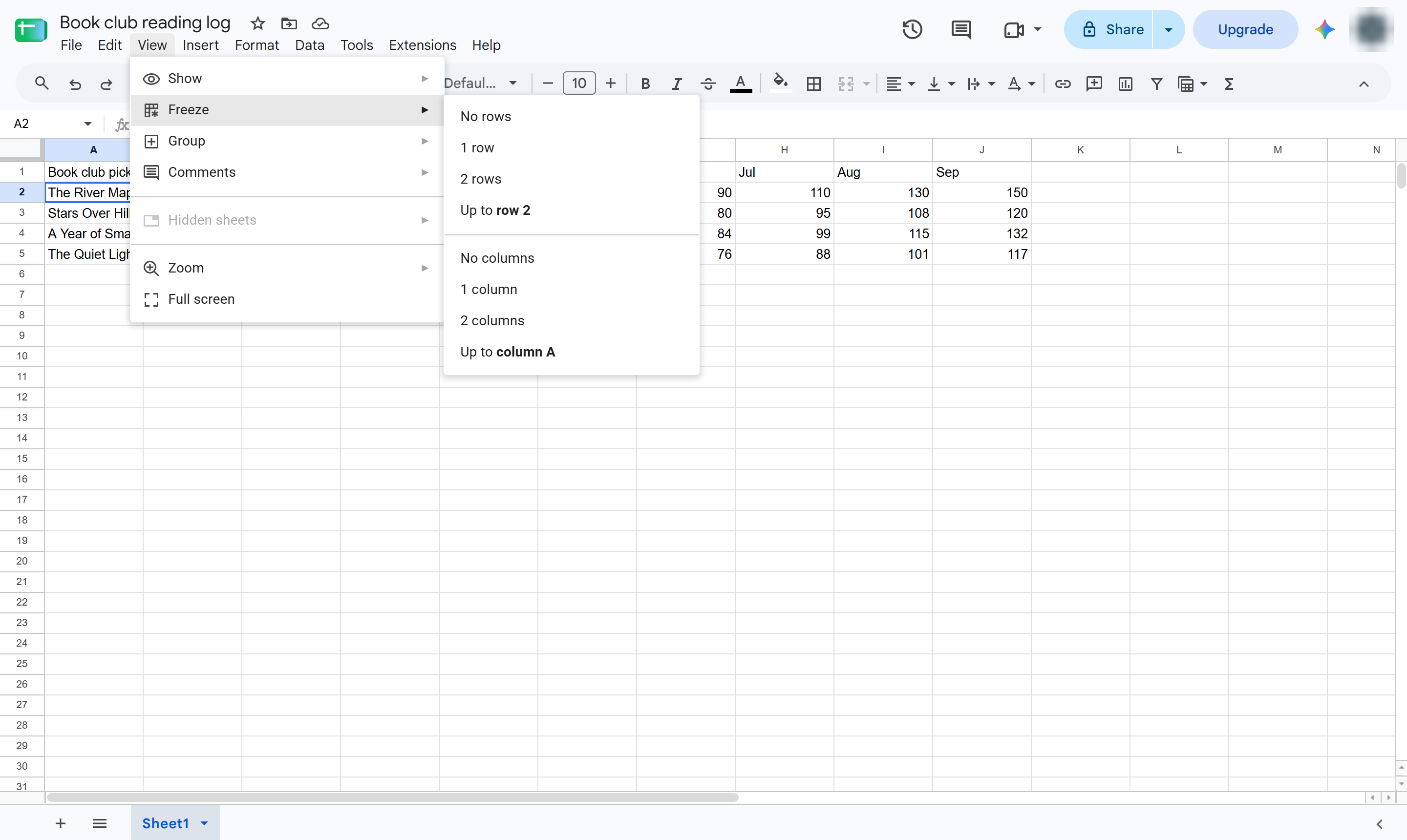
Hover over Freeze.
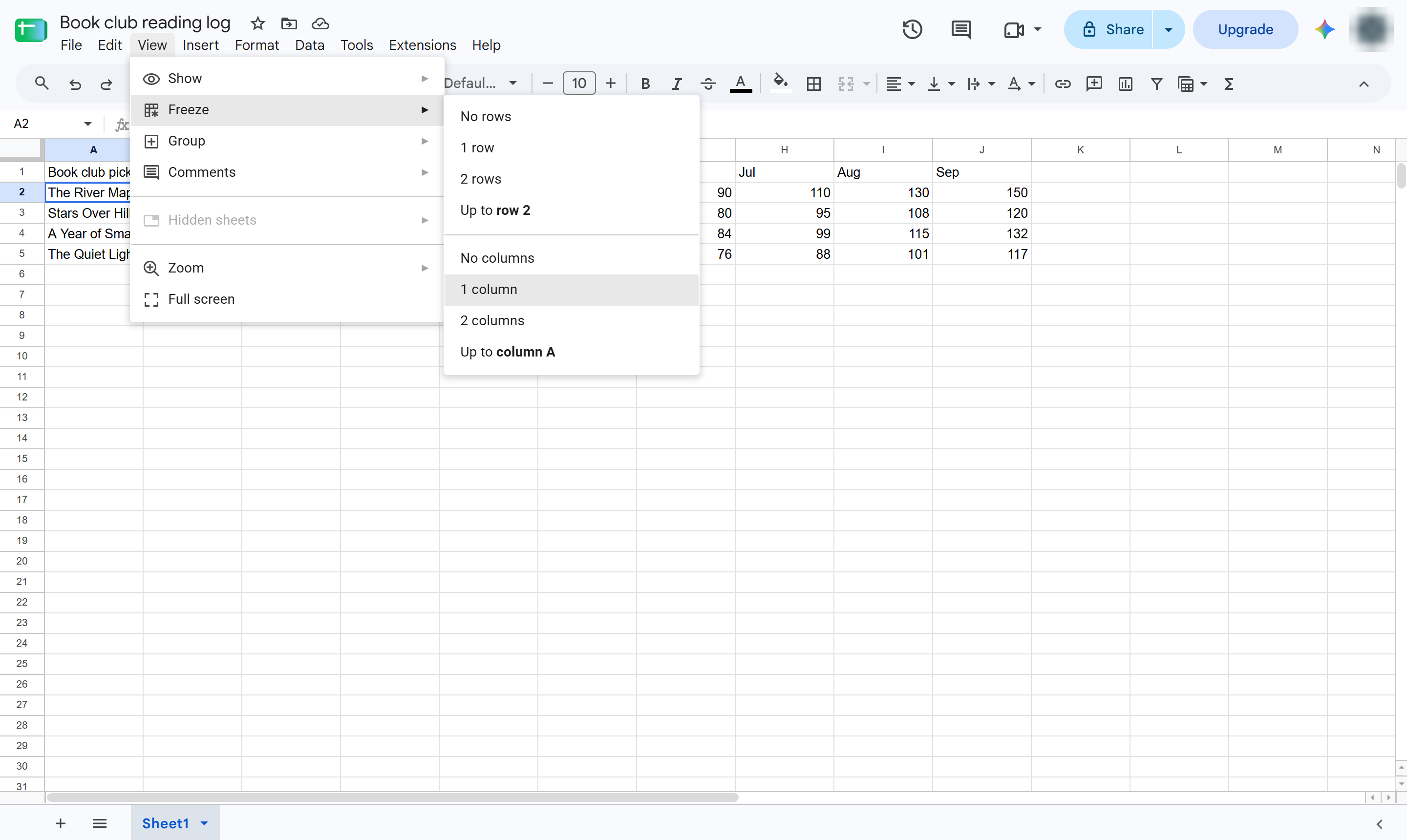
Choose 1 column. Pick Up to column ... to freeze every column up to the selected one.
A thick line now marks the edge of column A. It stays in place as you scroll right. Choose View > Freeze > No columns to undo it.
Duplicate this template, swap in your own screens, and share it with your team. Free to start — no credit card.
Fill out the form and we'll get back to you as soon as possible.
Tell us about your team and we'll find the right plan together.