1
Click an empty cell
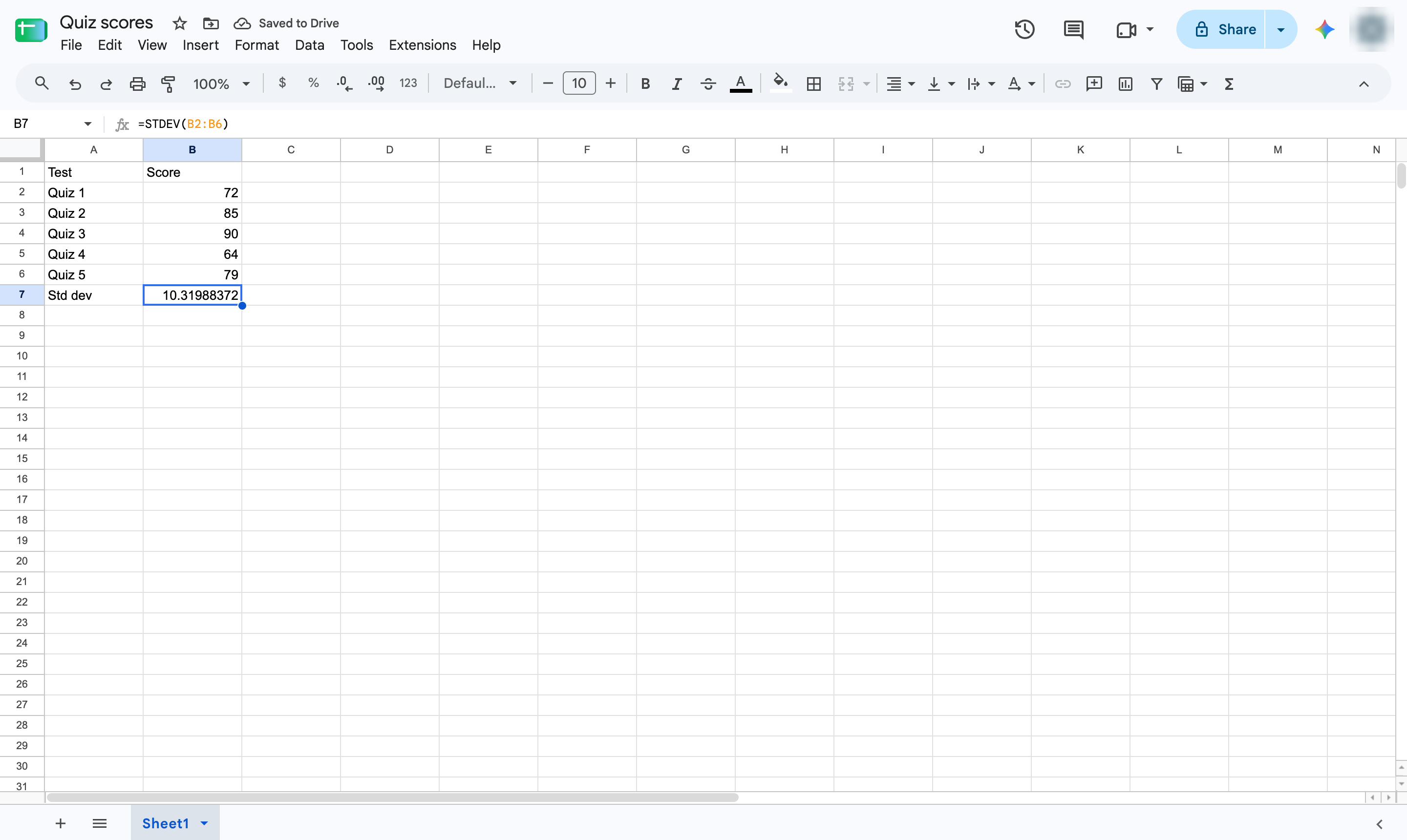
Click the cell where the result should go. Type =STDEV( then the range of numbers and a closing bracket - here, =STDEV(B2:B6). Use STDEVP for a whole population. Press Enter to confirm.
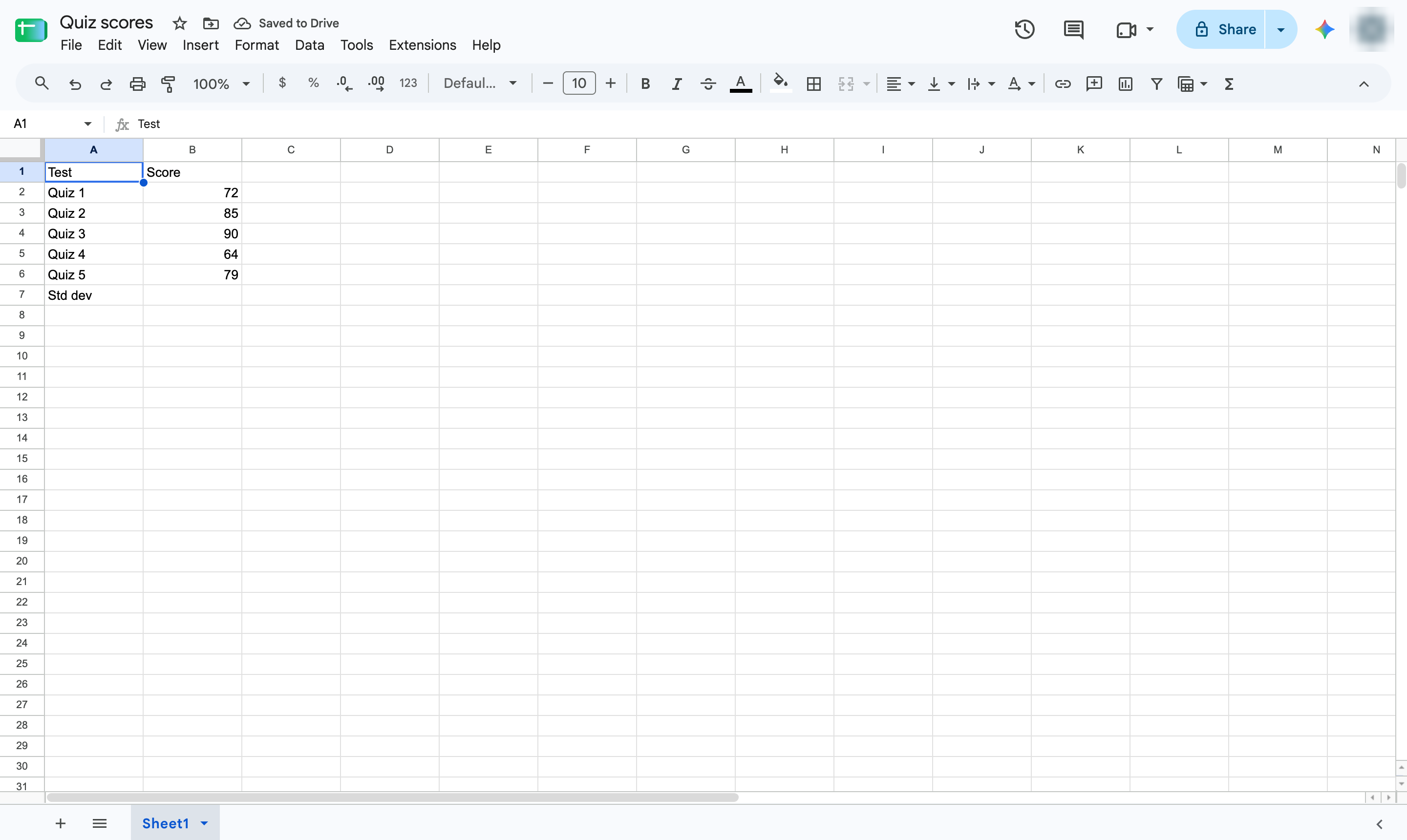

Measure how spread out your numbers are with the STDEV function.
Click the cell where the result should go. Type =STDEV( then the range of numbers and a closing bracket - here, =STDEV(B2:B6). Use STDEVP for a whole population. Press Enter to confirm.
The cell shows how far the scores typically sit from their average.
Duplicate this template, swap in your own screens, and share it with your team. Free to start — no credit card.
Fill out the form and we'll get back to you as soon as possible.
Tell us about your team and we'll find the right plan together.